Pages

OBDSTAR ODOMASTER & X300 PRO4

Showing posts with label OBDSTAR X300 DP PLUS. Show all posts

Thursday, May 26, 2022

Obdstar X300 DP Plus Read Continental PCR2.1 IMMO Data

 How to use OBDSTAR X300 DP Plus + P003 Kit to read Continental PCR2.1 IMMO data on Bench? This is a tutorial on how to do, read the post below to learn more.

Tools Required

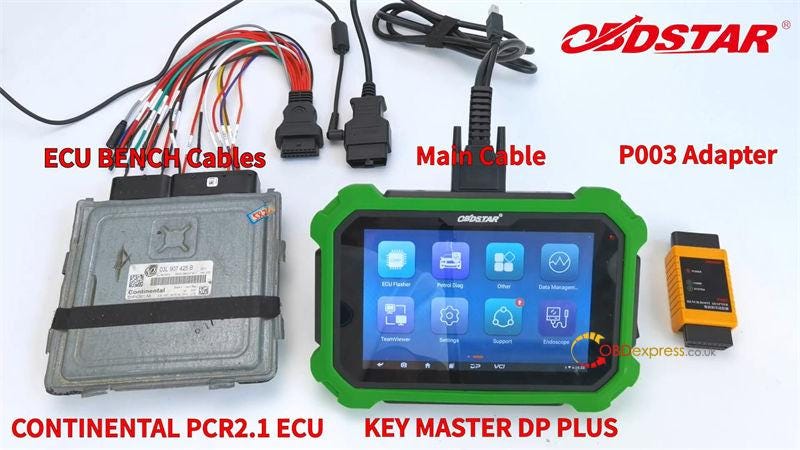
Continental PCR2.1 ECU

OBDSTAR X300 DP Plus(Key Master DP Plus)

P003 Bench Adapter

ECU Bench Cables

Main Cables

Note: Please keep X300 DP Plus in charging and communication in the whole process.

Obdstar X300 DP Plus Read Continental PCR2.1 IMMO Data

Procedure

Path: ECU Flasher >> Continental >> Continental Newest Version >> Manual Select System >> Continental PCR2.1(TC1796)(BENCH) >> Read IMMO data

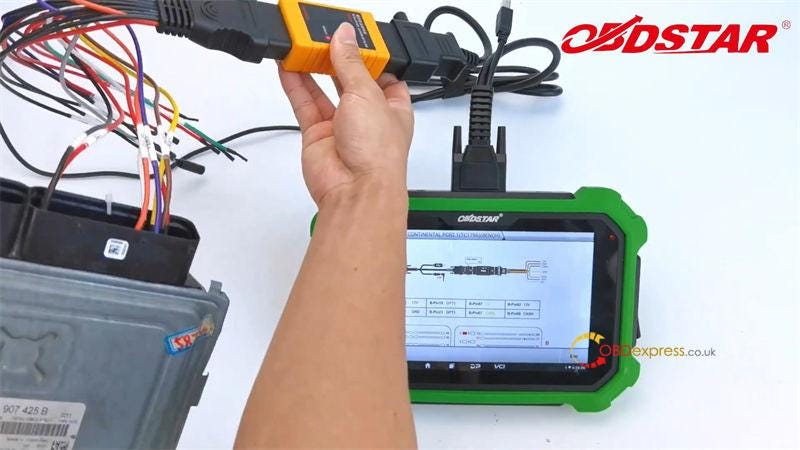
Click “Bench mode wiring” in lower left to check wiring diagram.

Connect P003 adapter with main cable & ECU Bench cables.

Connect ECU Bench cables with Continental PCR2.1 ECU according to wiring diagram.

Obdstar X300 DP Plus Read Continental PCR2.1 IMMO Data

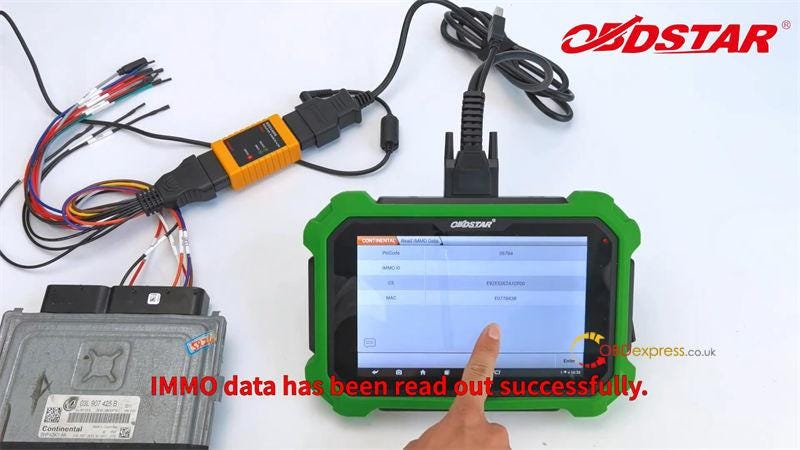
Click “Enter” to read IMMO data.

Rename & save data file.

IMMO data was read out successfully.

Obdstar X300 DP Plus Read Continental PCR2.1 IMMO Data

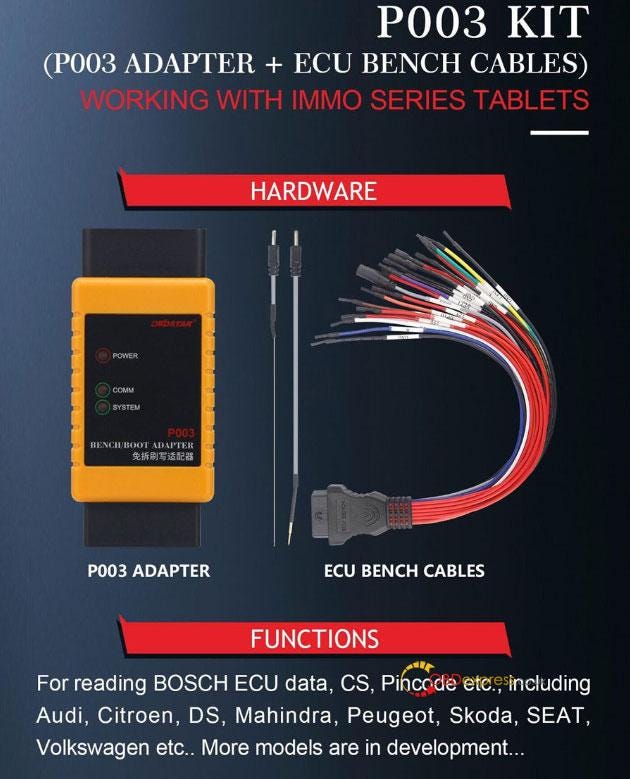
In addition, OBDSTAR Boot P003 also supports to work with X300 Pro4 for Audi, Citroen, DS, Mahindra, Peugeot, Skoda, SEAT, VW ECU reading. For more detailed models, please consult us.

www.obdexpress.co.uk

Monday, May 16, 2022

OBDSTAR mileage calibration steps for Peugeot & Citroen

 When OBDSTAR series products (OBDSTAR ODO Master, OBDSTAR X300 DP Plus, OBDSTAR X300M) are used for Peugeot & Citroen odometer adjustment, it usually meets one of the following three situations:

Both device and BSI support OBD calibration;

Only BSI supports OBD calibration;

The BSI type is Delphi.

Below we describe the operation methods for these three situations in order.
Precautions for Peugeot & Citroen with OBDSTAR Mileage Tool

1. Both the instrument and BSI support the operation steps of OBD calibration:

1–1: First backup the data of instrument and BSI (remember the file name), so as to recover in case of exception;

1–2: First select and calibrate the mileage of the instrument. After the adjustment, do not turn off the engine. Cut off the power of the instrument as soon as possible (remove the fuse or remove the instrument) to avoid data recovery;

1–3: Select to adjust BSI mileage (or reset BSI mileage to 0). After the adjustment, do not turn off the ignition switch, directly disconnect the negative pole of the battery as soon as possible, obd wait for 5 minutes;

1–4: Connect the negative pole of the battery, and then enter the EEPROM backup function of BSI to read the mileage to see whether the adjustment is successful;

1–5: Confirm the BSI is successful adjusted, install the instrument or fuse, turn off the ignition switch and lock the door, wait for. 5 minutes;

1–6: Turn on the ignition switch and check whether the instrument mileage is adjusted successfully.

2. Only BSI supports the operation steps of OBD calibration:

2–1: First backup the data of BSI (remember the file name), so as to recover in case of exception;

2–2: Remove the gauge;

2–3: Select to adjust BSI mileage (or reset BSI mileage to 0). After the adjustment, do not turn off the ignition switch, directly disconnect the negative pole of the battery as soon as possible, abd wait for 5 minutes;

2–4: Connect the negative pole of the battery, and then enter the EEPROM backup function of BSI to read the mileage to see whether the adjustment is successful;

2–5: Use XP or other programmer to back up the instrument data, then adjust and install it back on the vehicle;

2–6: Turn off the ignition switch and lock the door. After waiting for 5 minutes, turn on the ignition switch to confirm whether the mileage is adjusted successful.

3. The BSI type is Delphi, Operation steps:

3–1: Press [Read Configuration], be sure BSI manufacturer is DELPHI;

3–2: Press [Write FLASH], [Auto update FLASH];

3–3: Press [Write Configuration];

3–4: Set dashboard to 0 KM;

3–5: Set BSI mileage;

3–6: Set dashboard mileage;

The BSI type is Delphi, Cautions

A: It will take 30~60 minutes during testing, keep the vehicle fully charged and don’t unplug 0BD connector. Otherwise it will cause data loss!

B: Steps 3–1 to 3–3 you do only once.

C: lf the mileage jump back to the mileage before the dashboard is repaired, please perform the following steps:

C-1: Remove dashboard;

C_2: Set BSI mileage;

C-3: Start car and drive 2~3 Km;

C-4: Set dashboard mileage;

C-5: Put dashboard into car.

Technical support: obdexpress.co.uk

Wednesday, April 20, 2022

OBDSTAR P003 Kit reads ECU (MED17.4.4) pincode

 OBDSTAR P003 Kit can work with OBDSTAR X300 DP Plus (Key Master DP Plus)/X300 Pro4 (Key Master 5) to read BOSCH ECU data/CS/PinCode, etc via Bench/Boot on Audi, Citroen, DS, Mahindra, Peugeot, Skoda, SEAT, Volkswagen etc. It only takes less than 5 minutes. Faster than the general operation!

OBDSTAR P003 Kit

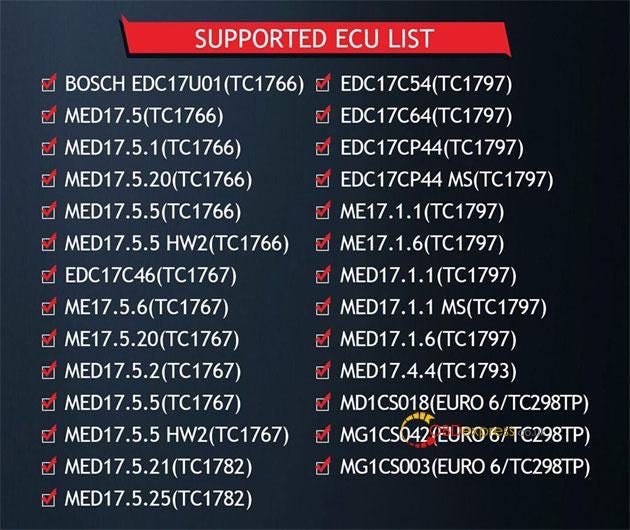
OBDSTAR P003 Kit Supported ECU List:

BOSCH EDC17U01 (TC1766)

MED17.5 (TC1766)

MED17.5.1 (TC1766)

MED17.5.20 (TC1766)

MED17.5.5 (TC1766)

MED17.5.5 HW2 (TC1766)

EDC17C46 (TC1767)

ME17.5.6 (TC1767)

ME17.5.20 (TC1767)

MED17.5.2 (TC1767)

MED17.5.5 (TC1767)

MED17.5.5 HW2 (TC1767)

MED17.5.21 (TC1782)

MED17.5.25 (TC1782)

EDC17C54 (TC1797)

EDC17C64 (TC1797)

EDC17CP44 (TC1797)

EDC17CP44 MS (TC1797)

ME17.1.1 (TC1797)

ME17.1.6 (TC1797)

MED17.1.1 (TC1797)

MED17.1.1 MS (TC1797)

MED17.1.6 (TC1797)

MED17.4.4 (TC1793)

MD1CS018 (Euro 6/TC298TP)

MG1CS042 (Euro 6/TC298TP)

MG1CS003 (Euro 6/TC298TP)

etc.

OBDSTAR P003 Kit read BOSCH ECU PinCode via Bench mode

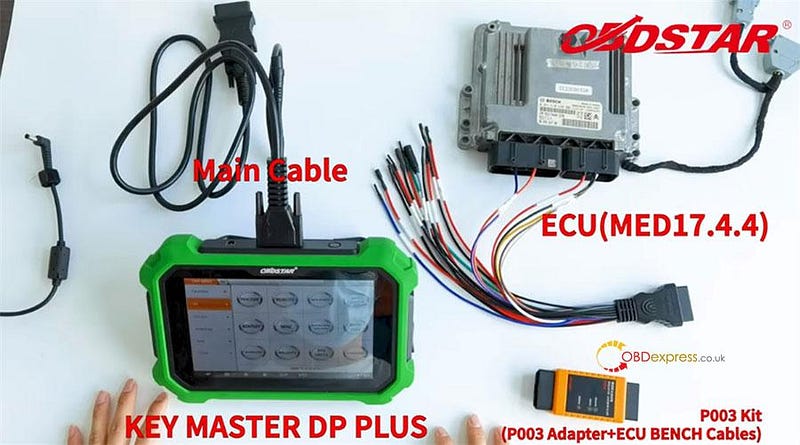
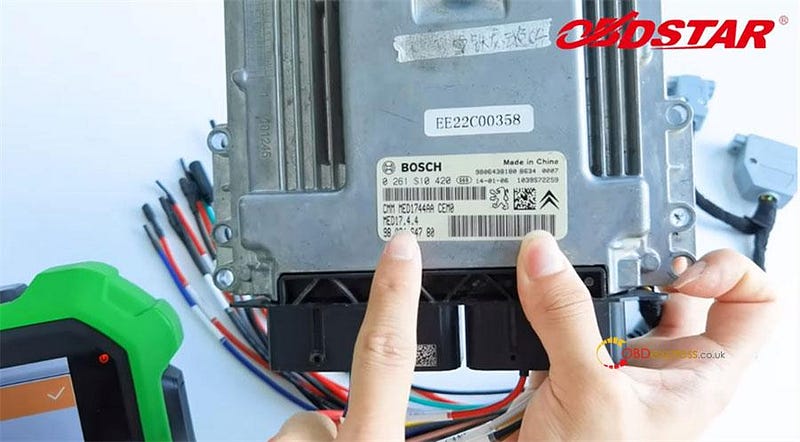
Here takes ECU (MED17.4.4) as an example to show how to read pincode with x300 DP Plus and P003 kit.

What's required:

OBDSTAR X300 DP Plus with main cable & charge

OBDSTAR P003 Kit (P003 adapter+ ECU BENCH cables)

PEUGEOT/CITROEN/DS ECU (MED17.4.4)

OBDSTAR P003 Kit read BOSCH ECU PinCode via Bench mode

OBDSTAR P003 Kit read BOSCH ECU PinCode via Bench mode

Operation mode:

On bench

Step-by-step to read PinCode:

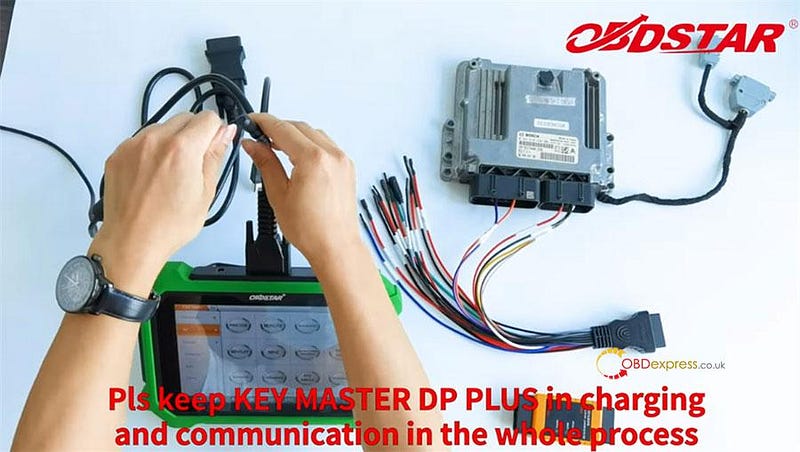
Keep the X300 DP Plus in charging with 12 V power and communication in the whole process.

OBDSTAR P003 Kit read BOSCH ECU PinCode via Bench mode

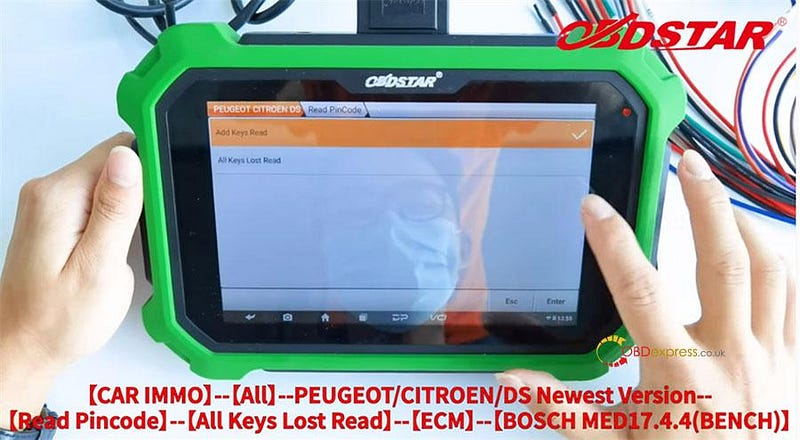
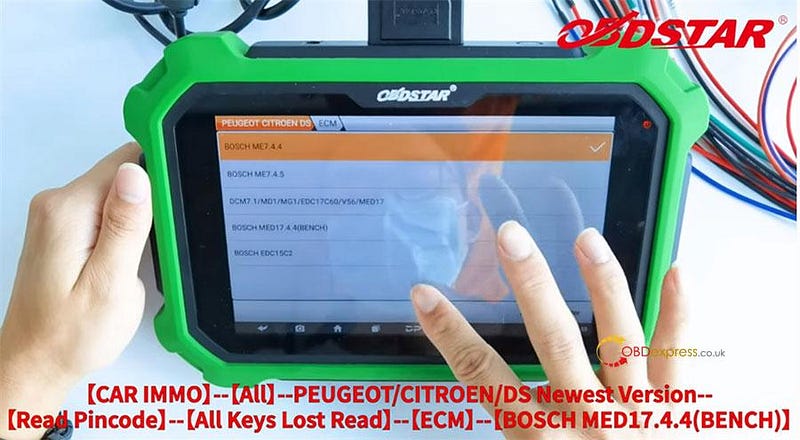
Select CAR IMMO>> All>> PEUGEOT/CITROEN/DS Newest version>> Read Pincode>> All keys Lost Read>> ECM>> BOSCH MED17.4.4 (BENCH)>> Read PinCode

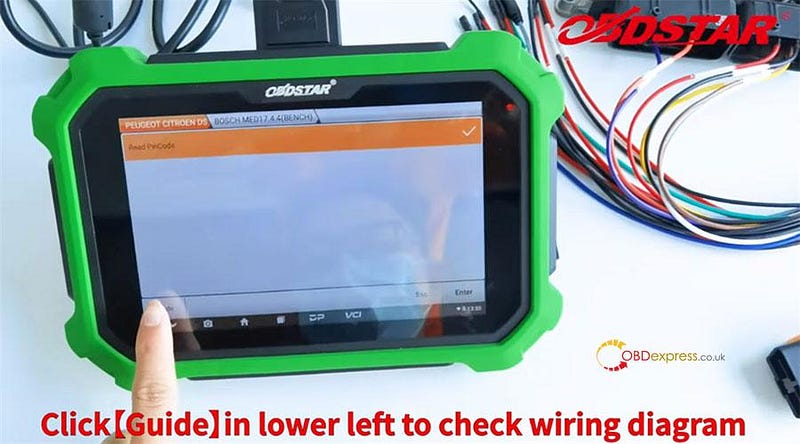
Click 'Guide' in the lower left to check the wiring diagram

OBDSTAR P003 Kit read BOSCH ECU PinCode via Bench mode

OBDSTAR P003 Kit read BOSCH ECU PinCode via Bench mode

OBDSTAR P003 Kit read BOSCH ECU PinCode via Bench mode

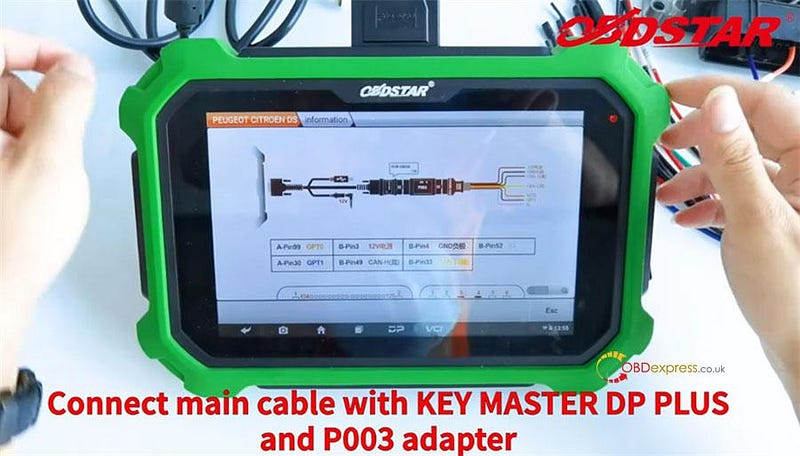
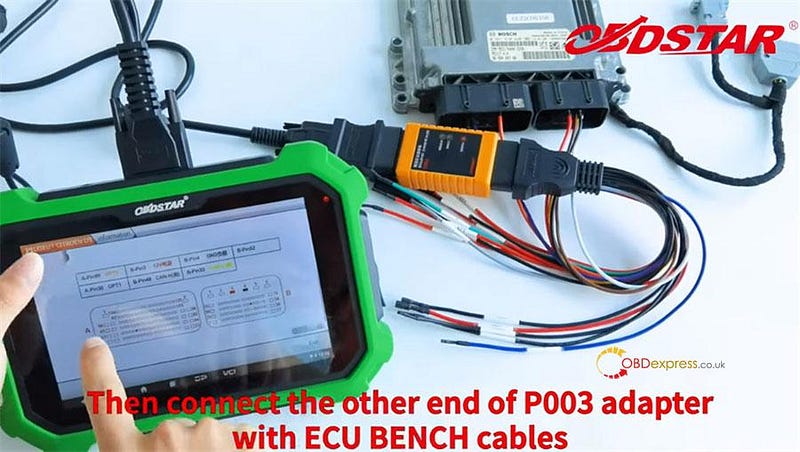
Connect X300 DP Plus and OBDSTAR P003 adapter by the main cable

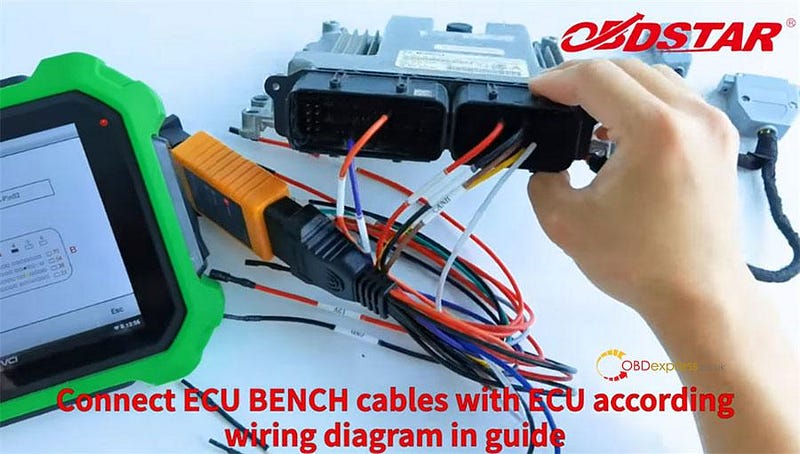
Then connect the other end of P003 adapter to ECU with the ECU BENCH cables

OBDSTAR P003 Kit read BOSCH ECU PinCode via Bench mode

OBDSTAR P003 Kit read BOSCH ECU PinCode via Bench mode

OBDSTAR P003 Kit read BOSCH ECU PinCode via Bench mode

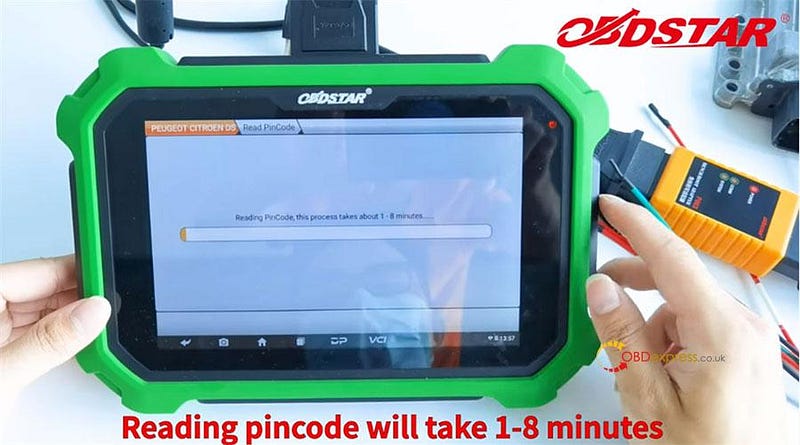
Click Esc>> Enter to read PinCode

Reading DFLASH…

Firmware configuring…

Reading PinCode…

This process takes about 1–8 minutes.

OBDSTAR P003 Kit read BOSCH ECU PinCode via Bench mode

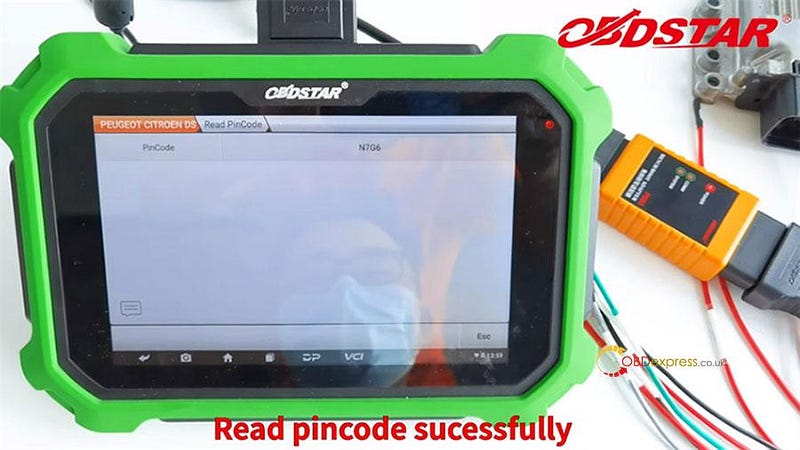
Read out the PinCode is N7G6

OBDSTAR P003 Kit read BOSCH ECU PinCode via Bench mode

It's so simple and fast to read Pincode by OBDSTAR P003 Kit. Save you much time!

Saturday, April 2, 2022

Does OBDSTAR X300 DP PLUS work well in terms of mileage?

 Question:

Is obdstar x300 dp plus any good for mileage ? I don’t do a lot of cluster work mostly airbags but want to learn.

Here is some suggesstions:

The x300 dp plus is a excellent starting tool for mileage but like all mileage tools it can’t do everything. You’ll find you need multiple tools for mileage my personal recommendations would be digiprog 4, smok uhds, mtool, cgdi pro and acdp mini for BMWs and you’ll have around 99% coverage.

I used Yanhua ACDP for bmw and it as worked flawlessly every time. I always do on bench never obd with bmw safer and doesn’t take much longer.

Obdexpress.co.uk engineer replied:

X300 dp plus is a really good tool. It’s not only a key programmer, also a mileage correction tool.

OBDSTAR X300 DP Plus full functions:

Immobilizer + Mileage correction + Diagnosis + Special function (Oil reset + ABS + Battery matching+ECU programming + EPB+Throttle programming + Airbag reset + TPMS + Steering angle rest + OBDII + DPF + Injector Code + Suspension matching + Gear learning + CVT S+ C002 circuit board + W001 data cable+W002 data cable + W003 data cable+Toyota smart key Emulator) + others(Ignition coil + Remote tester)

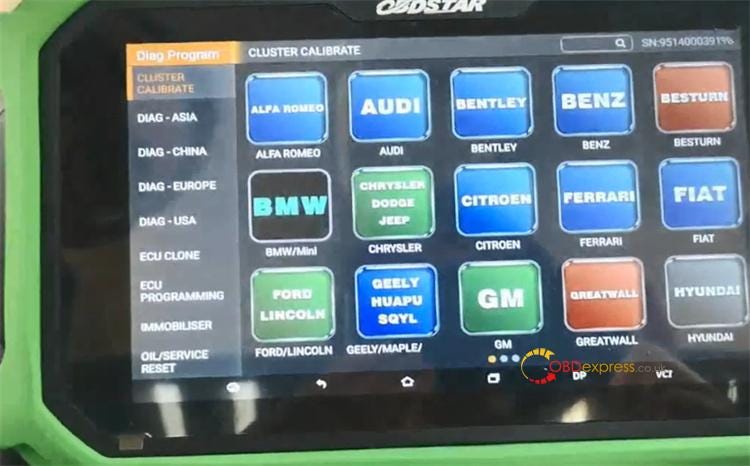
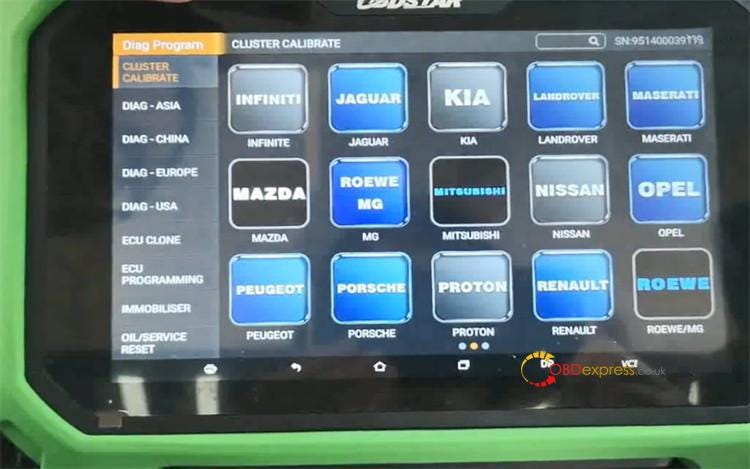
For Cluster Calibrate, x300 DP Plus supports the wide vehicle coverage.

It covers ALFA, BENTLEY, BENZ, BESTURN, CHRYSLER, FIAT, FORD, GM, GEELY, GREATWALL, HYUNDAI, INFINITE, LANDROVER, MAZDA, MG, MASERATI, MITSUBISHI, NISSAN, OPEL, PEUGEOT, PROTON, CITROEN, PORSCHE, RENAULT, ROEWE, SMART, SUBARU, SUZUKI, TOYOTA, VOLVO, VW (AUDI/SEAT/SKODA/VW)

OBDSTAR X300 DP PLUS for mileageOBDSTAR X300 DP PLUS for mileage

click here to check the detailed: OBDSTAR x300 DP Plus supports car list

Main path to correct mileage by X300 DP Plus:

Connect the device and vehicel correctly

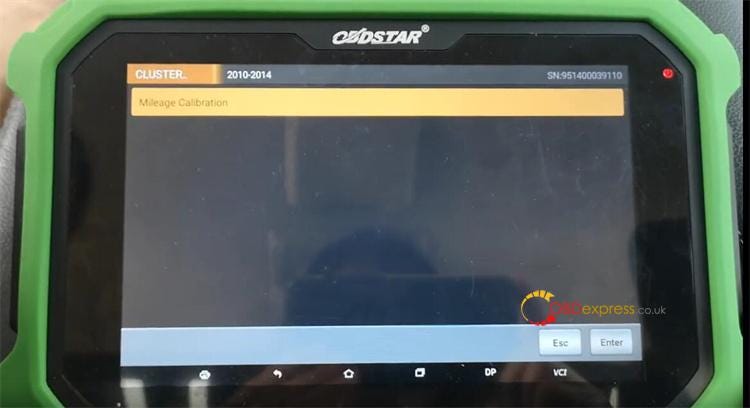
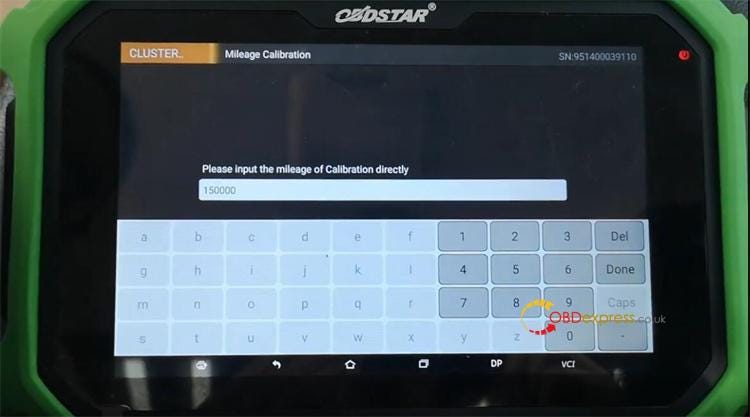
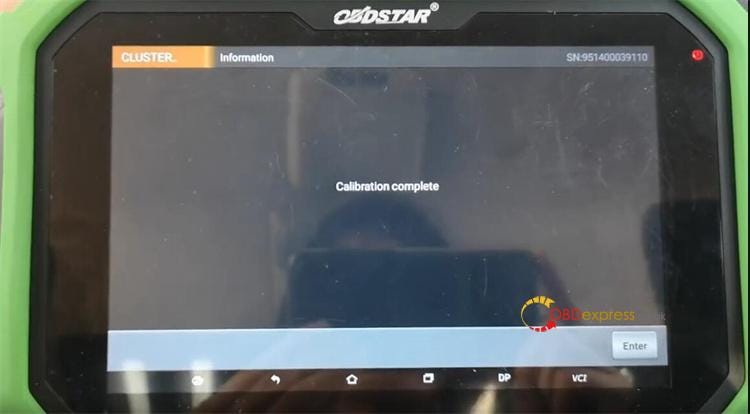
Select Diag Program>> CLUSTER CALIBRATE>> Car make>> Car model>> Car year>> Mileage calibration>> Input the new mileage>> Calibration complete

OBDSTAR X300 DP PLUS for mileageOBDSTAR X300 DP PLUS for mileageOBDSTAR X300 DP PLUS for mileage

Attach some car models successfully correct mileage by OBDSTAR X300 DP Plus.

OBDSTAR X300 DP PLUS mileage adjustment example: Hyundai Genesis

How To Change Mileage For OPEL With OBDSTAR X300 DP PLUS

Renault Captur 2017- odometer correction by obdstar X300 DP plus via OBD

Enjoy!

Sunday, April 25, 2021

How to delete software for obdstar tablet(X300 DP Plus/ Pro 4)?

 obdstar X300 DP Plus / X300 Pro 4 Tablet applies to Android operation system, which is as the same as our smart phones. They share the similar method to install and uninstall the software.


Method 1: Delete a single software

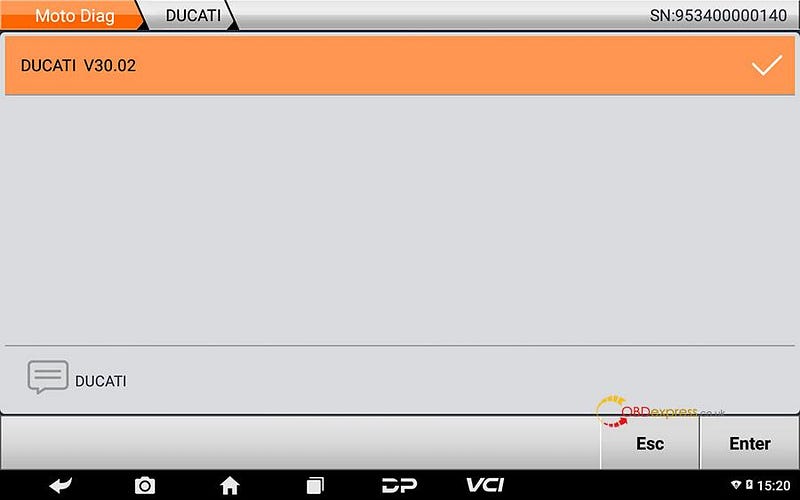
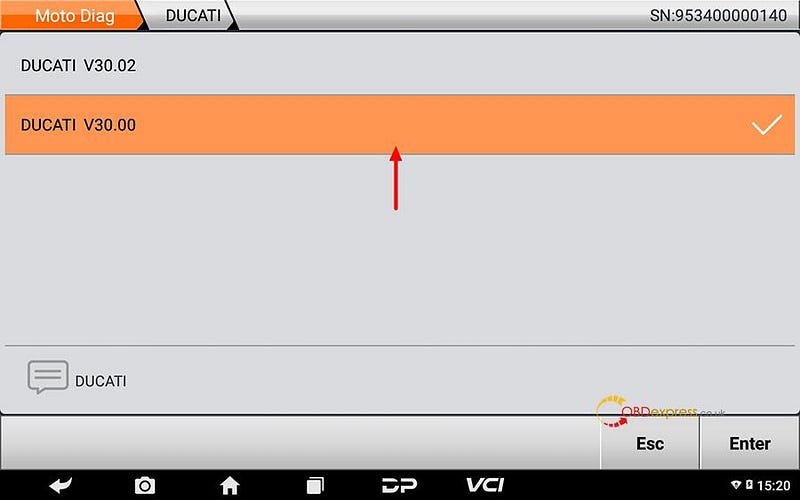
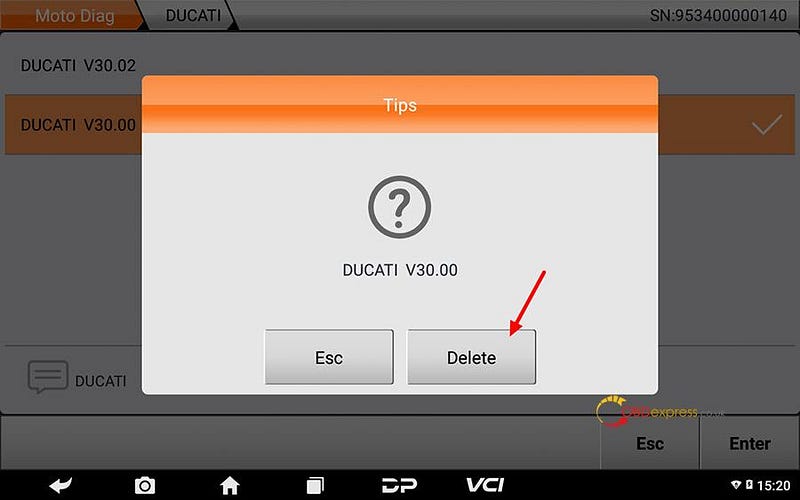
  1. Enter corresponding car series software interface, long press on the software name, such as Ducati V30.00.


  1. After tips comes out, click on [Delete].
delete obdstar X300 DP Plus / Pro 4 software


  1. V30.00 has been deleted.

delete obdstar X300 DP Plus / Pro 4 software


Method 2: delete software in bulk.

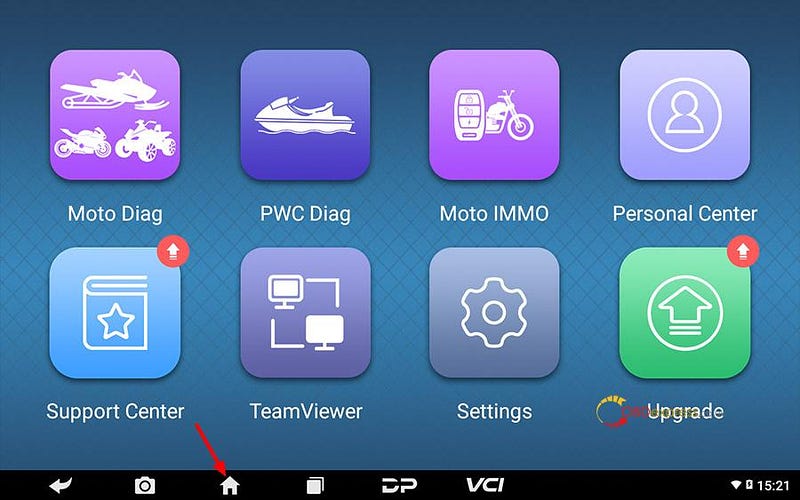
  1. click on the house icon

delete obdstar X300 DP Plus / Pro 4 software


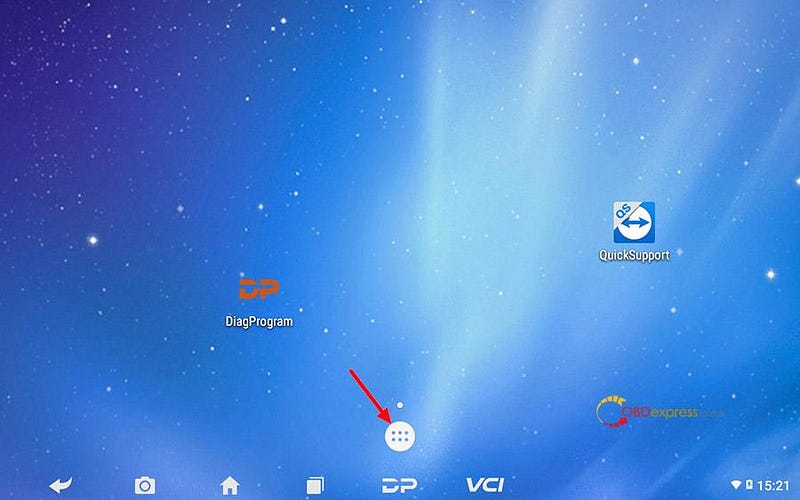
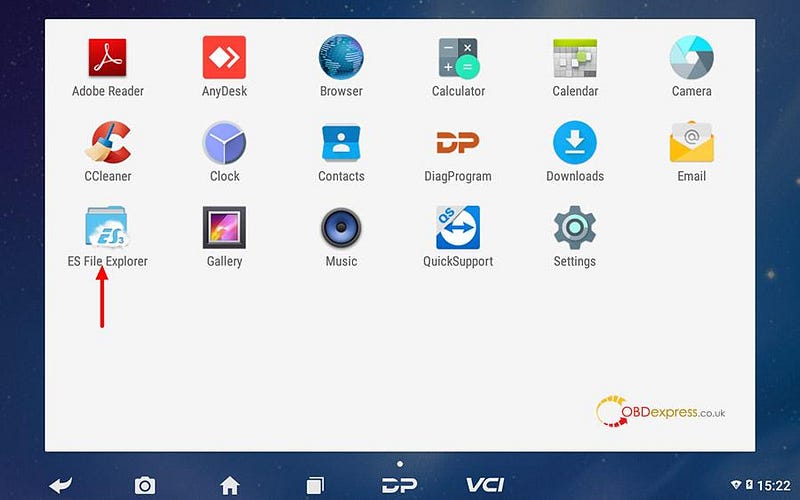
  1. Click on the following icon shown as below.

delete obdstar X300 DP Plus / Pro 4 software


  1. Click on [ES File Explorer].

delete obdstar X300 DP Plus / Pro 4 software


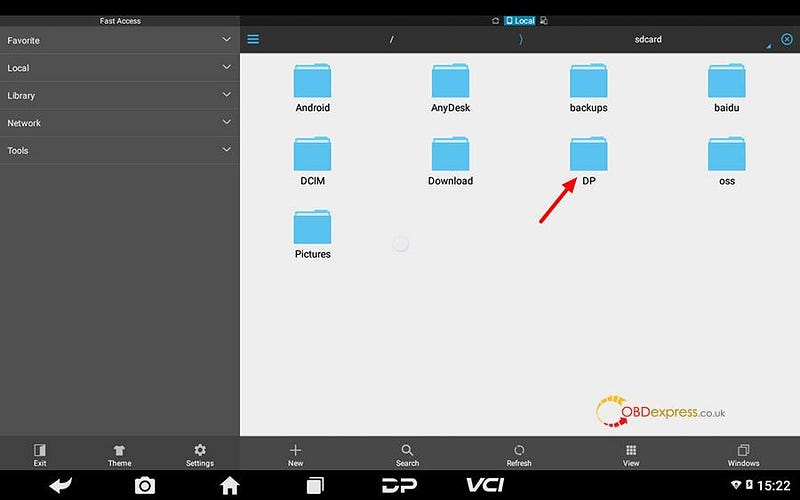
  1. Click [DP] folder.

delete obdstar X300 DP Plus / Pro 4 software


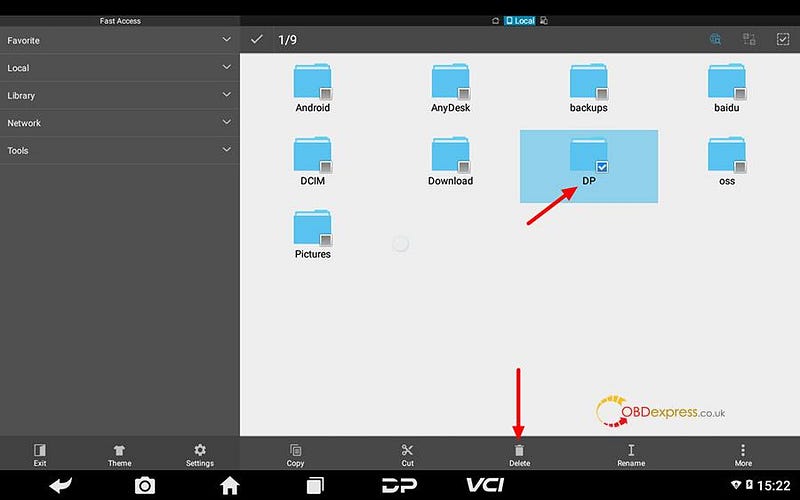
  1. Tap on [DP] check box, click [Delete].

delete obdstar X300 DP Plus / Pro 4 software


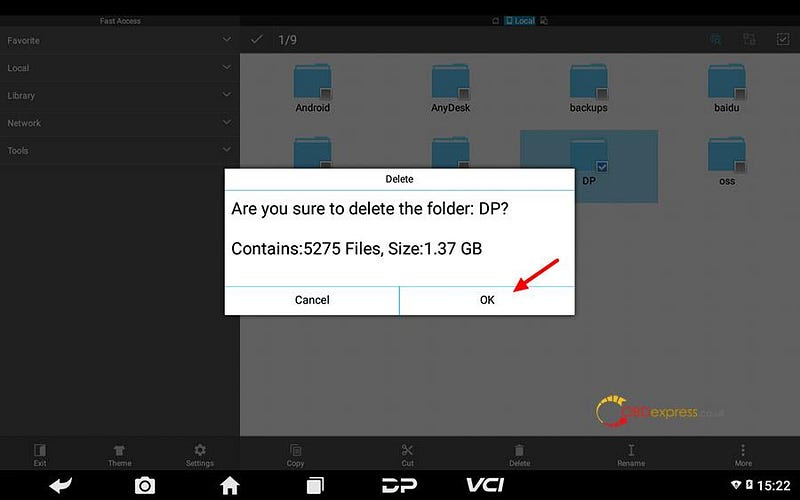
  1. Click [OK].

delete obdstar X300 DP Plus / Pro 4 software


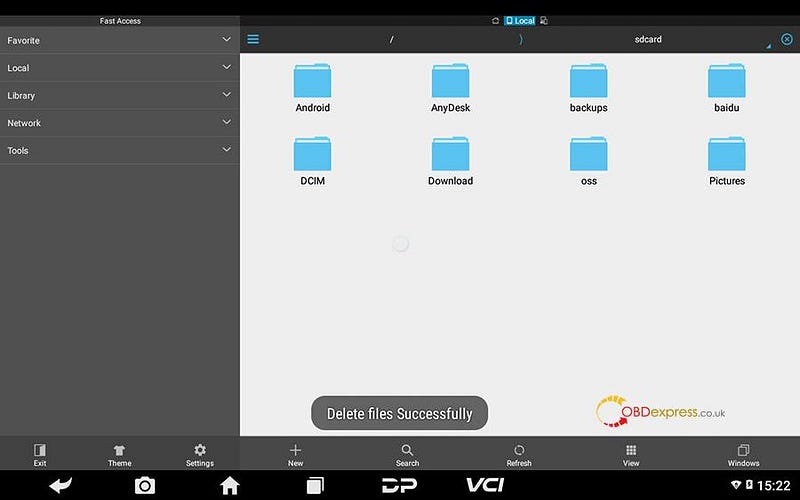
  1. File has been deleted successfully.

delete obdstar X300 DP Plus / Pro 4 software


Enjoy!

obdstar X300 DP Plus / X300 Pro 4 Tablet tech support is offered by www.obdexpress.co.uk
Wednesday, February 3, 2021

How to solve OBDSTAR prompt "Unfortunately, DiagProgram has stopped"?

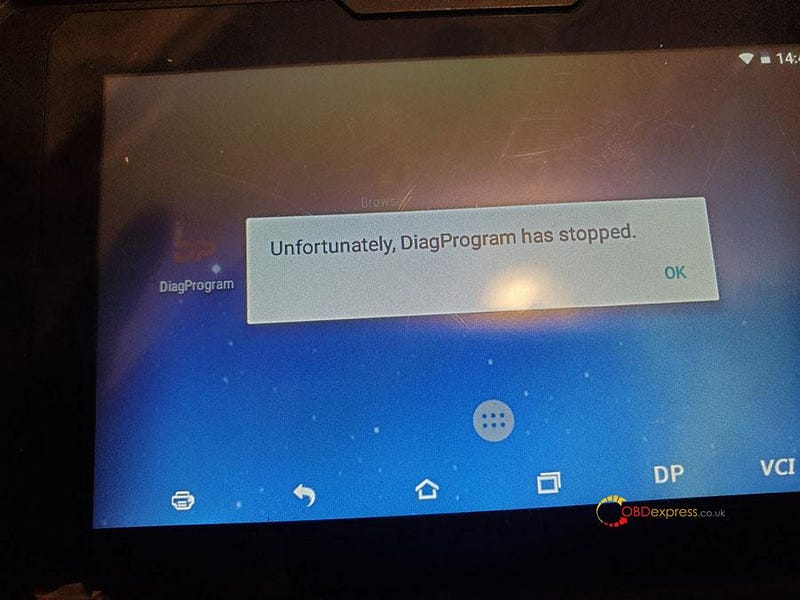
 Recently some obdstar users feedback, they come across an error "Unfortunately, DiagProgram has stopped" (shown as below). obdstar engineer found that it was a compatibility problem and worked out the solution (Note: the solution is applied to any of x300dp, x300dp plus, odomaster, x300 pro4)

solve OBDSTAR prompt “Unfortunately, DiagProgram has stopped”

1 If your device's update has not expired, here are solutions.

Option one: Click "apk" to update.

Option two: Clear the cache.

Option three: Reset the device.


2 If your device's update has expired, here is the solution.

Clear the cache. (Please do not reset the device, otherwise, program will be lost, it will not work again unless buying another year of update subscription.)


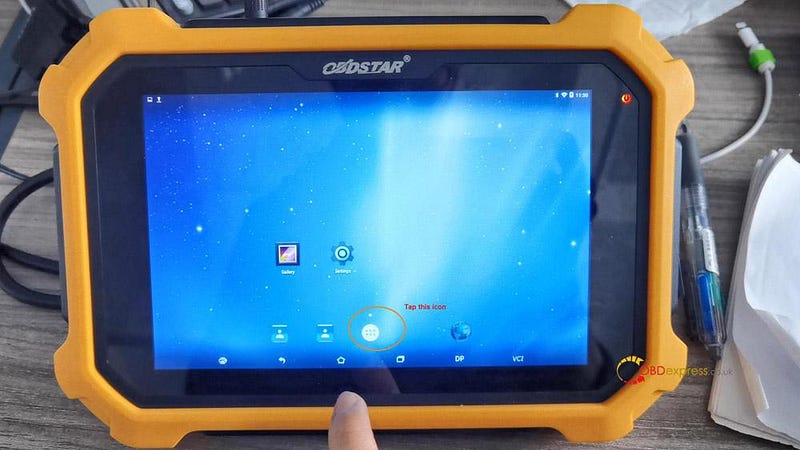
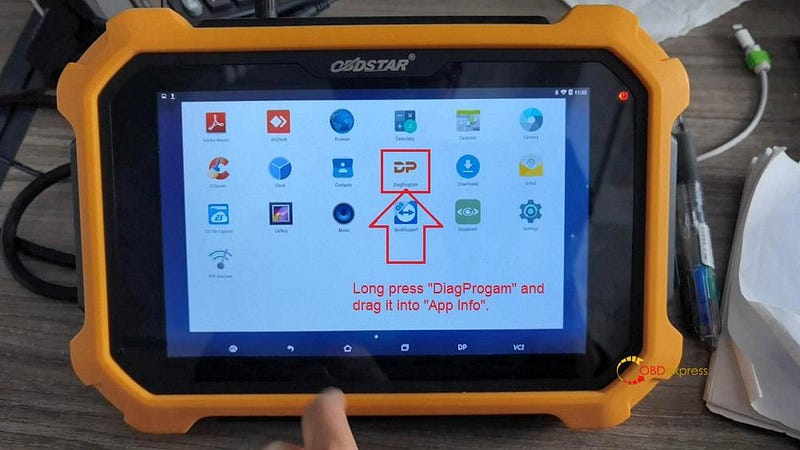
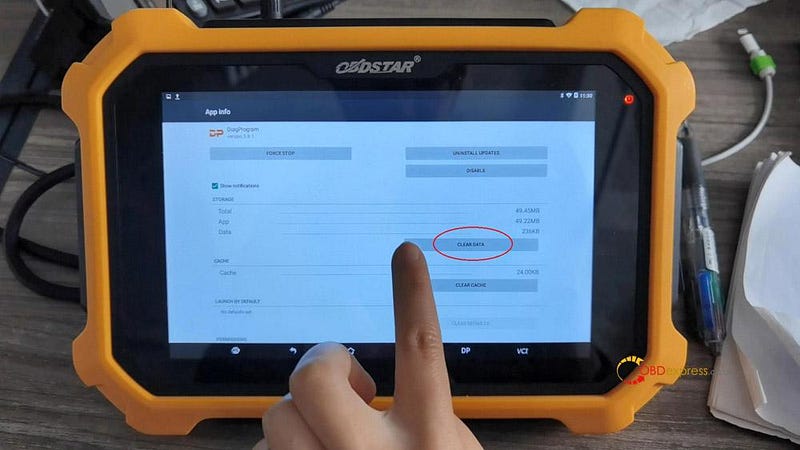
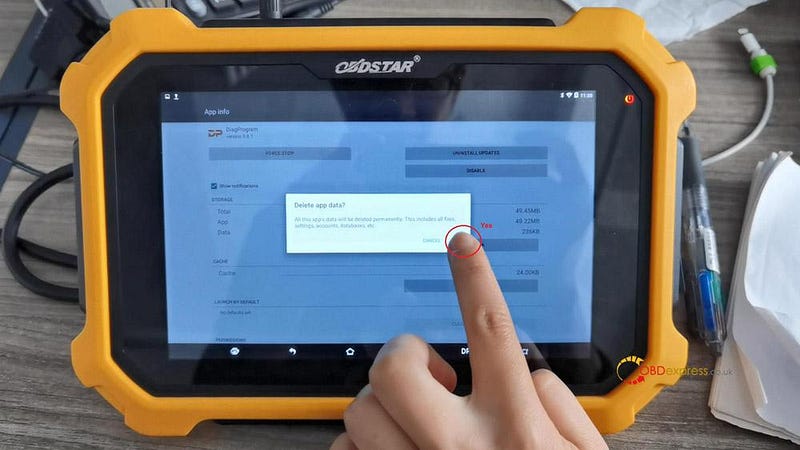
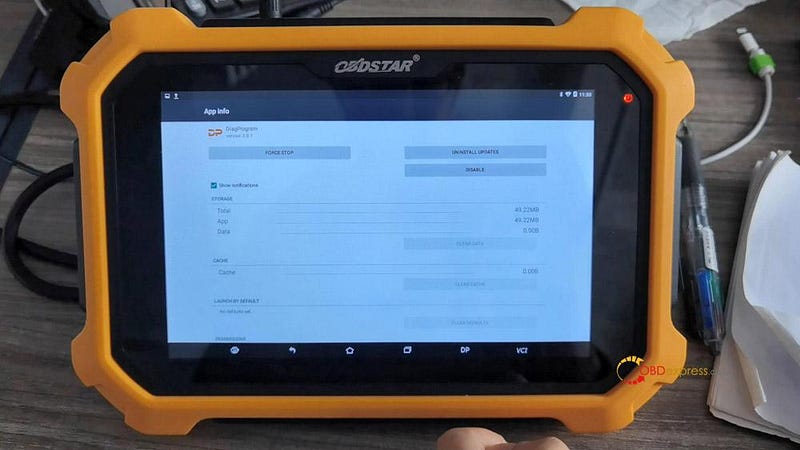
Enter "DiagProgam", long press it and drag it into "App Info"

In the APP info, tap "Clear data" and "Yes" to confirm.

Done.

solve OBDSTAR prompt “Unfortunately, DiagProgram has stopped”

solve OBDSTAR prompt “Unfortunately, DiagProgram has stopped”


If you accidentally click "Upgrade" when your device's update has expired, please buy update service, for example x300dp plus one-year update subscription

https://www.obdexpress.co.uk/wholesale/obdstar-x300-dp-plus-one-year-update.html

Sunday, December 27, 2020

Program Toyota smart key AKL by OBDSTAR Key SIM & X300

 Update! OBDSTAR Key SIM 5-in-1 key simulator for Toyota AKL programming is released, it is the next generation of Simulated key 1–4 cards (which used to be not working for a short time, it can work now if you have them). By updating Toyota / Lexus V32.37 in the tablet of X300 DP Plus / X300 Pro4 / X300 DP / Key Master , you will be able to program all smart keys lost for Toyota /Lexus, during the process, it will prompt to use the USB cable to connect Key SIM. The whole process will be very easy and smooth.

obdstar Key SIM & X300 DP Plus program all smart keys lost for Toyota A8 Type.

Main steps:

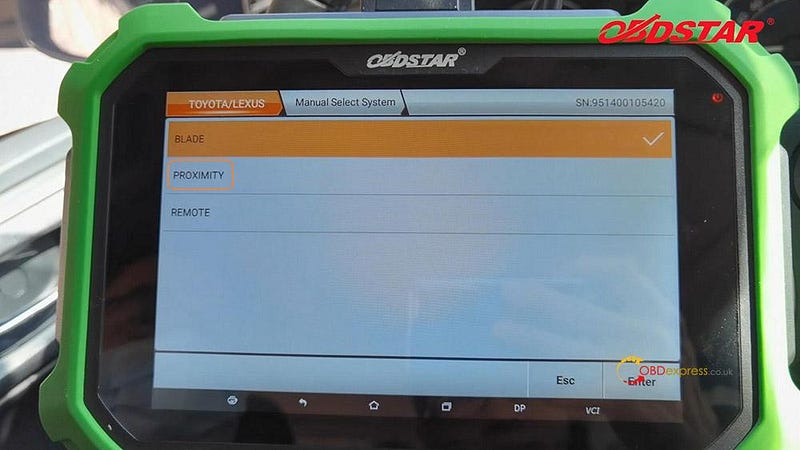
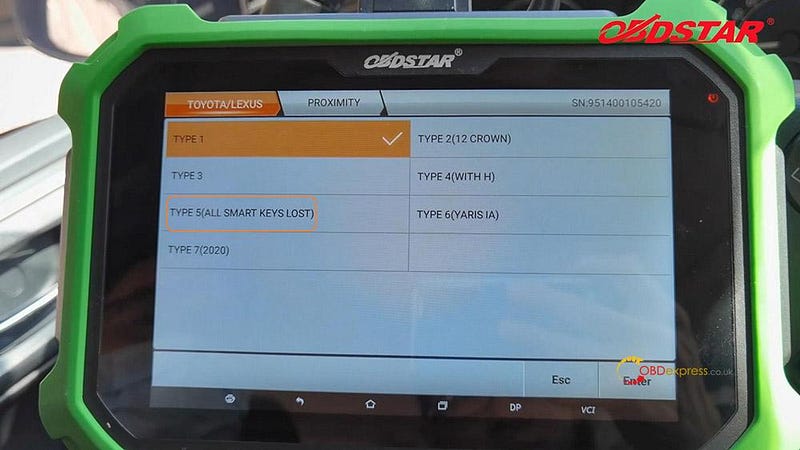
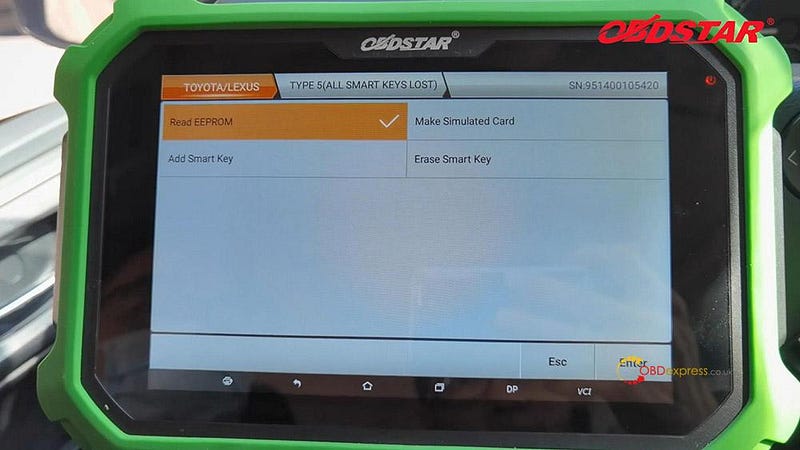
1). DP -> IMMO -> Asia -> Toyota / Lexus -> Toyota /Lexus V32.37 / V32.36 → Manual Select System -> Proximity -> Type 5 (All Smart keys lost)

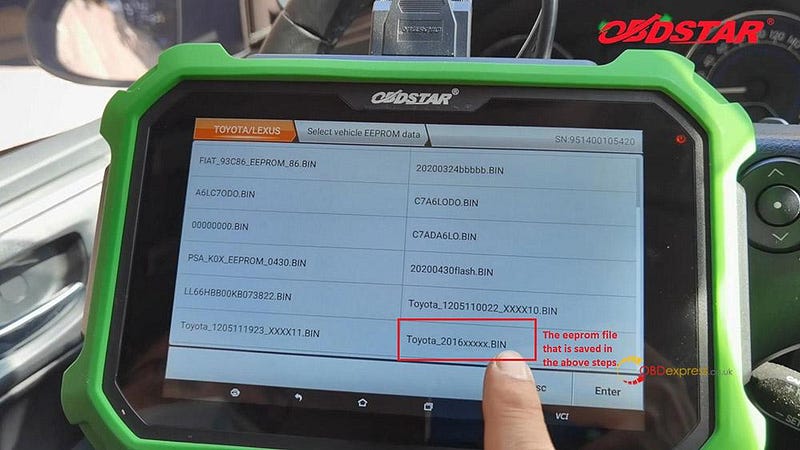
2) Read EEPROM first.

Tips:

  1. This function can read (backup) vehicle EEPROM data.
  2. After read (backup) of vehicle eeprom data, the simulated card is generated with this data.
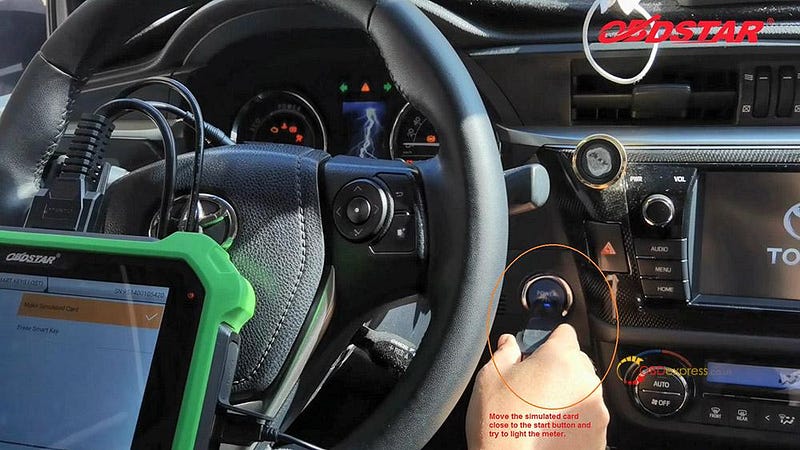
  3. Using simulated card attach start button to illuminate instrument, and replace original car key to [Add smart keys].

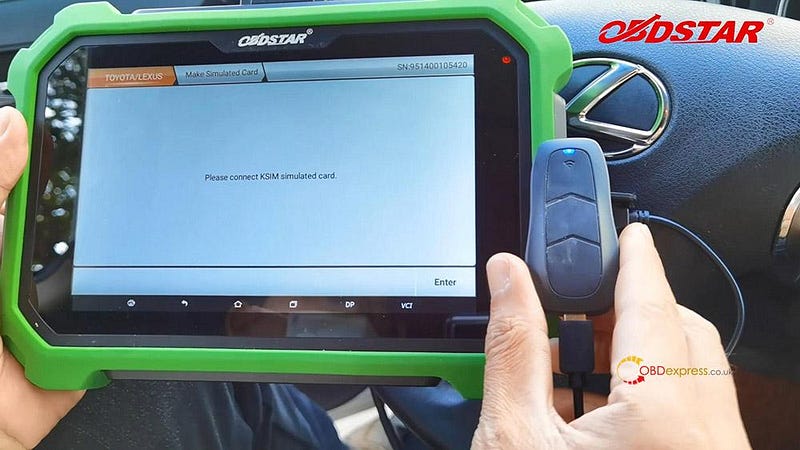
3) Then Make Simulated Card.

This function is available by connecting the server, please ensure the Internet connection is normal.

This function can generate an simulated card with all keys lost.

Use this simulated card to replace the original car key to approach the start button and turn on the instrument, and perform the [Add Smart Key] operation.

Make sure the simulated card is fully charged, otherwise the [Add Smart Key] operation may fail!

It will ask you “Do you have a KSIM simulated card”, after confirm that, please connect KSIM simulated card (using the USB cable).

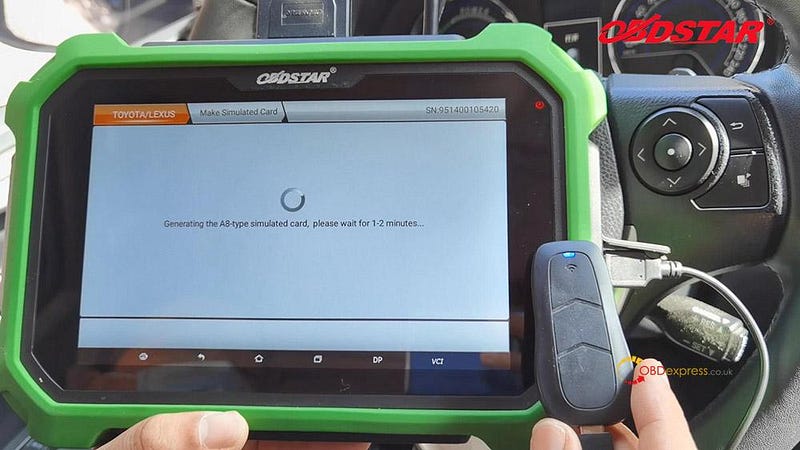
Generating the A8-type simulated card, please wait for 1–2 minutes…

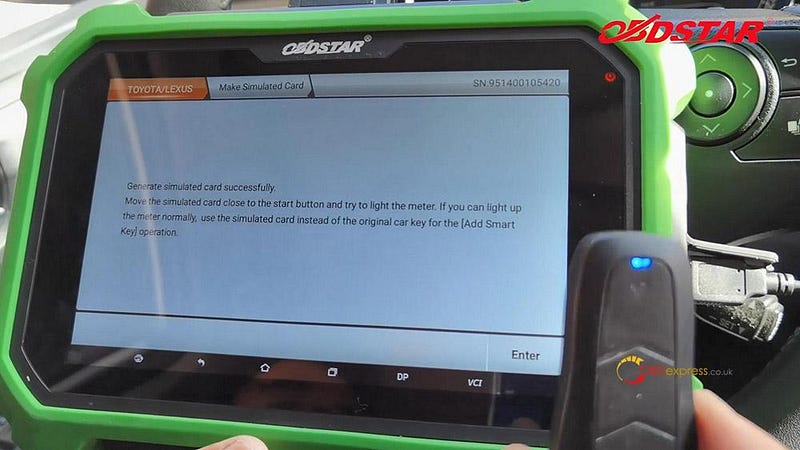
Generate simulated card successfully. Move the simulated card close to the start button and try to light the meter. If you can light up the meter normally, use the simulated car to replace the original car key for the [Add Smart Key] operation.

4) Next is to Add smart key.

Done!

www.obdexpress.co.uk
Tuesday, December 8, 2020

OBDSTAR Suzuki Swift mileage programming via OBD

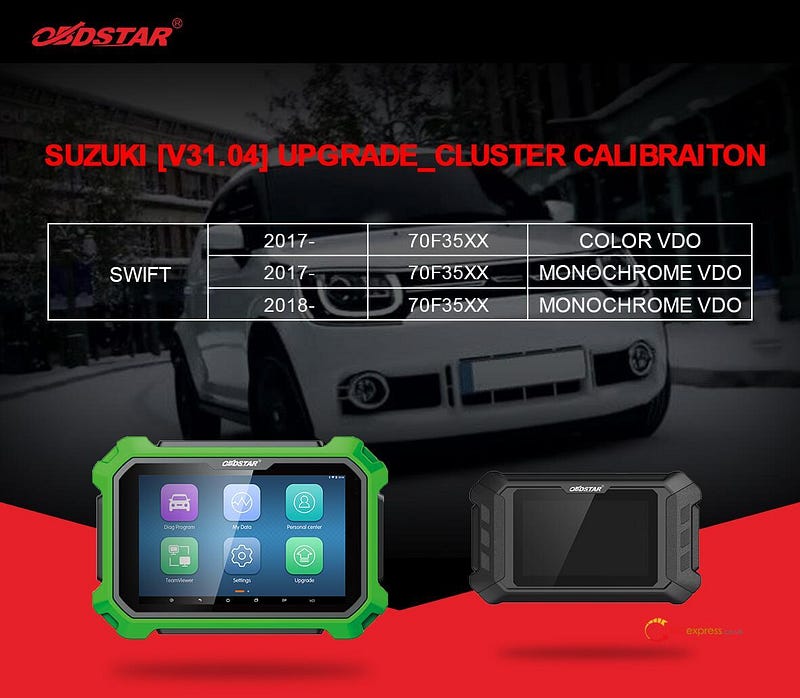
 OBDSTAR (x300dp plus, x300dp, odomaster) Suzuki V31.04 update cluster calibration.

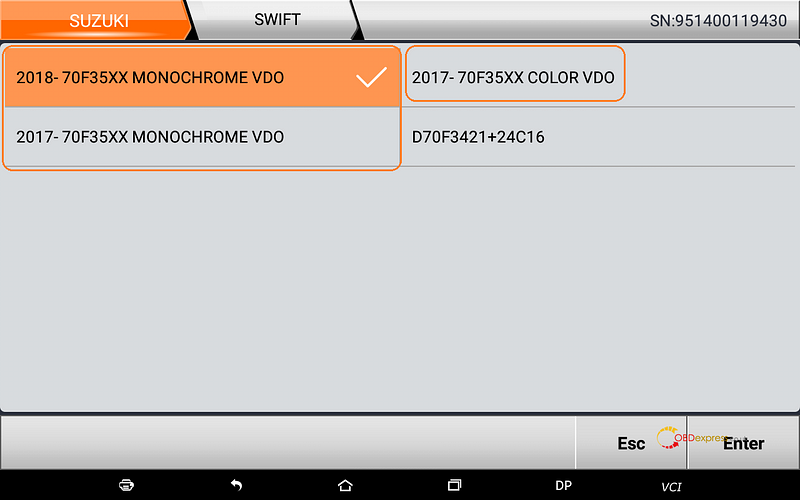
Swift: 2017 -, 70f35XX, Color VDO

Swift: 2017 -,70f35XX, Monochrome VDO

Swift: 2018-, 70f35XX, Monochrome VDO

OBDSTAR Suzuki Swift mileage programming via OBD

How to enjoy the above update?

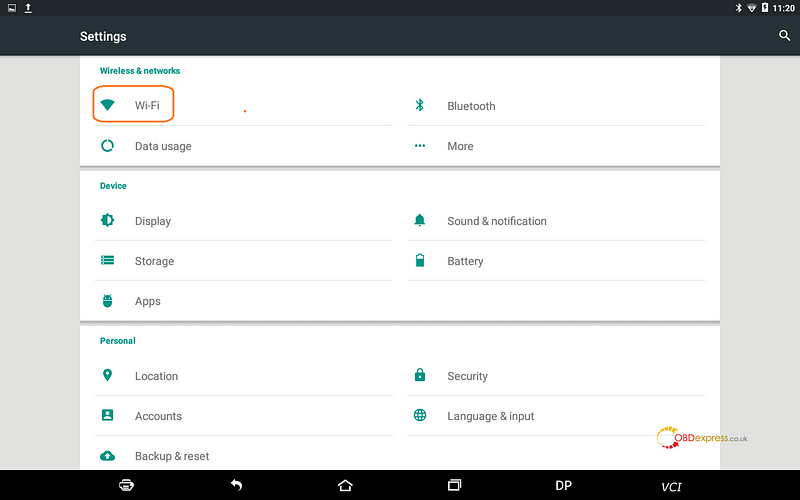
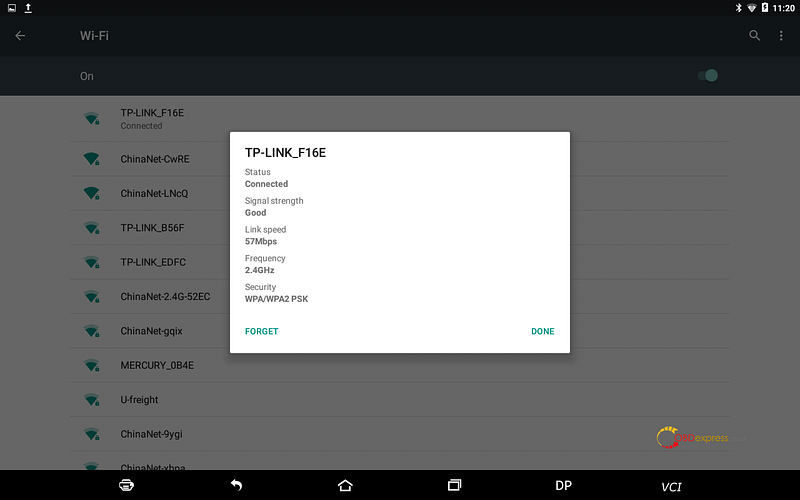
Open any of your own OBDSTAR device (here I take x300dp Plus for example), tap “Settings” then “Wifi” to connect your local WIFI.

OBDSTAR Suzuki Swift mileage programming via OBD

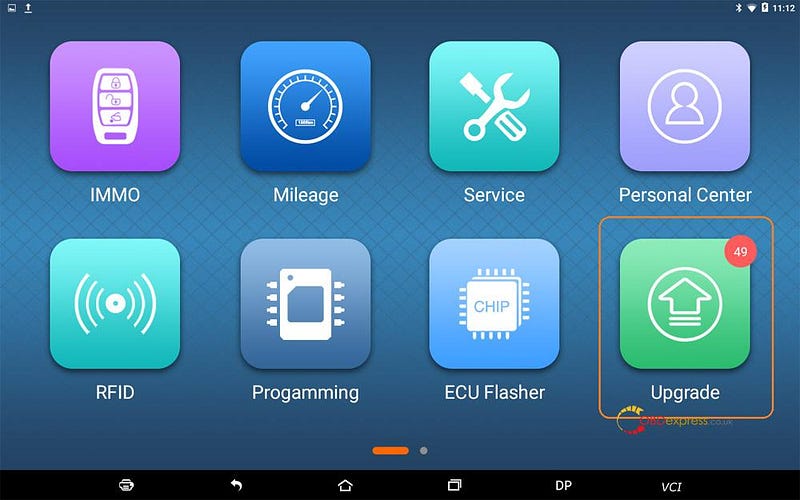
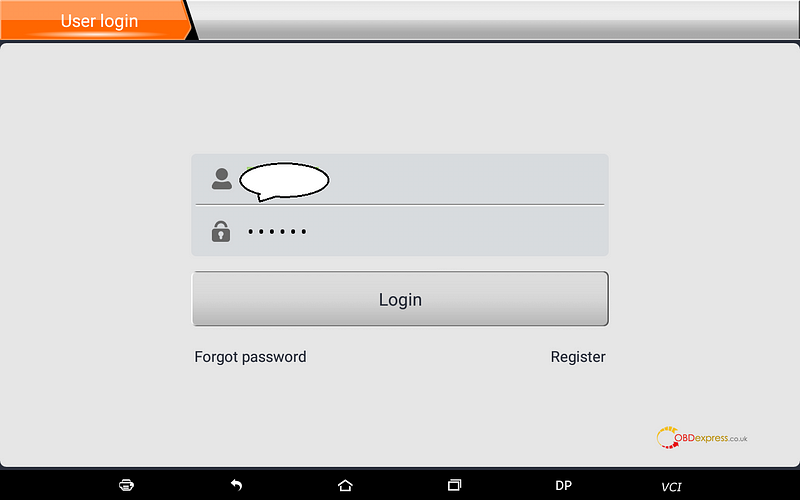
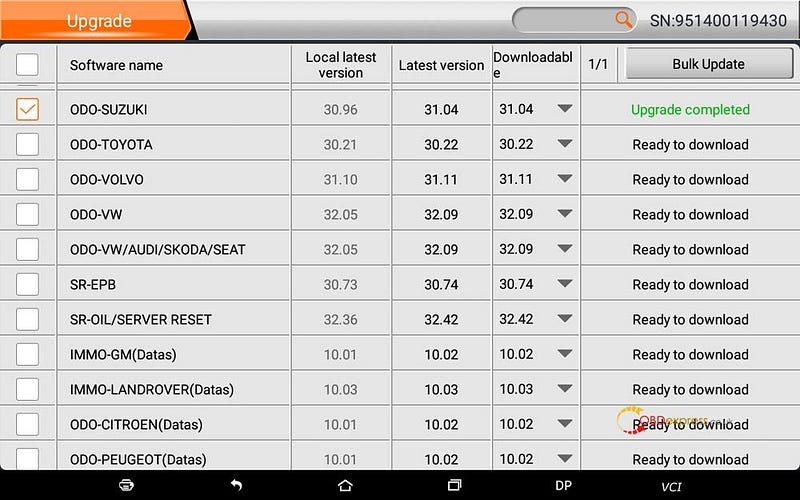
Tap “Upgrade”, then login the User ID.

OBDSTAR Suzuki Swift mileage programming via OBD

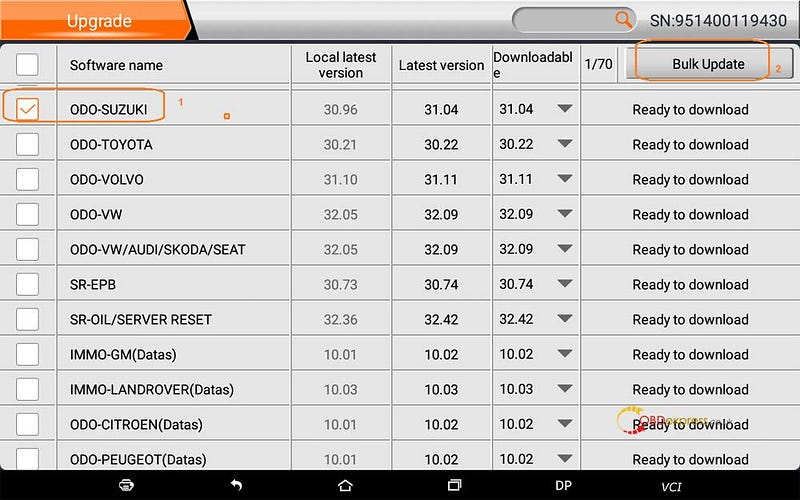
Scroll down to choose “ODO-Suzuki”, then “Bulk Update”.
OBDSTAR Suzuki Swift mileage programming via OBD

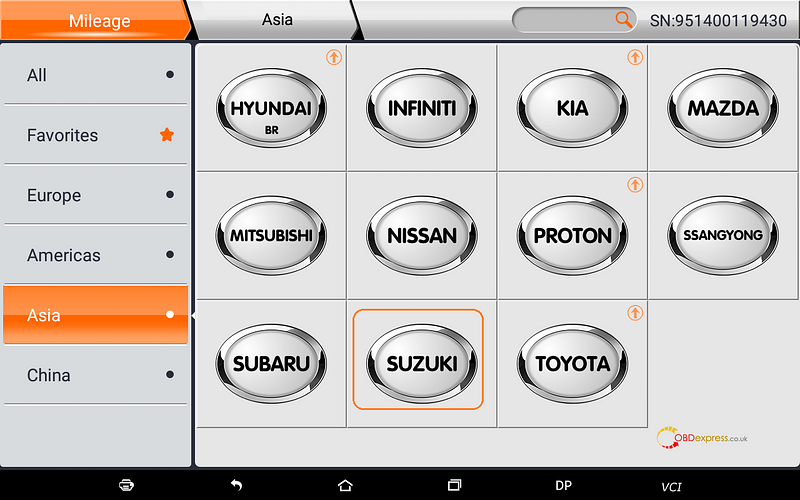
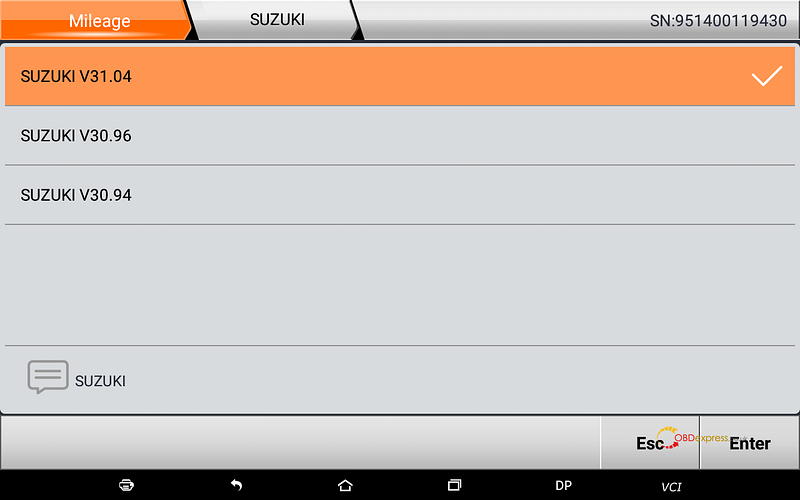
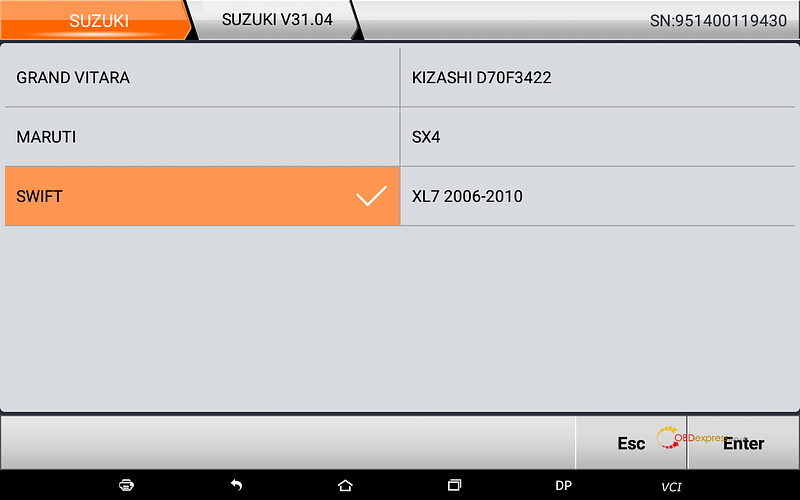
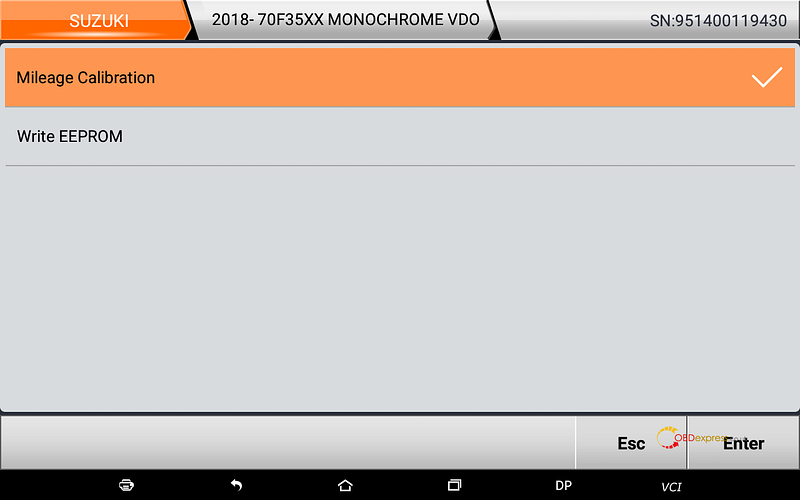
Back to enter “Mileage” -> “Suzuki” -> Suzuki V31.04 -> Swift ->2018-, 70f35XX, Monochrome VDO, 2017 -, 70f35XX, Color VDO , 2017 -,70f35XX, Monochrome VDO -> Mileage calibration…

OBDSTAR Suzuki Swift mileage programming via OBD

Go on by following the x300dp Plus on-screen guide.

Enjoy!