Pages

OBDSTAR ODOMASTER & X300 PRO4

Showing posts with label OBDSTAR X300 DP Plus. Show all posts

Sunday, November 10, 2024

OBDSTAR X300 DP Plus Releases 2024 Cluster Recalibration Software Update

 OBDSTAR X300 DP Plus released the latest software in cluster recalibration for Toyota, HYUNDAI, CHANGAN, and CHERY on October 31st, 2024. Check the detailed upgrade info and update on your device directly.


OBDSTAR X300 DP Plus Update Cluster Recalibration Software[2024.11]

TOYOTA V30.34
Details Added:
Add TOYOTA AVANZA 2021–2024 CONTINENTAL R7F701442 Mileage Calibration function;

Add TOYOTA RAIZE 2021 TYPE1 (CONTINENTAL R7F701417) Mileage Calibration function;

Add TOYOTA RAIZE 2021 TYPE2 (CONTINENTAL R7F701417) Mileage Calibration function;

Add TOYOTA SCION IA Mileage Calibration function;
Add TOYOTA YARIS 2023- CONTINENTAL R7F701442 Mileage Calibration function.

HYUNDAI V31.29
Details Added: Add KIA K3 2024- R7F701421 Mileage Calibration function.

CHANGAN V31.11
Details Added:

Add CHANGAN ALSVIN S912XHY128+24C08 Mileage Calibration function;
Add CHANGAN CS95 MC9S12XHZ512VAG Mileage Calibration function.

CHERY V30.07

Details Added:

Add CHERY E5 9S12HZ128 Mileage Calibration function.

www.obdexpress.co.uk

Sunday, June 16, 2024

How to Program a 2024 GMC Yukon Smart Key with OBDSTAR X300 DP Plus

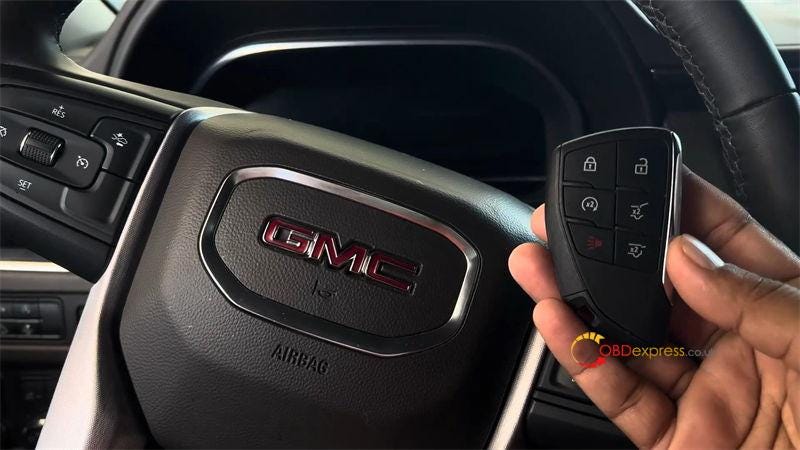
 Today I’m going to make a 2024 GMC Yukon spare key with OBDSTAR X300 DP Plus by OBD. Before that, I should have to get its pin code from the third-party. The OBDSTAR X300 Classic G3 can also do the job. So let’s see how to do it.


OBDSTAR X300 DP Plus Program 2024 GMC Yukon Smart Key

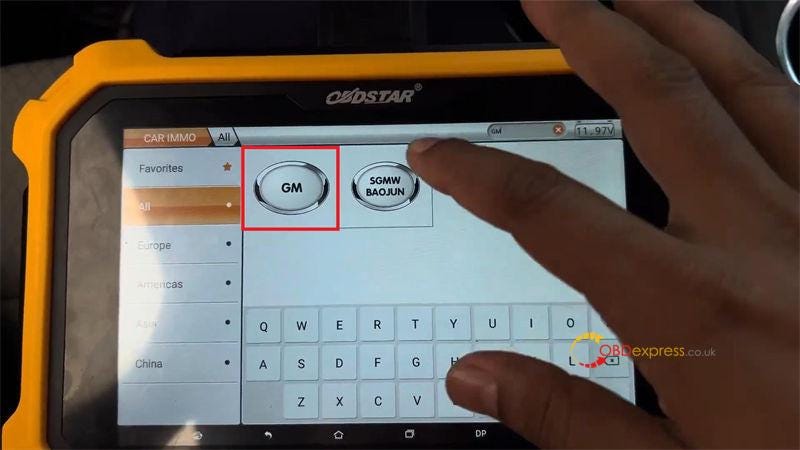
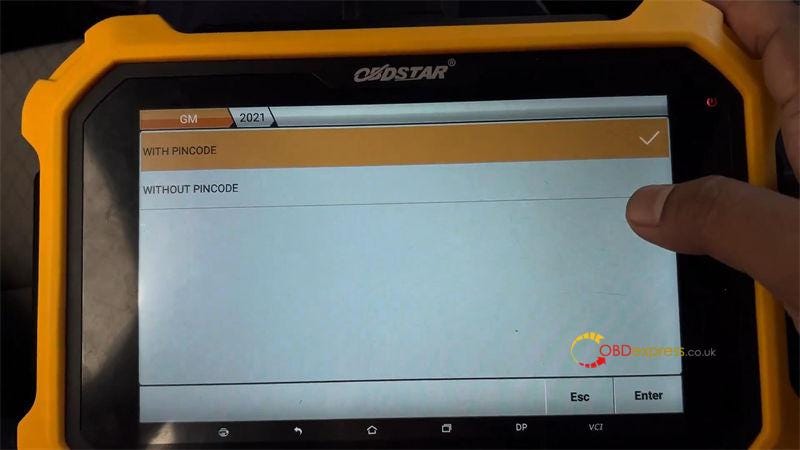
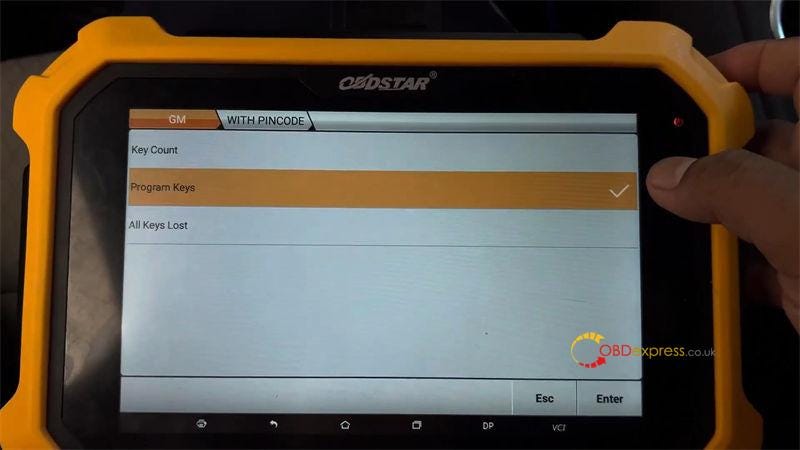
CAR IMMO >> GM >> Latest version >> Manual select model >> Program keys >> GMC >> USA — CANADA >> YUKON >> PROXIMITY >> 2021 >> WITH PINCODE >> Program key

Please connect OBDII-16 and CANFD connectors at the same time, otherwise the device cannot communicate.

Make sure the ignition switch is turned on. If it can’t be turned on, keep opening/closing the driver’s door every 10s until the instrument responds.

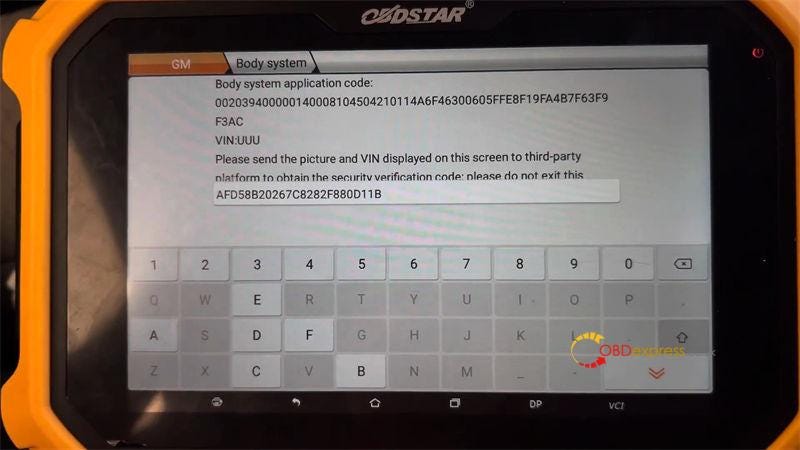
Send the "Engine system application code" to the third-party to obtain the security verification code. And do not exit this interface during the query. Otherwise, you will need to query again.

Enter the pin code once getting it.


OBDSTAR X300 DP Plus Program 2024 GMC Yukon Smart Key

Key Master Plus(X300 DP PLUS) is configuring the system, please wait for about 10 mins…

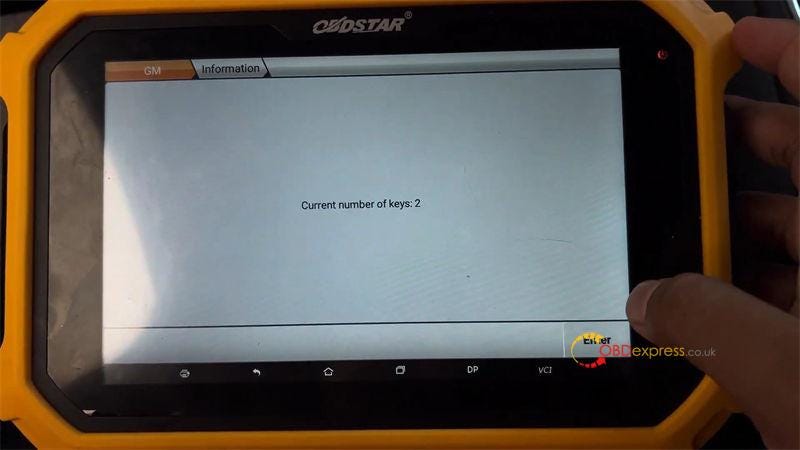
Current number of keys: 2

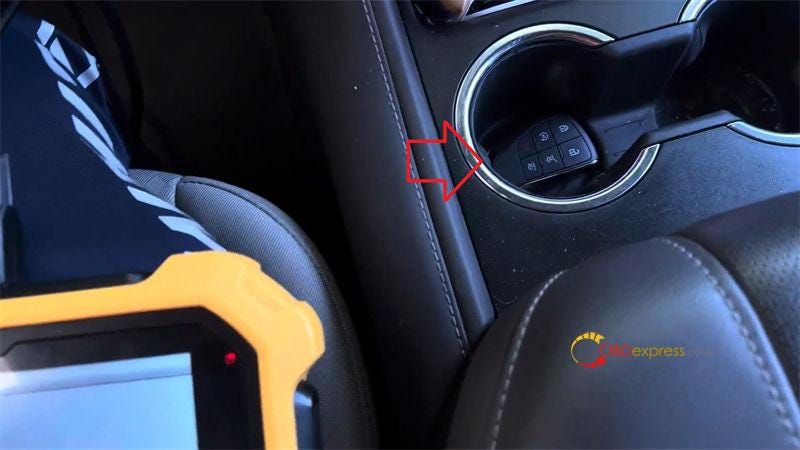
Put the new proximity key into the sensing area(in the second round hole of the cup holder), take the other keys out of the car.

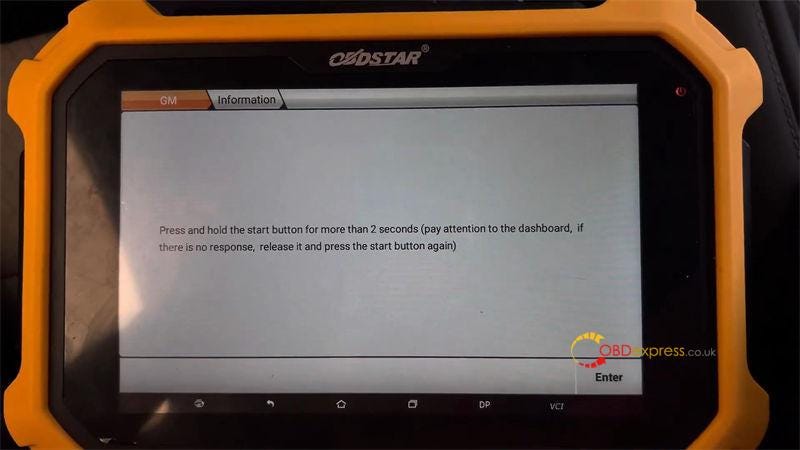
Press and hold the start button for more than 2s(pay attention to the dashboard, if there is no response, release it and press the start button again).

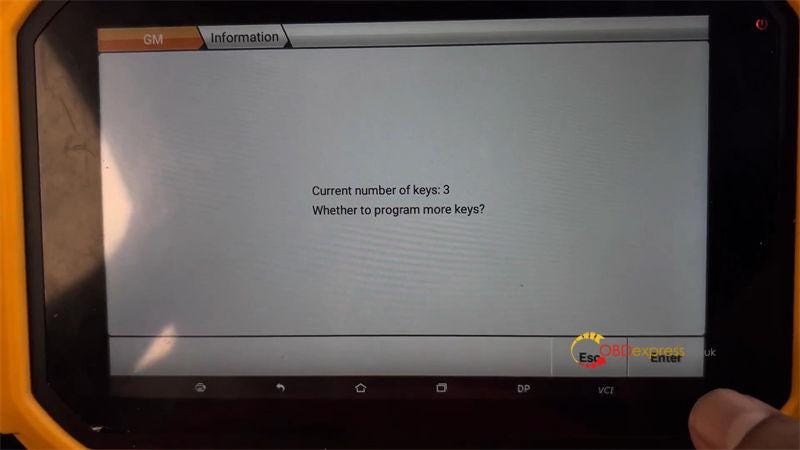
Current number of keys: 3

Whether to program more keys? No

Press and hold the start button for 16s, until the dashboard prompts: remote control key learning is complete.

Release the start button.

Turn off the ignition switch, open and close the door just once.

Configuring the system, please wait…

Program complete.

Test the new key. It’s fine and working.

Done.


OBDSTAR X300 DP Plus Program 2024 GMC Yukon Smart Key

www.obdexpress.co.uk

Wednesday, December 7, 2022

OBDSTAR X300 DP Plus Key Programming for 2018- Toyota Camry

 OBDSTAR X300 DP Plus/X300 Pro4 works with the newest TOYOTA & LEXUS IMMO software V32.74 can perform over 90% TOYOTA/ LEXUS vehicles proximity key programming (all keys lost) and supports vehicles with gateway read smart key ECU IMMO data by OBD (world first released, no need any adapters). The OBDSTAR Key SIM simulator is required.

Part I: Which Toyota car models are added?

  • Add 2018- proximity (8A-A8) all keys lost (free pincode) for below models:
      • TOYOTA CROWN
      • TOYOTA LAND CRUISER
      • TOYOTA HIGHLANDER (petrol)
      • TOYOTA PRADO
    1. Add 2018- proximity (8A-A9) all keys lost (free pincode, smart key ECU with 24 pin) for below models:
        • TOYOTA ALPHARD
        • TOYOTA VELLFIRE

        3.Add proximity (8A-A9) key programming (free pincode, smart key ECU with 27 pin)

        4.Add proximity (8A-AA) key programming (free pincode, smart key ECU with 27 pin)

        5.Add proximity (4A) key programming (free pincode, smart key ECU with 27 pin)

        6.Add read smart key ECU IMMO data by OBD for below models (more models in testing):

        • TOYOTA ALPHARO
        • TOYOTA CAMRY
        • TOYOTA C-HR
        • TOYOTA CROWN
        • TOYOTA HIGHLANDER
        • TOYOTA IZOA
        • TOYOTA LAND CRUISER
        • TOYOTA LC200
        • TOYOTA PRADO
        • TOYOTA PRIUS
        • TOYOTA RAV4
        • TOYOTA VELLFIRE
        • LEXUS LC
        • LEXUS LC570
        • LEXUS RX series
        • LEXUS RX450H
        • Toyota Camry 2017-
        • Toyota Prius 2016-
        • Toyota C-HR
        • Lexus LC570 2016-
        • Toyota LC200 2016-
        • Lexus RX 2015- etc

        Kindly notice:

        Functions above need to work with CAN Direct Kit & Key SIM

        All TOYOTA simulated cards work well.

        Key SIM supports DST40–94/DST40-D4, DST80–98, DST80-F1, DST80–78, 8A-88/8A-A8, 8A-A9, 8A-39, 8A-AA, 4A, Toyota H (Blade 8A).

        Toyota-24 cable is not included in the CAN Direct kit (need to purchase additionally)

        Part II: How to add key/all keys lost for 2018- Toyota via OBD?

        Takes OBDSTAR X300 DP Plus as an example

        1.Connection

        Prepare all devices, then connect X300 DP Plus (Key Master DP Plus) with the vehicle by OBD cable via the main cable
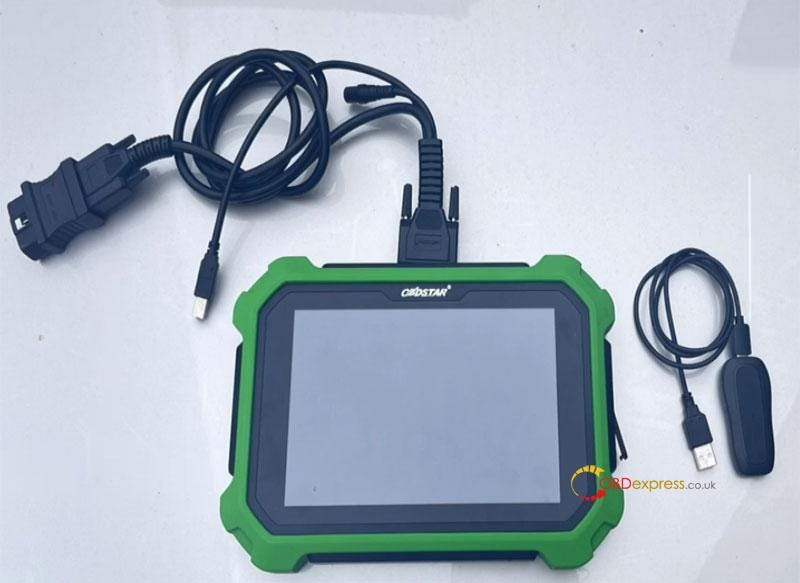
        OBDSTAR X300 DP Plus Key Programming for 2018- Toyota Camry

        2.Menu function path

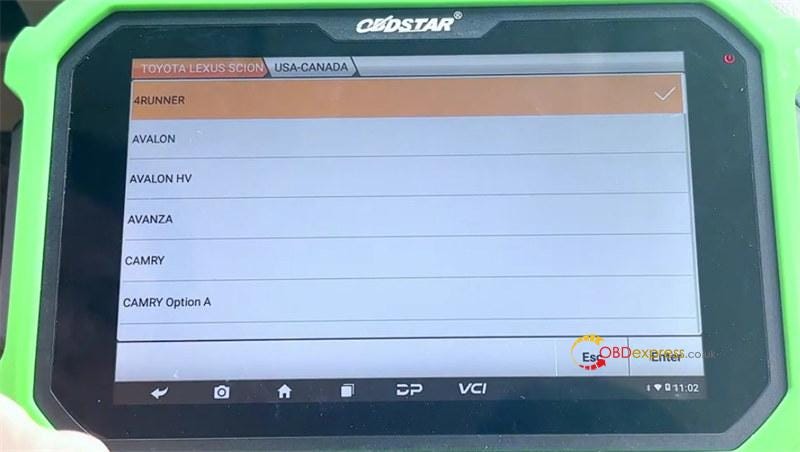
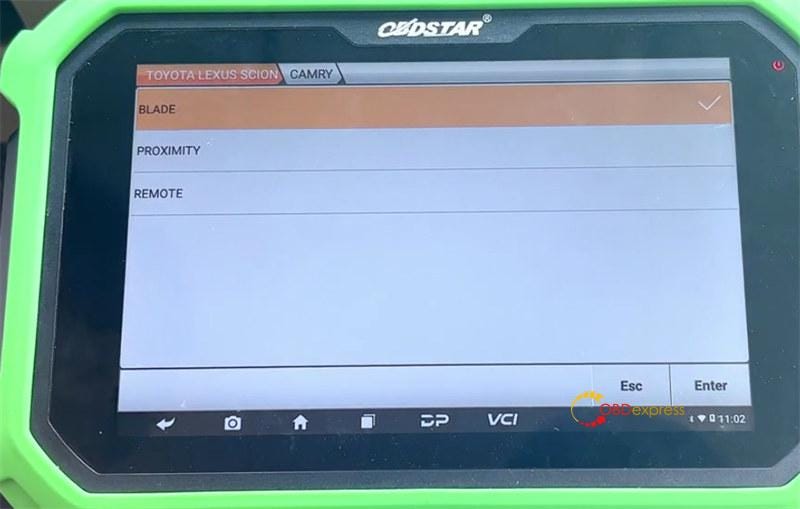
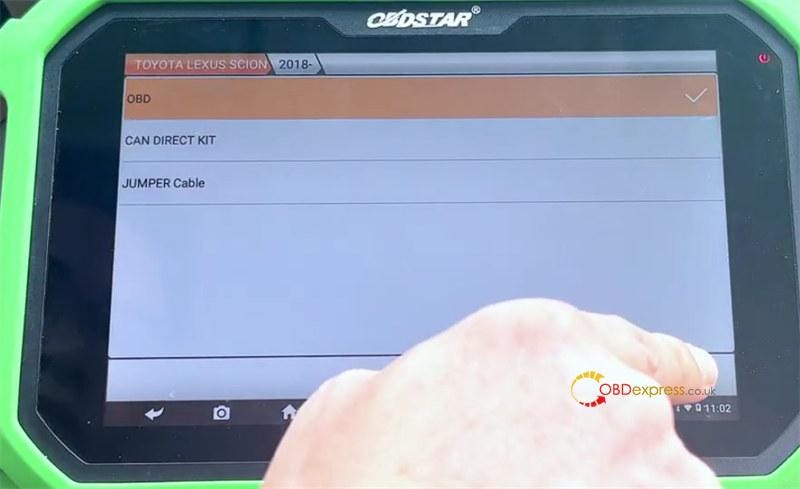
        CAR IMMO>> Asia>> TOYOTA LEXUS SCION>> TOYOTA LEXUS SCION V32.75 (newest software version)>> Manual Select Model>> TOYOTA>> USA- CANADA>> CAMRY>> PROXIMITY>> 2018-
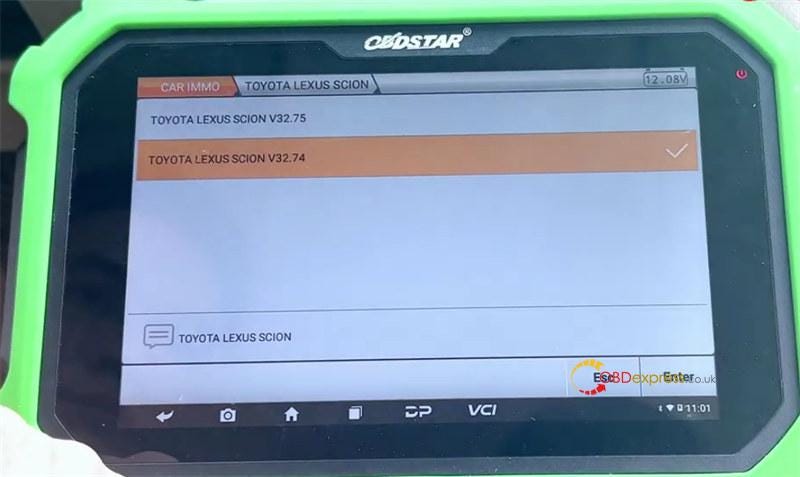
        OBDSTAR X300 DP Plus Key Programming for 2018- Toyota Camry

        OBDSTAR X300 DP Plus Key Programming for 2018- Toyota Camry

        OBDSTAR X300 DP Plus Key Programming for 2018- Toyota Camry

        Step 1: Read Immo Data

        Tap Read Immo Data>> OBD
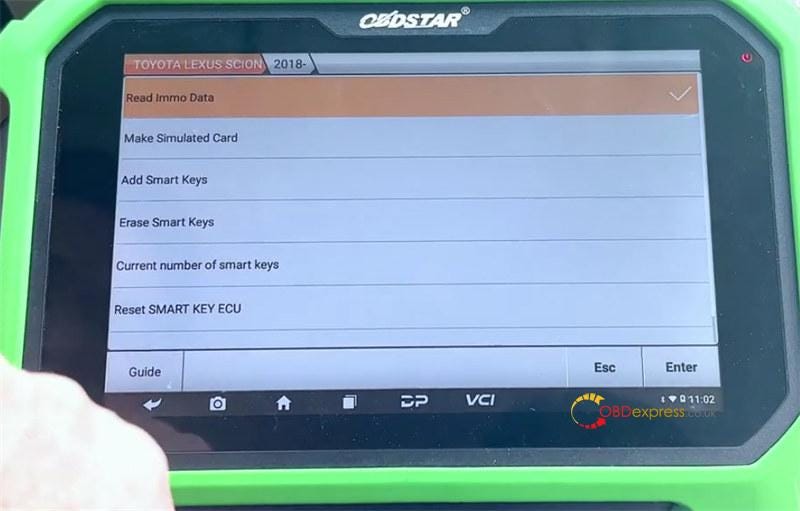
        OBDSTAR X300 DP Plus Key Programming for 2018- Toyota Camry

        OBDSTAR X300 DP Plus Key Programming for 2018- Toyota Camry

        Connect the tablet to internet and make sure the internet connection is normal

        Press emergency flasher switch, and press the start button 5 times

        Read the immo data successfully, and then enter the filename to save it.
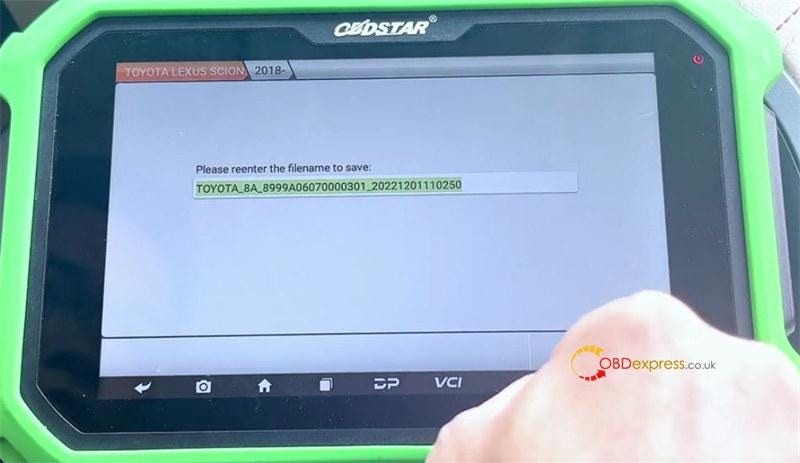
        OBDSTAR X300 DP Plus Key Programming for 2018- Toyota Camry

        Step 2: Make Simulated Card (Key SIM)

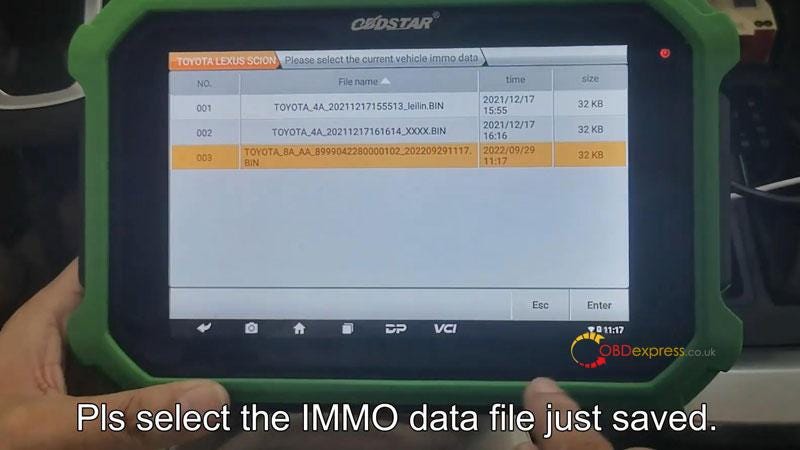
        Select the IMMO data file just saved
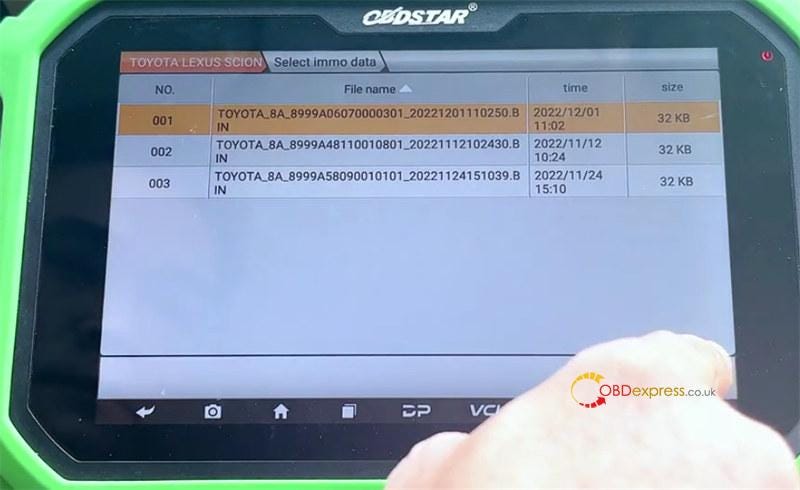
        OBDSTAR X300 DP Plus Key Programming for 2018- Toyota Camry

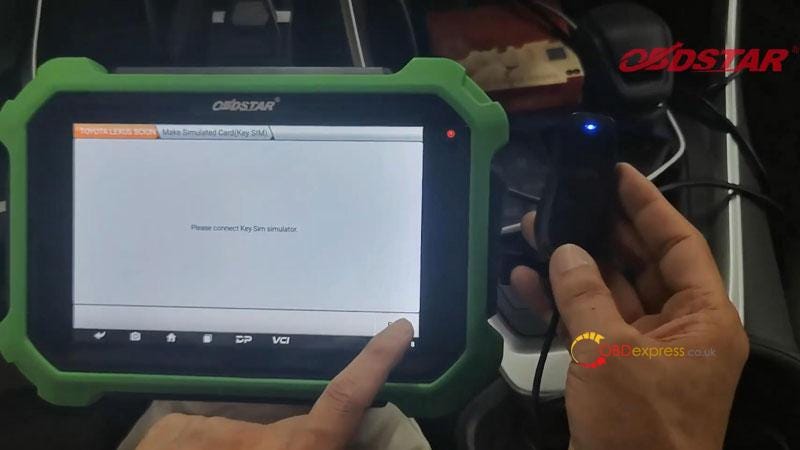
        Select Key Sim Simulator

        Connect the OBDSTAR 5–1 Key SIM Simulator to X300 DP Plus

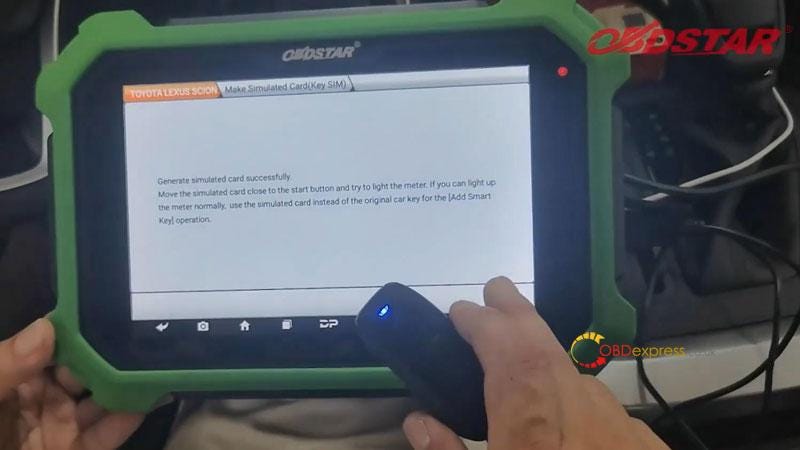
        Generate simulator card successfully
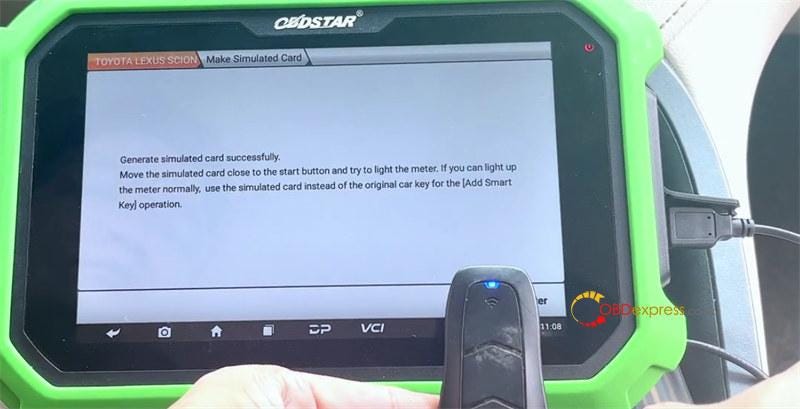
        OBDSTAR X300 DP Plus Key Programming for 2018- Toyota Camry

        Move the simulated card close to the start button and try to light the meter. If you can light up the meter normally, use the simulated card instead of the original key for the (Add smart key) operation.

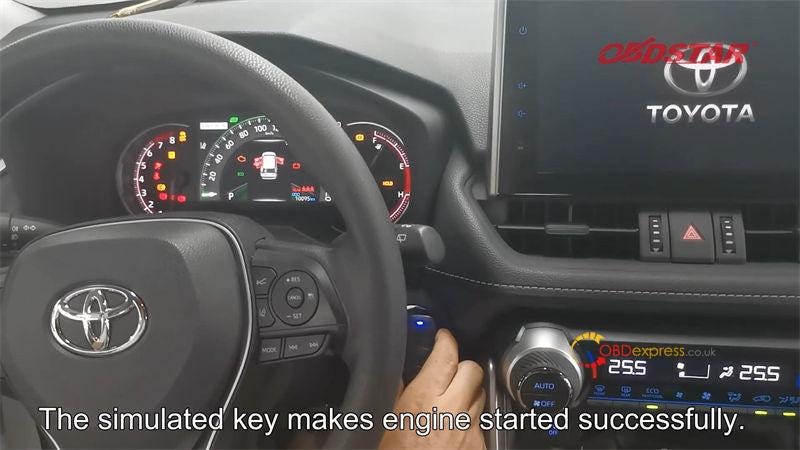
        The simulated key makes engine started successfully
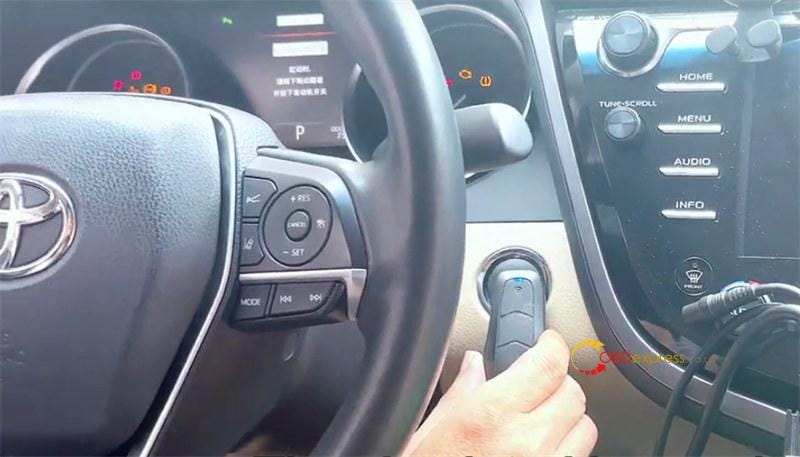
        OBDSTAR X300 DP Plus Key Programming for 2018- Toyota Camry

        Finally, you also add keys (free pincode) or do all keys lost via IMMO data files.

        www.obdexpress.co.uk

        Thursday, December 1, 2022

        How to add Ford Ranger ID49 key with OBDSTAR X300 DP Plus

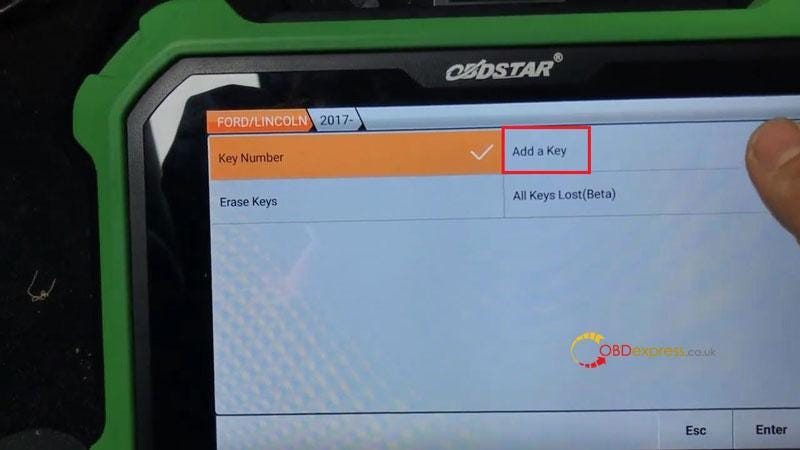
         This is quick guide on how to program a new ID49 key for 2017–2021 Ford Ranger with OBDSTAR X300 DP Plus successfully. The whole process is quite easy to take only 3 minutes.

        Connect Key Master Plus to OBD.

        Insert a working into ignition.

        Follow the path to go:

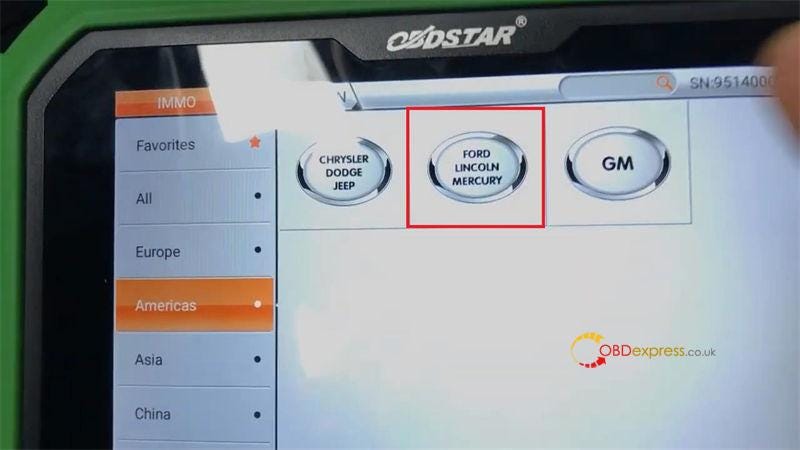
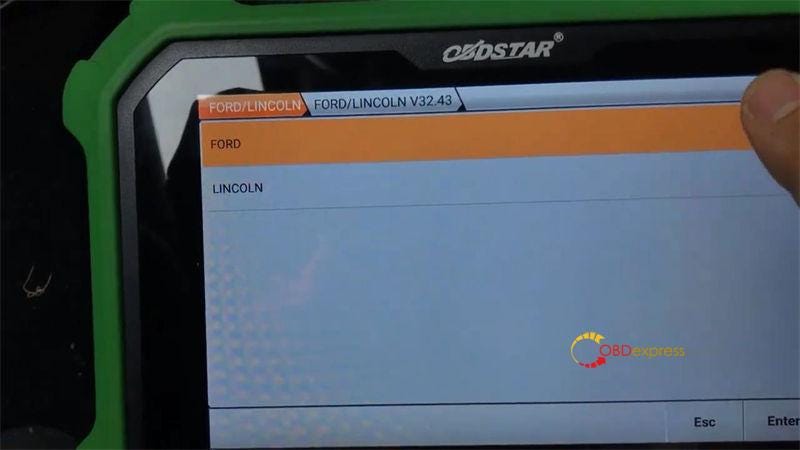
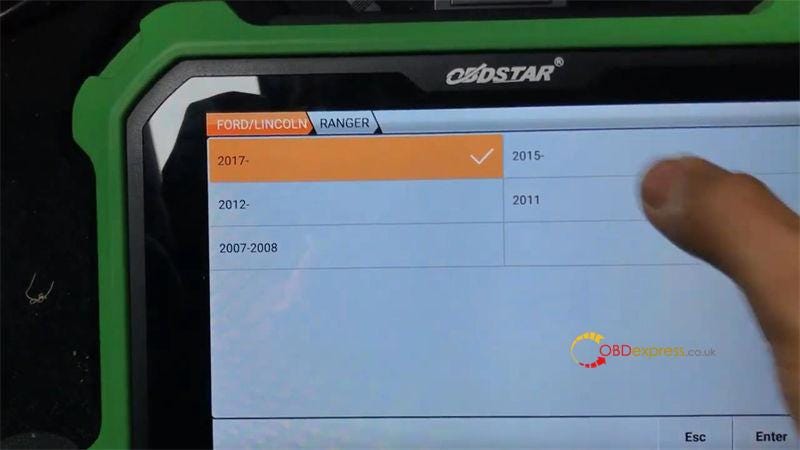
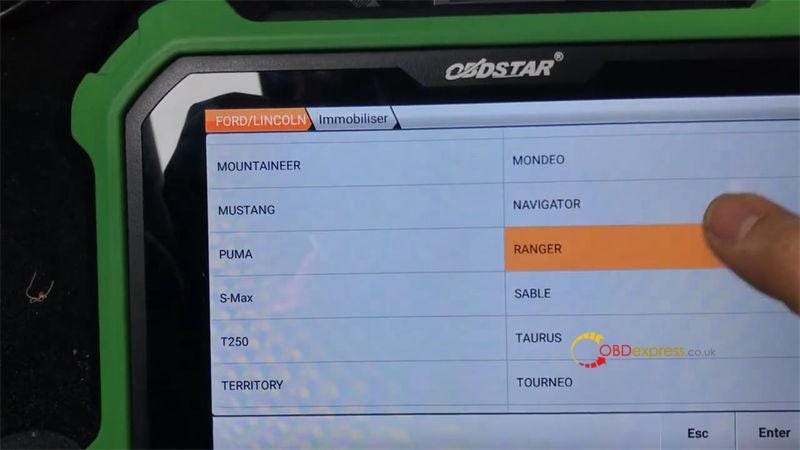
        IMMO >> Americas >> Ford Lincoln Mercury >> Latest version >> Ford >> Immobiliser >> Ranger >> 2017- >> Add a key

        OBDSTAR X300 DP Plus Adds 2017–2021 Ford Ranger ID49 Key

        OBDSTAR X300 DP Plus Adds 2017–2021 Ford Ranger ID49 Key

        OBDSTAR X300 DP Plus Adds 2017–2021 Ford Ranger ID49 Key

        OBDSTAR X300 DP Plus Adds 2017–2021 Ford Ranger ID49 Key

        Switch ignition on.

        This function is available by connecting the server, please ensure the Internet connection is normal.

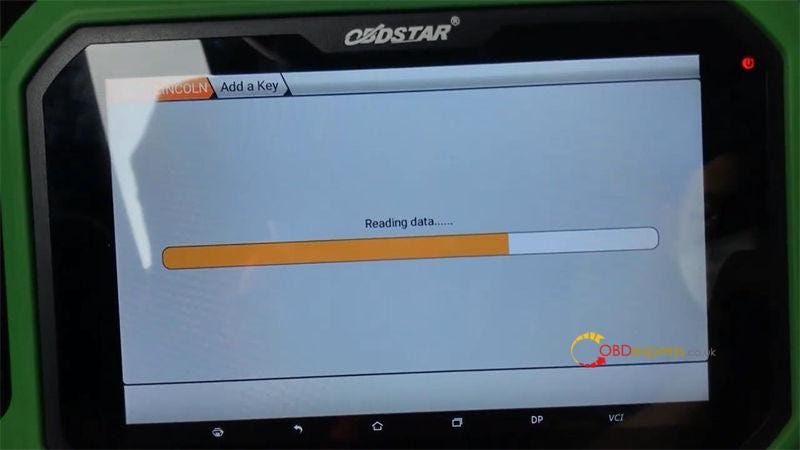
        Reading data…

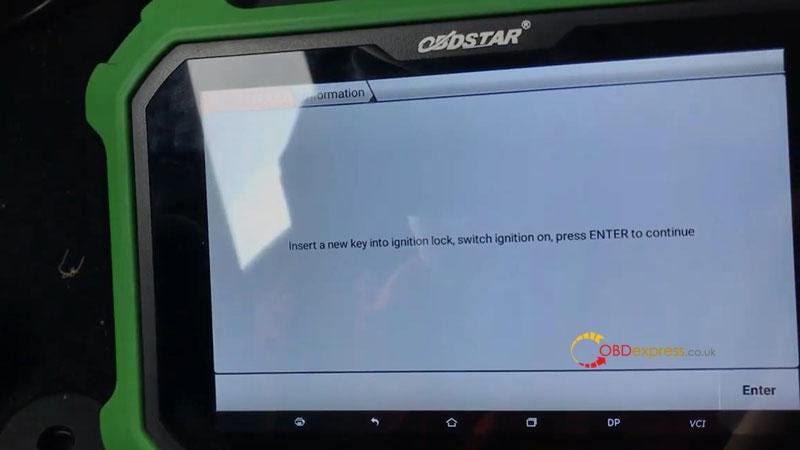
        Insert a new key into ignition lock, switch ignition on, press ENTER to continue.

        Current number of keys: 3

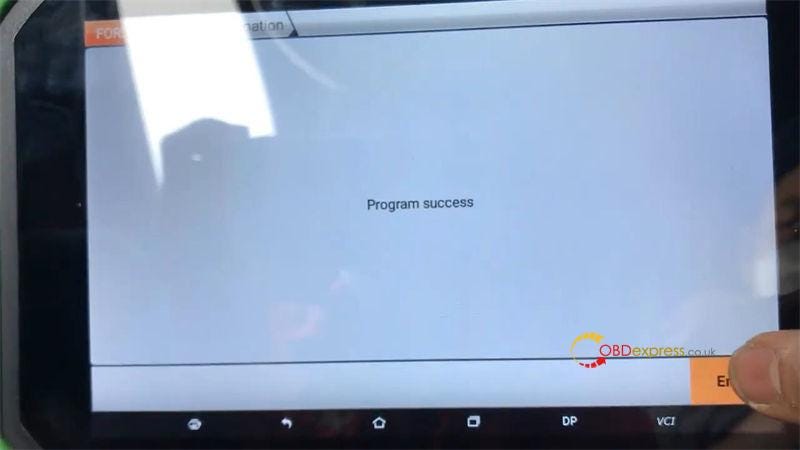
        Program success.

        Test the new key.

        It can work well.

        Done.

        OBDSTAR X300 DP Plus Adds 2017–2021 Ford Ranger ID49 Key

        OBDSTAR X300 DP Plus Adds 2017–2021 Ford Ranger ID49 Key

        OBDSTAR X300 DP Plus Adds 2017–2021 Ford Ranger ID49 Key

        www.obdexpress.co.uk

        Monday, November 21, 2022

        How to program 2021 Toyota 8A-AA Keys with OBDSTAR X300 DP Plus?

        OBDSTAR IMMO key tools can program 2018+ Toyota 8A-AA key adding & all keys lost with free pincode. The function is available on OBDSTAR X300 DP Plus & X300 Pro4. Following is a quick demo to show the procedure.

        Read also:

        OBDSTAR Toyota Lexus Honda Acura IMMO Upgrade in Sep.

        Tools Required

        OBDSTAR Key Mater Plus

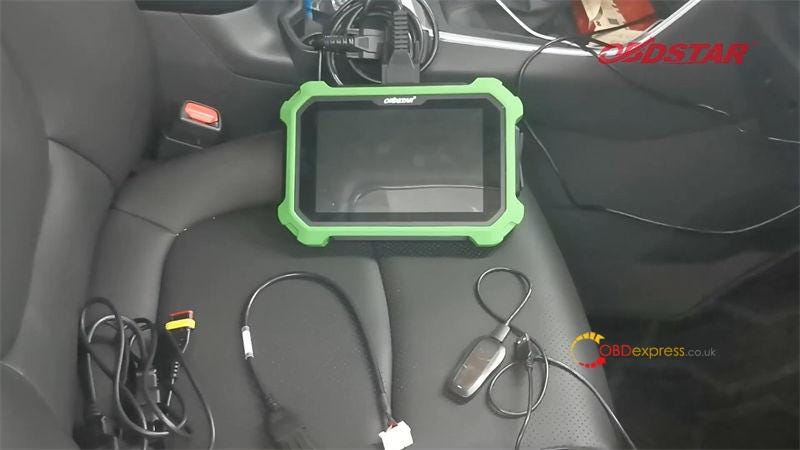
        CAN DIRECT KIT (TOYOTA-27 + CAN Direct)
        Key Sim

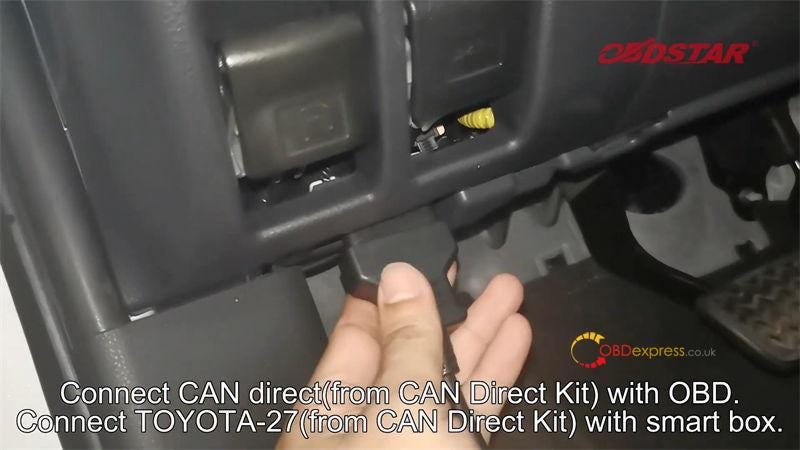
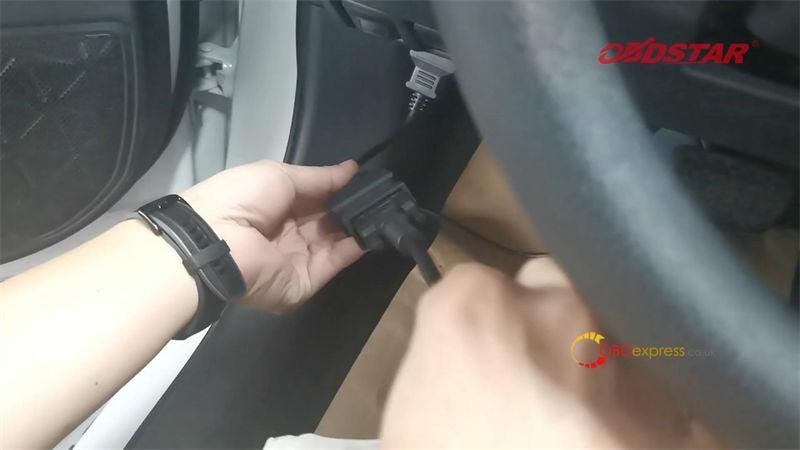
        Connect CAN direct cable with OBD.

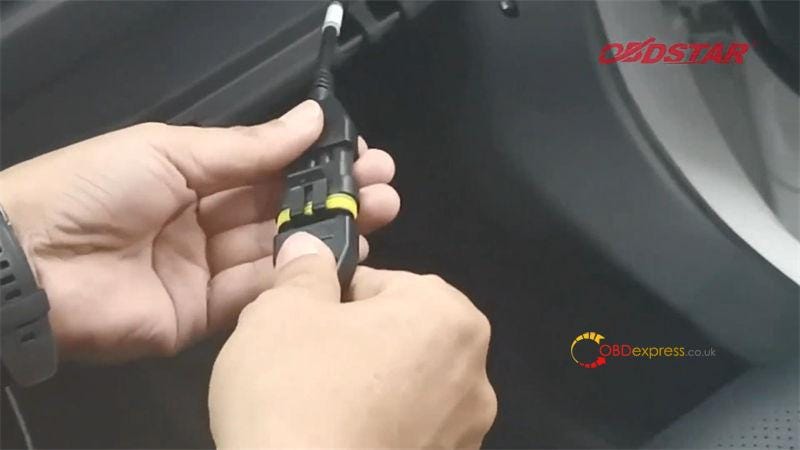
        Connect TOYOTA-27 cable with smart box.

        Connect diagnostic cable to X300 DP Plus.

        OBDSTAR X300 DP Plus Programming Toyota 8A-AA Key

        OBDSTAR X300 DP Plus Programming Toyota 8A-AA Key

        OBDSTAR X300 DP Plus Programming Toyota 8A-AA Key

        OBDSTAR X300 DP Plus Programming Toyota 8A-AA Key

        Step1. Read Immo Data

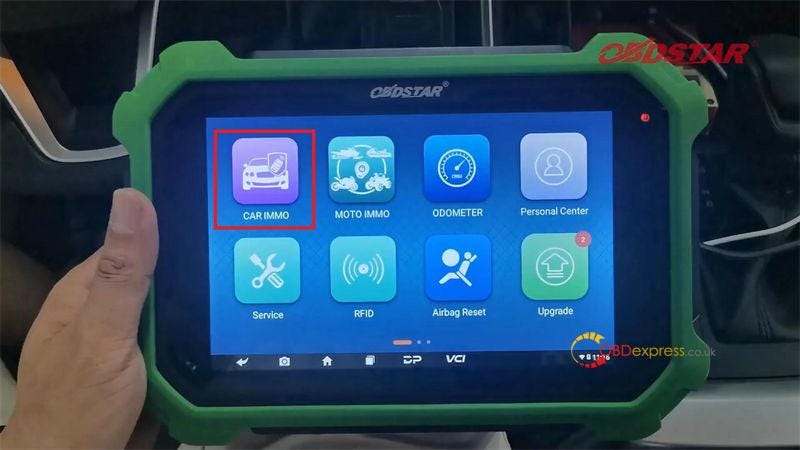
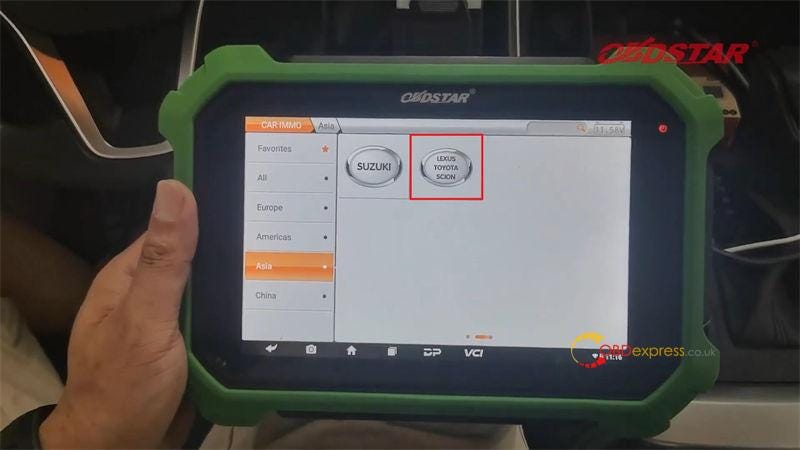
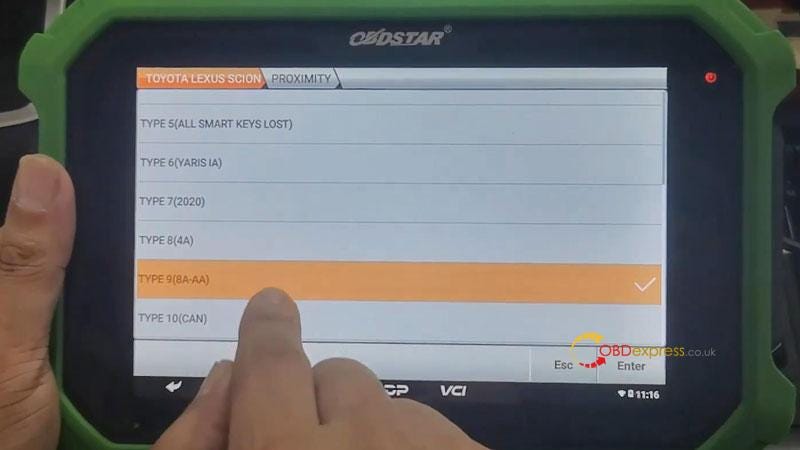
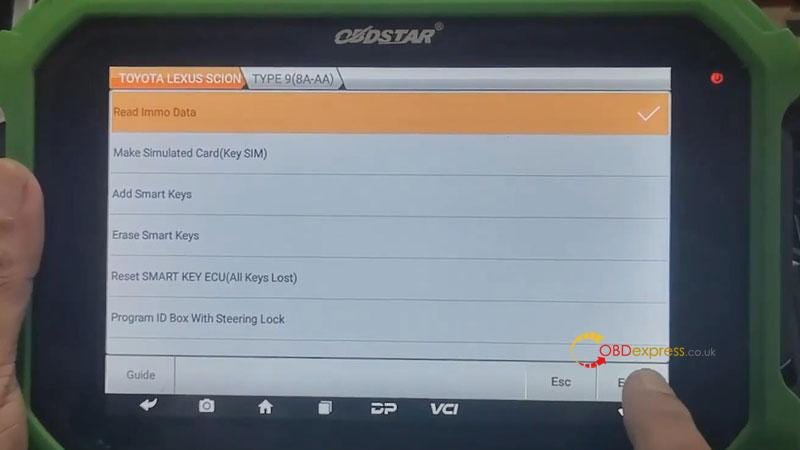
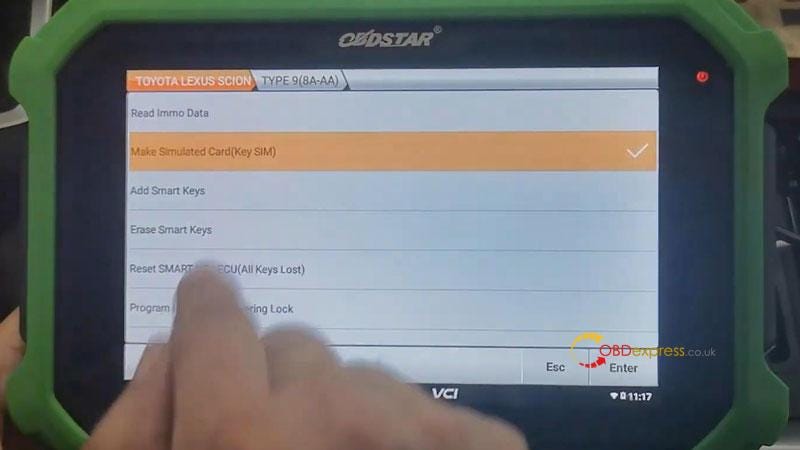
        Car IMMO >> Asia >> LEXUS TOYOTA SCION >> Latest version >> Manual select system >> Proximity >> TYPE 9(8A-AA) >> Read Immo data >> Operation in the car(CAN DIRECT KIT) >> Enter

        Rename & save data file.

        Reading data success.

        OBDSTAR X300 DP Plus Programming Toyota 8A-AA Key

        OBDSTAR X300 DP Plus Programming Toyota 8A-AA Key

        OBDSTAR X300 DP Plus Programming Toyota 8A-AA Key

        OBDSTAR X300 DP Plus Programming Toyota 8A-AA Key

        Step2. Make Simulated Key

        Go back to select "Make simulated card(Key SIM)".

        This function is available by connecting the server, please ensure the Internet connection is normal.

      1. This function can make simulated key when all the keys are lost;
        1. (note: simulated key needs to be kept charged, and it needs to be made again after the power is off)

        2. The simulated key can replace the original car key to add keys, erase keys and other operations;
        3. Has the current vehicle immo data been read? If the immo data is not read, please execute the immo data reading function first.
          1. Select the saved immo file.

            Plug Key Sim into X300 DP Plus device.

            Loading module…

            Generate simulated card successfully.

            Move SIM key close to the start button and try to light the meter.

            If you can light up the meter normally, use the simulated card instead of the original card key for the "Add smart key" operation.

            Restore smart box cable.

            The SIM key can successfully makeengine started.

            Now you can go on to program key adding or all keys lost.

            OBDSTAR X300 DP Plus Programming Toyota 8A-AA Key

            OBDSTAR X300 DP Plus Programming Toyota 8A-AA Key

            OBDSTAR X300 DP Plus Programming Toyota 8A-AA Key

            OBDSTAR X300 DP Plus Programming Toyota 8A-AA Key

            OBDSTAR X300 DP Plus Programming Toyota 8A-AA Key

            For more information, please contact us:

            Email: sales@OBDexpress.co.uk

            WhatsApp: +86 18750906257

            Skype: obd2express.co.uk

            Wednesday, October 12, 2022

            OBDSTAR and Godiag tool refresh BMW 868MHz key

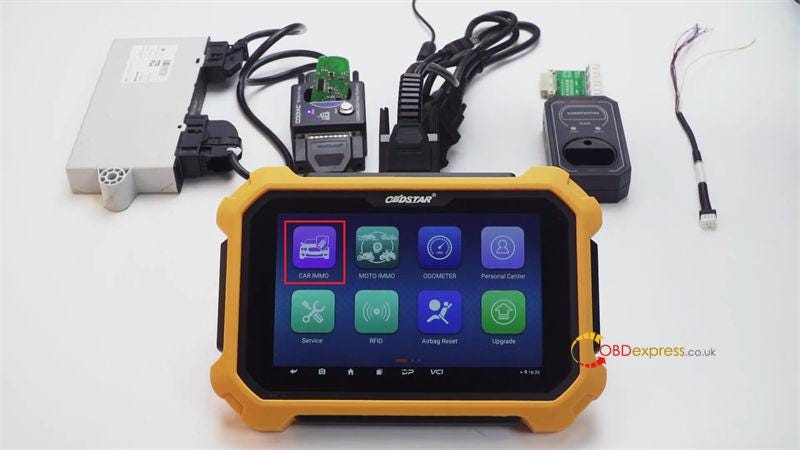
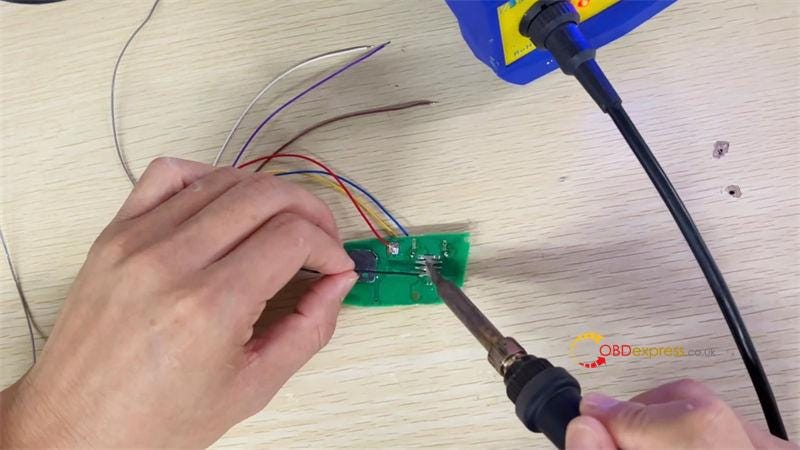
             This is a guide on how to use OBDSTAR X300 DP Plus to renew a BMW 868MHz frequency key on bench. In the process, GODIAG CAS4 / CAS4+ Test Platform will work as ignition switch to connect with CAS module.

            Remove key shell, put circuit board into GODIAG Test Platform:

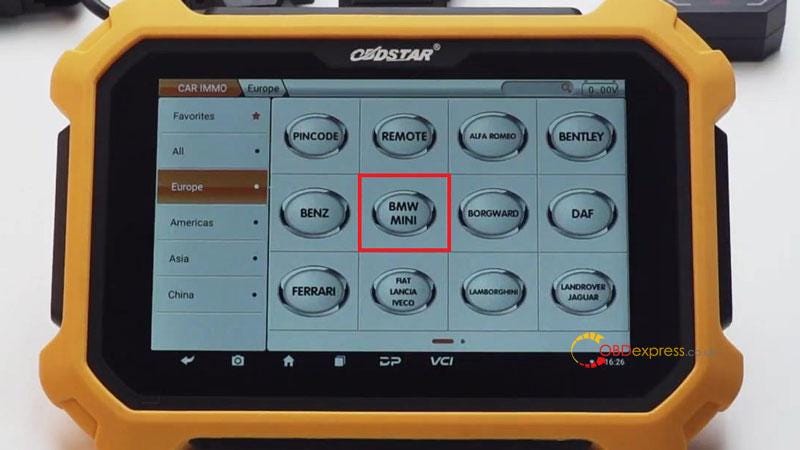
            Car immo >> Europe >> BMW MINI >> BMW MINI V30.46 >> BMW >> CAS4/CAS4+

            This function is available by connecting the server, please ensure the Internet connection is normal.

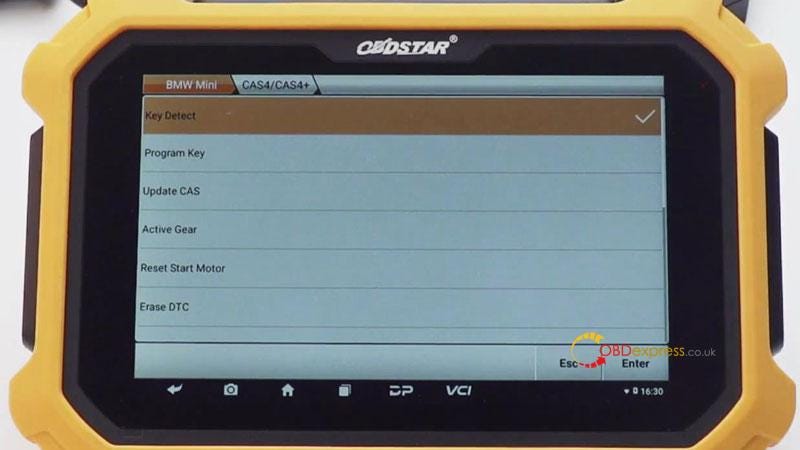
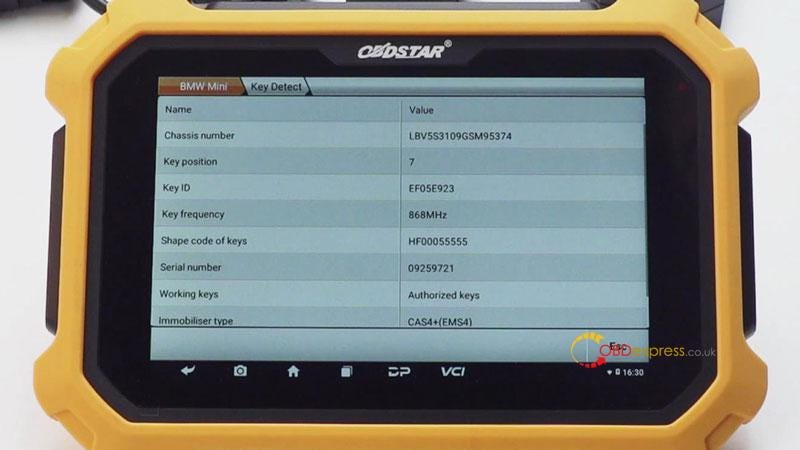
            Key detect >> Enter >> Enter

            As we can see, the key frequency is 868MHz.

            OBDSTAR X300 DP Plus Renew BMW 868MHz Key

            OBDSTAR X300 DP Plus Renew BMW 868MHz Key

            OBDSTAR X300 DP Plus Renew BMW 868MHz Key

            OBDSTAR X300 DP Plus Renew BMW 868MHz Key

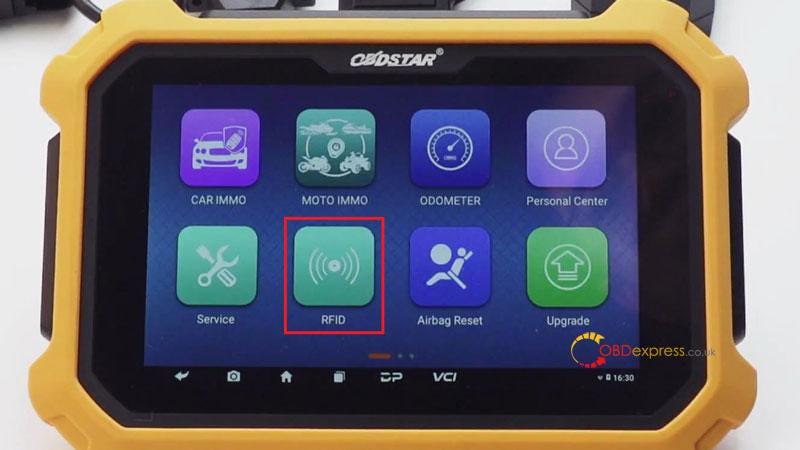
            Go back to home page:

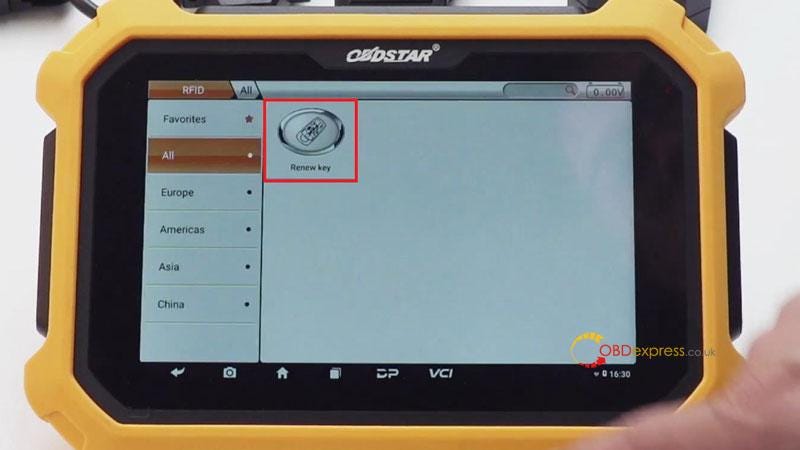
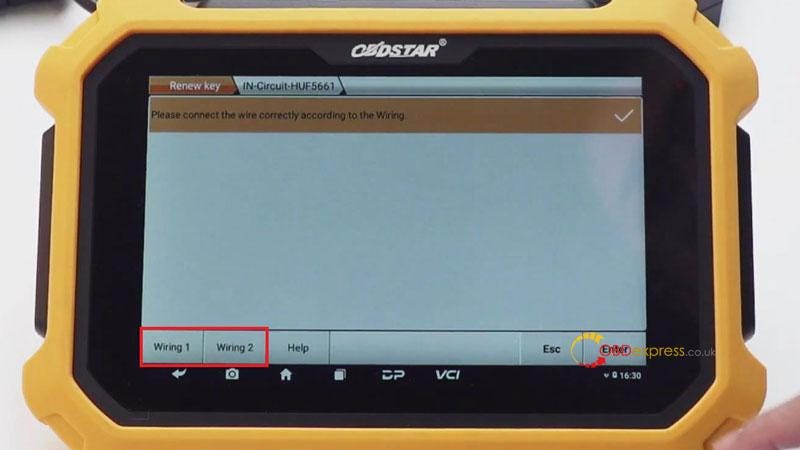
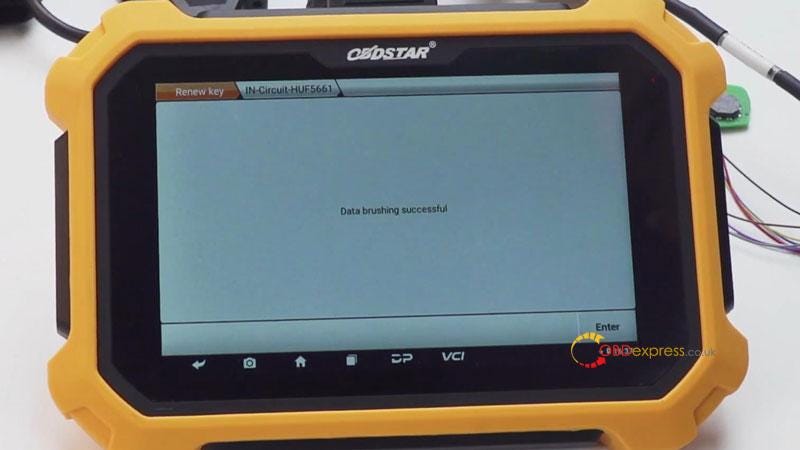
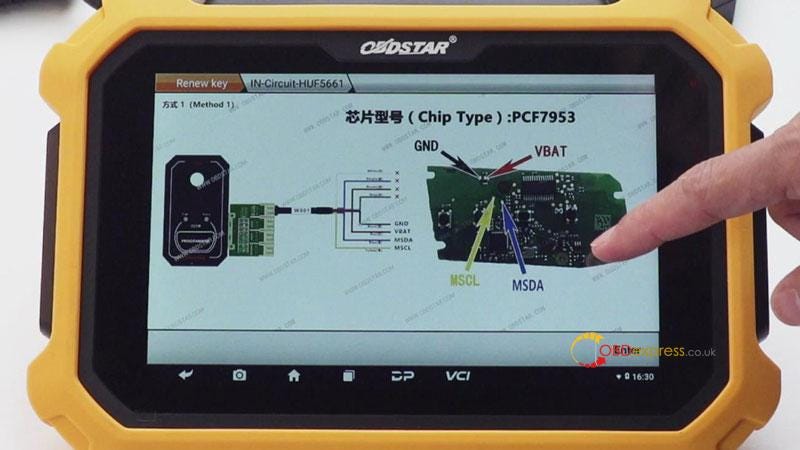
            RFID >> Renew key >> Renew key V31.08 >> BMW >> F chassis >> 868MHz >> IN-Circuit-HUF5661

            Please connect the wire correctly according to the wiring diagram.

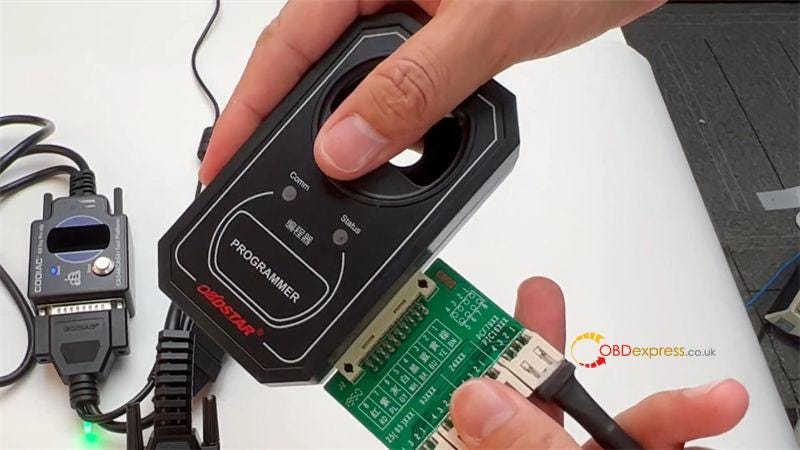
            Connect circuit board to C001 adapter, P001 programmer & Key Master Plus.

            Supply 12V power to the adapter.

            Press "Enter" to start writing data…

            Data brushing successful.

            BMW key renew was done.

            OBDSTAR X300 DP Plus Renew BMW 868MHz Key

            OBDSTAR X300 DP Plus Renew BMW 868MHz Key

            OBDSTAR X300 DP Plus Renew BMW 868MHz Key

            OBDSTAR X300 DP Plus Renew BMW 868MHz Key

            OBDSTAR X300 DP Plus Renew BMW 868MHz Key

            OBDSTAR X300 DP Plus Renew BMW 868MHz Key

            OBDSTAR X300 DP Plus Renew BMW 868MHz Key

            www.obdexpress.co.uk