Pages

OBDSTAR ODOMASTER & X300 PRO4

Tuesday, October 12, 2021

OBSTAR DP Plus successfully programmed the key of Nissan Juke 2011

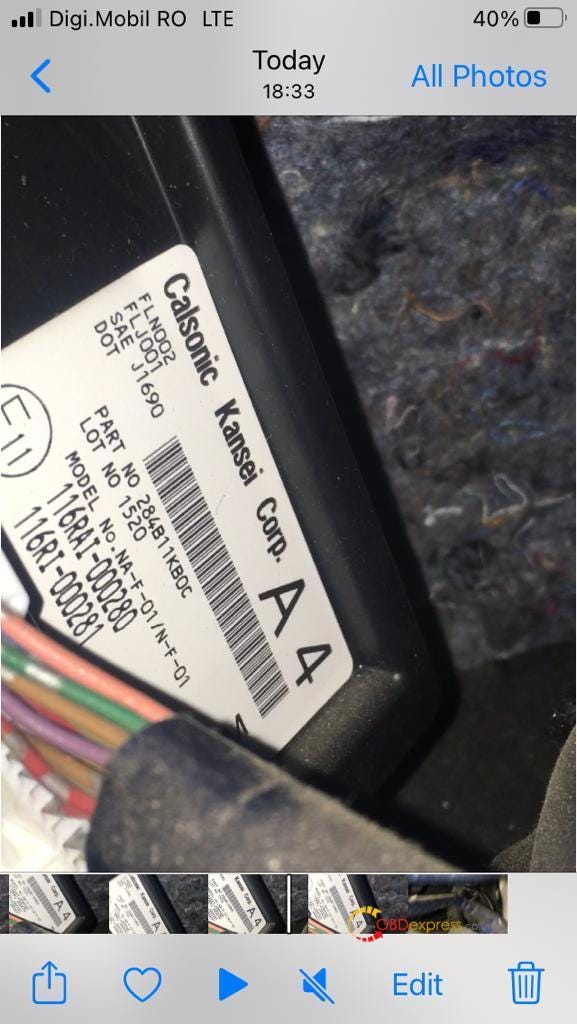
 I took a picture with the label on BCM, Car model and year: Nissan JUKE 2011

OBSTAR DP Plus successfully programmed the key of Nissan Juke 2011

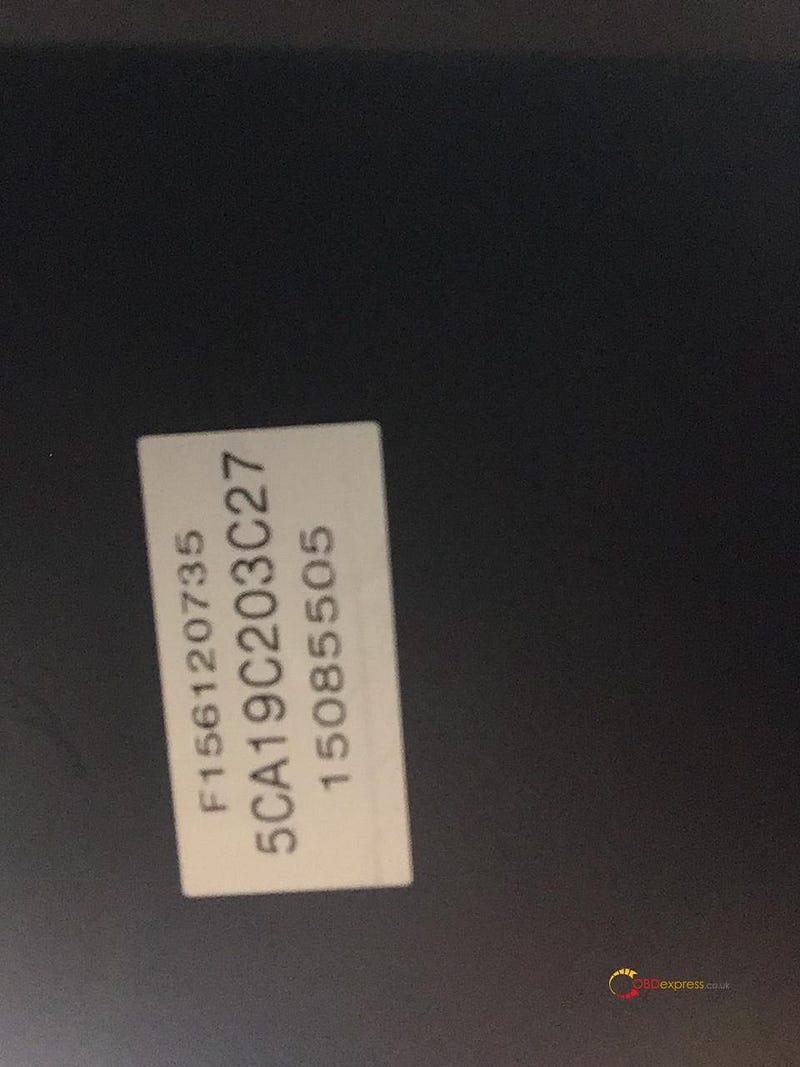
I called the customer today and read the label from glovebox , calculate the pincode with OBDSTAR. This is the glovebox label, and the pincode I've used is 230F142A1A6D

OBSTAR DP Plus successfully programmed the key of Nissan Juke 2011

Zedfull can do it but also OBDSTAR X300 DP Plus can do it !!!!!!
Finally I succeeded to programming 2 keys, the old key and the new one
2 keys work on Nissan JUKE 2011, blade.


I was successful with 12 digits PINCODE, the green one in the post above.

With this pincode the Lonsdor erased the keys memory and it didn't record anything, probably software bug
OBDSTAR X300 DP Plus has too many system options of CAN for 12 digits pincode, 6 or 7 systems I don't remember exactly
There are differences of steps to foloww depending on the system you choose, if you choose the lucky one YOU WON !!!
If you want something fun use OBDSTAR for JUKE !!!

Credits to @vialli

OBDSTAR X300 DP Plus good source:

https://www.obdexpress.co.uk/wholesale/obdstar-x300-dp-plus-key-master.html

Tuesday, August 24, 2021

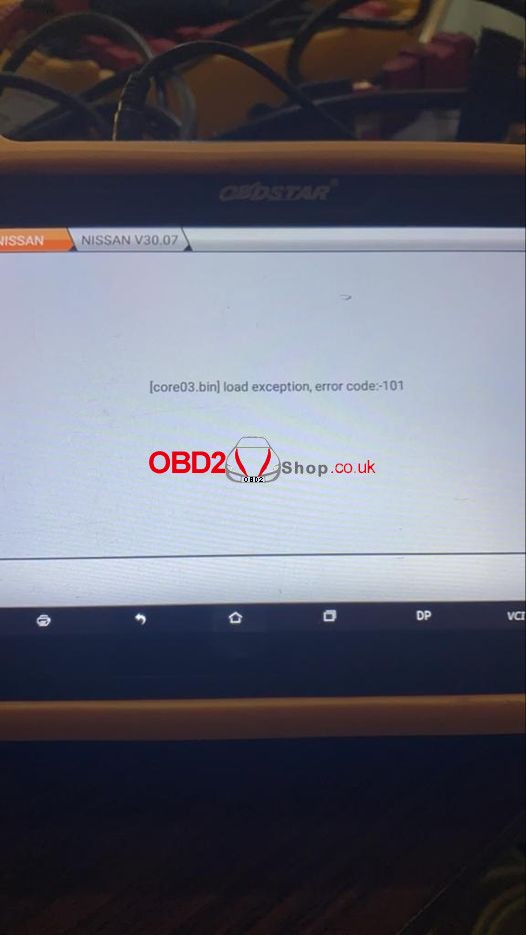
Obdstar X300 DP Plus “load exception, error code:-101” Solution


How to solve in case having the issue: “ core03.bin, load exception, error: -101” on the

Obdstar X300 DP / X300 DP Plus?


Obdstar X300 DP Plus “load exception, error code:-101

Solution

  1. Click “ES file browser>> Local >> Main directory >> DP-serial number >> Resourse >> bin”;
  2. Copy the file “core03.bin”to TF card or memory card.


Problem was solved!

The Obdstar X300 DP Plus has already been normal as usual.

Hope this article is helpful for you.


http://blog.obd2shop.co.uk/solved-obdstar-x300-dp-plus-load-exception-error-code-101/

Thursday, August 12, 2021

Obdstar X300 DP Plus & 16+32 Cable Adds 2020 Nissan Sylphy(B18) Key OK

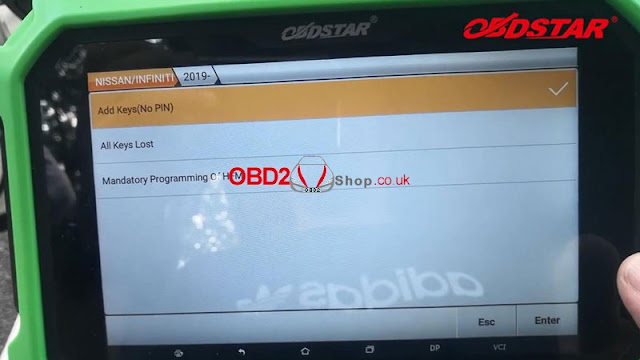
With the OBDSTAR Nissan/Renault 16+32 Adapter, Obdstar X300 DP Plus and X300 Pro4 are able to add Nissan Sentra/ Sylphy(B18) 2019 - proximity add keys(free Pincode), all keys lost, mandatory programming of HFMtO
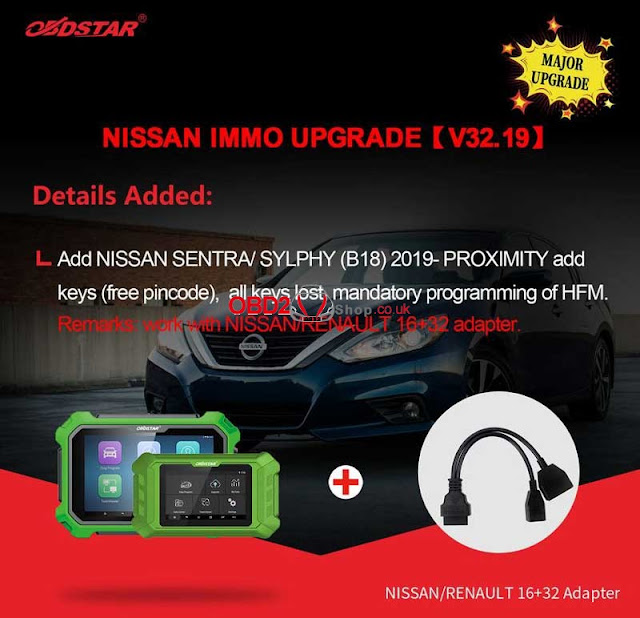
Obdstar X300 DP Plus & 16+32 Cable  Adds 2020 Nissan Sylphy(B18) Key OK 01
In this instruction, OBD2Shop.co.uk will show you a guide on how to use Obdstar X300 DP Plus with Nissan 16+31 Cable to add Proximity for 2020 Nissan Sylphy(B18)
Process
Connect Nissan 16+32 ByPass Cable, main cable with unplugged gateway interface, press
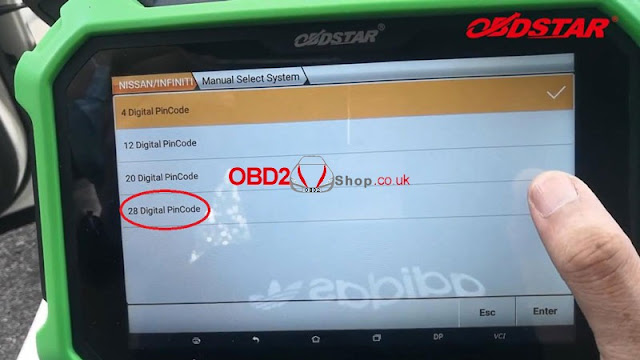
IMMO >> Nissan >> Nissan/Infiniti V32.19 >> Manual select system >> 28 digital pincode >> Sylphy(B18) >> Proximity >> 2019- >> Add keys(no pin)
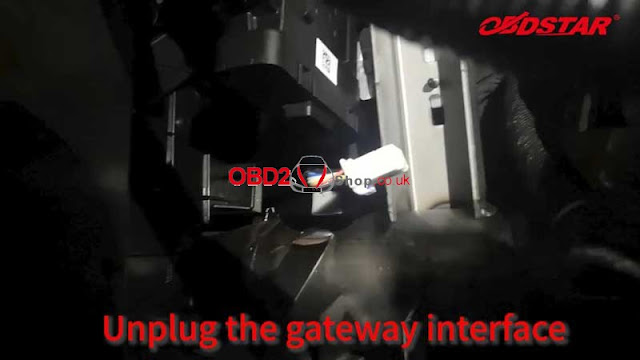
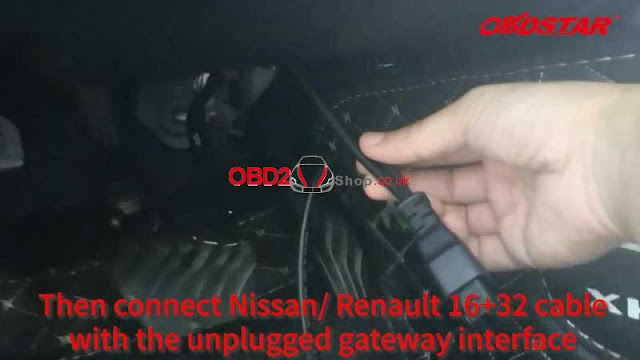
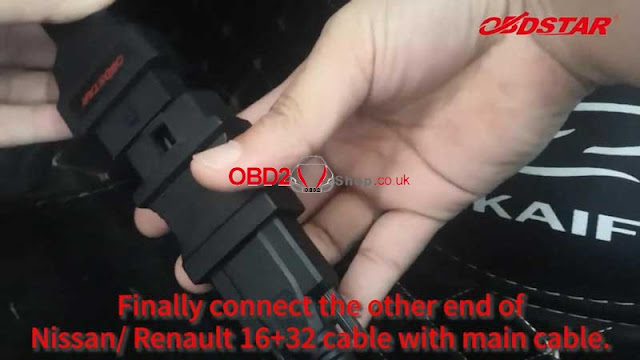
Obdstar X300 DP Plus & 16+32 Cable  Adds 2020 Nissan Sylphy(B18) Key OK 02

Obdstar X300 DP Plus & 16+32 Cable  Adds 2020 Nissan Sylphy(B18) Key OK 03

Obdstar X300 DP Plus & 16+32 Cable  Adds 2020 Nissan Sylphy(B18) Key OK 04
Obdstar X300 DP Plus & 16+32 Cable  Adds 2020 Nissan Sylphy(B18) Key OK 05
Obdstar X300 DP Plus & 16+32 Cable  Adds 2020 Nissan Sylphy(B18) Key OK 06

Please ensure the Internet connection is normal.

Please ensure the connection is correct.


Note:

1. Executing this function will clear all the keys of the vehicle. The deleted keys must be rematched before they can be used normally;

2. Only 2 new keys can be matched each time. If you need to match more than 3 keys, please divide them into 2 operation;

3. There must be at least one key that can start the vehicle normally.


Warning:

1. To ensure that password is successfully read, please turn on the ignition switch;

2. The device must not be disconnected during the password reading process, otherwise the module will be damaged;

3. Please check the vehicle voltage, line connection and other conditions to prevent the device from connecting abnormally in the middle.


Writing data, it’ll take about 5 minutes, please wait...


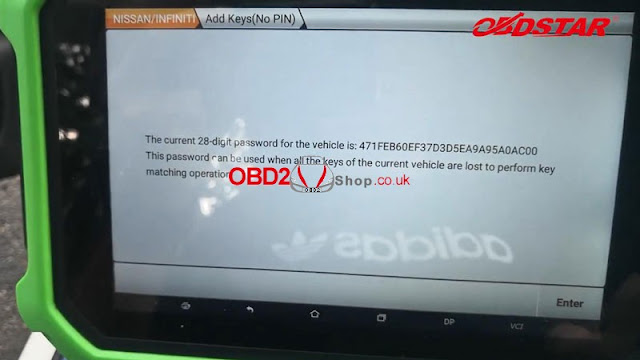
Password was read out, please record it.

It can be used when all keys lost.
Obdstar X300 DP Plus & 16+32 Cable  Adds 2020 Nissan Sylphy(B18) Key OK 06


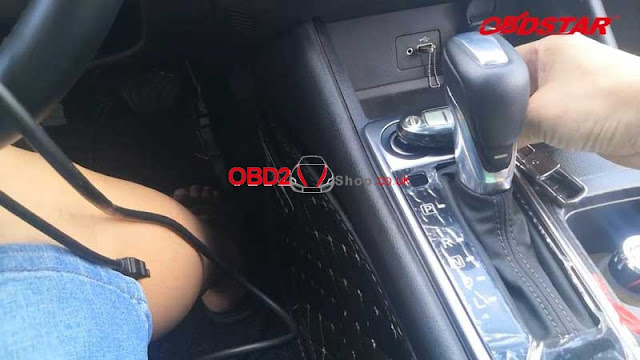
Turn on the double flash, turn off the ignition switch.

Switch ignition on.

1. Long press the start button to turn off the ignition switch;

2. Turn on the hazard warning lights(double flashing lights);

3. The gear position is in P gear or neutral gear;

4. The steering column lock is in the unlocked state.


Start to read the key ID:

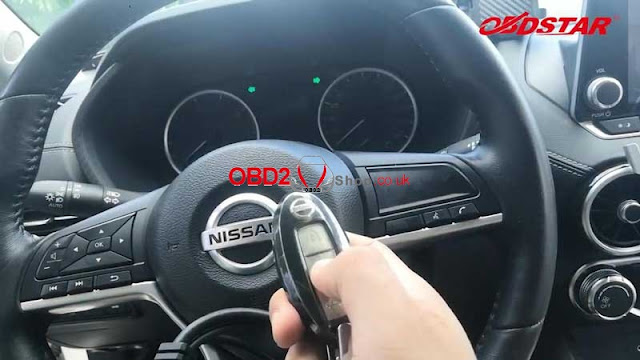
Place the 1st smart key to be matched(with the mark upward) flat above the ignition switch, the key end with the mark is directly above the ignition switch, and other smart keys are far away from the ignition switch.

Special note:

1. Do not move the key on the ignition switch;

2. Do not press any button of the smart key;

3. Do not insert or remove the mechanical key in the smart key.


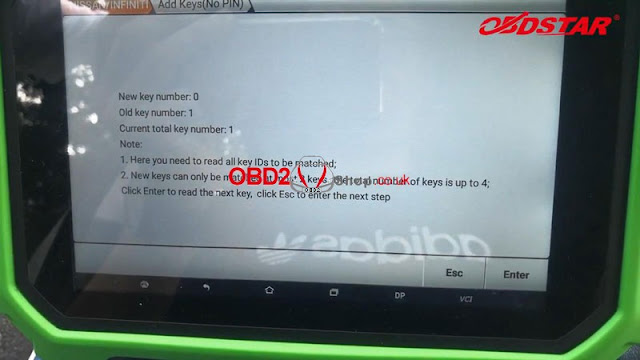
New key number:0

Old key number:1

Current total key number:1

Note:

1. Here you need to read all key IDs to be matched;

2. New keys can only be matched at most 2 keys, the total number of keys is up to
Obdstar X300 DP Plus & 16+32 Cable  Adds 2020 Nissan Sylphy(B18) Key OK 07

Obdstar X300 DP Plus & 16+32 Cable  Adds 2020 Nissan Sylphy(B18) Key OK 08


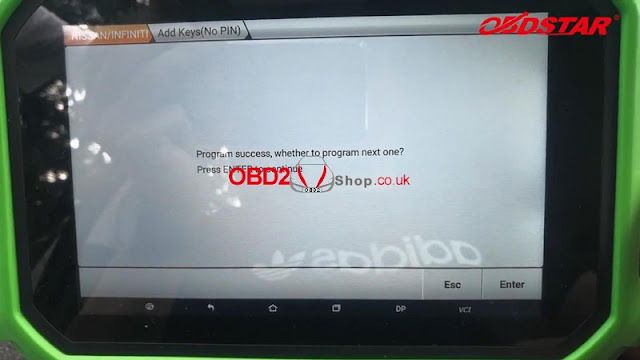
Program success.

Press “Enter” to program next key, otherwise, press “Esc”.


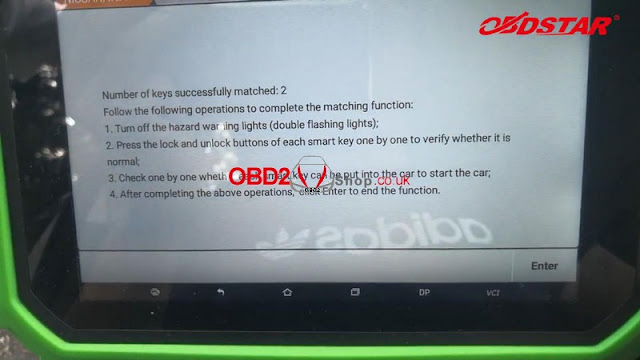
Turn off the hazard warning lights to test keys.

The remote work fine, and all can start the engine.

Press “Enter”.
Obdstar X300 DP Plus & 16+32 Cable  Adds 2020 Nissan Sylphy(B18) Key OK 09
Obdstar X300 DP Plus & 16+32 Cable  Adds 2020 Nissan Sylphy(B18) Key OK 10

Obdstar X300 DP Plus & 16+32 Cable  Adds 2020 Nissan Sylphy(B18) Key OK 11
Obdstar X300 DP Plus & 16+32 Cable  Adds 2020 Nissan Sylphy(B18) Key OK 12

Note:

1. Remember to remove the 16+32 connector and restore the gateway module;

2. Connect the X300 DP Plus to OBDII port and turn on ignition switch.

Done!
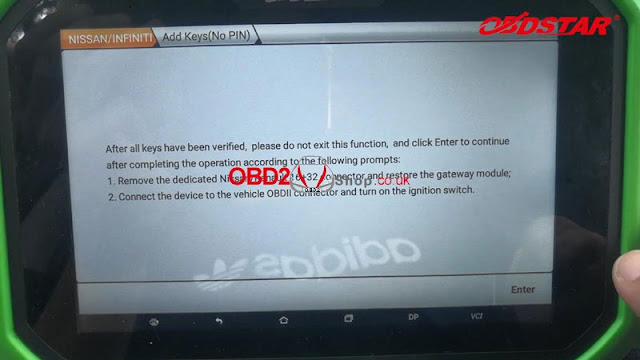
Obdstar X300 DP Plus & 16+32 Cable  Adds 2020 Nissan Sylphy(B18) Key OK 13


This is using Obdstar X300 DP Plus to program new keys for 2020 Nissan Sylphy(B18) successfully.

https://www.obd2shop.co.uk/service/2019-nissan-sylphy-b18-add-proximity-keys-by-obdstar-1632-cable.html

Wednesday, July 28, 2021

OBDSTAR FIAT / ALFA ROMEO IMMO UPGRADE [ V32.63 ]

OBDSTAR ALFA ROMEO IMMO UPGRADE [V32.63]

1.Details Added:
  • Add 4C/4C SPYDER 2017-2019, 2013-2016 blade key programming;
  • Add auto detect model for below car models: GIULIA, GIULIETTA, MITO etc.
2.Details Optimized
  • Optimized software.

Updates Now Available OBDSTAR X300 DP PLUS 
OBDSTAR ALFA ROMEO IMMO UPGRADE [V32.63]

OBDSTAR FIAT IMMO UPGRADE [V32.63]

1.Details Added:
  • Add 500 2018-2020 blade key programming;
  • Add PROMASTER RAPID blade key programming;
  • Add NEW UNO 2018-2019 blade key programming;
  • Add FULLBACK 2016-2020 proximity key programming;
  • Add auto-detect model for below car models: 500X, DOBLO, DUCATO, FIORINO, FREEMONT, VIAGGIO etc.
2.Details Optimized:
  • Optimized software.
Updates Now Available OBDSTAR X300 DP PLUS , X300 PRO4


OBDSTAR FIAT IMMO UPGRADE [V32.63]

Monday, July 19, 2021

Obdstar MS80 Add 2016 BMW F800GT key OK

How to use Obdstar MS80 Motorcycle Diagnostic Tool to program a new key for 2016 BMW F800GT? Following is a quick demonstration.

Insert the key into ignition switch.

Connect Obdstar MS80 with BMW.

Obdstar MS80 Add 2016 BMW F800GT key OK 01

 Obdstar MS80 Add 2016 BMW F800GT key OK 02

Obdstar MS80 Add 2016 BMW F800GT key OK 03

Moto IMMO >> Europe >> BMW >> BMW V30.01 >> Programming keys(ID46) >> Select a blank key position, key generation

 Obdstar MS80 Add 2016 BMW F800GT key OK 04

Obdstar MS80 Add 2016 BMW F800GT key OK 05

 Obdstar MS80 Add 2016 BMW F800GT key OK 06

Obdstar MS80 Add 2016 BMW F800GT key OK 07

Connect P001 with MS80 key programmer, press “Enter”.


Put the new key into P001 adapter, press “Enter”.

The key is generated successfully, insert the generated key into the key slot for 10s, then use the newly generated key to start the locomotive.

 Obdstar MS80 Add 2016 BMW F800GT key OK 08

 Obdstar MS80 Add 2016 BMW F800GT key OK 09

Obdstar MS80 Add 2016 BMW F800GT key OK 10

The key can start the motorcycle.

Done!


Using Obdstar MS80 to program a new key for 2016 BMW F800GT motorcycle is quite easy and fast.


OBDSTAR MS80 program key for BMW F800GT 2016


Any questions welcome to contact us.

http://blog.obd2shop.co.uk/


Tuesday, June 8, 2021

2004 BMW 3 series 330 Mileage Correction Operation Guide

 Problem:

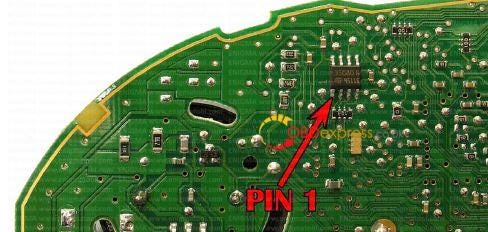
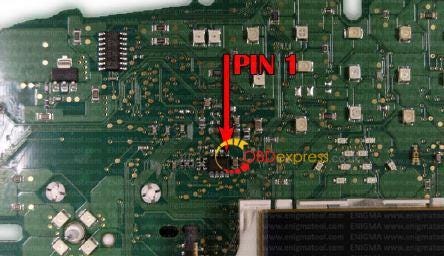
I have a 2004 bmw 3 series 330 I believe it to be e46 . I have only done 7 series e65 styles. I have access to digiprog datasmart 3 clone, obdstar x300m and a r270 European produced unit.  Can anyone give me any pointers on what to do. I did pull the cluster and open back to find a angled NEC chip 0719k I believe I do see one small soic eeprom chip with unfamiliar numbers on it. Not sure what I'm reading about lcm modules ? Is there a Cas that needs to be done on these?


Replied

Option 1:

Find 35080 read through R270 which you have. There is no CAS there EWS.


Option 2:

If it's a E46 you need to change LKM, EWS and IKE
If it's a E90 you need to change CAS and IKE

You can do only dash (IKE). If you don't do LKM there is a possibility old KM returns.
If you don't do EWS your key's will have old KM in it.

2004 has a 35080 eeprom in it.

2004 BMW 3 series 330 mileage correction

2004 BMW 3 series 330 mileage correction

Thursday, May 27, 2021

OBDSTAR X300 Pro4 review - Opel, Renault, Fiat, Peugeot

 I have bought older version (black case tablet) OBDSTAR X300 Pro4, only key programming.

OBDSTAR X300 Pro4 Test Reports

My experiences...not bad, no so good...still not sure about, I'm the owner for a short time ...but..

For OPEL:
***Astra H 2009 Z17DTJ - can't read PIN from ECM, from DIS display can't, also - so I've read handly from DIS 93c56, but coding PCF7941 toogether with remote afternarket key 2 buttons for a second !!!

For RENAULT:
***Kangoo 2008 1.5dci - can read PIN but do not needed for coding...7946 remote 2 buttons aftermarket, immediately, like charm
***Clio 1.5dci_2004_UCH 93c66_PCF7936_aftermarket key 1 button_coding in a second! Also, has an fantastic function-can solve UCH collision on one click and UCH is a live again (in case you make bad coding or similar stupidity-tipically for my self

For FIAT:
***Stilo_1.6_16V_IAW5NF.T1_3K91D read file and PIN, usefull if you need to coding remote with MES or FES

For PEUGEOT:
***P206_1.4L_2002_Sagem 2000-2A_Siemens BSI-E0X, BSI-F0X read eeprom, PIN, programming KD NB11 key for a second!

That's all, will update later more...please, do the same to share experiences...!!!


Credits to @ cubica1


Have fun!


So OBDSTAR X300 Pro4 is not perfect but not that bad for that cost ...

https://mega.nz/#!kfQ0EKJC!GVRK2OiBhMY7ZTs5YYC1L-xjvl4WsnOfA1NbaDXoo9ohttps://www.obdexpress.co.uk/wholesale/obdstar-x300-pro4.html