Pages

OBDSTAR ODOMASTER & X300 PRO4

Tuesday, August 22, 2023

Toyota Corolla Cross 4A AKL: OBDSTAR vs. Lonsdor Showdown

 Which tool can program 2022- Corolla Cross 4A proximity all keys lost?

OBDSTAR X300 DP Plus (Key Master DP Plus), X300 Pro4 (Key Master 5), and Lonsdor K518ISE/K518S key programmer are recommended. They can work with the specific Toyota-30 cable to perform Toyota proximity 4A smart key add & all keys lost programming bypass PIN Code.

OBDSTAR TOYOTA 4A type (equipped with TMLF19D type smart key box):

Yaris 2020+ (XP210)

Yaris Cross 2021+ (XP210)

Corolla Facelift 2022+ (E210)

Corolla Cross Facelift 2022+ (XG10)

Lonsdor K518 Toyota 4A models support list:

Yaris HV (2022- )

Yaris Cross (2022- )

Frontlander (2022- )

Corolla Cross (2022- )

Support Board Numbers:

1320 2561

1.OBDSTAR program 2022- Corolla Cross 4A proximity AKL:
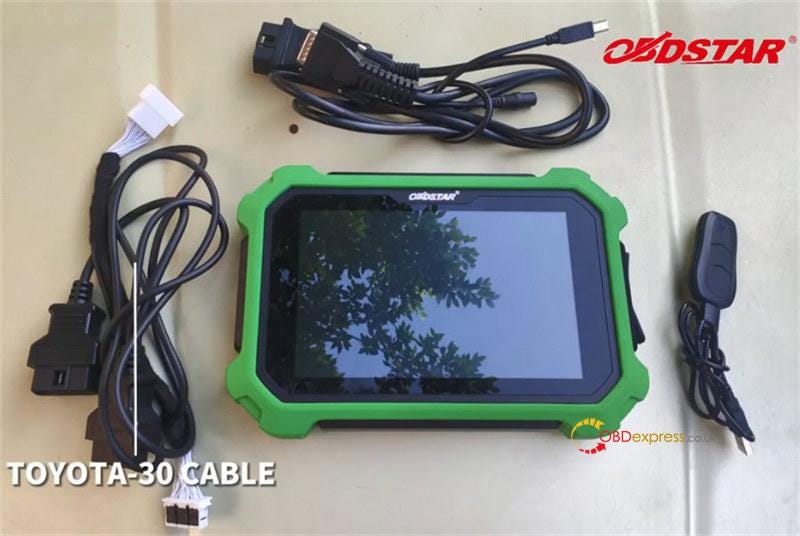
i.e.X300 DP Plus full version

Corolla Cross 4A Proximity AKL Programming-OBDSTAR or Lonsdor

Operation:

Use the TOYOTA- 30PIN Connector to connect the vehicle proximity key and OBD interface
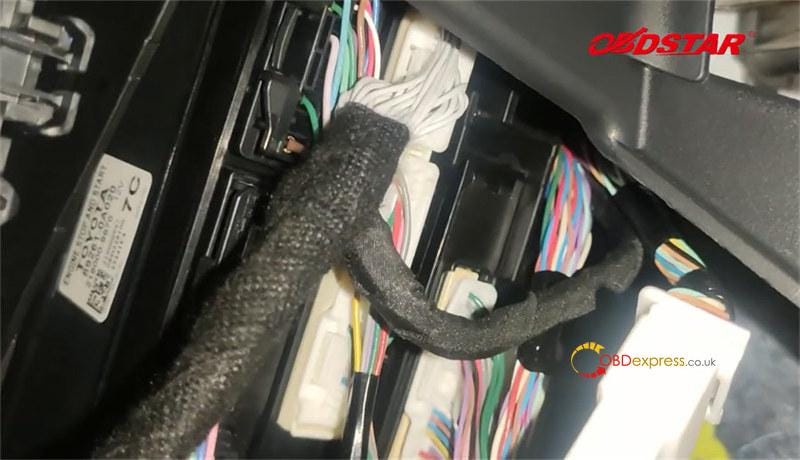
Corolla Cross 4A Proximity AKL Programming-OBDSTAR or Lonsdor

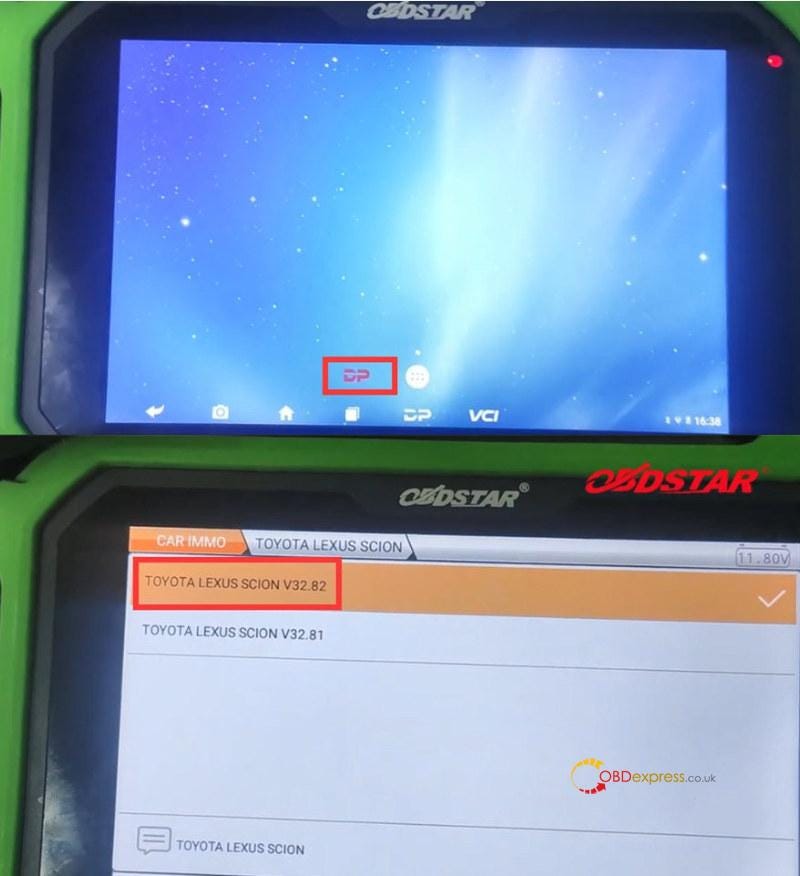
Tap "DP" on the main menu of X300 DP Plus tablet

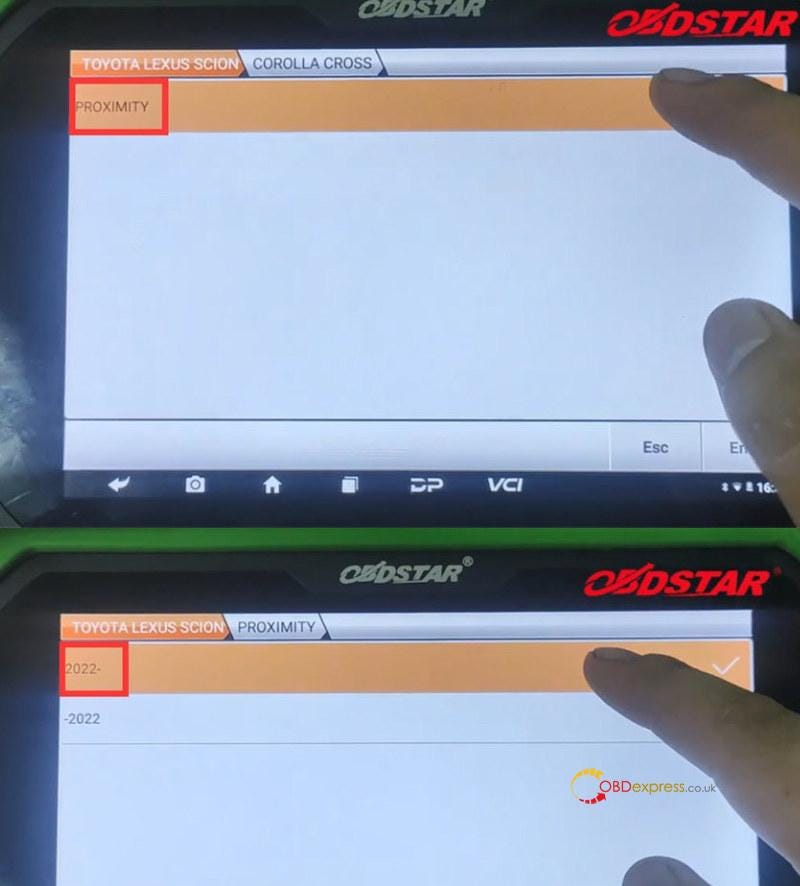
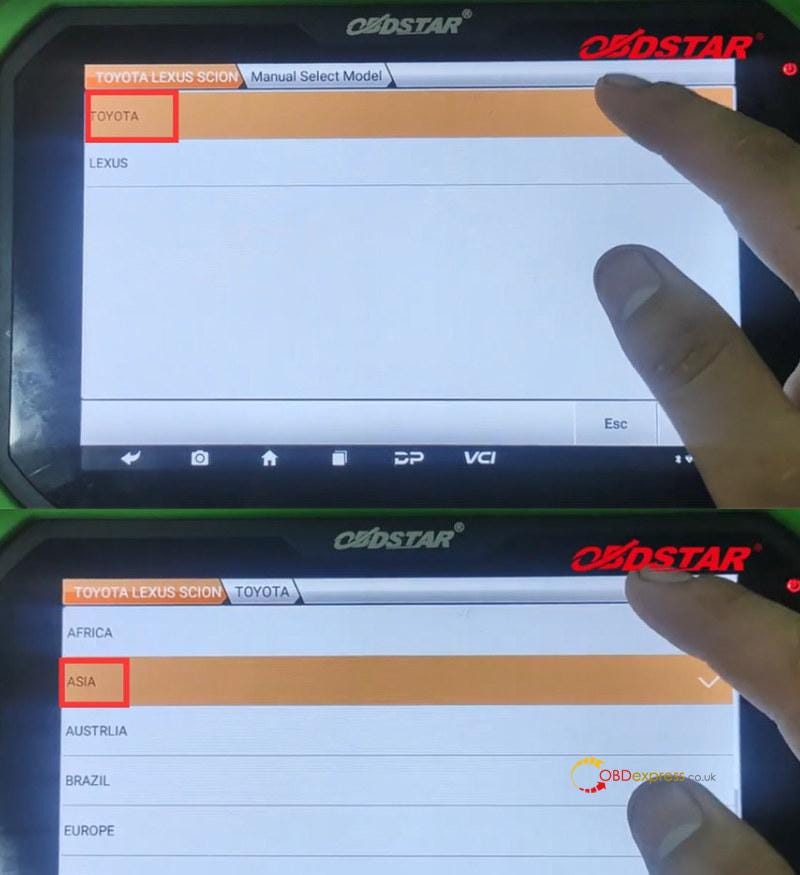
Select CAR IMMO>> All>> TOYOTA LEXUS SCION >> TOYOTA LEXUS SCION V32.82>> Manual Select Model>> TOYOTA>> ASIA>> COROLLA CROSS>> PROXIMITY>> 2022-
Corolla Cross 4A Proximity AKL Programming-OBDSTAR or Lonsdor

Corolla Cross 4A Proximity AKL Programming-OBDSTAR or Lonsdor

Corolla Cross 4A Proximity AKL Programming-OBDSTAR or Lonsdor

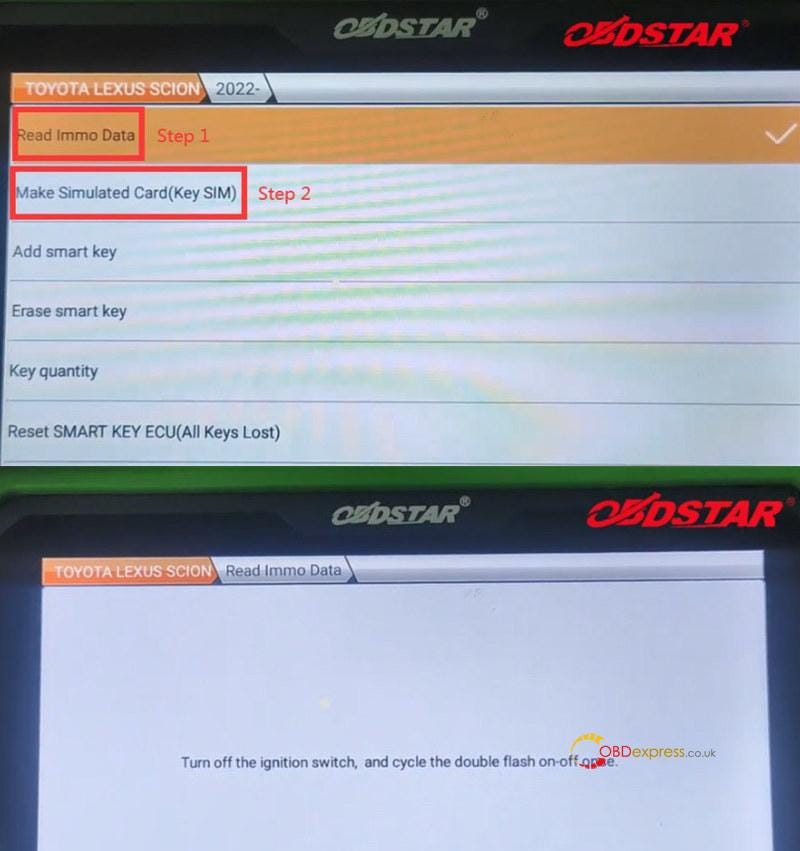
Step 1: Read Immo Data

Turn off the ignition switch, and cycle the double flash on-off once

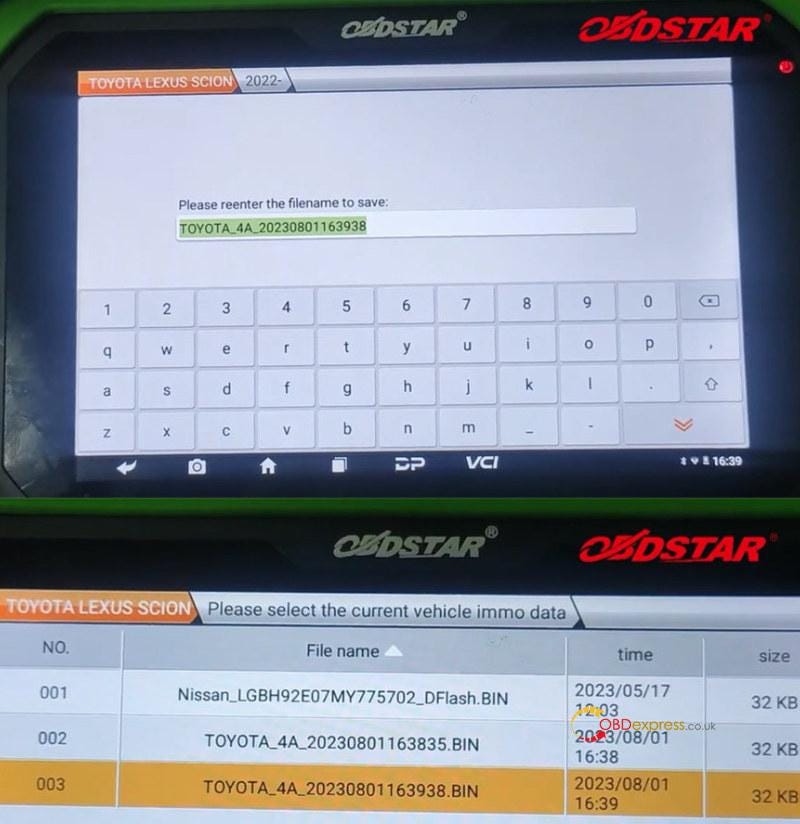
Save the immo data after reading

Step 2: Make Simulated Card (Key SIM)

Pay attention to the on-screen instruction

Then select the immo data just saved in step 1
Corolla Cross 4A Proximity AKL Programming-OBDSTAR or Lonsdor

Corolla Cross 4A Proximity AKL Programming-OBDSTAR or Lonsdor

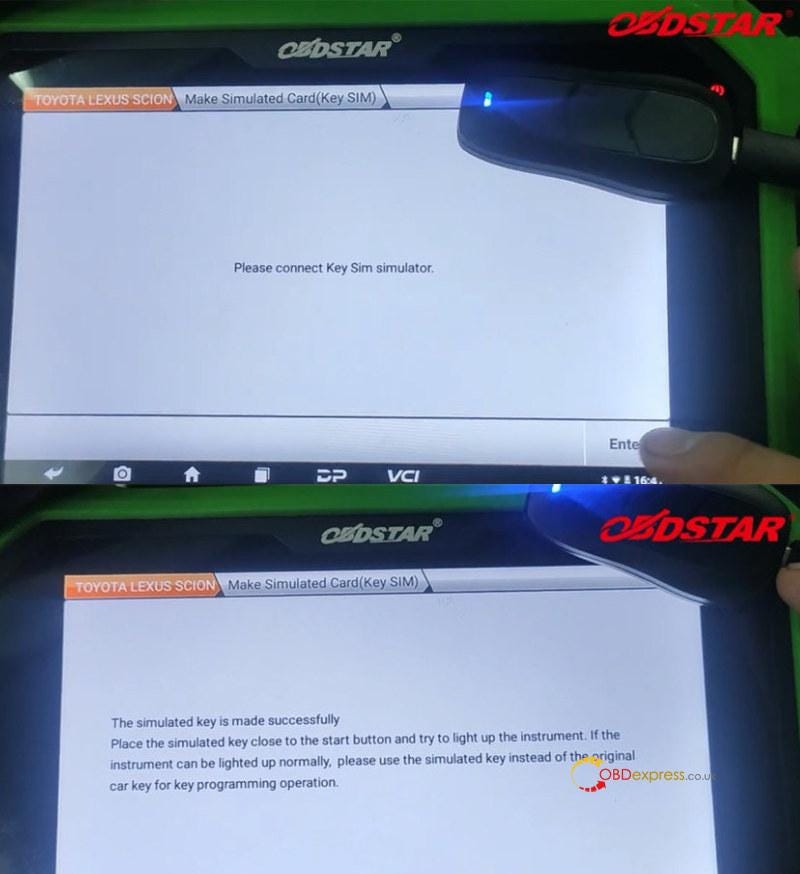
Connect the OBDSTAR Key SIM Simulator to make the simulated key

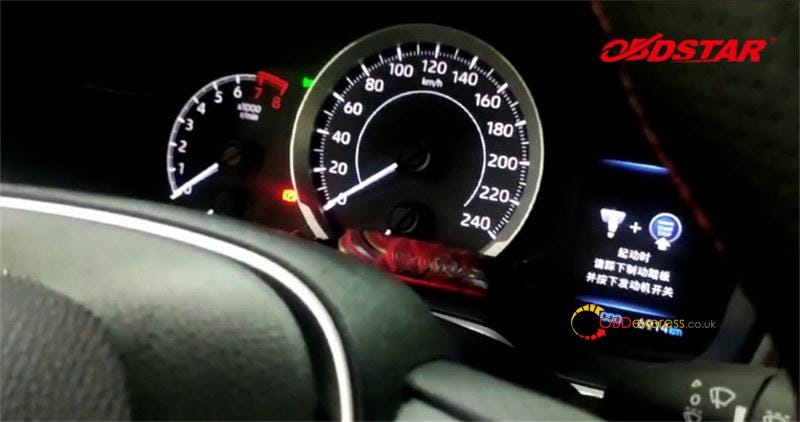
After the key is made successfully, place the simulated key close to the start button and try to light up the instrument. The instrument can be lighted up normally.

Finally, use the simulated key to do all keys lost programming with the immo data read.
Corolla Cross 4A Proximity AKL Programming-OBDSTAR or Lonsdor

Corolla Cross 4A Proximity AKL Programming-OBDSTAR or Lonsdor

2.Lonsdor program 2022- Corolla Cross 4A proximity AKL:

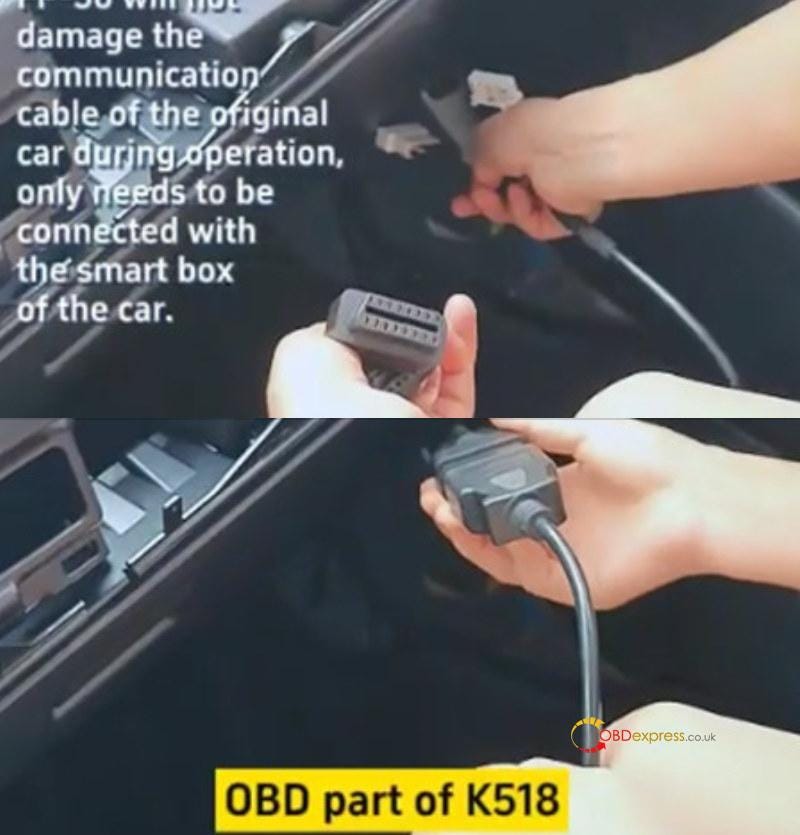
Connect the Toyota FP-30 30PIN Cable with the vehicle's smart box and K518 OBD part
Corolla Cross 4A Proximity AKL Programming-OBDSTAR or Lonsdor

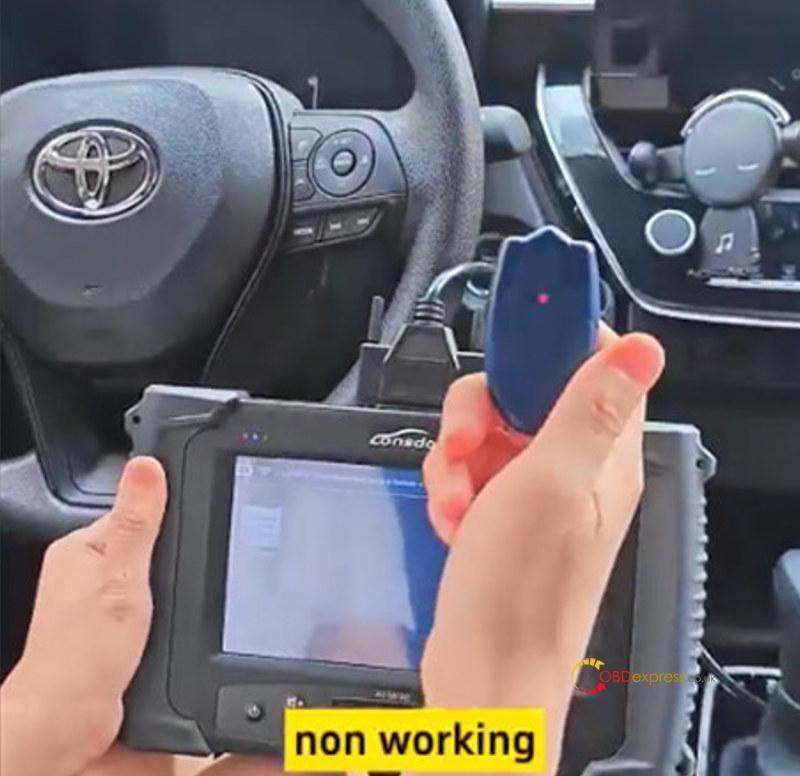
Use the Lonsdor LKE Emulator to test if works or not (it's not working now)
Corolla Cross 4A Proximity AKL Programming-OBDSTAR or Lonsdor

Then operate on K518 tablet

Tap Immo & Remote>> Test>> Toyota>> PEPS>> 4A (2022- )

Step 1: Backup IMMO data

Make sure the device is connected to WiFi normally

Turn on two flashing lights

Calculating… reading data…

Back up Immo data successfully
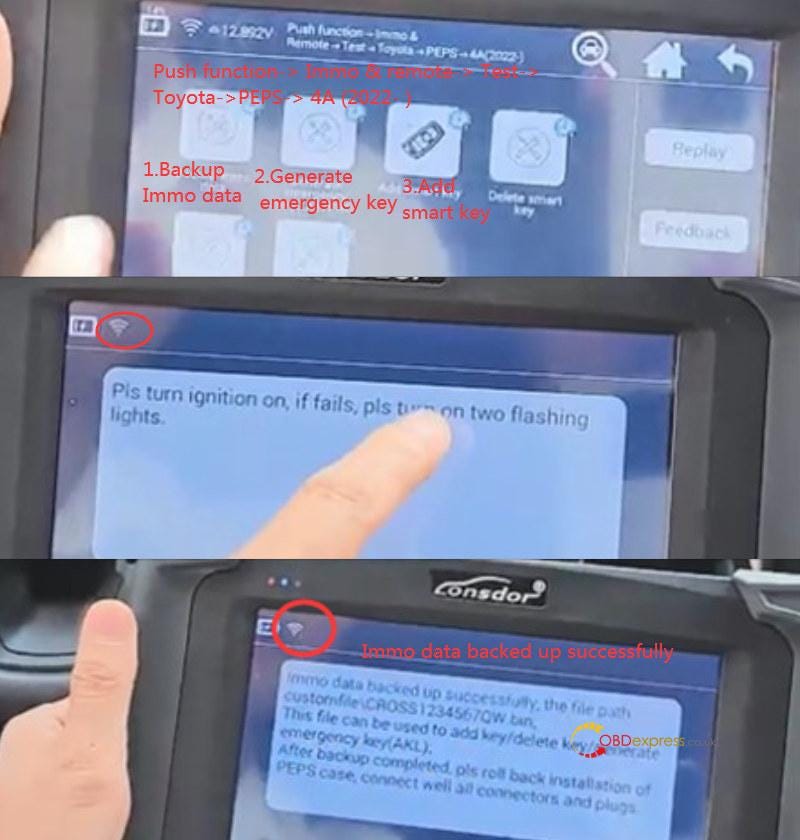
Corolla Cross 4A Proximity AKL Programming-OBDSTAR or Lonsdor

Step 2: Generate emergency key

Read the on-screen prompt, and press "OK" to continue

Put the key emulator into the K518 card slot

Load the file just saved to generate

Generate emergency key successfully
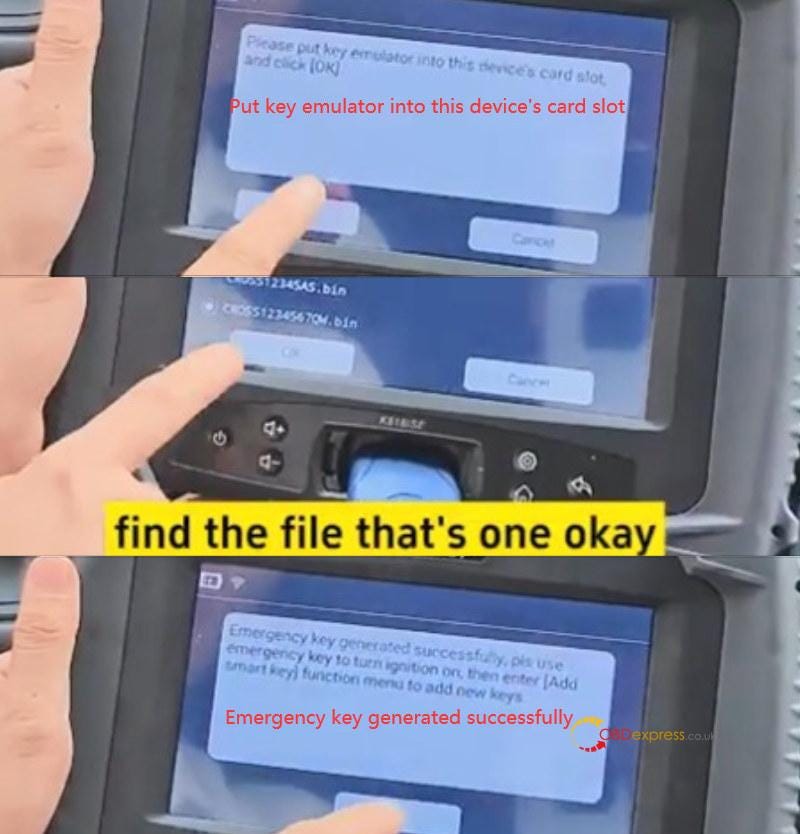
Corolla Cross 4A Proximity AKL Programming-OBDSTAR or Lonsdor

Step 3: Add smart key

Use the Lonsdor LKE Smart Key Emulator to turn the ignition on, and enter "Add smart key" function to add new keys.
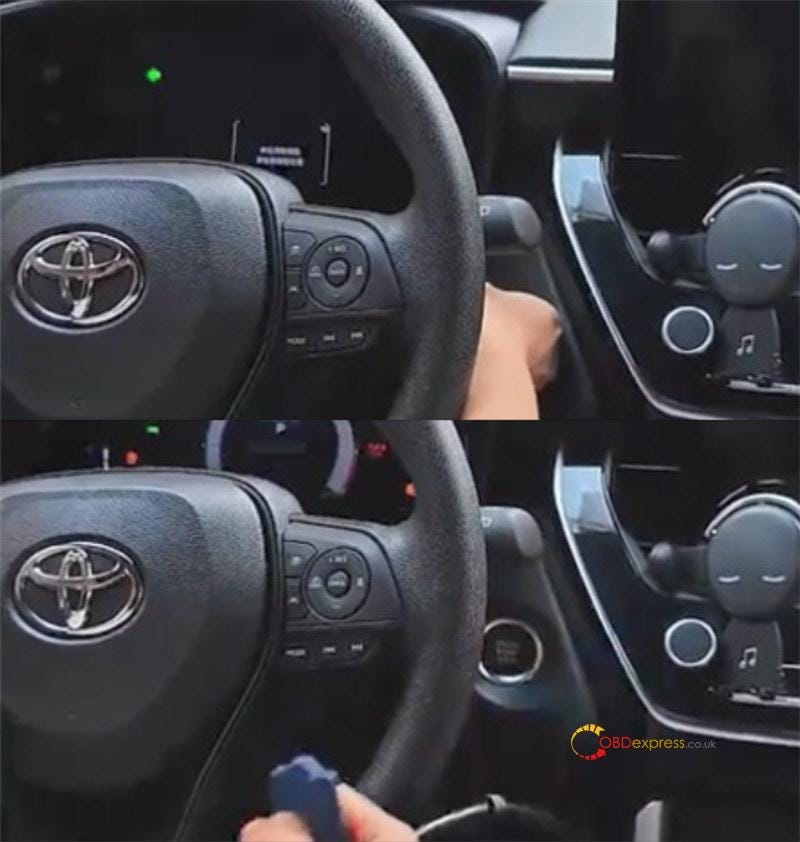
Corolla Cross 4A Proximity AKL Programming-OBDSTAR or Lonsdor

www.obdexpress.co.uk

Unlocking 2023 Toyota BZ4X: IM508 & Obdstar Key Solution

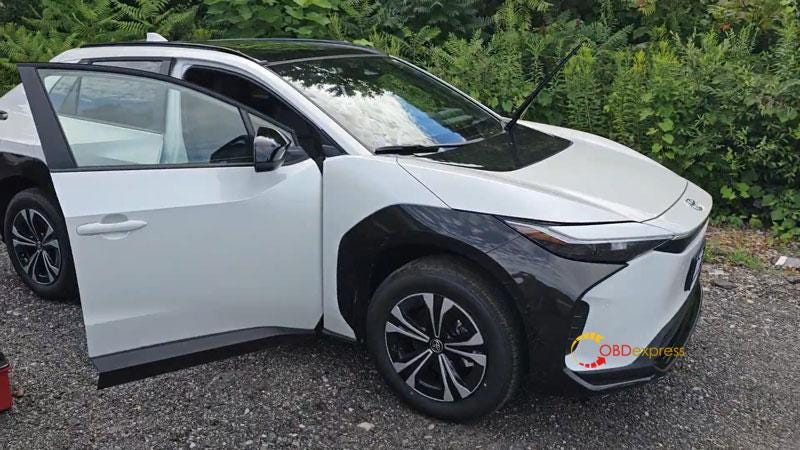
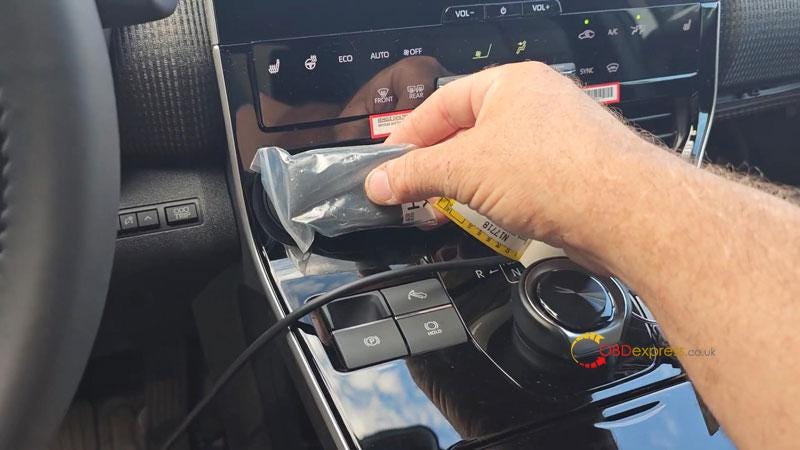
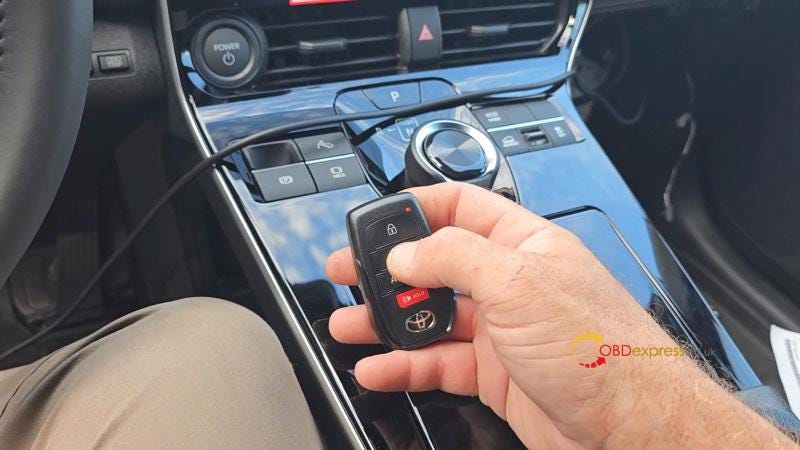
 Autel MaxiIM IM508 + Obdstar 30PIN Cable is able to add a new key for 2023–2024 Toyota BZ4X without pincode by OBD. The Toyota-30 Cable is a fairly new cable from Obdstar that allows to do 4A/8A-BA key programming without pincode. Surely we could also have TechStream or find the third party to pay for that codes.

Generally, Toyota-30 cable is designed for Obdstar X300 DP Plus & X300 Pro4, but it also works with Autel. Here I have a factory key and a new key, next I'll demonstrate how to add a new key to this vehicle.

Autel IM508 and Obdstar 30PIN Cable Add 2023 Toyota BZ4X Key

Autel IM508 and Obdstar 30PIN Cable Add 2023 Toyota BZ4X Key

Autel IM508 and Obdstar 30PIN Cable Add 2023 Toyota BZ4X Key

  • Backup EEPROM Data
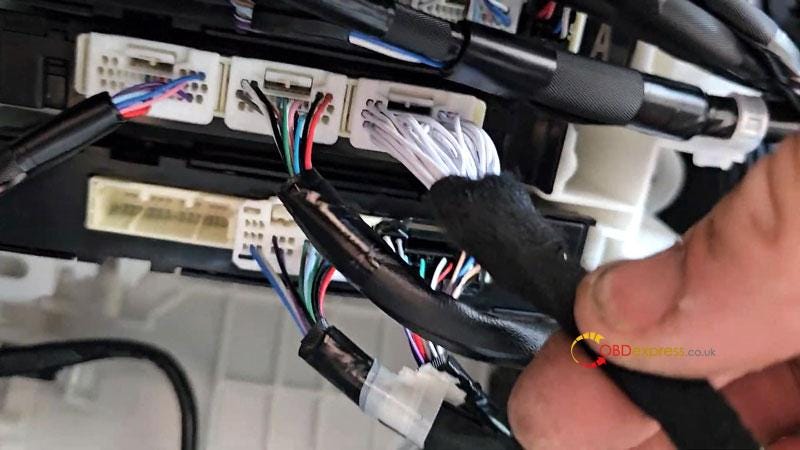
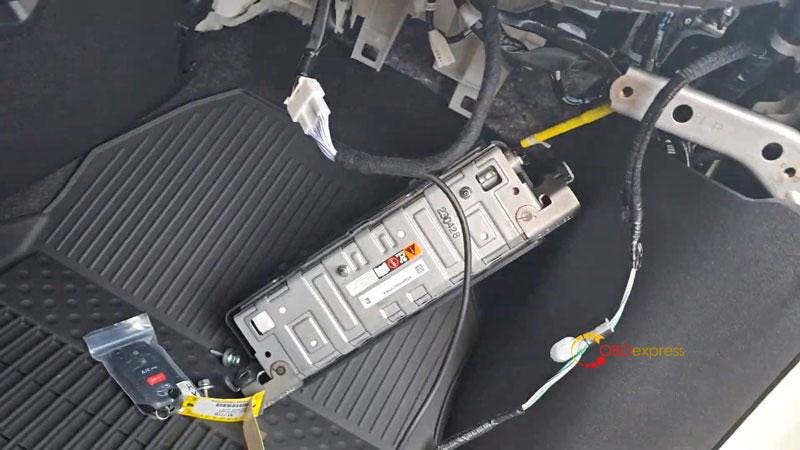
    1. Pop airbag out to find the 30PIN port, plug in Toyota-30 Cable.

      Then connect with Autel IM508.

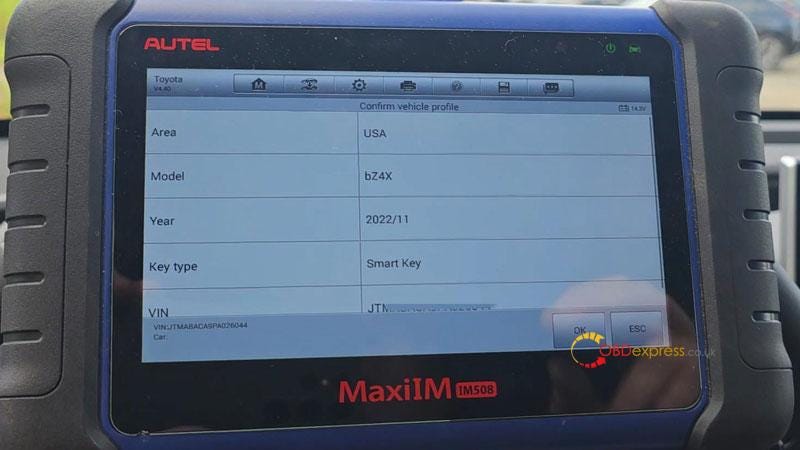
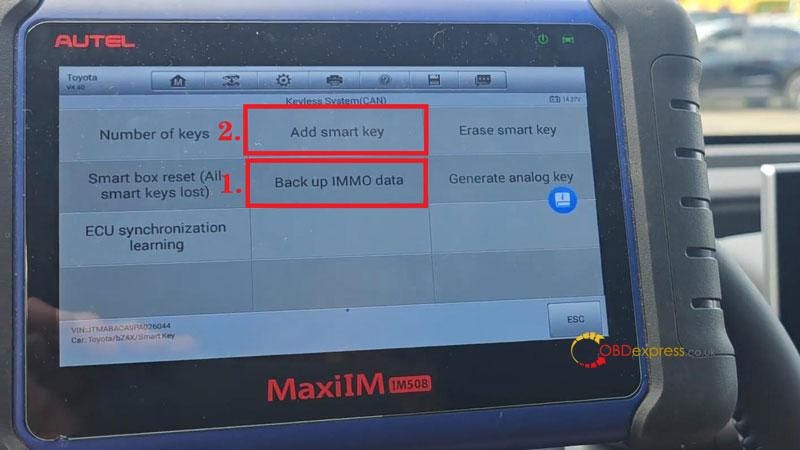
      IMMO >> Auto detect >> Toyota(Asia) >> OK >> OK >> Control unit >> Keyless system(CAN) >> Back up IMMO data

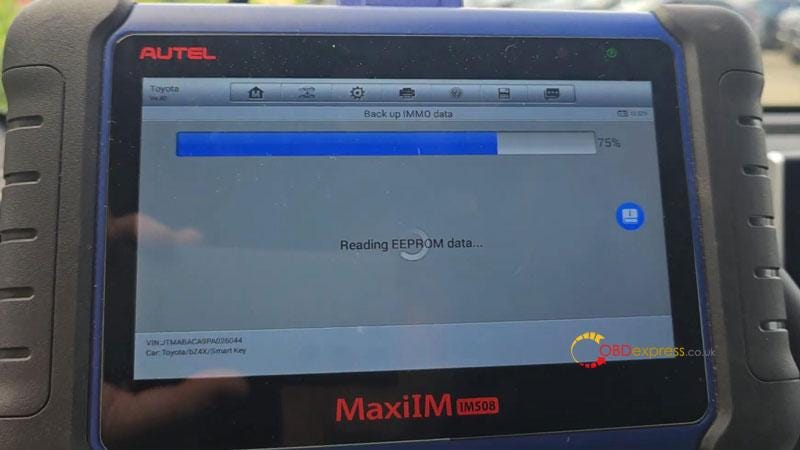
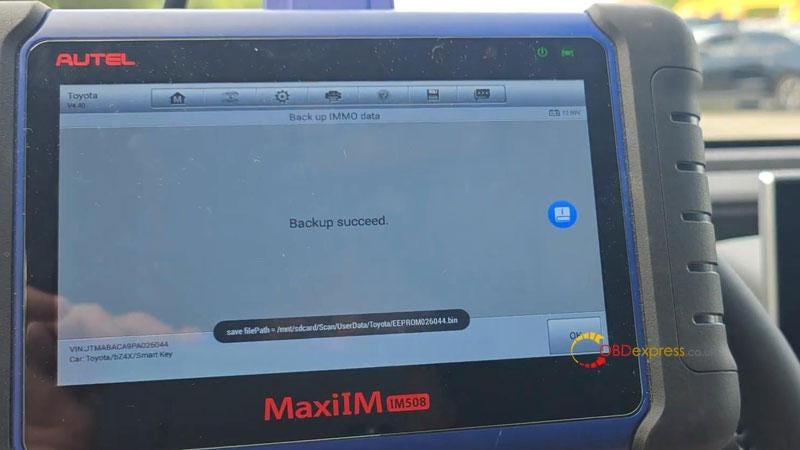
      This function is used to back up EEPROM data of the smart main ECU, which can be used to perform IMMO related function without PIN.

      This function supports models with 8A-BA smart key as of 2022(equipped with TMLF19D smart main ECU).

      Press "Yes" to continue.

      Ensure that the network connection of the device is good.

      Turn the ignition off, and turn the hazard warning lamps on and off once.

      Press "OK".

      Reading EEPROM data…

      Save EEPROM data file.

      Autel IM508 and Obdstar 30PIN Cable Add 2023 Toyota BZ4X Key

      Autel IM508 and Obdstar 30PIN Cable Add 2023 Toyota BZ4X Key

      Autel IM508 and Obdstar 30PIN Cable Add 2023 Toyota BZ4X Key

      Autel IM508 and Obdstar 30PIN Cable Add 2023 Toyota BZ4X Key

    2. Add New Key
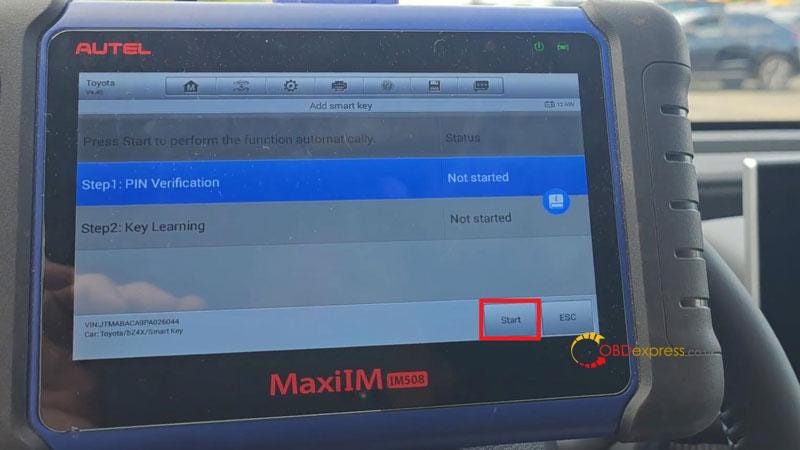
      1. Add smart key >> Start

        This function serves to learn keys. Please complete the steps within specified time.
        Turn on the ignition.

        Press "OK" to confirm VIN.

        Have you backed up the EERPOM data of this vehicle? Yes

        Select the saved file.

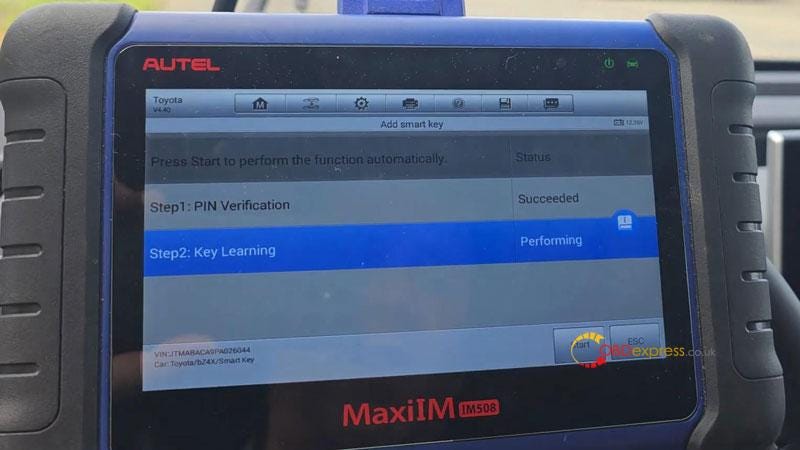
        Reading PIN succeeded.

        Keep a learned key close to the start button.

        Learning succeeded.

        Test the new key.

        It does work. That's perfectly done.

        BTW, this is 2023 Toyota BZ4X electric vehicle, and I've also done on 2024. it's not problem for Autel to handle it.

        Autel IM508 and Obdstar 30PIN Cable Add 2023 Toyota BZ4X Key

        Autel IM508 and Obdstar 30PIN Cable Add 2023 Toyota BZ4X Key

        Autel IM508 and Obdstar 30PIN Cable Add 2023 Toyota BZ4X Key

        Autel IM508 and Obdstar 30PIN Cable Add 2023 Toyota BZ4X Key

        Read also:

        OBDSTAR Toyota-30 Cable for 4A/8A-BA Add Key & All Keys Lost

        Tuesday, July 18, 2023

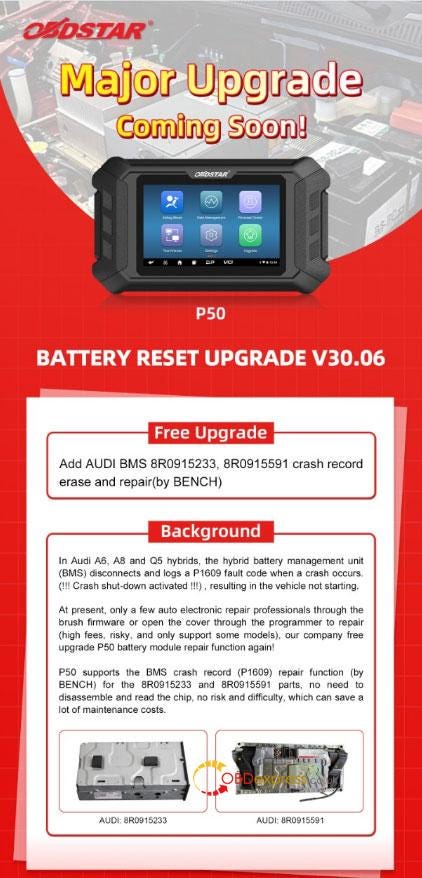
        OBDSTAR P50 V30.06: Audi BMS 8R0915591 Crash Erase

        OBDSTAR P50 battery reset upgrade V30.06 has been released to support Audi BMS 8R0915233, 8R0915591 crash record erase and repair by bench. No need to disassemble or read the chip, no risk and difficulty, which can save a lot of maintenance costs. This is a tutorial on how to perform the new function step by step.
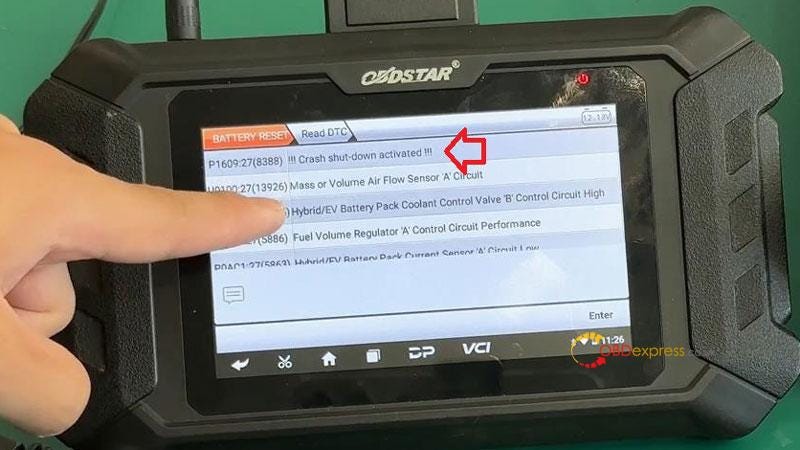
        In Audi A6, A8 and Q5 hybrids, the hybrid battery management unit(BMS) disconnects and logs a P1609 fault code when a crash occurs: (!!! Crash shut-down activated!!!), resulting in the vehicle not starting.

        At present, only a few auto electronic repair professionals through the brush firmware or open the cover through the programmer to repair. This way is high fees, risky and only support some models. Thus, OBDSTAR releases free upgrade P50 battery module repair function again!

        OBDSTAR P50 Erase Audi BMS 8R0915233 Crash by Bench

        OBDSTAR P50 Audi BMS Support List

        OBDSTAR P50 Erase Audi BMS 8R0915233 Crash by Bench

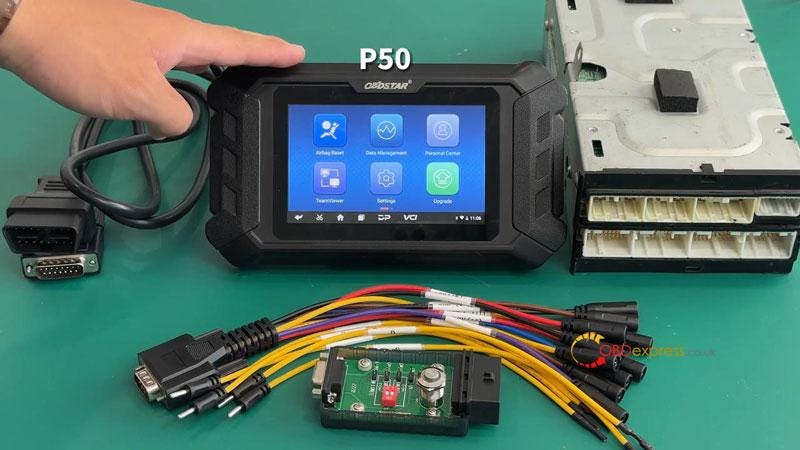
        Accessories Required

        OBDSTAR P50

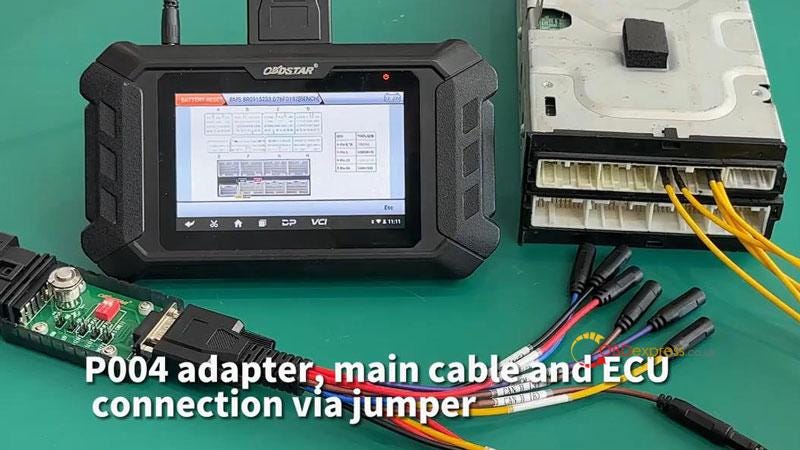
        P004 adapter

        P004 jumper

        Main cable

        Audi BMS module

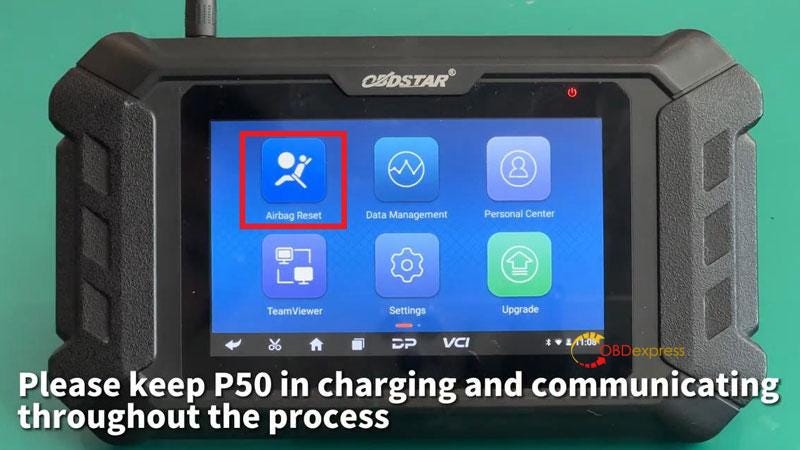
        Please ensure OBDSTAR Airbag Reset Tool is charged and communicated during the process.

        OBDSTAR P50 Erase Audi BMS 8R0915233 Crash by Bench

        Operation

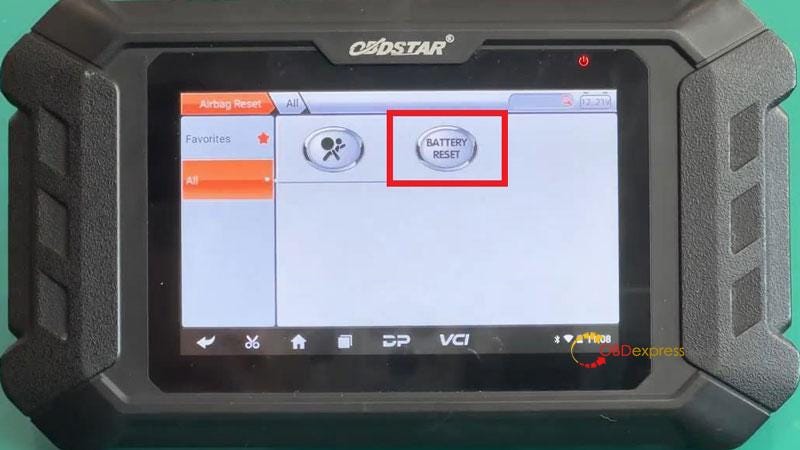
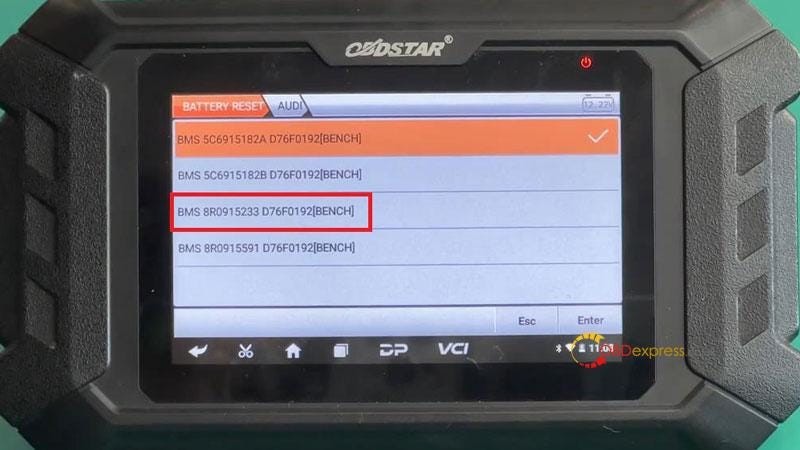
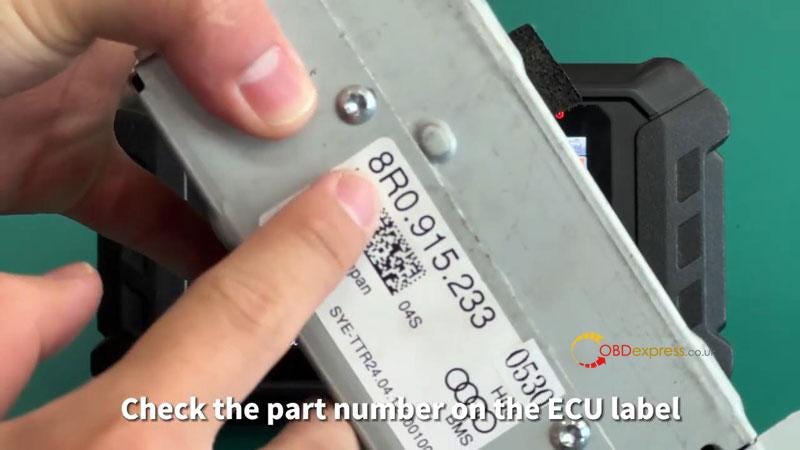
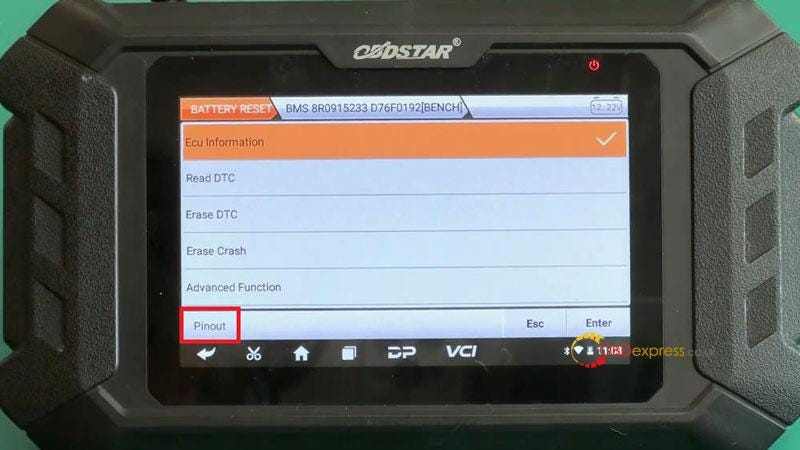
        Airbag reset >> Battery reset >> Latest version >> AUDI >> BMS 8R0915233 D76F0192[BENCH] (Part number is on the ECU label)

        OBDSTAR P50 Erase Audi BMS 8R0915233 Crash by Bench

        OBDSTAR P50 Erase Audi BMS 8R0915233 Crash by Bench

        OBDSTAR P50 Erase Audi BMS 8R0915233 Crash by Bench

        OBDSTAR P50 Erase Audi BMS 8R0915233 Crash by Bench

        Here we can check ECU info, read & erase DTC, erase crash and read EEPROM in advanced function.

        Follow wiring diagram in "Pinout" to connect P004 adapter, main cable and ECU via jumper.

        Turn on P004 adapter power button.

        Click "ECU information" to check if the model number is consistent with the module ECU.

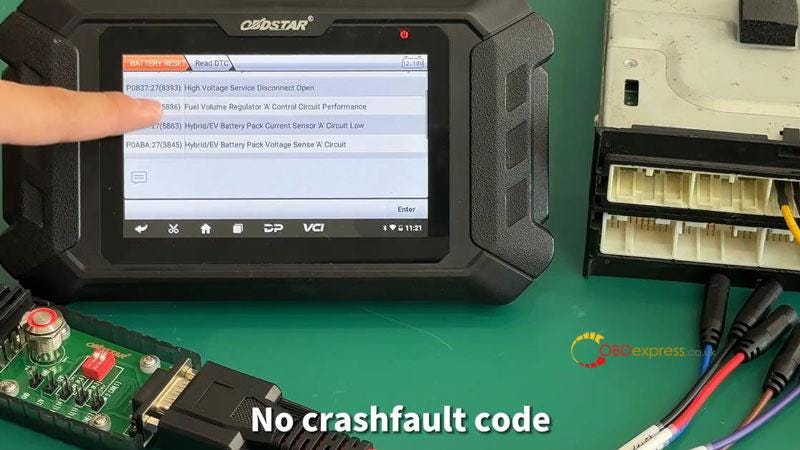
        Click "Read DTC" to check fault code, there is a crash fault code.

        OBDSTAR P50 Erase Audi BMS 8R0915233 Crash by Bench

        OBDSTAR P50 Erase Audi BMS 8R0915233 Crash by Bench

        OBDSTAR P50 Erase Audi BMS 8R0915233 Crash by Bench

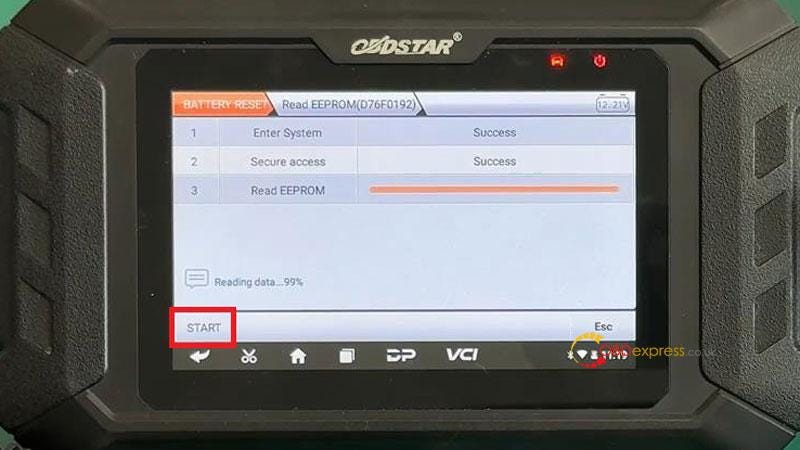
        Advanced function>> Read EEPROM(D76F0192) >> Enter >> Start >> Save data file

        Please disconnect the 12V power supply and wait for 30s, then reconnect the 12V power supply.

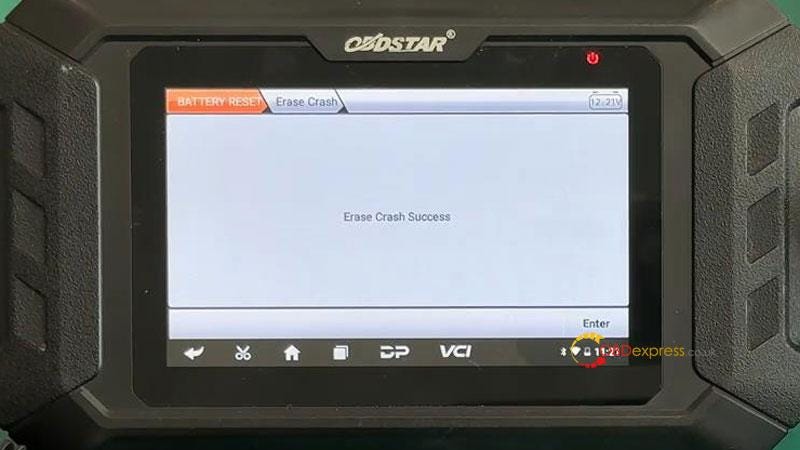
        Erase crash >> Enter >> Erase crash success

        Crash history has been eased successfully.

        Click "Erase DTC".

        Erase DTC success.

        Go back to "Read DTC" again.

        There's no crash fault code.

        OBDSTAR P50 Erase Audi BMS 8R0915233 Crash by Bench

        OBDSTAR P50 Erase Audi BMS 8R0915233 Crash by Bench

        OBDSTAR P50 Erase Audi BMS 8R0915233 Crash by Bench

        www.obdexpress.co.uk

        Wednesday, July 12, 2023

        Unlocking TCM Cloning for Hyundai BOSCH TC60.X.X with OBDSTAR DC706

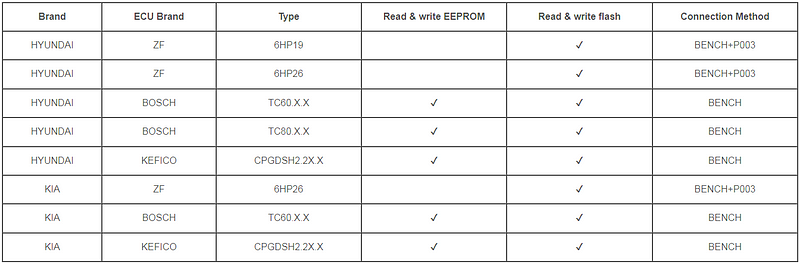
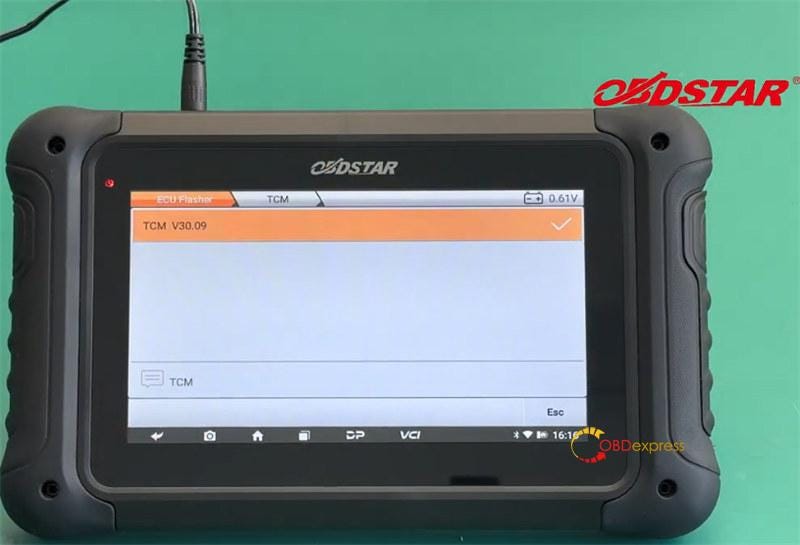
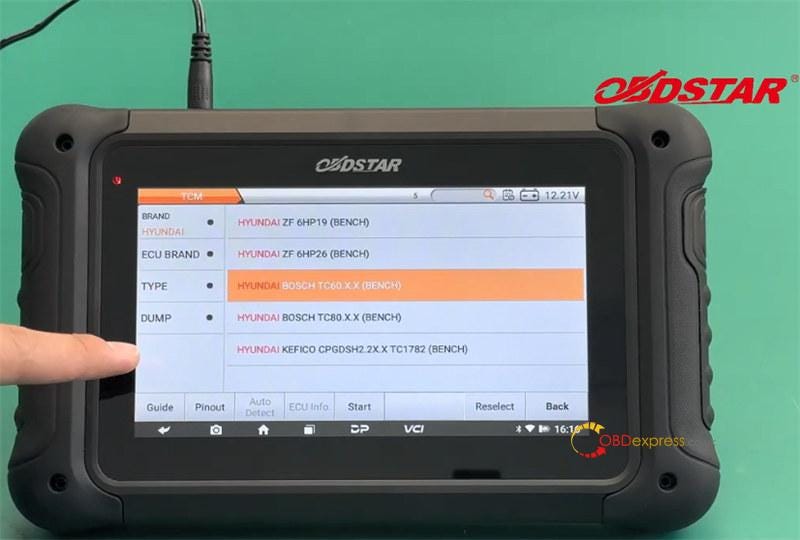
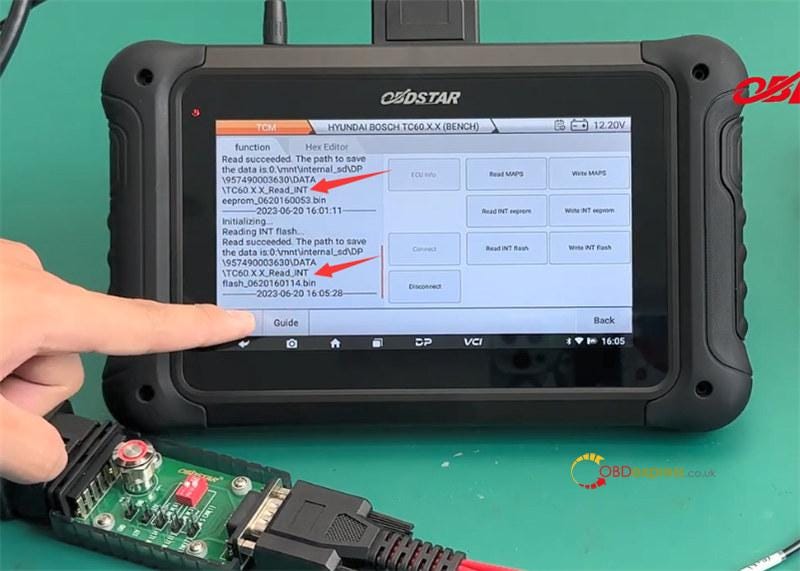
         OBDSTAR DC706 ECU Tool with TCM V30.09 can perform EEPROM/flash read and write operation on Hyundai ZF 6HP19 & 6HP26 (need OBDSTAR P003 Adapter), BOSCH TC60.X.X & TC80.X.X, and KEFICO CPGDSH2.2X.X TCM on bench. It's the same as Kia except 6HP19 and TC80.X.X.

        OBDSTAR DC706 Clone Hyundai BOSCH TC60.X.X TCM on Bench

        Here takes TC60.X.X TCM as an example to show how to clone with DC706.

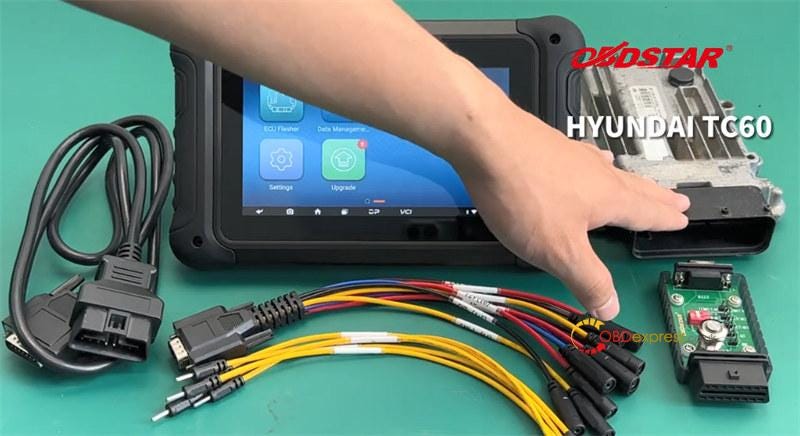
        First, prepare all goods below.

        • OBDSTAR DC706 tablet
        • Main cable
        • OBDSTAR P004 ECU Clone Jumper
        • OBDSTAR P004 Adapter
        • HYUNDAI BOSCH TC60.X.X TCM

        OBDSTAR DC706 Clone Hyundai BOSCH TC60.X.X TCM on Bench

        Next, connect a power supply to DC706, and keep charging and communication during the operation.

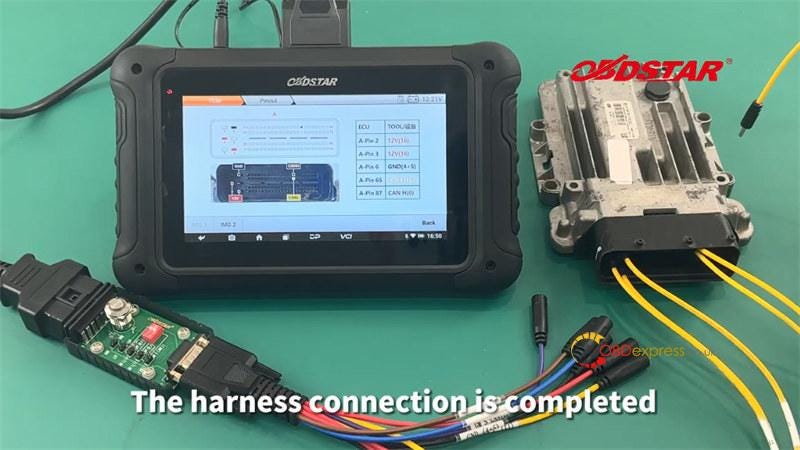
        Then, select ECU Flasher>> TCM>> TCM V30.09>> HYUNDAI BOSCH TC60.X.X TCM (BENCH), and complete the harness connection according to the Pinout.

        A-Pin 2: 12 V (16)

        A-Pin 3: 12V (16)

        A-Pin 6: GND (4+5)

        A-Pin 65: CAN L (14)

        A-Pin 87: CAN H (6)

        Connect P004 ECU Clone Jumper to TCM and P004 Adapter, then connect adapter to DC706 with the main cable.

        OBDSTAR DC706 Clone Hyundai BOSCH TC60.X.X TCM on Bench

        OBDSTAR DC706 Clone Hyundai BOSCH TC60.X.X TCM on Bench

        OBDSTAR DC706 Clone Hyundai BOSCH TC60.X.X TCM on Bench

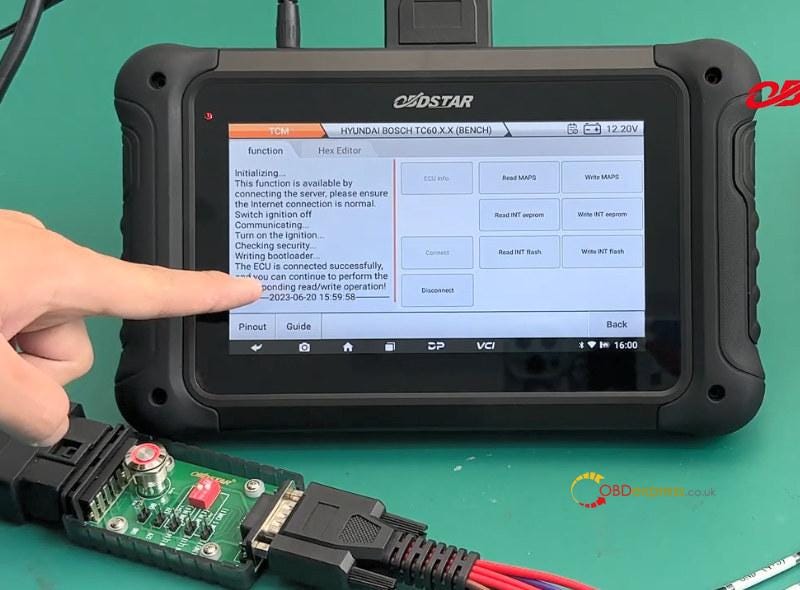
        After the harness is completed, click "Start" to enter the operation interface.

        Connect to ECU (switch ignition off and turn on)

        OBDSTAR DC706 Clone Hyundai BOSCH TC60.X.X TCM on Bench

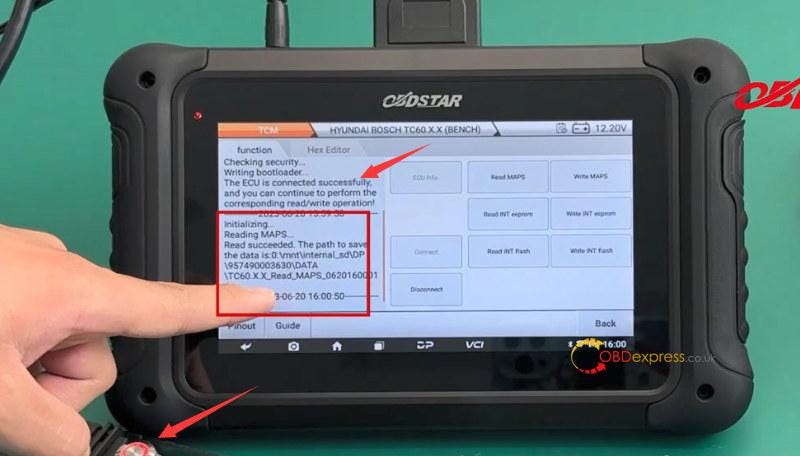
        Read the original MAPS, INT EEPROM and INT Flash in sequence

        OBDSTAR DC706 Clone Hyundai BOSCH TC60.X.X TCM on Bench

        OBDSTAR DC706 Clone Hyundai BOSCH TC60.X.X TCM on Bench

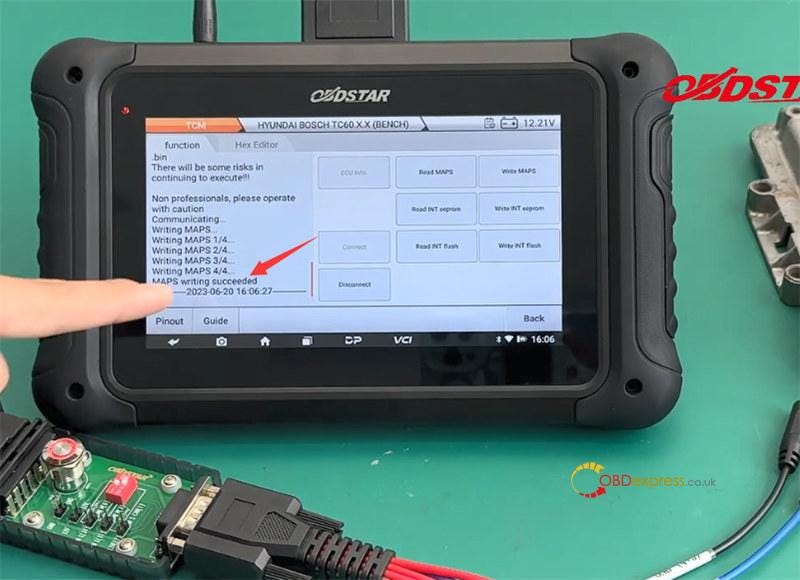
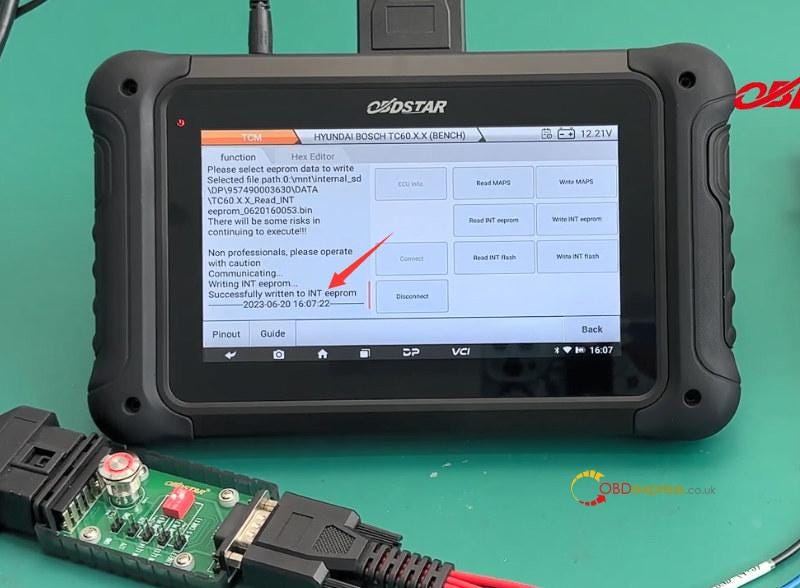
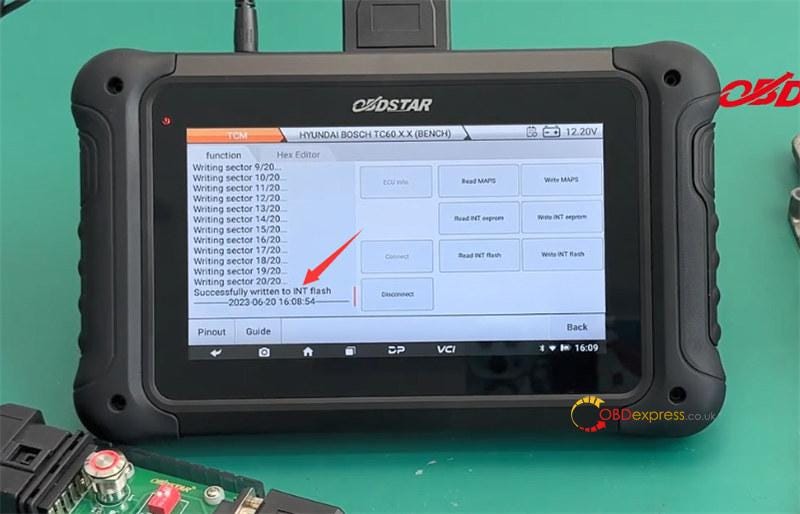
        Select the corresponding original data to write into a new TCM, all are successful.

        OBDSTAR DC706 Clone Hyundai BOSCH TC60.X.X TCM on Bench

        OBDSTAR DC706 Clone Hyundai BOSCH TC60.X.X TCM on Bench

        OBDSTAR DC706 Clone Hyundai BOSCH TC60.X.X TCM on Bench

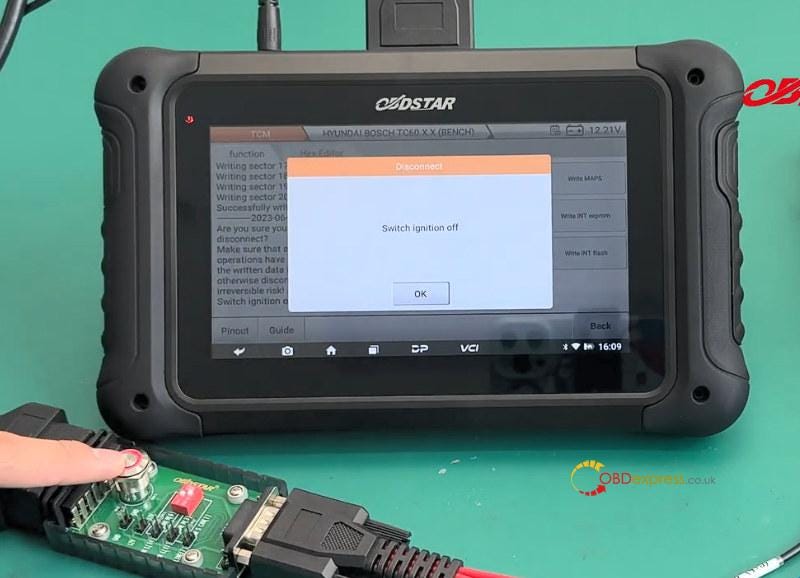
        Finally, switch the ignition off

        OBDSTAR DC706 Clone Hyundai BOSCH TC60.X.X TCM on Bench

        Done!

        OBDSTAR DC706 read and write Hyundai BOSCH TC60.X.X TCM by Bench

        https://youtu.be/K5uJx4j2b8U