Pages

OBDSTAR ODOMASTER & X300 PRO4

Showing posts with label OBDSTAR DC706. Show all posts

Monday, July 14, 2025

OBDSTAR C4-07 Adapter for Benz FBS4 VGS4 TCM Virgin

 What is OBDSTAR C4–07 (MB-VGS4–0-NAG2) Adapter Kit?

OBDSTAR C4–07 Adapter Kit works with OBDSTAR X300 Classic G3 (Key Master G3), or DC706 ECU Tool, etc and MP001 programmer to virgin all used Mercedes-Benz FBS4 7G-Tronic VGS4–0-NAG2 TCM (Transmission Control Module) via JTAG mode and transfer data (personalization) via BENCH or OBD mode, no need soldering, achieving the same effect as ECU clone.

What is in the OBDSTAR C4–07 Adapter Kit package?

It includes the following accessories:

  • C4–07–01 Soldering-free board: Read/Write MB- VGS4–0-NAG2 TCM data via JTAG mode
  • C4–07–02 Custom positioning board: Position TCM hole-drilling position accurately
  • W011 Connecting cable
  • W020-V1.1 Interface Board
  • 22mm Custom drill head: Drill TCM with electric drill

Total price: $126

  • TCM-012 ($15) and Converter V2 ($8): both are for Bench mode data reading and writing
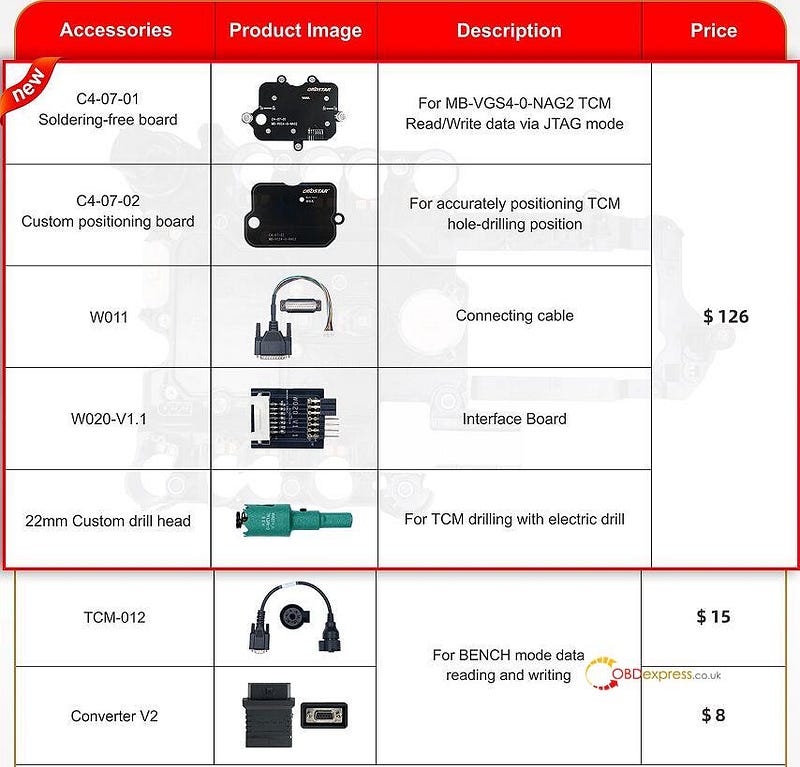
OBDSTAR C4–07 Adapter Kit for Benz FBS4 VGS4–0-NAG2 TCM

Kindly notice:

All of the above accessories are required to work with OBDSTAR MP001 multifunctional programmer.

If you already have the CM-012 and Converter V2, no need to purchase them again.

What is the highlight of OBDSTAR C4–07 Adapter Kit?

  • Custom positioning board for precise drilling and secure drilling access to the control unit;
  • Used together with the custom drill head and a handled drill, the TCM can be easily opened with minimal exterior damage;
  • High-precision custom board enabling safe, solder-free read/write operations-ensuring reliable data access and operational safety

OBDSTAR C4–07 (MB-VGS4–0-NAG2) Adapter Kit will be in stock by late August or early September. You can pre-order it now!

www.obdexpress.co.uk

Tuesday, February 4, 2025

How to Read and Write Toyota Denso GEN3 ECM with OBDSTAR DC706

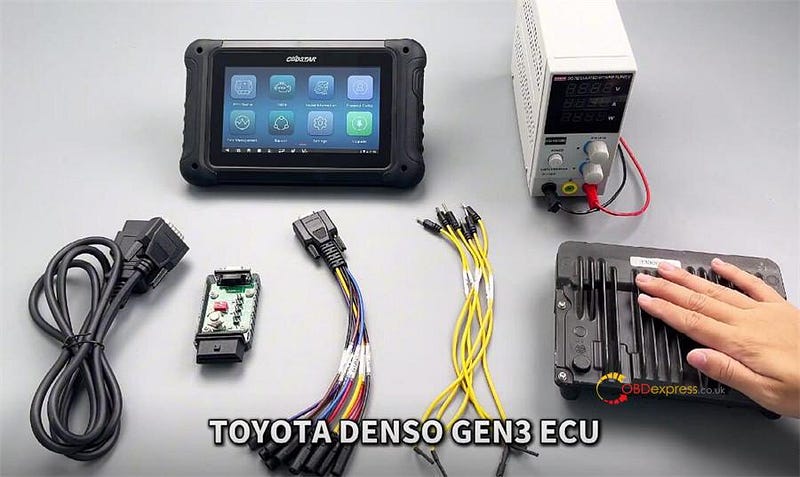
 TOYOTA DENSO GEN3 [R7F701201+R7F701202] ECM can be read and wrote using OBDSTAR DC706 ECU Tool by Bench perfectly.

Requirement:

  • Make sure the ECM software is V31.35 or above
  • Ensure the internet connection is normal during operation.
  • Prepare OBDSTAR DC706 main unit, main cable, OBDSTAR P004 Adapter, ECU clone jumper, 12V power supply, and Toyota Denso GEN3 ECU

OBDSTAR DC706 Read and Write TOYOTA DENSO GEN3 By Bench

Select ECU Flasher>> ECM

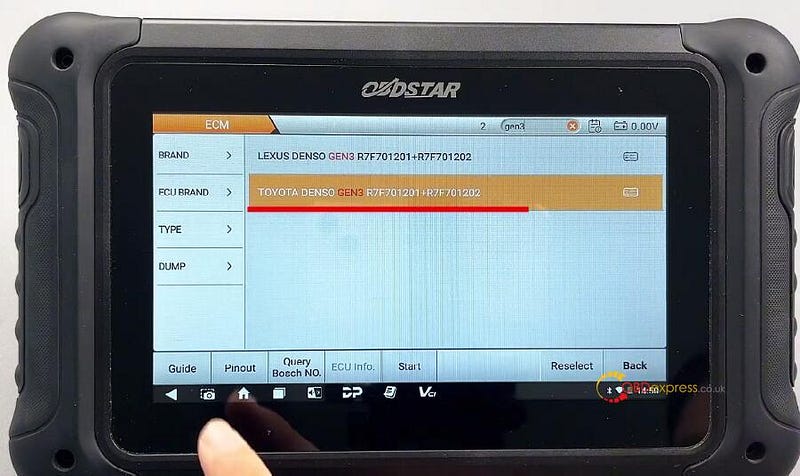
Input gen3 to quickly obtain the ECM model (TOYOTA DENSO GEN3 R7F701201+R7F701202)

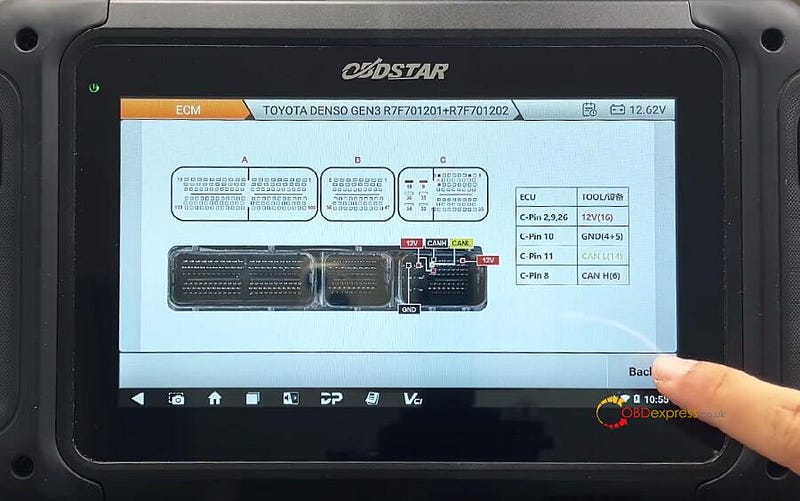
Select "Guide" to check the operation guide and wiring diagram


OBDSTAR DC706 Read and Write TOYOTA DENSO GEN3 By Bench

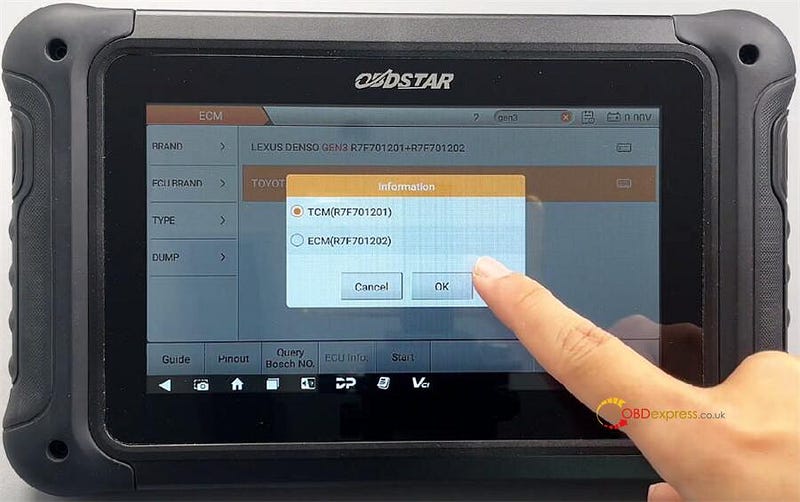
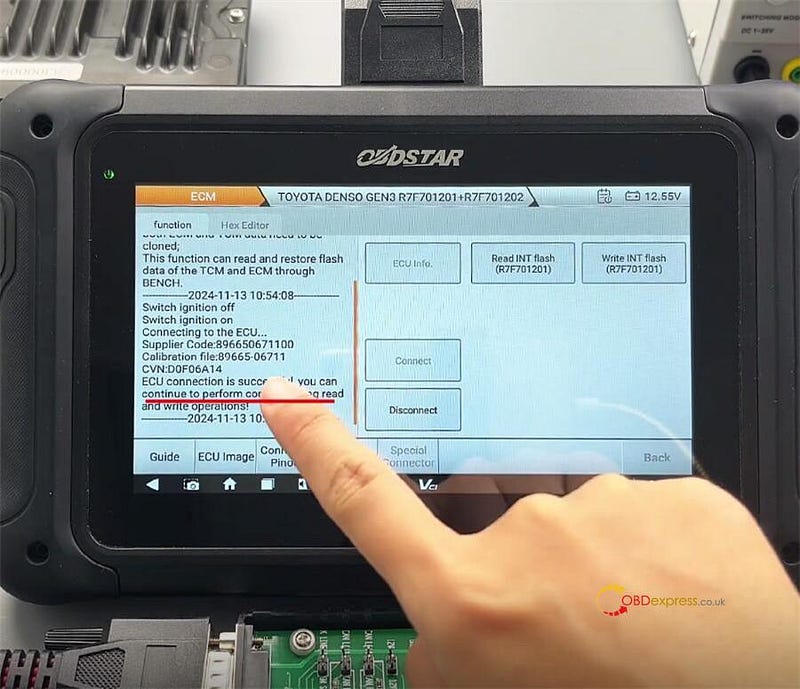
There are two MCUs in this ECU. One of the MCU types is R7F701202 (store ECM data), the other MCU type is R7F701201 (store TCM data). If cloning is required, both ECM and TCM data need to be cloned. This function can read and restore flash data of the TCM and ECM through Bench.

The wiring diagrams are the same.

ECU TOOLC-Pin 2, 9, 2612V (16)C-Pin 10GND (4+5)C-Pin 11CAN L (14)C-Pin 8CAN H (6)


OBDSTAR DC706 Read and Write TOYOTA DENSO GEN3 By Bench

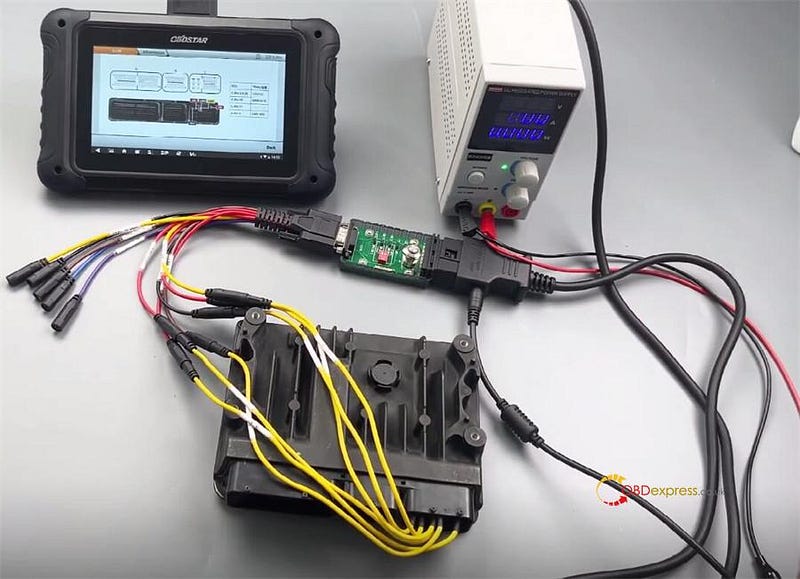
Follow the diagram to connect DC706 ECU Tool and Toyota ECM via P004 Adapter, ECU Clone Jumper and main cable correctly, and connect 12V power supply to main cable


OBDSTAR DC706 Read and Write TOYOTA DENSO GEN3 By Bench
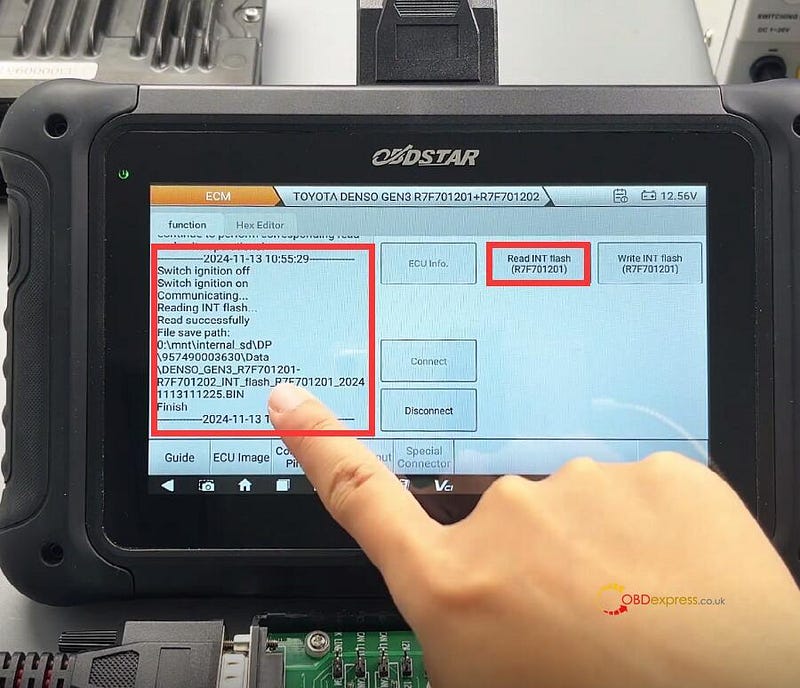
  • Read and write TOYOTA DENSO GEN3 R7F701201

Select TCM (R7F701201)


OBDSTAR DC706 Read and Write TOYOTA DENSO GEN3 By Bench

Then perform the corresponding operation

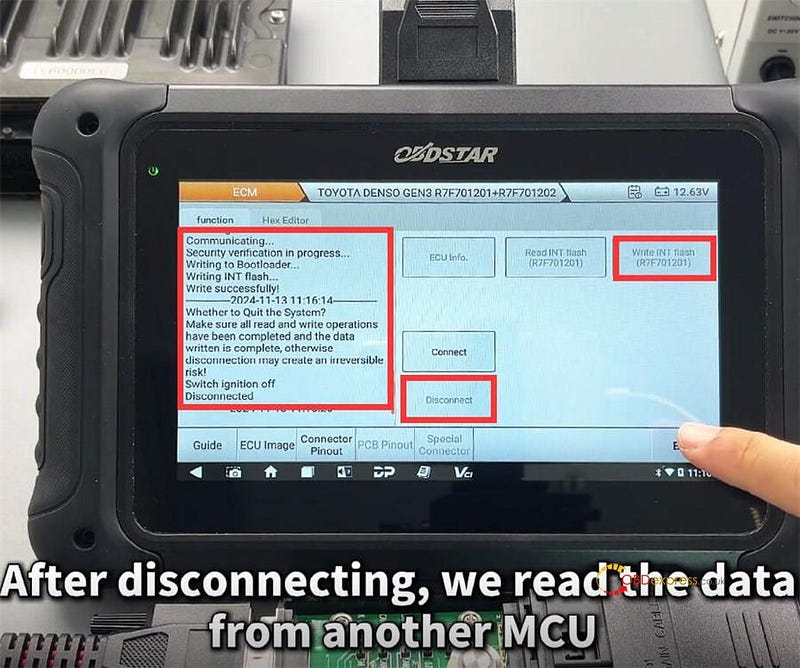
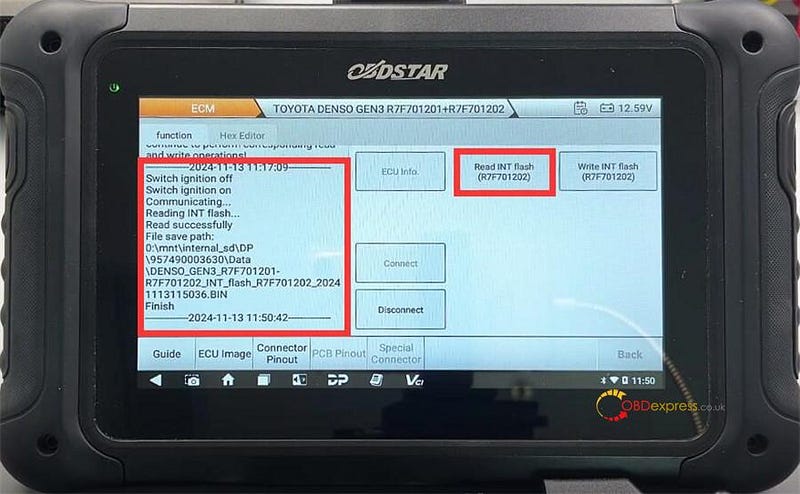
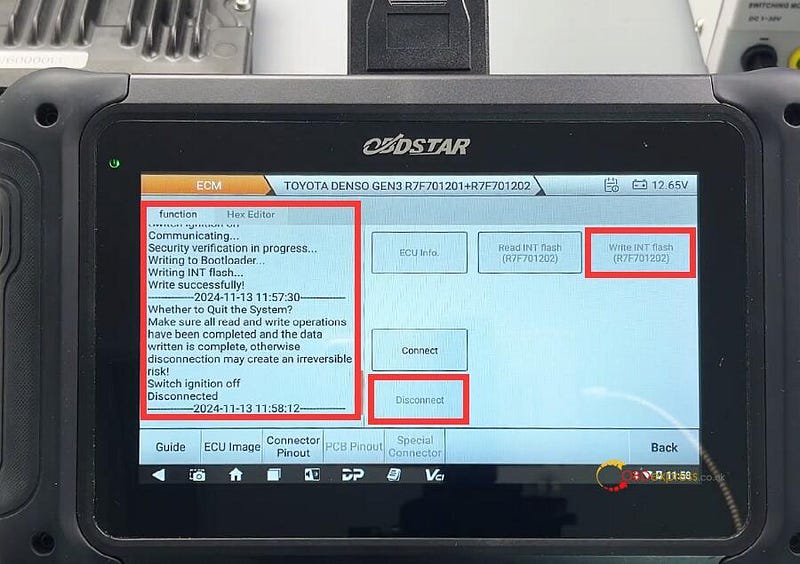
Connect>> Read INT Flash (R7F701201)>> Write INT Flash (R7F701201)>> Disconnect

All are OK.


OBDSTAR DC706 Read and Write TOYOTA DENSO GEN3 By Bench
  • Read and write TOYOTA DENSO GEN3 R7F701202

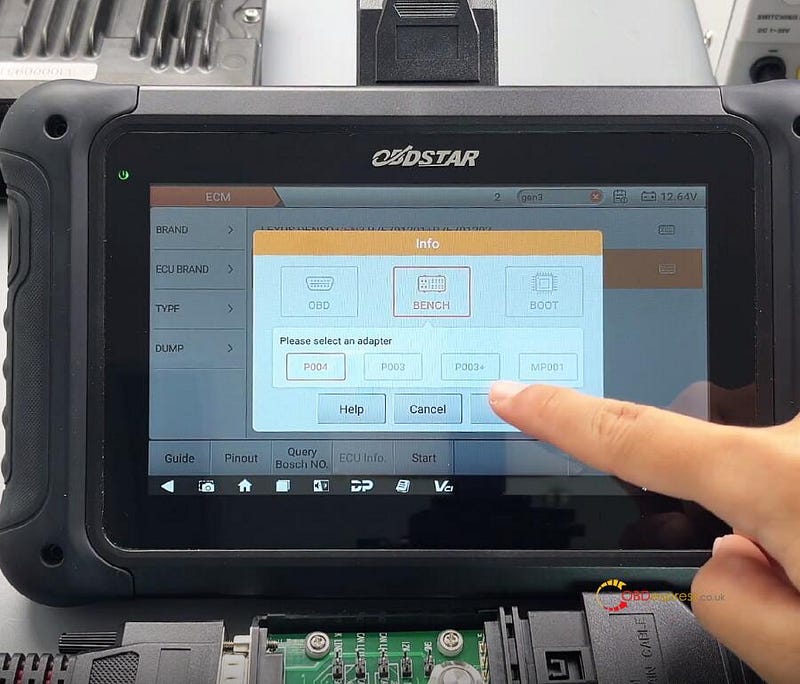
After connection, select BENCH method and P004 adapter

And select ECM (R7F701202)

Then perform the corresponding operation

Connect>> Read INT Flash (R7F701202)>> Write INT Flash (R7F701202)>> Disconnect

All are also OK.


OBDSTAR DC706 Read and Write TOYOTA DENSO GEN3 By Bench

OBDSTAR DC706 clone TOYOTA DENSO GEN3 [R7F701201+R7F701202] ECM successfully.

www.obdexpress.co.uk

Thursday, October 10, 2024

How to Export OBDSTAR DC706 Data Files: 3 Methods Explained

 How to export OBDSTAR DC706 ECU Tool data files? Here we provided 3 methods for reference.

Method 1. Data Export via USB Disk

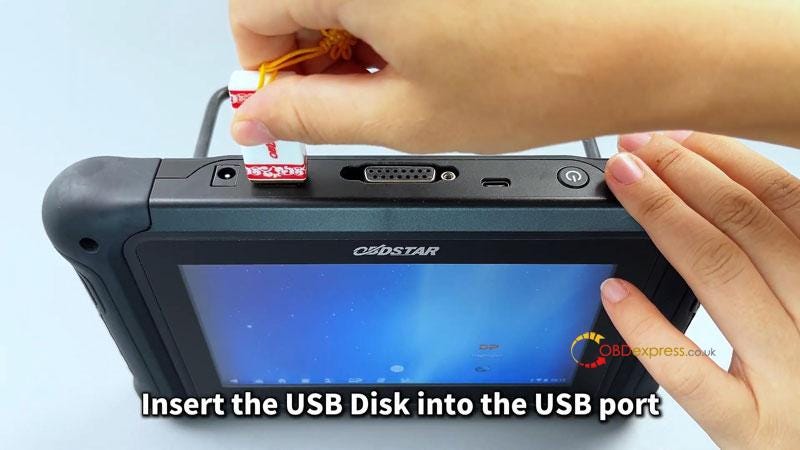
Insert the USB disk into the USB port.

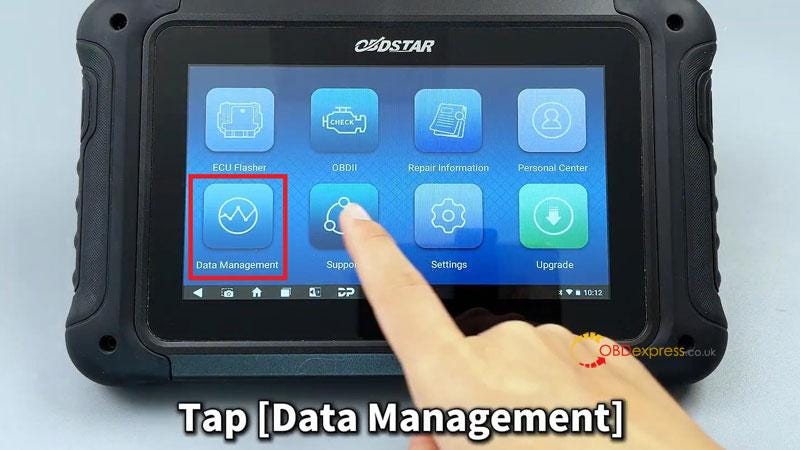
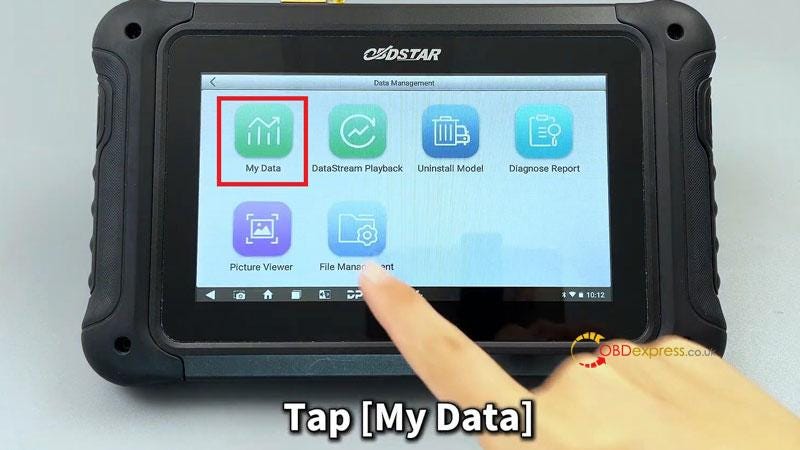
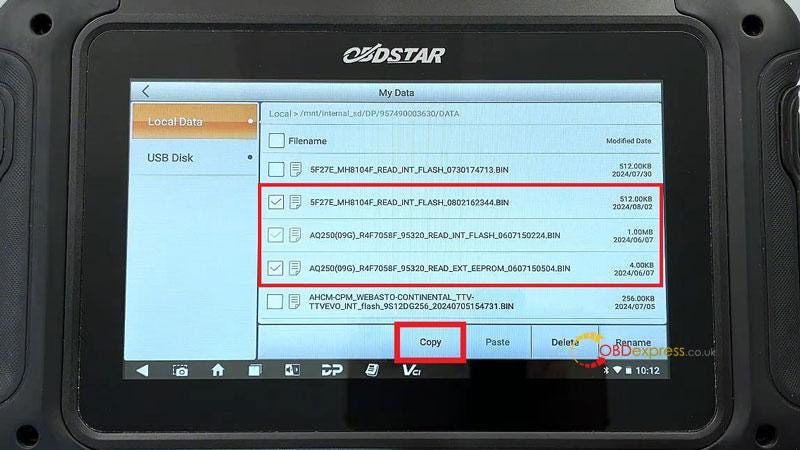
Open DP interface >> Accept >> Data management >> My Data >> Long press to select the files you need to export >> Copy

Select USB Disk >> Paste the files you copied earlier

Export is successful.


3 Methods to Export OBDSTAR DC706 Data File

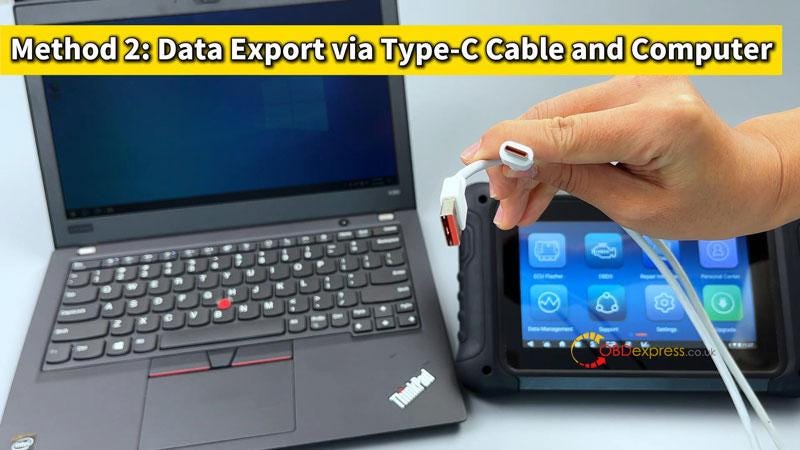
Method 2. Data Export via Type-C Cable & Computer

  • Connect OBDSTAR DC706 device to computer using a Type-C to USB cable.
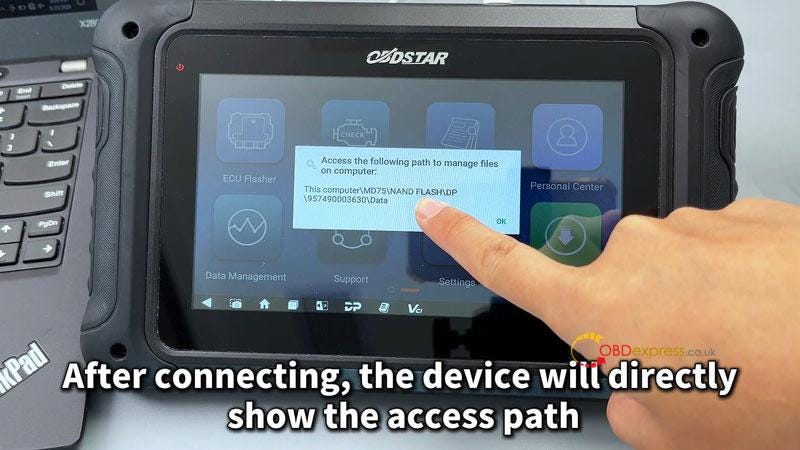
  • After connecting, the device will directly show the access path.

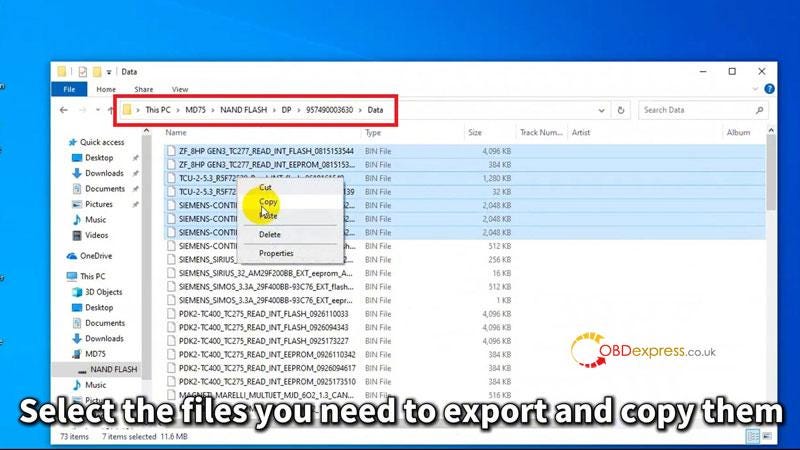
Follow this path to open the computer desktop, navigate to "This PC\MD75\NAND FLASH\DP\957490003630\Data". And you can see all data files stored in the device.

  • Select the files you need to export and copy them. Create a new folder on the desktop. Paste the files you copied into this folder.

Export is successful.


3 Methods to Export OBDSTAR DC706 Data File

Method 3. Data Export Via Wireless Connection

* Ensure that both the device and the computer are on the same local Network.

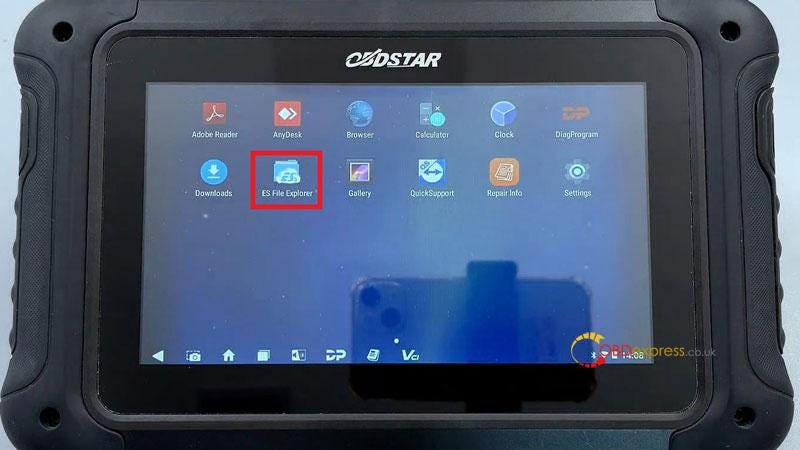
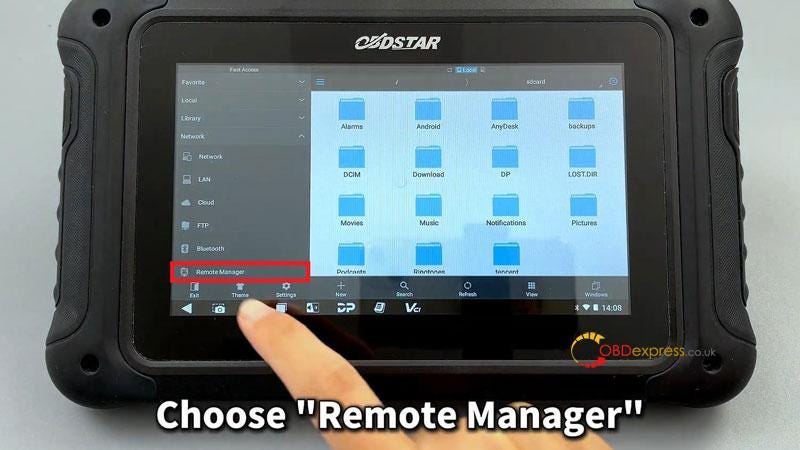
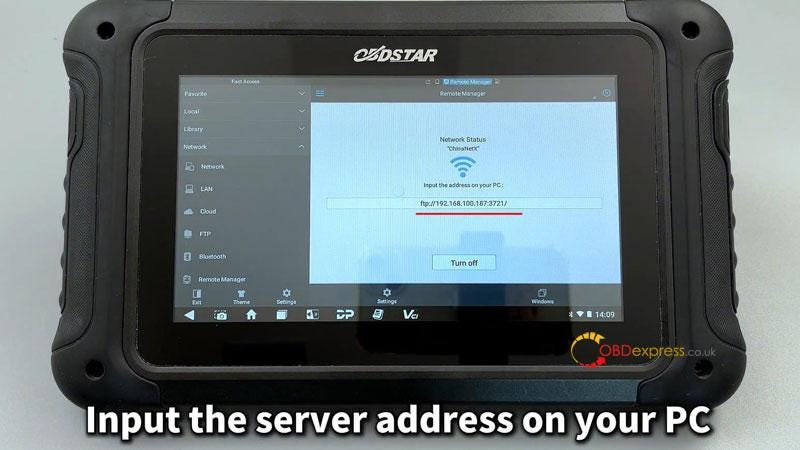
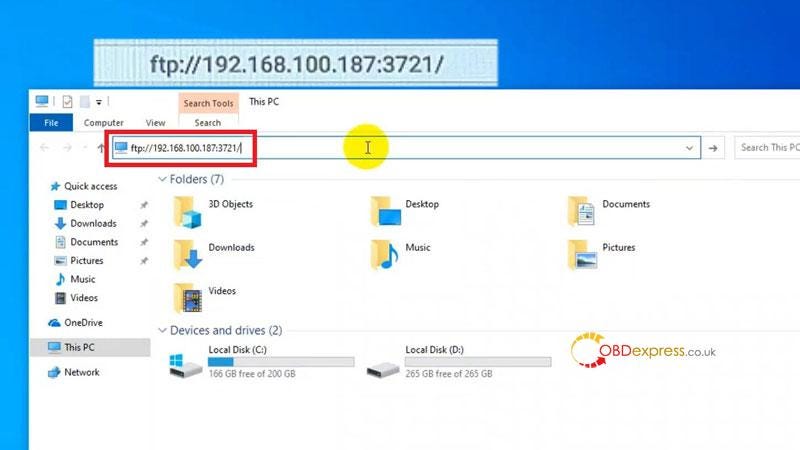
  • Open the main menu on the device: ES File Explorer >> Remote Manager >> Turn on >> Input the server address on your PC
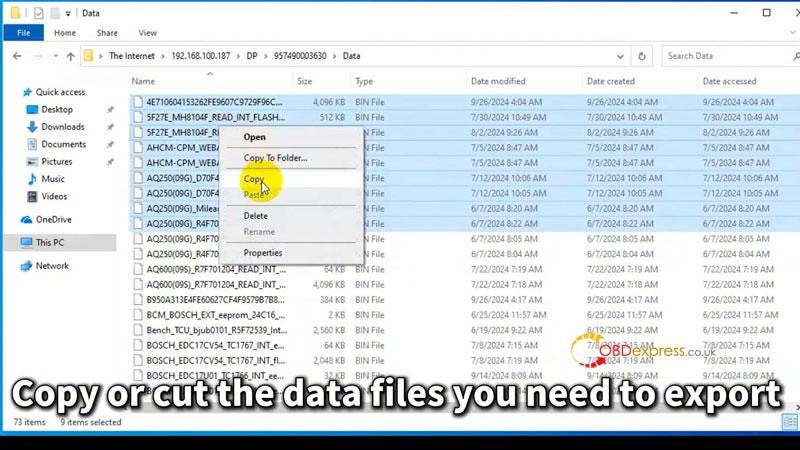
  • Navigate to: DP >> Serial number >> Data
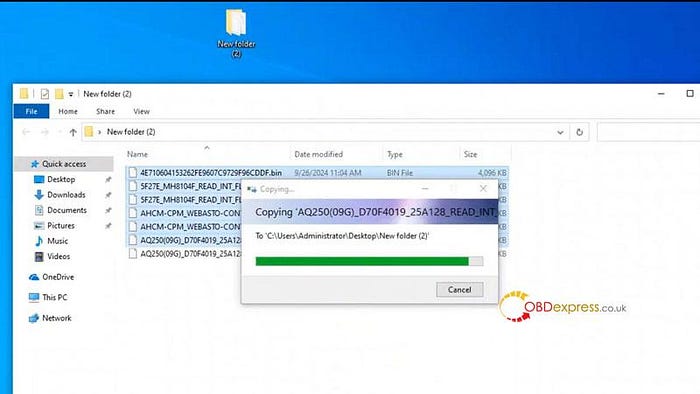
  • Copy or cut the data files you need to export. Create a new folder on the desktop and paste the files into it.

Export is successful.


3 Methods to Export OBDSTAR DC706 Data File
 

3 Methods to Export OBDSTAR DC706 Data File

www.obdexpress.co.uk

Tuesday, September 10, 2024

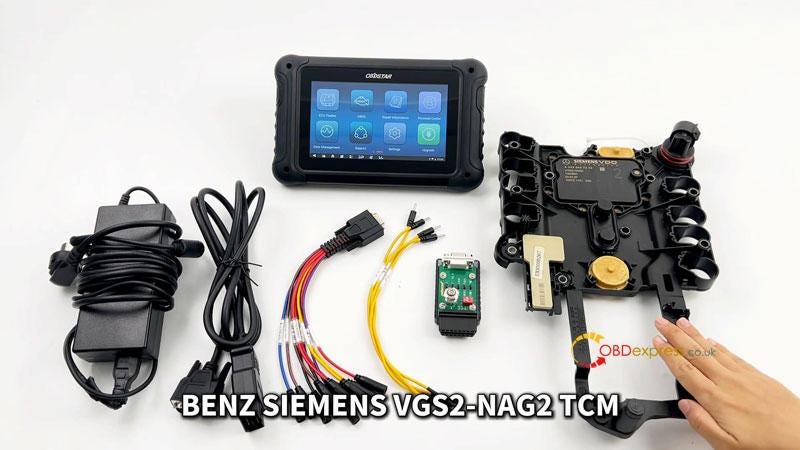
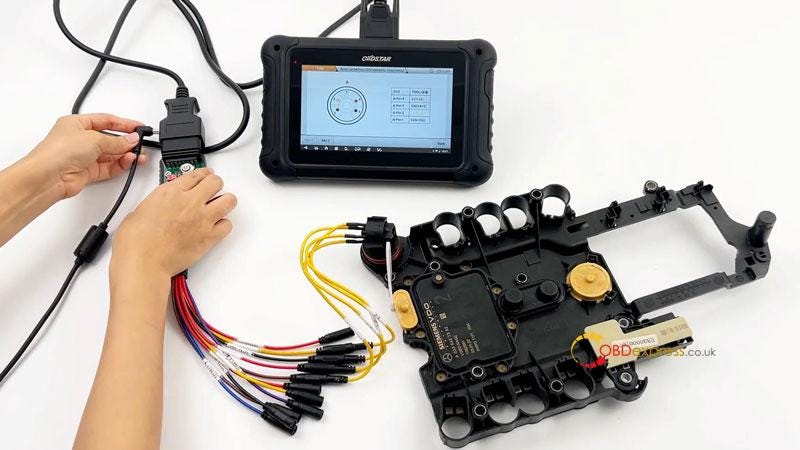
Erase Mercedes-Benz VGS2-NAG2 TCM Data with OBDSTAR DC706

 This is a tutorial on how to do Mercedes-BENZ SIEMENS VGS2-NAG2 TCM data erase with OBDSTAR DC706 ECU Tool by bench. By performing a data wipe on the Benz transmission, we can erase the existing coding data and immobilizer information.


OBDSTAR DC706 Erase Benz SIEMENS VGS2-NAG2 TCM Data

Tools Required

OBDSTAR DC706

12V 5A Power Supply(DC)

Main Cable

P004 ECU Clone Jumper + Adapter

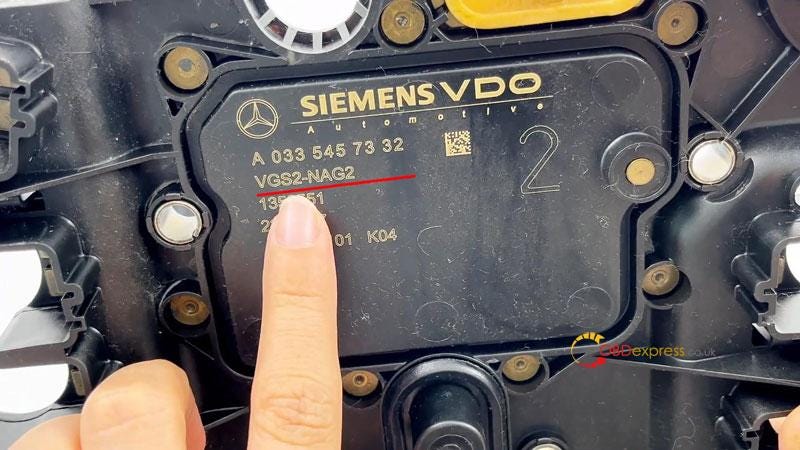
BENZ SIEMENS VGS2-NAG2 TCM

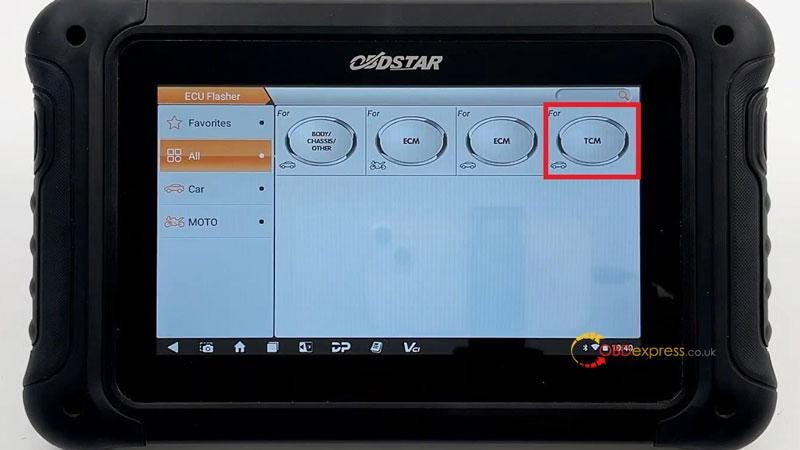
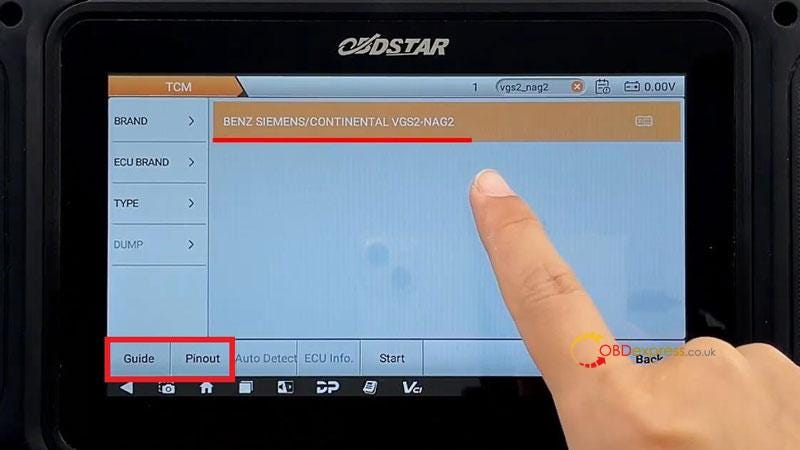
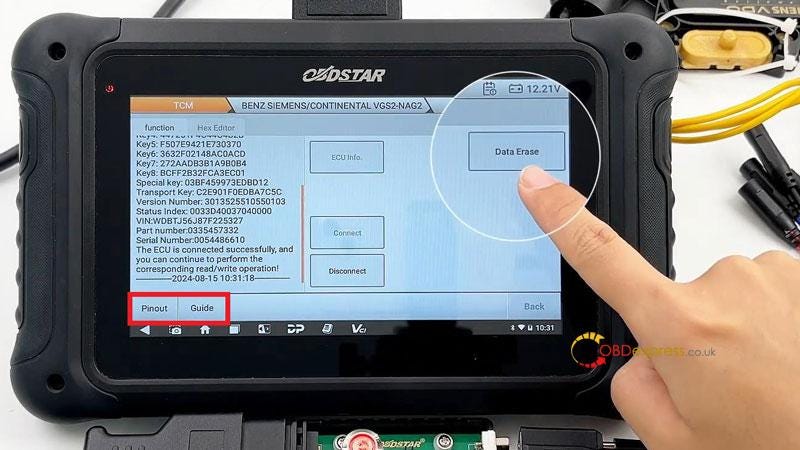
ECU Flasher >> TCM >> Latest Version >> BENZ SIEMENS/CONTINENTAL VGS2-NAG2

Click "Guide" & "Pinout" to check wiring diagram for connection.


OBDSTAR DC706 Erase Benz SIEMENS VGS2-NAG2 TCM Data

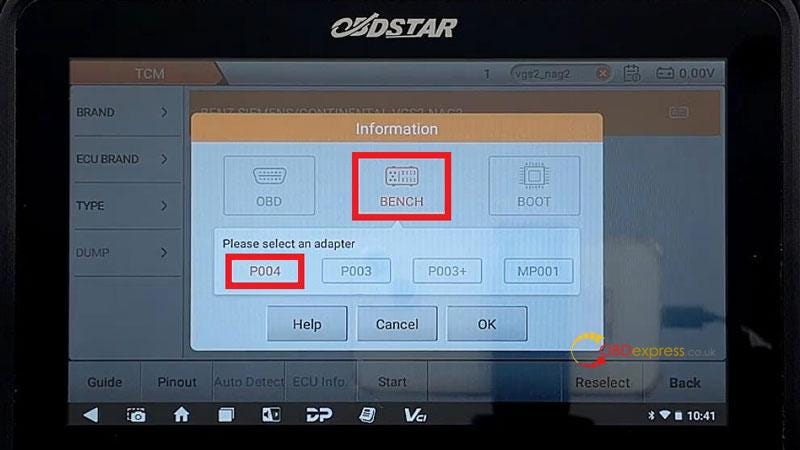
After completing connection, select

Start >> BENCH + P004 >> OK

Click "Connect" to start.

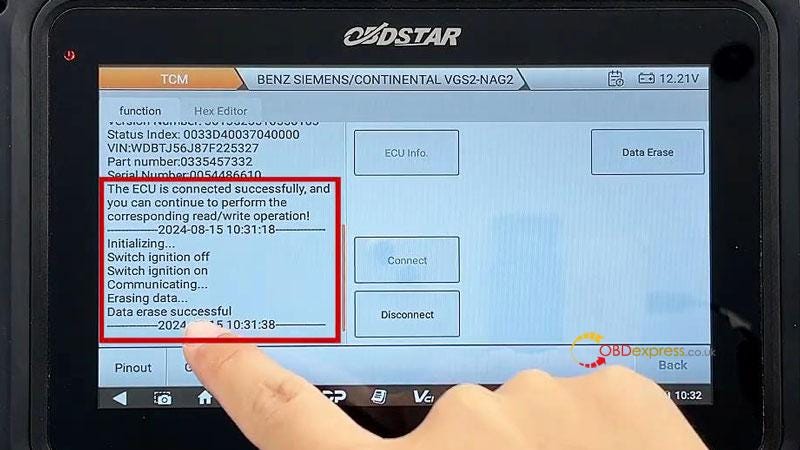
Switch ignition off.

Switch ignition on.

Click "Data Erase".

Switch ignition off.

Switch ignition on.

Data erase successful.

Remember to disconnect after operation is completed.

Simple and easy done.


OBDSTAR DC706 Erase Benz SIEMENS VGS2-NAG2 TCM Data

www.obdexpress.co.uk


Tuesday, August 13, 2024

OBDSTAR DC706 Read Fiat MJD 6F3 ECM: IMMO, FLASH, Mileage

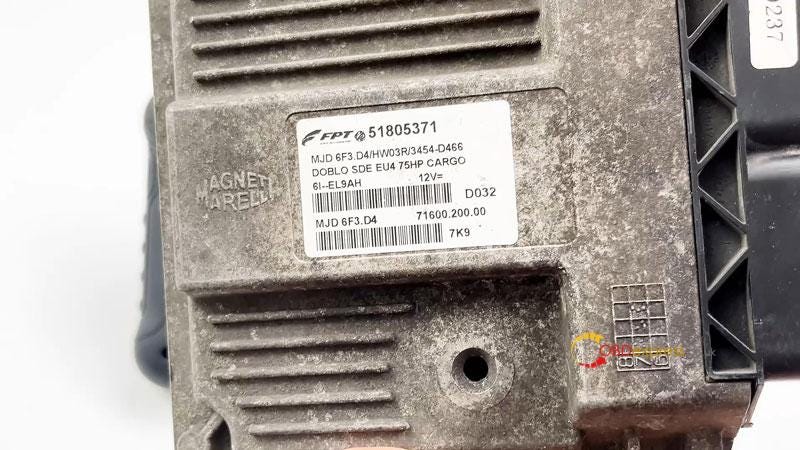
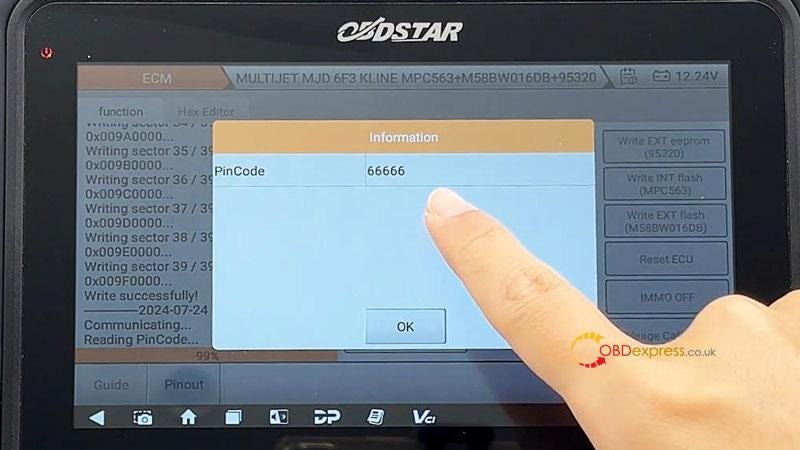
 OBDSTAR DC706 ECU Tool is able to do read and write Fiat Marelli MJD 6F3 ECM EEPROM/FLASH, IMMO on/off, read pincode, reset ECU and mileage adjustment by bench. Following I’m gonna show how easy to do.

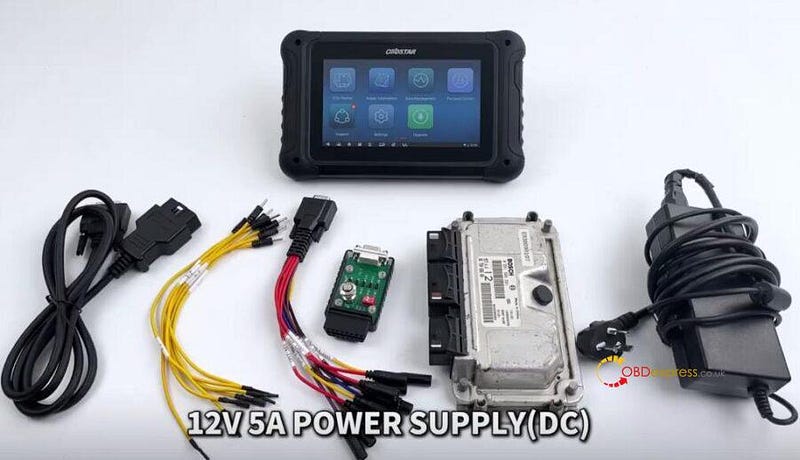
Accessories

OBDSTAR DC706

Main Cable

P004 Adapter + Jumper

Fiat Marelli MJD 6F3 ECM

12V 5A Power Supply(DC)


OBDSTAR DC706 Fiat MJD 6F3 IMMO On_Off, Read PIN, Reset Mileage

Operation

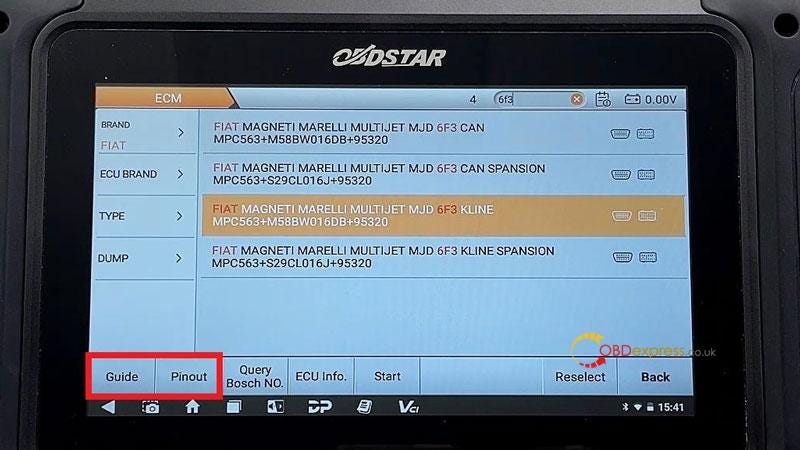
ECU Flasher >> ECM >> Latest version >> FIAT MAGNETI MARELLI MULTIJET MJD 6F3 KLINE MPC563+M58BW016DB+95320

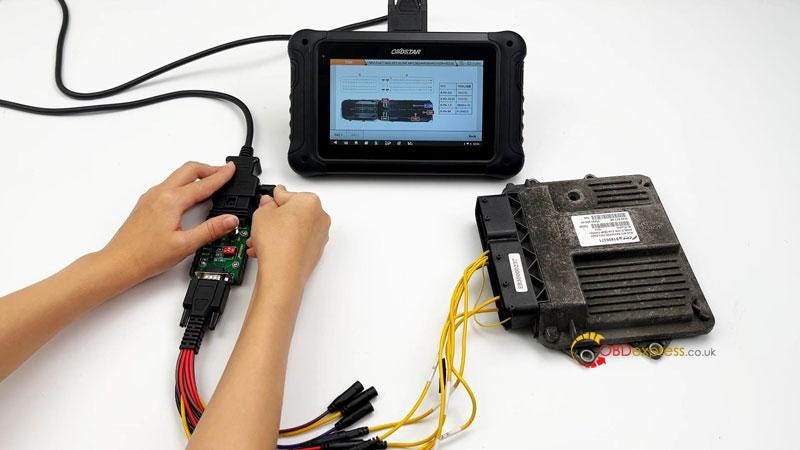
Tap "Guide&Pinout" to get the wiring diagram.

Connect all the harness according to the instruction.

Start >> BENCH


OBDSTAR DC706 Fiat MJD 6F3 IMMO On_Off, Read PIN, Reset Mileage

This function is available by connecting the server, please ensure the Internet connection is normal.

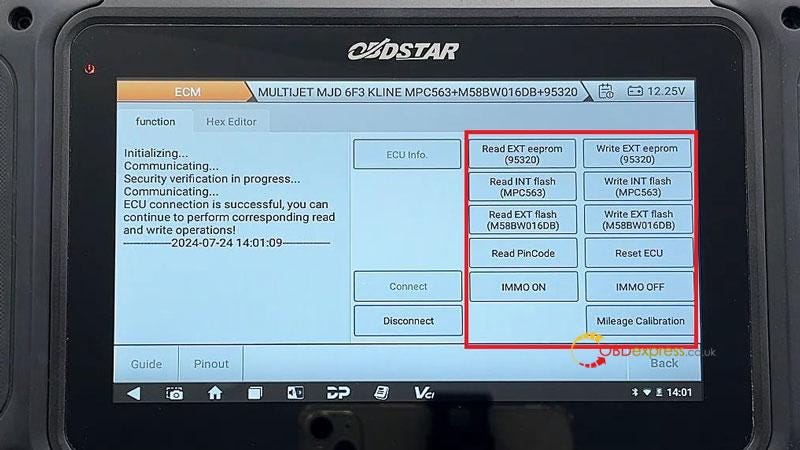
Tap "Connect".

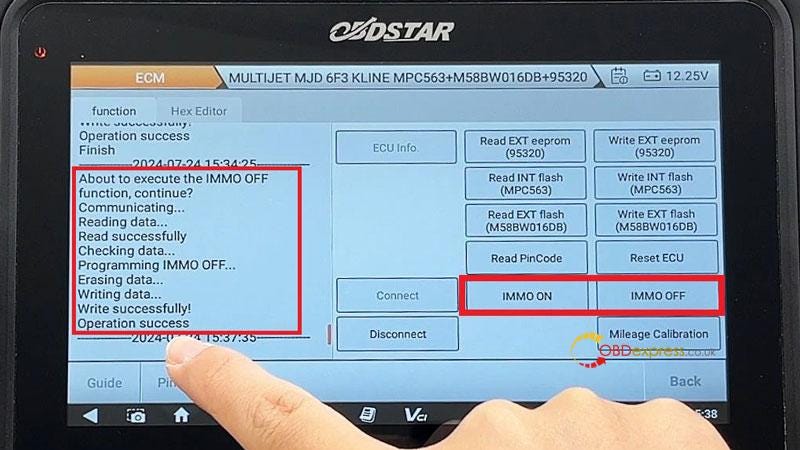
Now we can read and write EXT eeprom(95320), INT flash(MPC563), EXT flash(M58BW016DB), read PinCode, reset ECU, turn IMMO on and off, calibrate mileage.


OBDSTAR DC706 Fiat MJD 6F3 IMMO On_Off, Read PIN, Reset Mileage

Let’s show how to do the mileage correction.

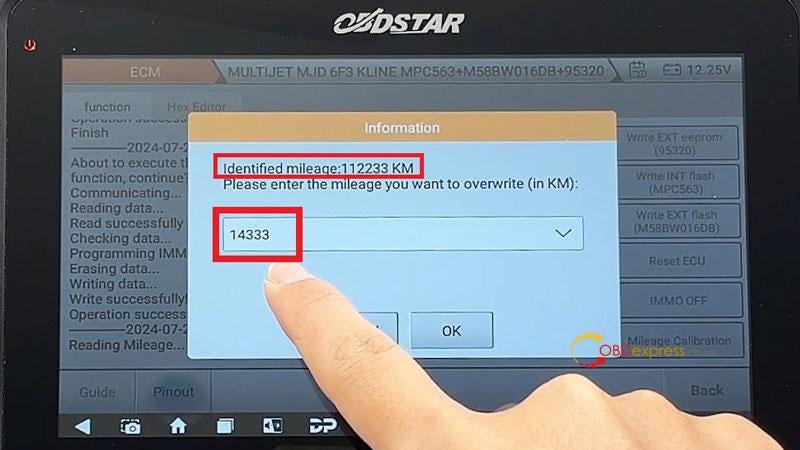
Mileage Calibration >> Enter new mileage to overwrite: 14333km >> OK

Operation success.

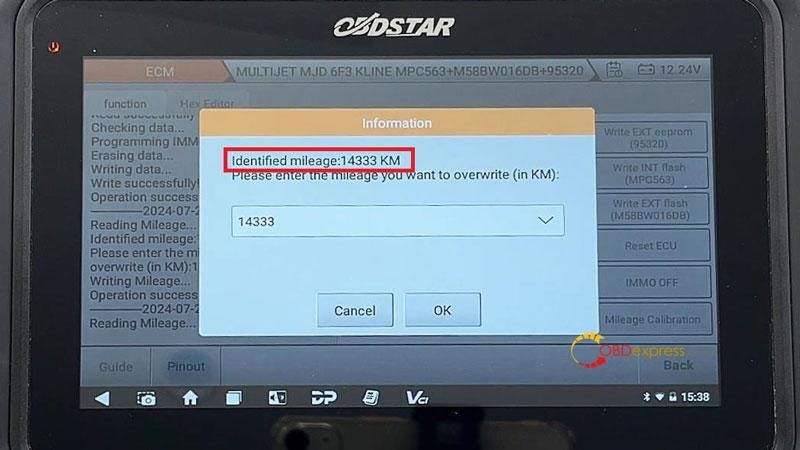
As we can see, the mileage data has been successfully modified to 14333km.

Done.


OBDSTAR DC706 Fiat MJD 6F3 IMMO On_Off, Read PIN, Reset Mileage

www.obdexpress.co.uk

Wednesday, July 31, 2024

How to Use OBDSTAR DC706 for Peugeot Citroen ME7.4.4 Pincode & ECU Reset

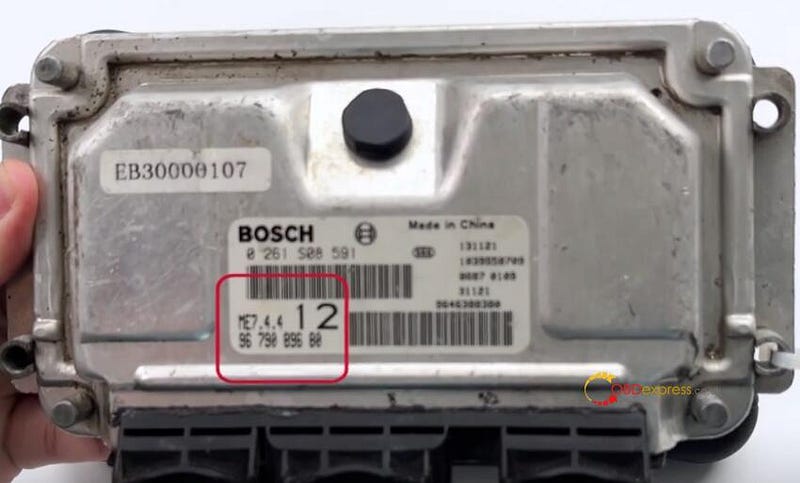
 Use OBDSTAR DC706 to read Pincode and reset ECU on Peugeot Citroen Bosch ME7.4.4 on Bnech perfectly.


Peugeot Citroen Bosch ME7.4.4 Read PinCode and Reset ECU by OBDSTAR DC706

Requirement:

1.Update ECM software to V30.90

2.Need accessories incl.P004 Adapter and P004 ECU Clone Jumper, main cable and 12V power supply

3.Keep charging to OBDSTAR P004 Adapter, and make sure the network connection is normal during the operation

Operation:

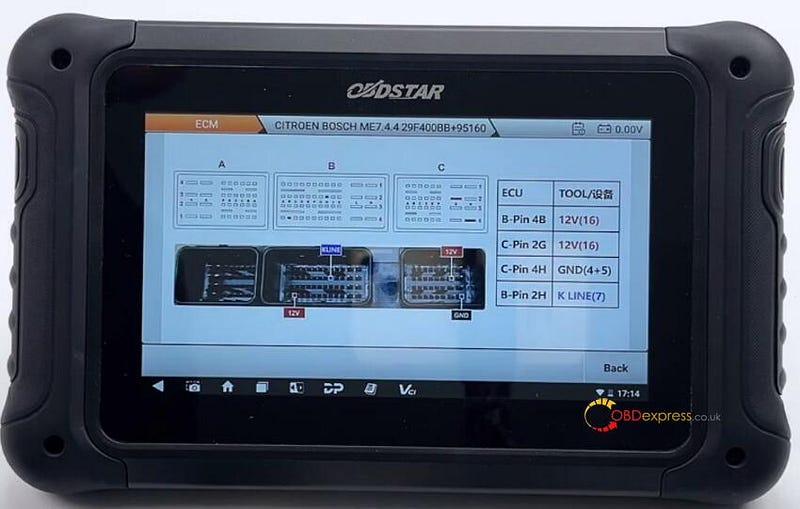
Select ECU Flasher>> ECM>> ECM V30.90>> ME7.4.4>> CITROEN BOSCH ME7.4.4 29F400BB+95160

Need to connect 12V cables (2 cables), GND (4+5) and K LINE (7)

ECUTOOLB-Pin 4B12V (16)C-Pin 2G12V (16)C-Pin 4H12V (16)B-Pin 2HK LINE (7)


Peugeot Citroen Bosch ME7.4.4 Read PinCode and Reset ECU by OBDSTAR DC706

Connect DC706 ECU Tool and Citroen ME7.4.4 ECM properly according to the wiring diagram

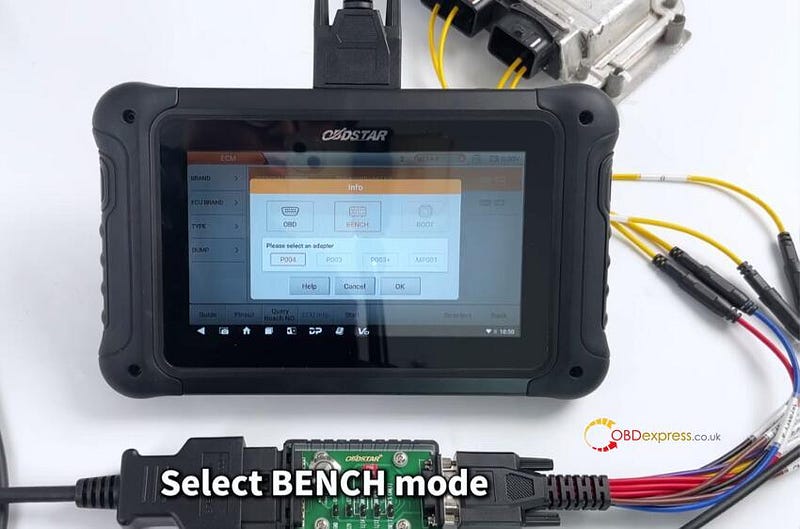
Select BENCH and P004 mode, and turn on the switch button of P004 Adapter


Peugeot Citroen Bosch ME7.4.4 Read PinCode and Reset ECU by OBDSTAR DC706

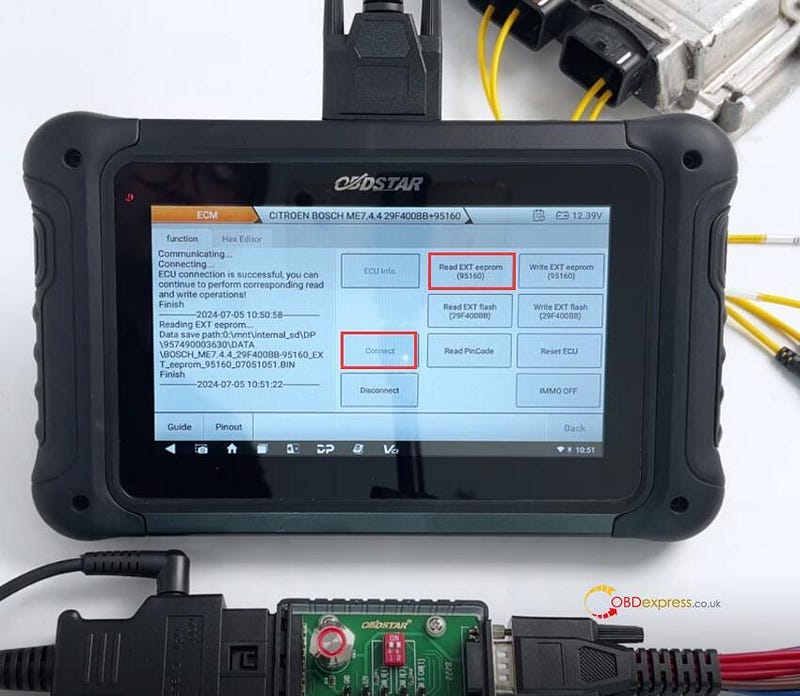
Connect ECU- OK

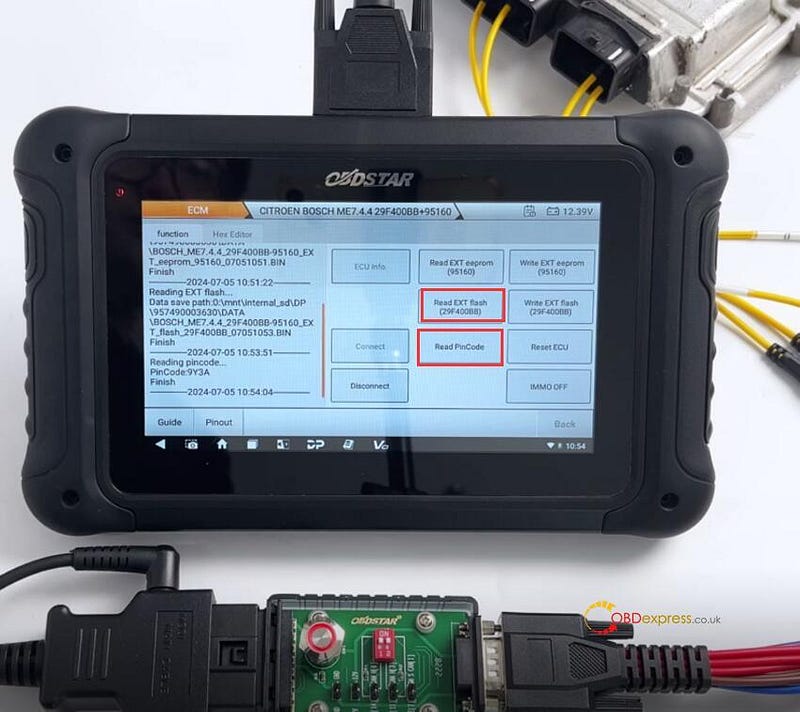
Read EXT EEPROM (95160)- OK


Peugeot Citroen Bosch ME7.4.4 Read PinCode and Reset ECU by OBDSTAR DC706

Read EXT flash (95160)- OK

Read Pincode OK


Peugeot Citroen Bosch ME7.4.4 Read PinCode and Reset ECU by OBDSTAR DC706

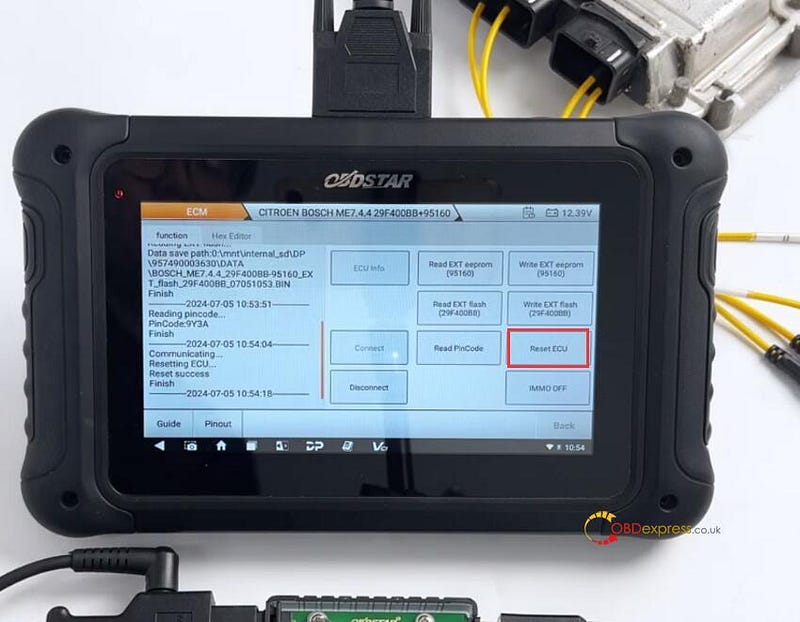
Reset ECU OK


Peugeot Citroen Bosch ME7.4.4 Read PinCode and Reset ECU by OBDSTAR DC706

Done!
www.obdexpress.co.uk

Friday, July 19, 2024

Nissan CVT TCU253 TCM Data Cloning Using OBDSTAR G3 and DC706

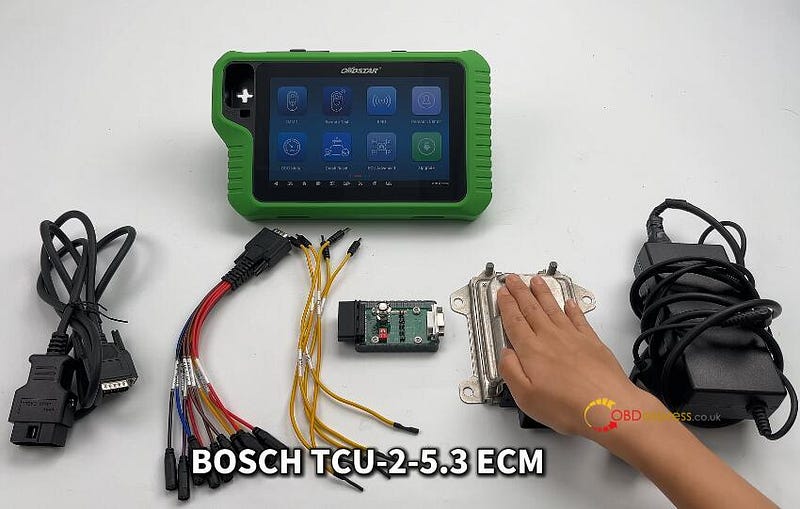
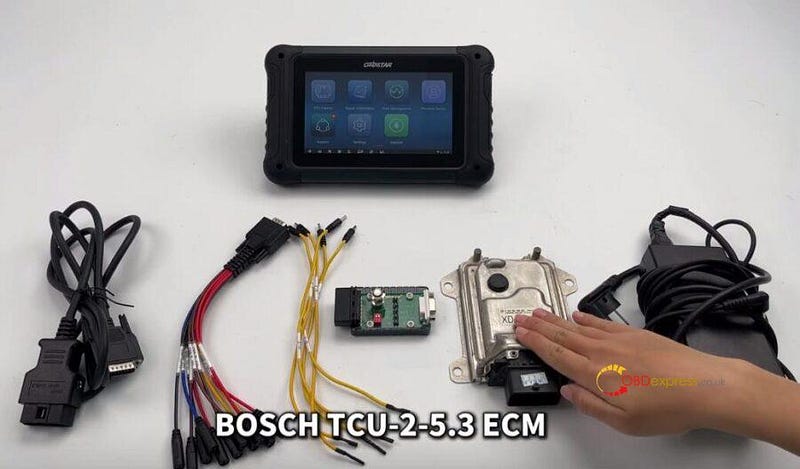
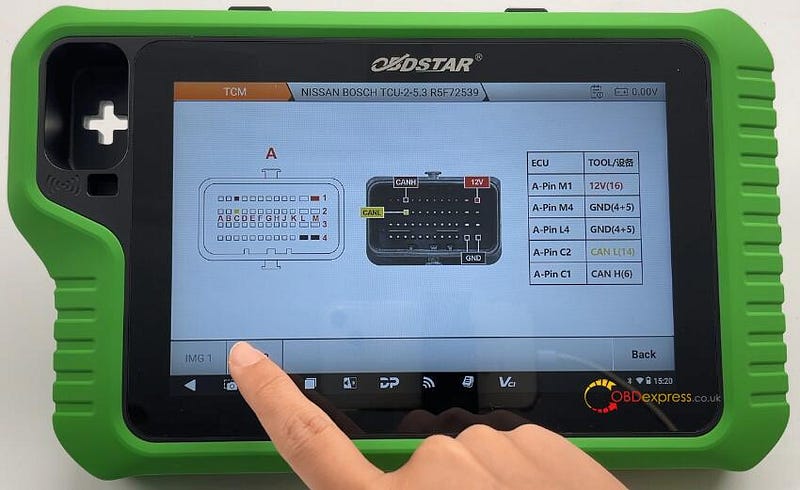
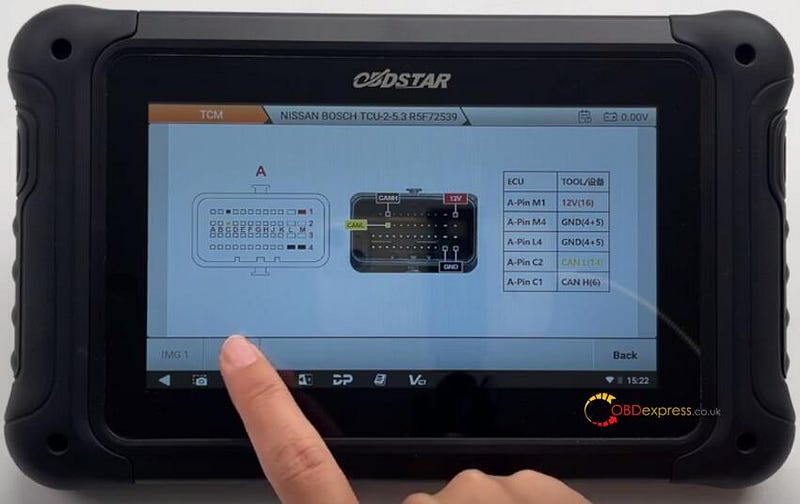
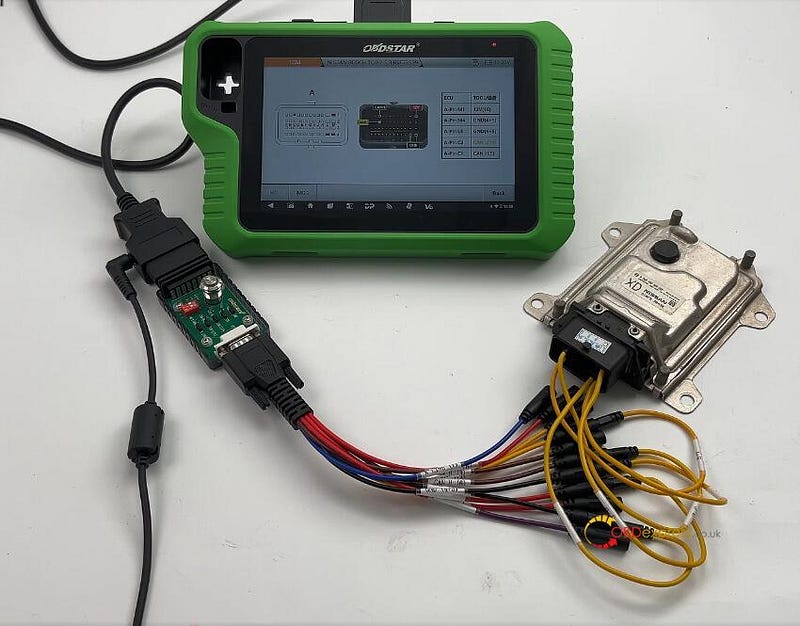
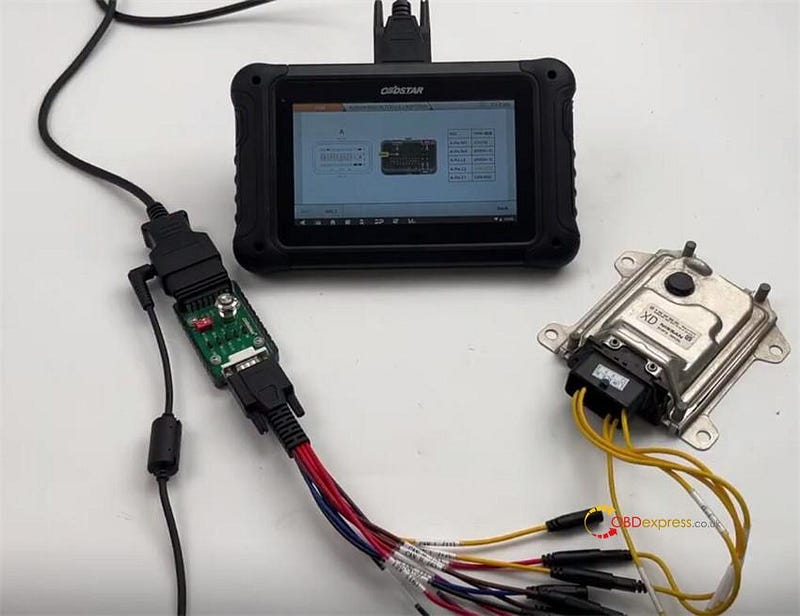
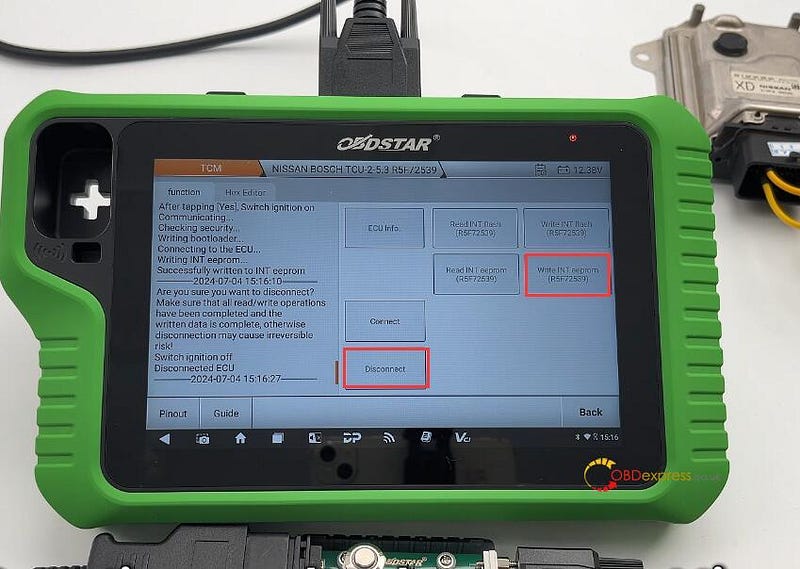
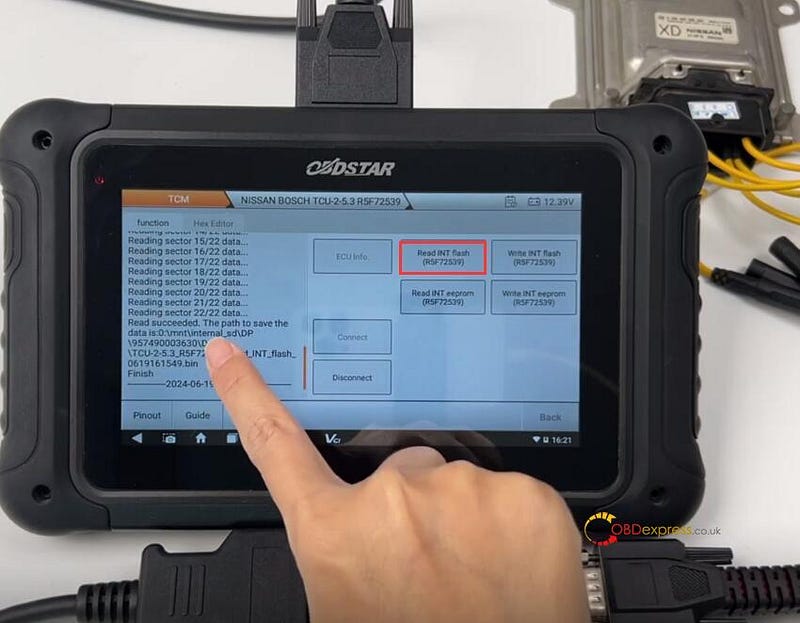
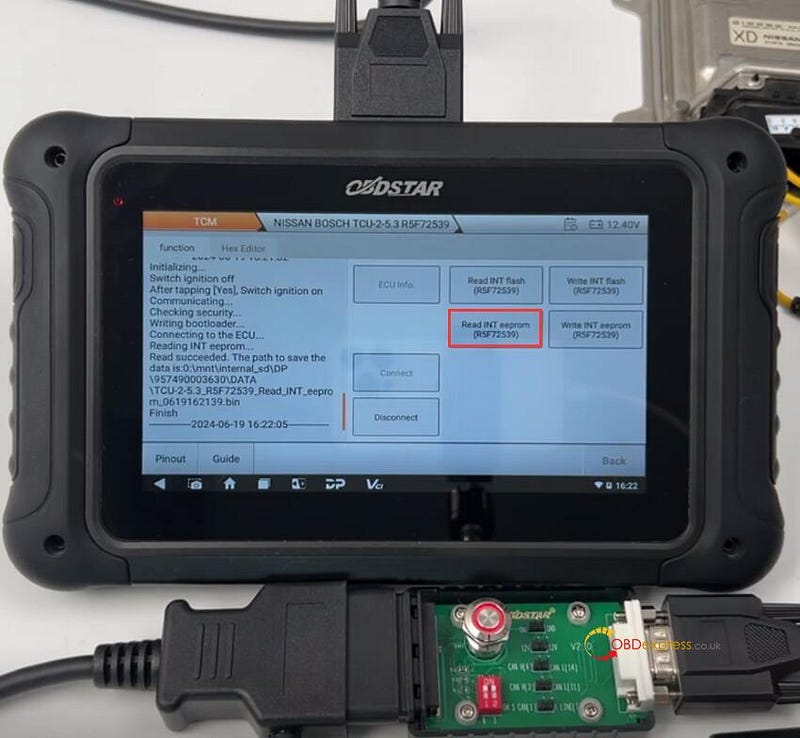
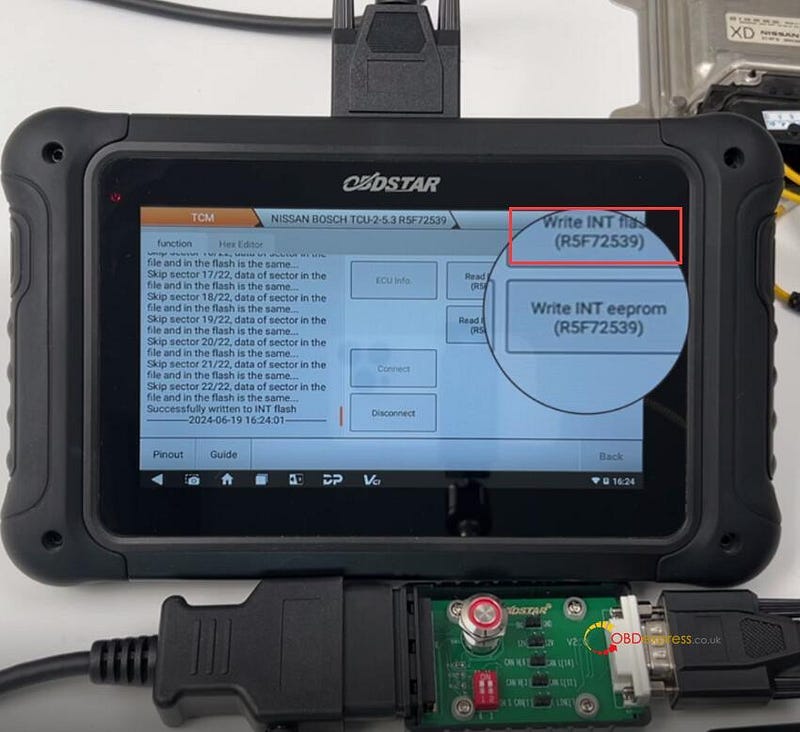
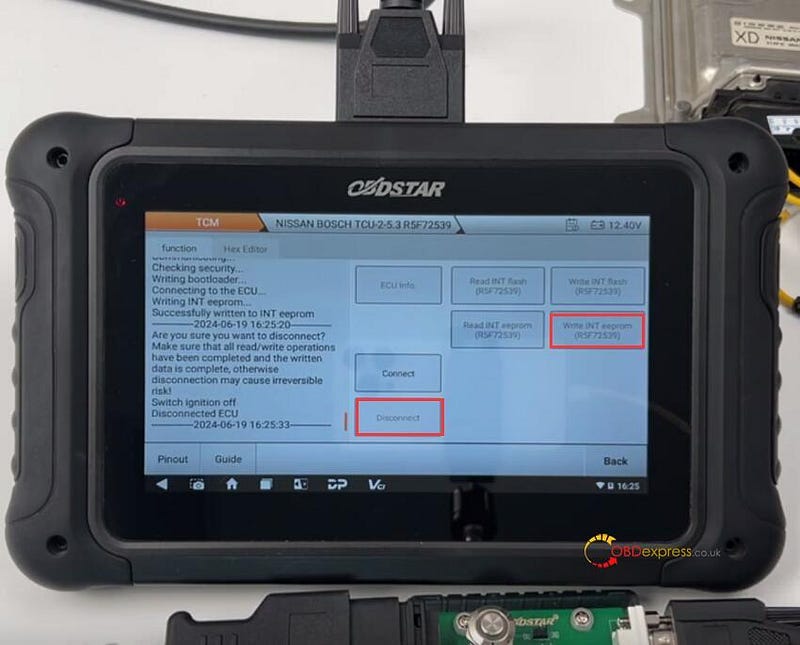
 OBDSTAR X300 Classic G3 Key Programmer and DC706 ECU Tool can read and write Nissan Bosch CVT TCU253 R5F72539 TCM data by Bench and P004 mode. They have the same wiring diagram, and require OBDSTAR P004 Adapter and ECU Clone Jumper to connect device and Nissan TCM.


Nissan CVT TCU253 R5F72539 TCM Clone by OBDSTAR G3, DC706

To perform the TCM reading and writing function successfully, please ensure the network connection is normal and 12V power supply is connected well during the operation, and follow the wiring diagram to connect OBDSTAR tool and TCM properly.

When using X300 Classic G3, need to activate ECU Clone License.

Menu function path:

Select ECU Flasher>> TCM>> TCM software (V30.31 or above)>> NISSAN BOSCH TCU-2–5–3 R5F72539

Wiring diagram:

ECUTOOLA-Pin M112V (16)A-Pin M4GND (4+5)A-Pin L4GND (4+5)A-Pin C2CAN L (14)A-Pin C1CAN H (6)


Nissan CVT TCU253 R5F72539 TCM Clone by OBDSTAR G3, DC706

Connect OBDSTAR G3/DC706 and Nissan TCM correctly


Nissan CVT TCU253 R5F72539 TCM Clone by OBDSTAR G3, DC706

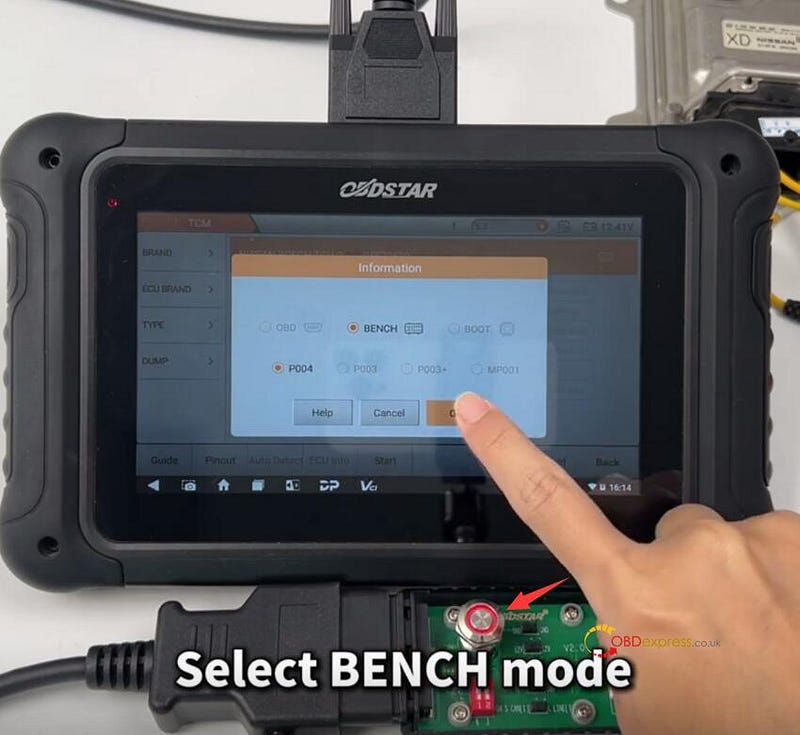
After connection, turn on the switch button on OBDSTAR P004 Adapter, and select BENCH and P004


Nissan CVT TCU253 R5F72539 TCM Clone by OBDSTAR G3, DC706

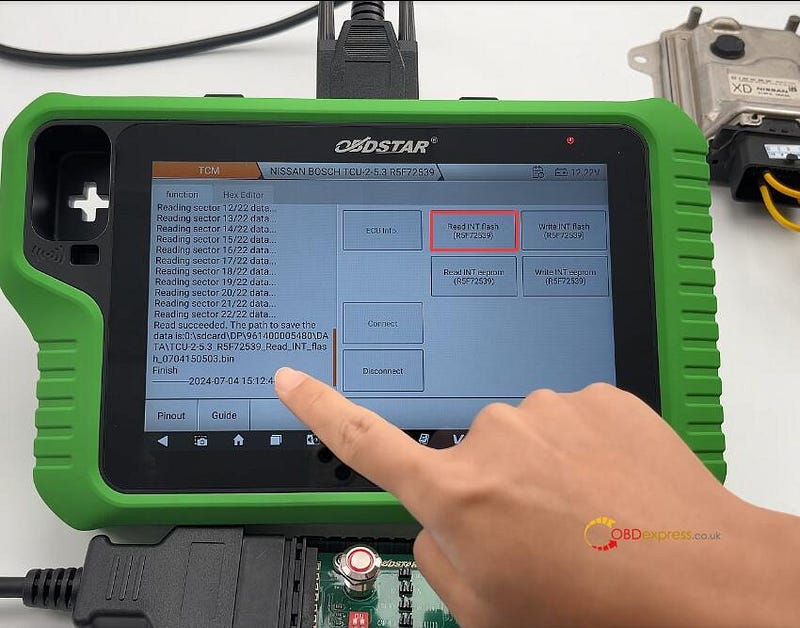
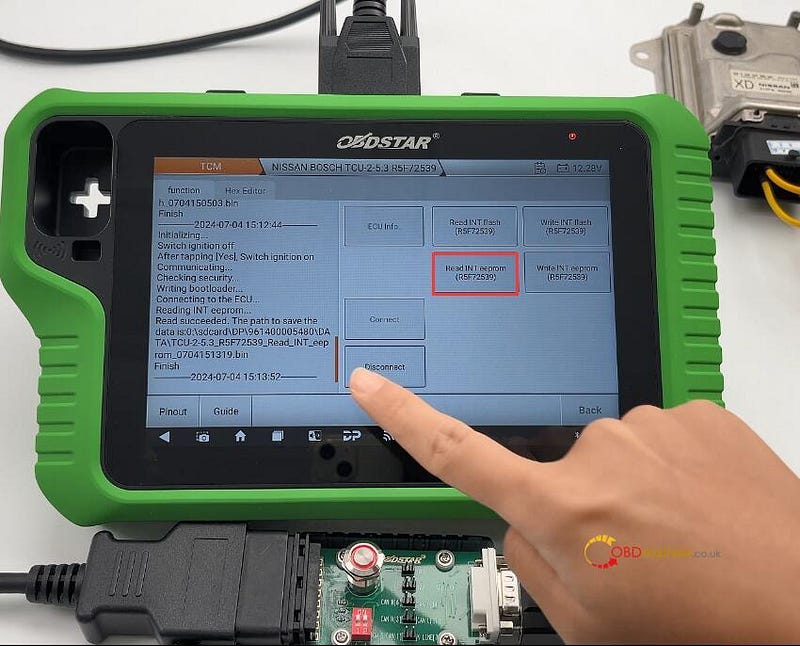
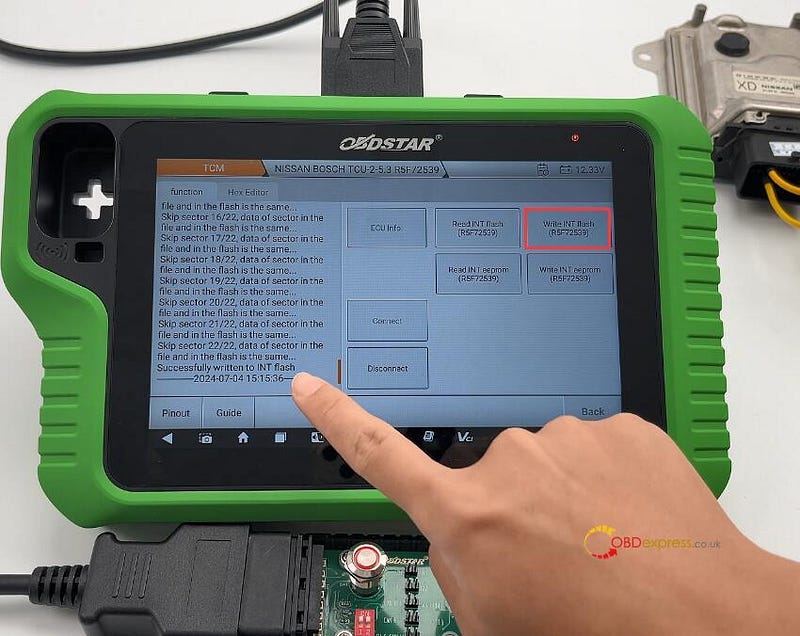
Start to connect ECU, read INT Flash & INT EEPROM (R5F72539), and write the original data into the new Nissan TCM.

Disconnect the ECU after writing.

Note: During the operation, follow the on-screen prompts to turn off or turn on P004 Adapter switch button.

OBDSTAR X300 Classic G3 clone Nissan TCU253 R5F72539:


Nissan CVT TCU253 R5F72539 TCM Clone by OBDSTAR G3, DC706

OBDSTAR DC706 clone Nissan TCU253 R5F72539:


Nissan CVT TCU253 R5F72539 TCM Clone by OBDSTAR G3, DC706

www.obdexpress.co.uk