Pages

OBDSTAR ODOMASTER & X300 PRO4

Tuesday, January 2, 2024

OBDSTAR P50 Mastery: Resolving Toyota ECU Crash Code

One Toyota 89170–78150 R7F7016843 airbag ECU has a crash fault code "B1160–49-AB!!! Airbag ECU Failure!!!", use OBDSTAR P50 Airbag Reset Tool to clear the crash and fault code on bench successfully.
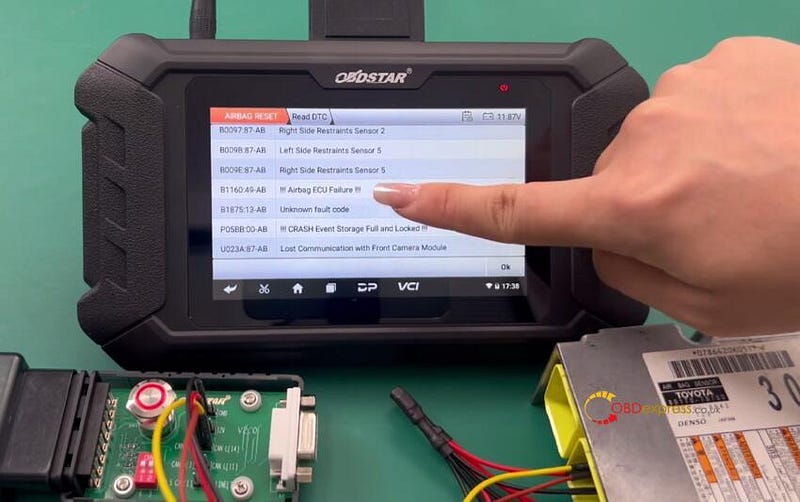
OBDSTAR P50 TOYOTA Airbag Reset on Bench

OBDSTAR P004 Adapter & Jumper, and CANFD Adapter are required to work with OBDSTAR P50.
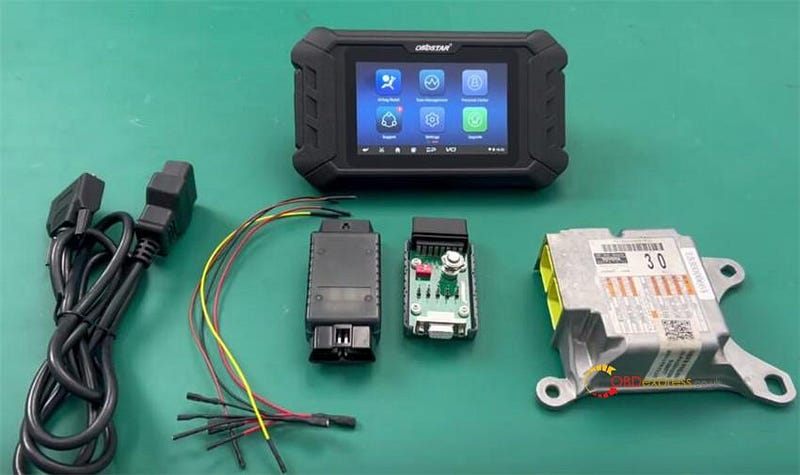
OBDSTAR P50 TOYOTA Airbag Reset on Bench

Operation:

Supply power to P50, and keep charging and communication during the process.

This function requires the internet, to ensure the network connection is normal during the operation.

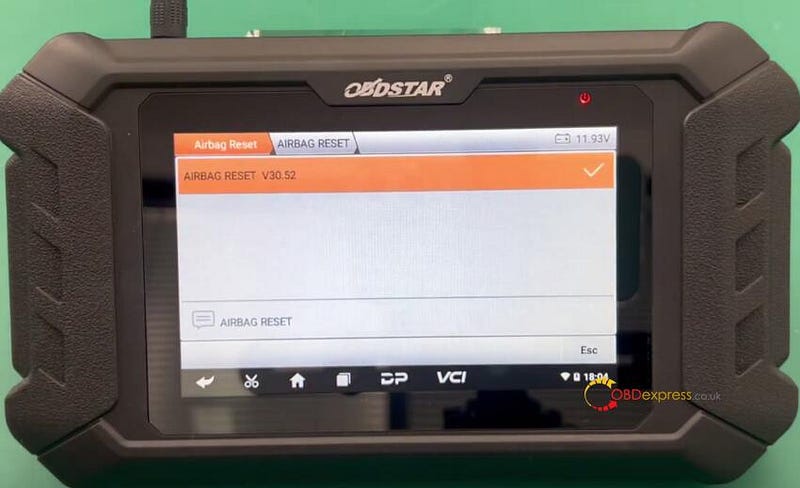
Step 1: Obtain airbag ECU model

Select Airbag Reset>> All>> Airbag Reset icon>> the newest Airbag Reset software>> BRAND>> TOYOTA

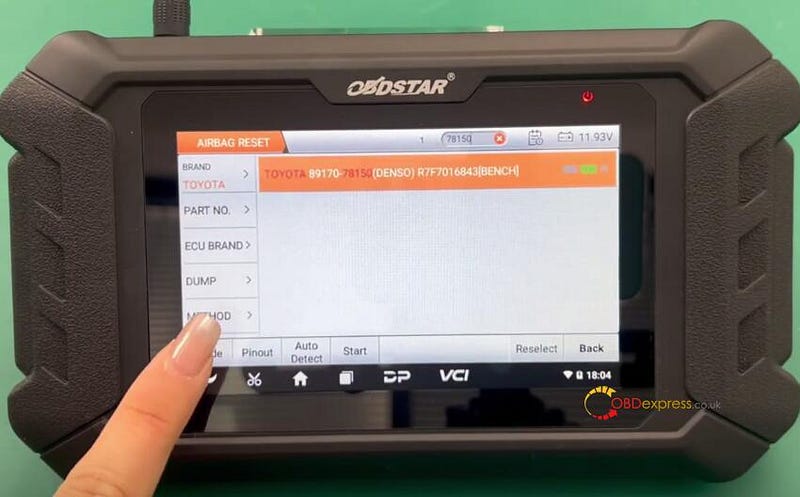
Obtain the airbag ECU by entering the ECU part number 78150 in the search box (Case insensitive, fuzzy search supported)

It's Toyota 89170–78150 (DENSO) R7F7016843 (BENCH)
OBDSTAR P50 TOYOTA Airbag Reset on Bench

OBDSTAR P50 TOYOTA Airbag Reset on Bench

Step 2: Connect device and airbag ECU

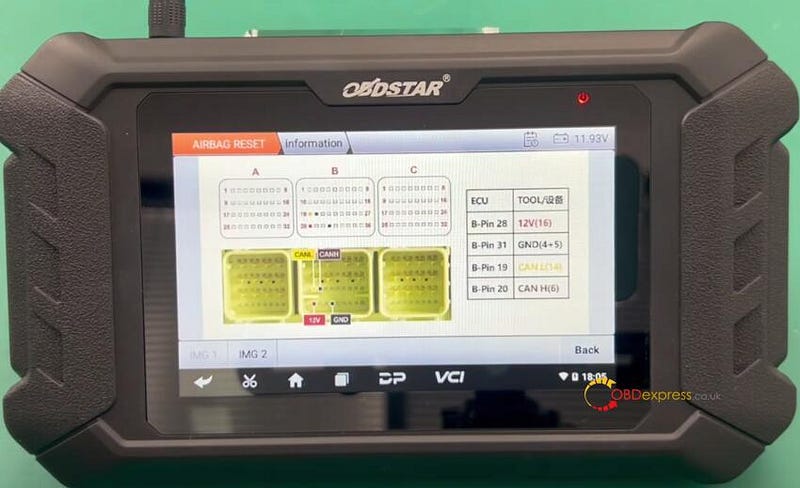
Click the Pinout to check the wiring diagram
OBDSTAR P50 TOYOTA Airbag Reset on Bench

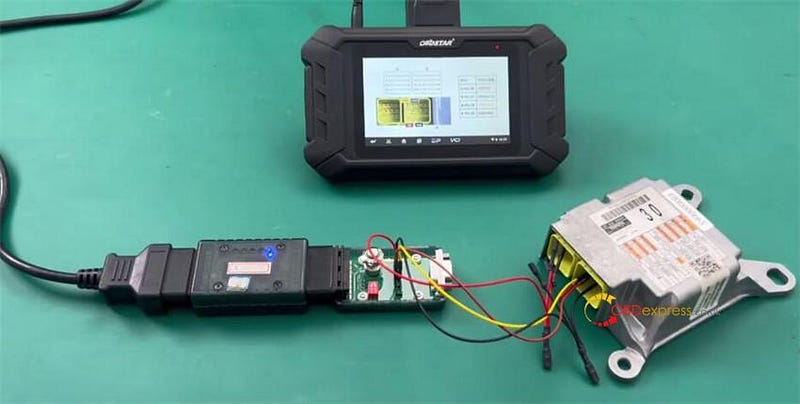
Follow the diagram to connect P004 Adapter and airbag ECU via the P004 Jumper

Connect OBDSTAR CAN-FD Adapter to OBDSTAR P004 Adapter and OBDSTAR P50
OBDSTAR P50 TOYOTA Airbag Reset on Bench

Press the ON button on P004 Adapter after connection

Start to perform the following functions.

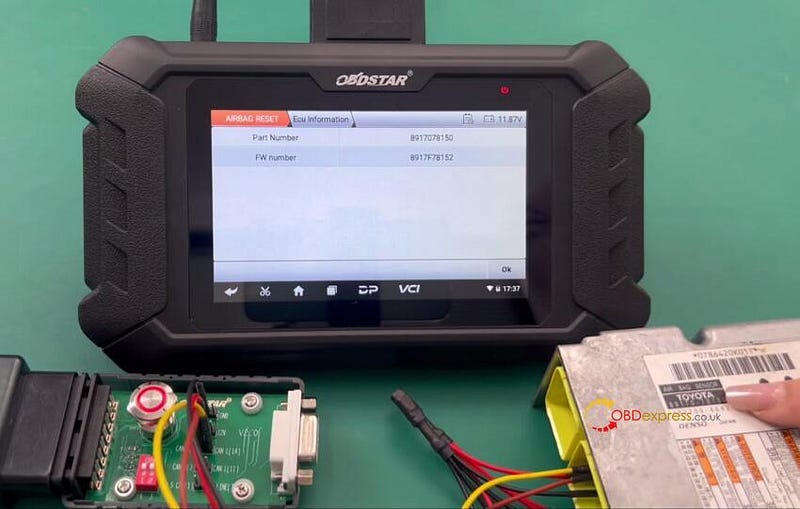
Step 3: Read ECU info

Check the airbag part number read out is correct or not
OBDSTAR P50 TOYOTA Airbag Reset on Bench

Step 4: Read DTC

Read out the crash fault code "B1160–49-AB!!! Airbag ECU Failure!!!"

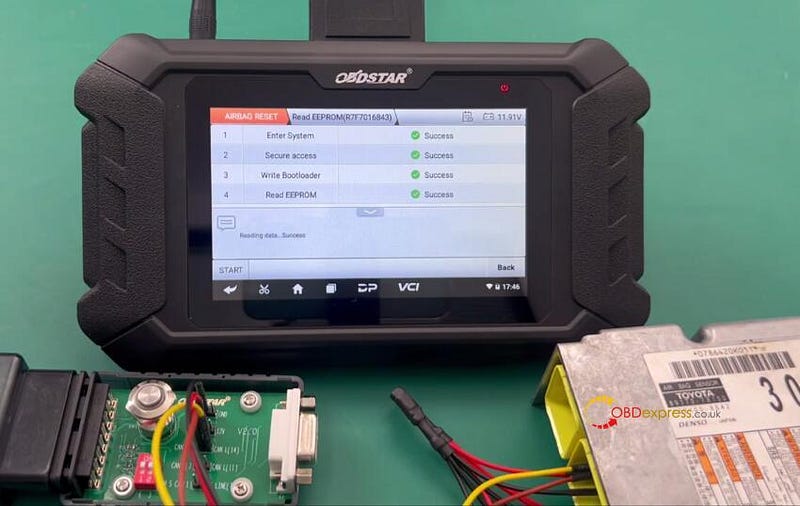
Step 5: Read EEPROM data (R7F7016843)

Select Advanced Function>> Read EEPROM data (R7F7016843)

Press Start to read data

Save the data read out
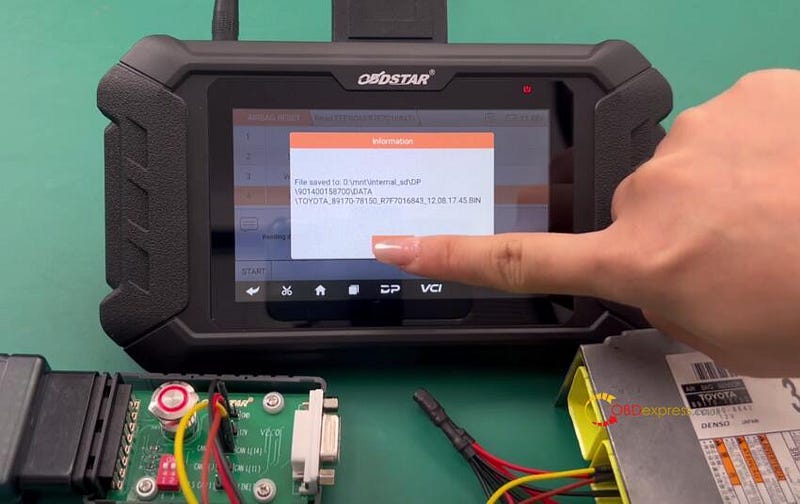
OBDSTAR P50 TOYOTA Airbag Reset on Bench

Operation success

OBDSTAR P50 TOYOTA Airbag Reset on Bench

Turn off the P004 Adapter, wait for 30 seconds, and then turn on again

Step 6: Erase crash

Load the original EEPROM data to erase crash
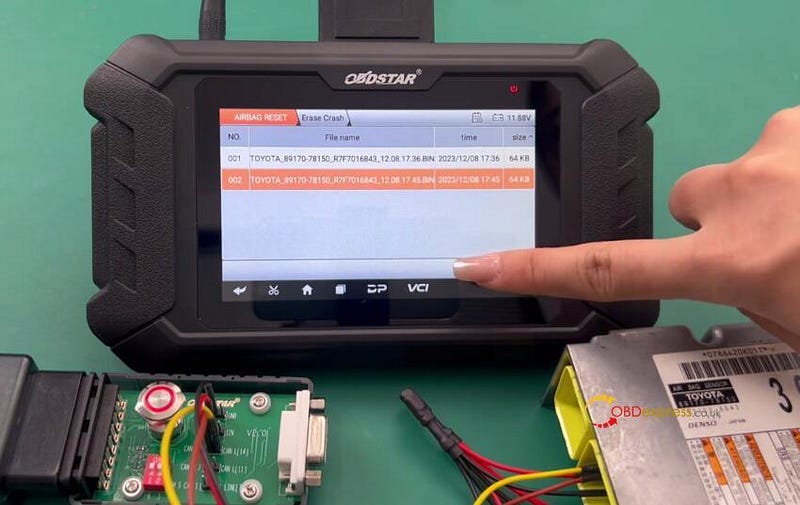
OBDSTAR P50 TOYOTA Airbag Reset on Bench

Erase crash successfully, and then continue to write EEPROM data

Operation success
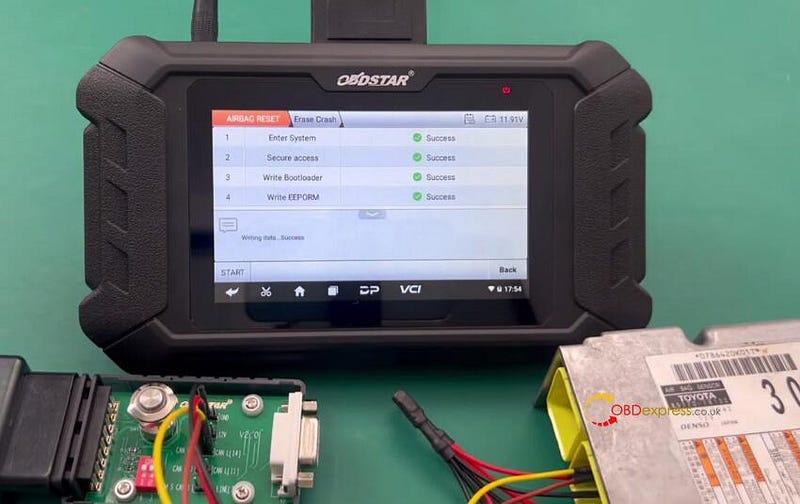
OBDSTAR P50 TOYOTA Airbag Reset on Bench

Turn off the P004 Adapter, wait for 30 seconds, and then turn on again

Step 7: Erase DTC

Erase DTC successfully
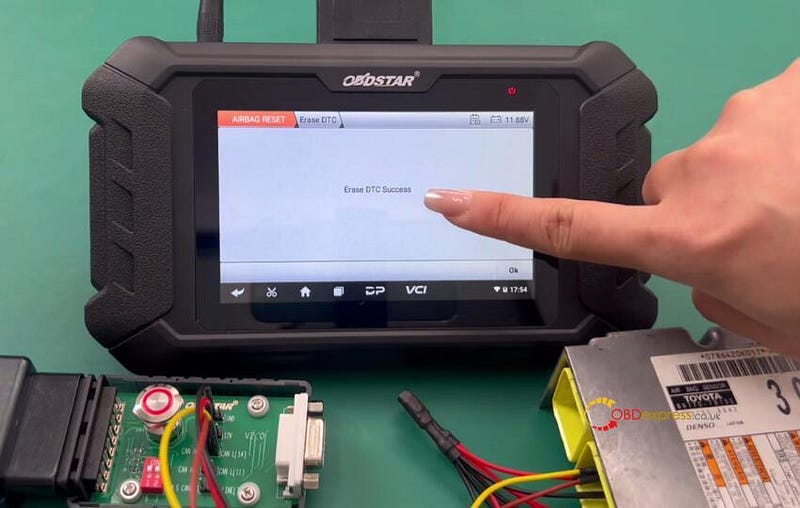
OBDSTAR P50 TOYOTA Airbag Reset on Bench

Step 8: Read DTC again

There is no crash fault code now.
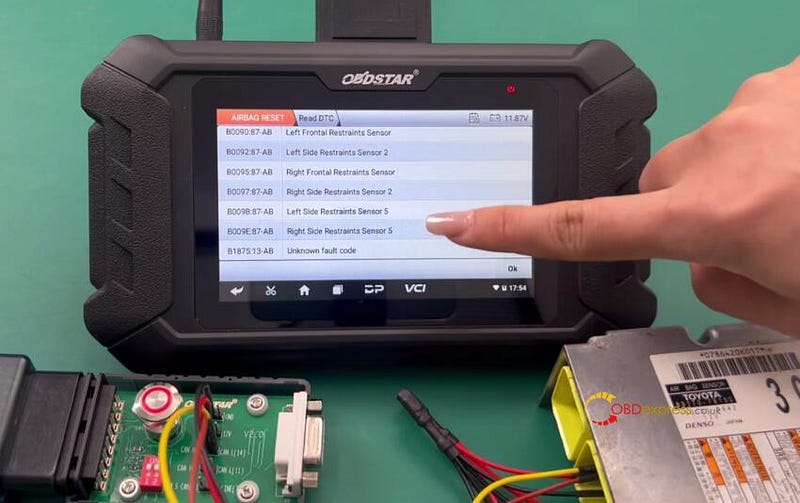
OBDSTAR P50 TOYOTA Airbag Reset on Bench

The Toyota 89170–78150 R7F7016843 airbag is reset by OBDSTAR P50 successfully.

www.obdexpress.co.uk


How to read GMC E78 ECM with OBDSTAR DC706

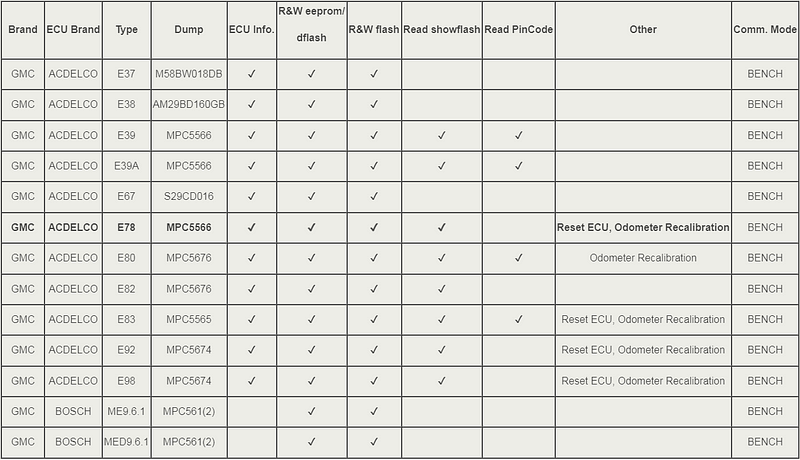
 Currently, OBDSTAR DC706 ECU Tool can read and write EEPROM and Flash data for GMC ACDELCO E37, E38, E39, E39A, E67, E78, E80, E82, E83, E92, E98, and Bosch ME (D) 9.6.1 ECMs on bench. It also can read showflash, PinCode, reset ECU and recalibrate odometer for some GMC ECMs.

Check the GMC ECM support list below.

GMC E78 ECM Read and Write with OBDSTAR DC706 on Bench

So, how to perform the function supported with OBDSTAR DC706?

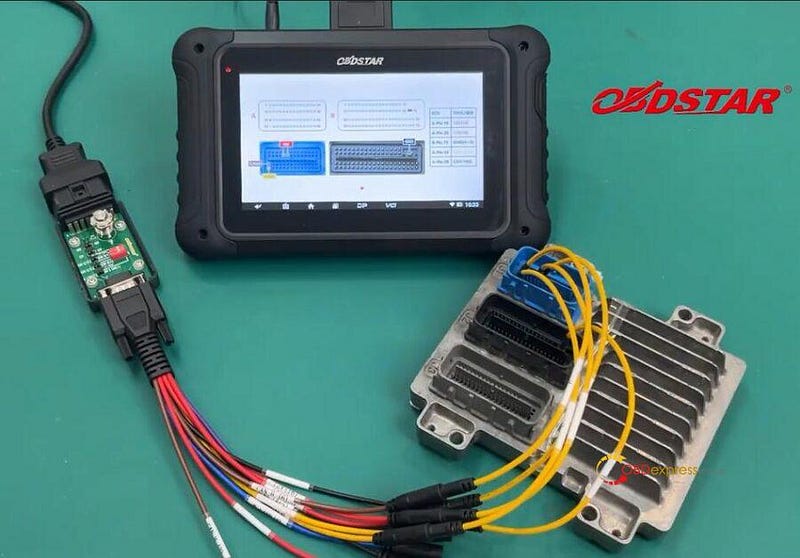
For example, DC706 clone and recalibrate odometer on GMC E78.

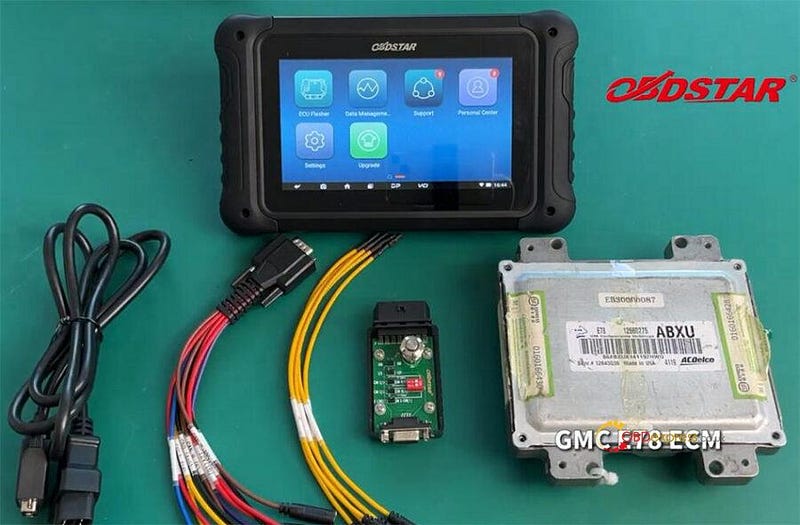
First, prepare all goods below.

OBDSTAR DC706 main unit

OBDSTAR P004 Adapter

OBDSTAR P004 ECU Clone Jumper

Main cable

GMC E78 ECM

GMC E78 ECM Read and Write with OBDSTAR DC706 on Bench

Then keep DC706 charging and communicating throughout the whole progress, and also make sure the network connection is normal.

Next, start to operate on OBDSTAR DC706 tablet

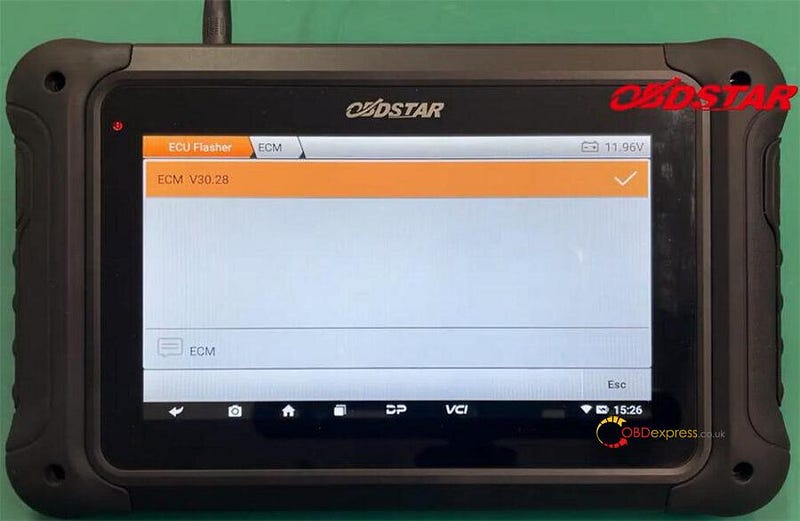
Select ECU Flasher>> ECM >> ECM V30.28 (choose newest software version)>> BRAND>> GMC

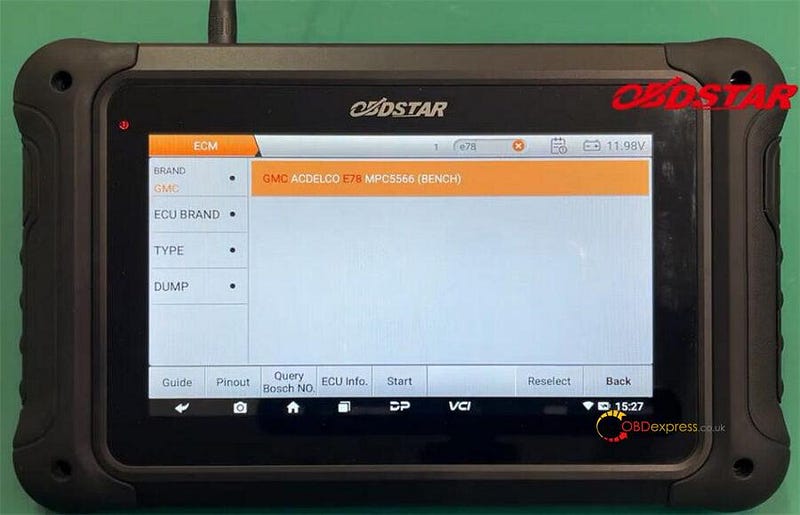
Input e78 in the search box to quickly obtain the ECM model- GMC ACDELCO E78 MPC5566 (BENCH)

GMC E78 ECM Read and Write with OBDSTAR DC706 on Bench

GMC E78 ECM Read and Write with OBDSTAR DC706 on Bench

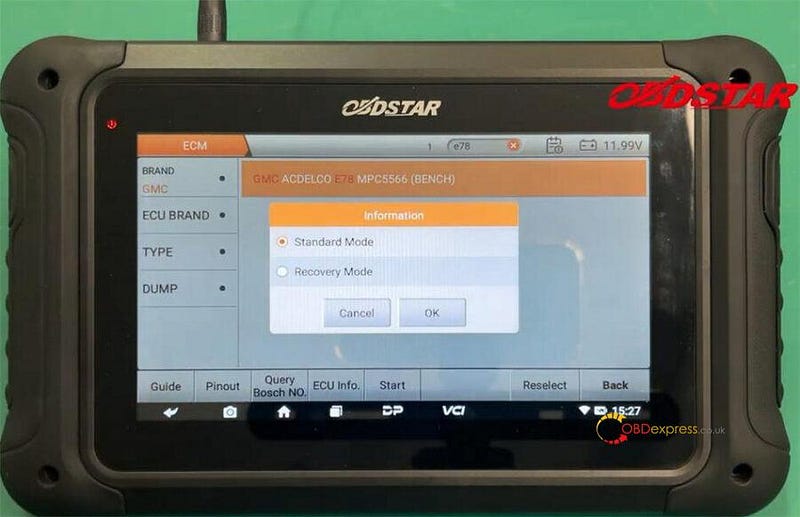
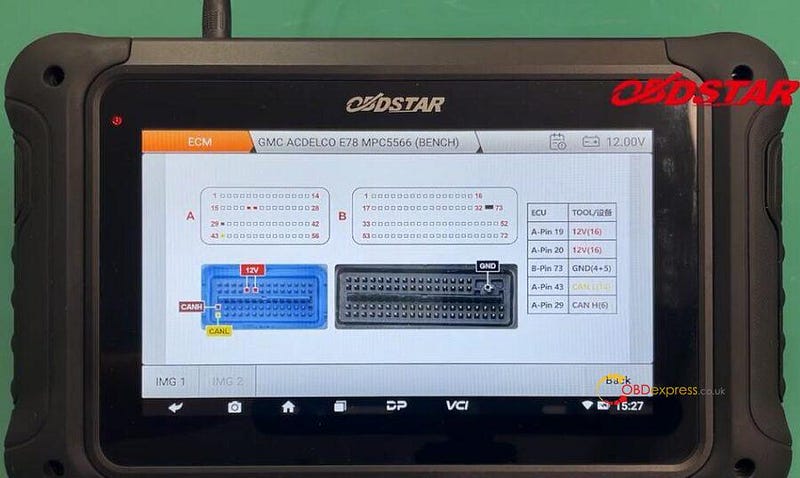
Click Pinout and select Standard Mode to check the Pinout diagram

GMC E78 ECM Read and Write with OBDSTAR DC706 on Bench

Follow it to connect DC706 ECU Tool, P004 Adapter, and GMC e78 ECM via P004 ECU Clone Jumper and main cable correctly

Turn on the power of P004 adapter

GMC E78 ECM Read and Write with OBDSTAR DC706 on Bench

GMC E78 ECM Read and Write with OBDSTAR DC706 on Bench

Start to perform read, write, etc, operations

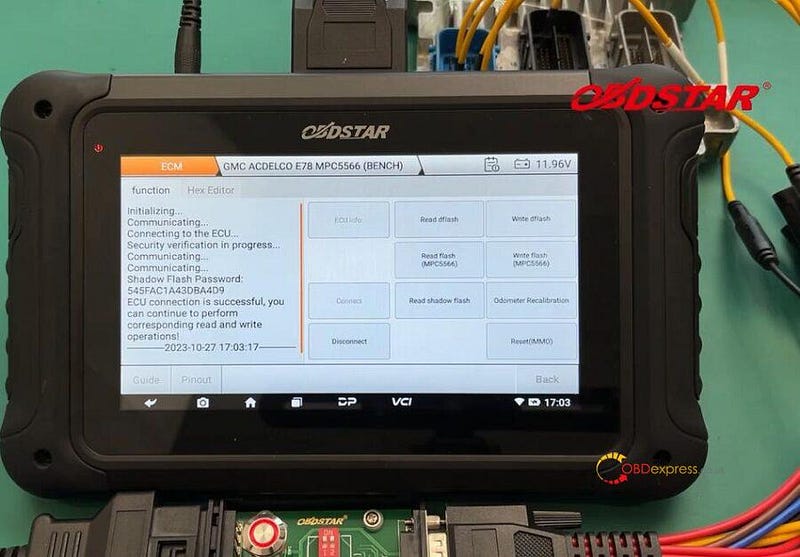
1.Connect to ECU

GMC E78 ECM Read and Write with OBDSTAR DC706 on Bench

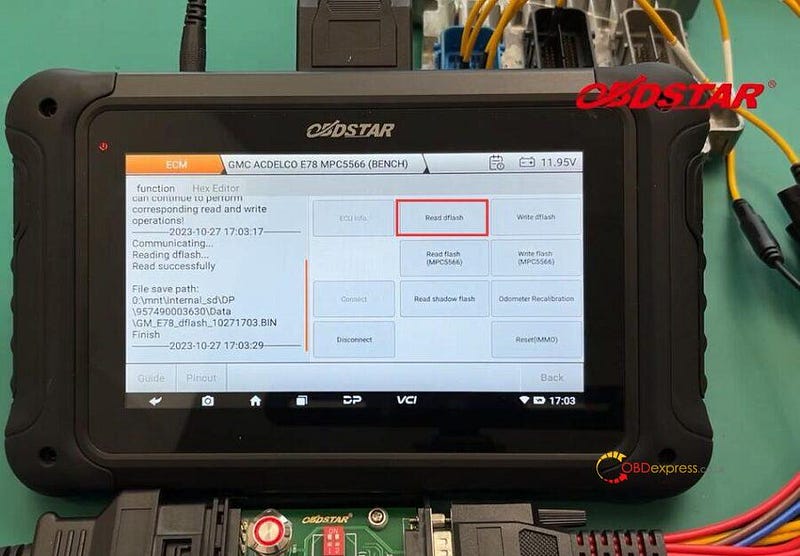
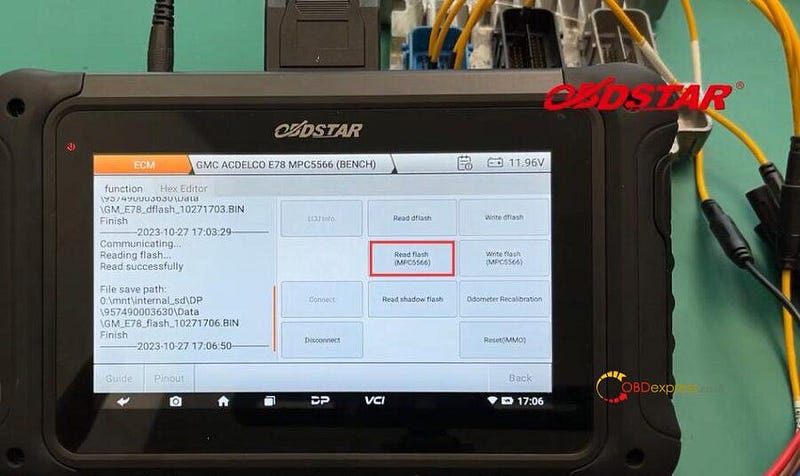
2.Read and save dflash and flash (MPC5566) data separately

GMC E78 ECM Read and Write with OBDSTAR DC706 on Bench

GMC E78 ECM Read and Write with OBDSTAR DC706 on Bench

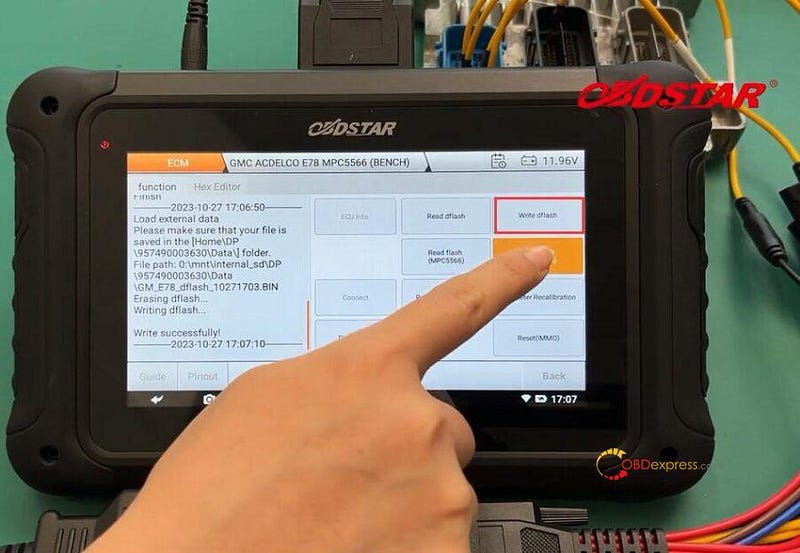
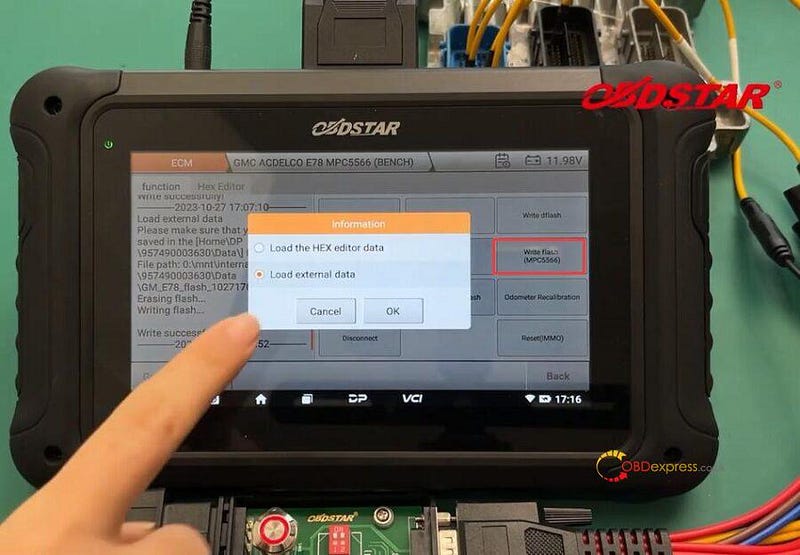
3.Connect OBDSTAR DC706 ECU programmer to a new ECM, and select the corresponding original file to write into the new E78 ECM

All read and write operations are completed.

GMC E78 ECM Read and Write with OBDSTAR DC706 on Bench

GMC E78 ECM Read and Write with OBDSTAR DC706 on Bench

GMC E78 ECM Read and Write with OBDSTAR DC706 on Bench

4.Recalibrate odometer

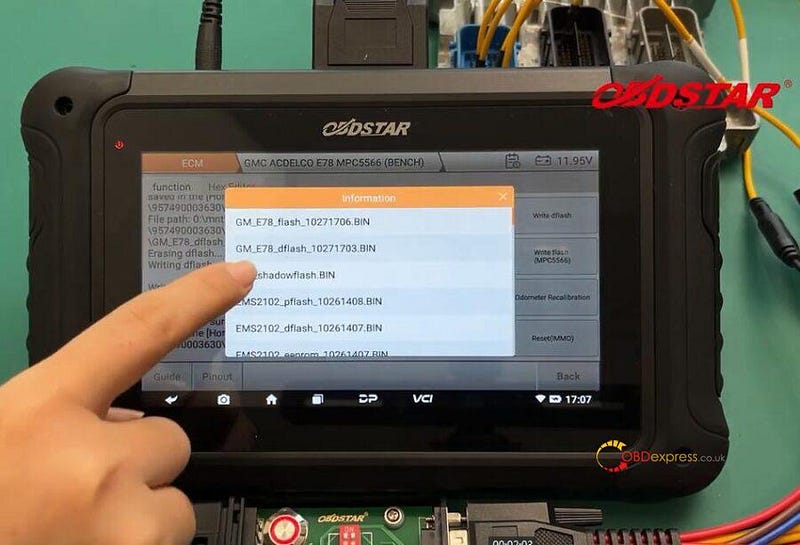
Select GM_E78_ dflash data

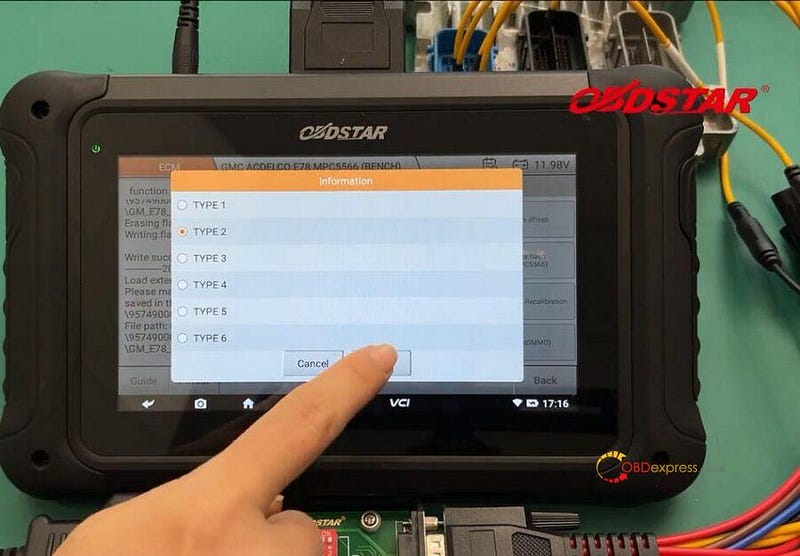
Select Type 2

GMC E78 ECM Read and Write with OBDSTAR DC706 on Bench

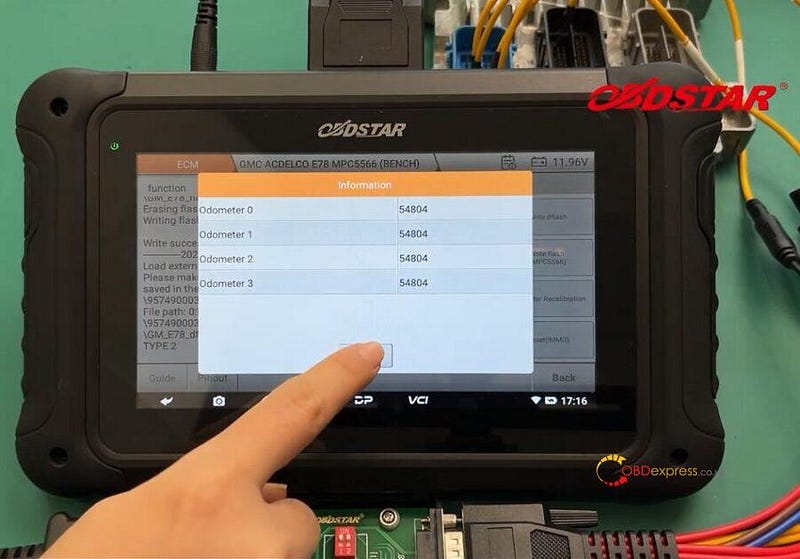
Confirm the current odometer (54804)

GMC E78 ECM Read and Write with OBDSTAR DC706 on Bench

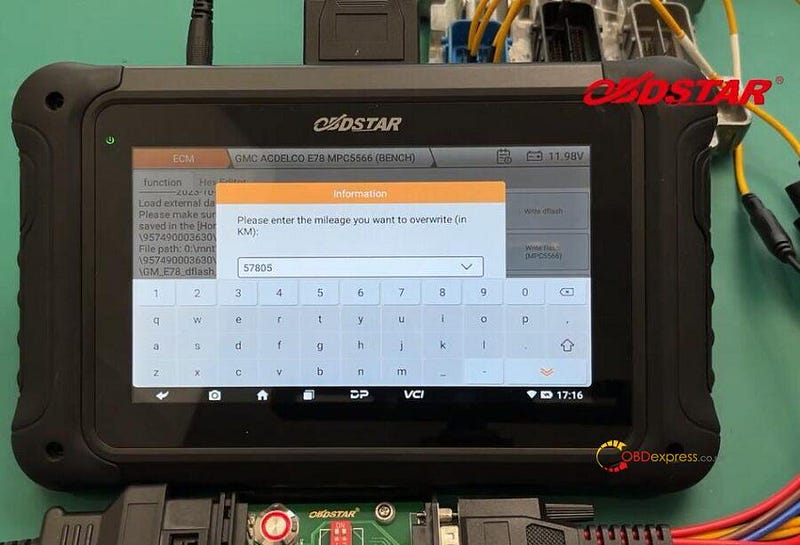
Enter the new mileage you desire

GMC E78 ECM Read and Write with OBDSTAR DC706 on Bench

Confirm the mileage value you input is correct

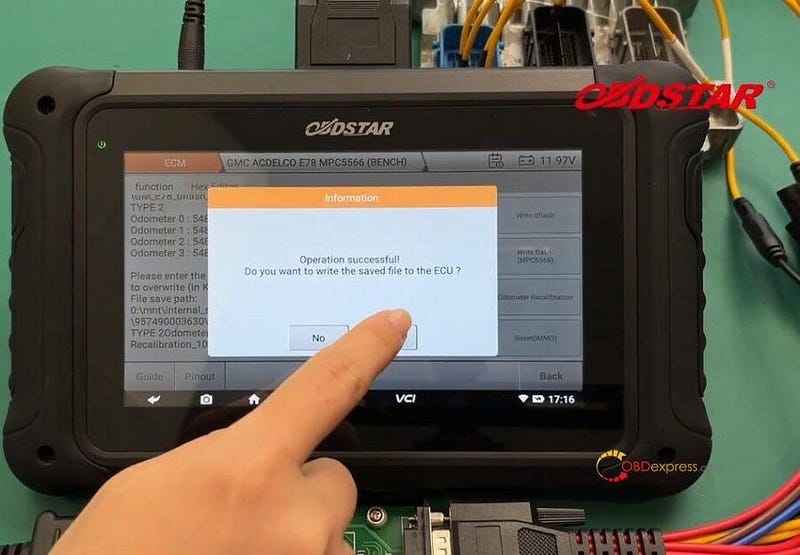
Save the data

Confirm to write the saved file to the ECU

GMC E78 ECM Read and Write with OBDSTAR DC706 on Bench

Done!

OBDSTAR DC706 ECU Tool Full Version:

https://www.obdexpress.co.uk/wholesale/obdstar-dc706-ecu-ecm-tcm-body.html

Tuesday, October 24, 2023

OBDSTAR DC706: Decode Ford SONY TMS470 Radio Effortlessly

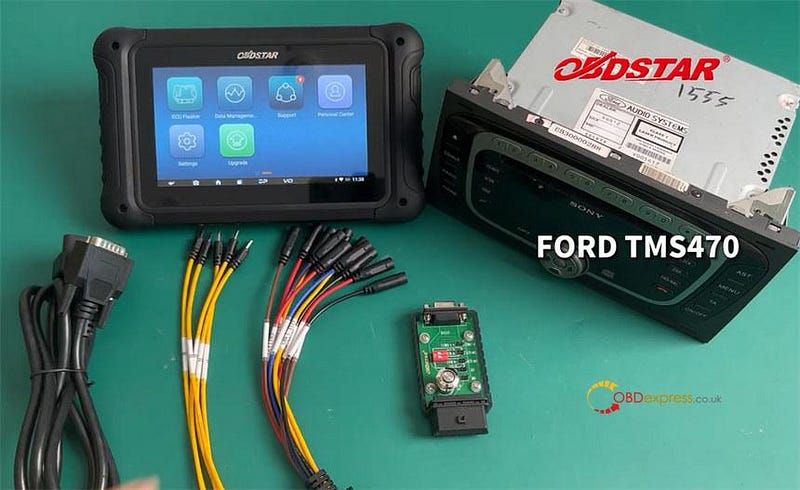
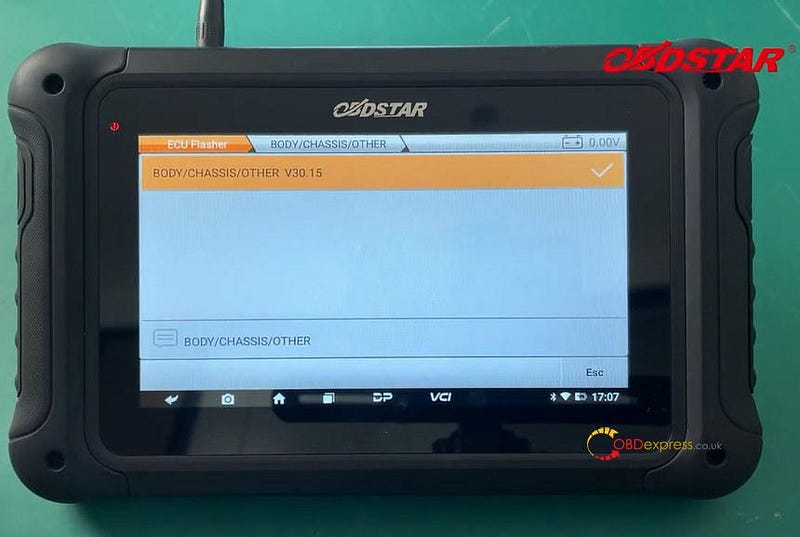
 OBDSTAR DC706 ECU Tool with BODY/CHASSIS/OTHER V30.15 can read/write EEPROM, and read/change/off code for Ford SONY TMS470 Radio via OBD and Bench.

Preparation:

Ford SONY TMS470 Radio

OBDSTAR P004 ECU Clone Jumper

OBDSTAR P004 Adapter

Main Cable

OBDSTAR DC706 Tablet

Read Write Ford SONY TMS470 Radio Code EEPROM with OBDSTAR DC706

Important!

Keep DC706 charging and communicating during the process, also ensure the internet connection is normal.

Menu path:

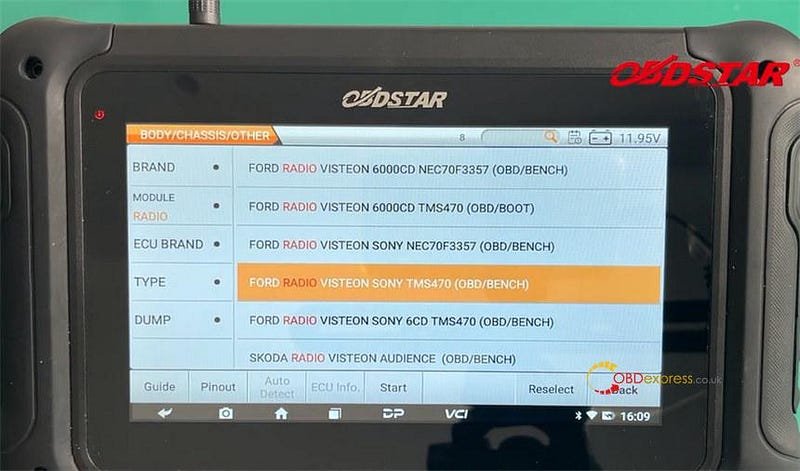
Select ECU Flasher>> All>> BODY/CHASSIS/OTHER>> BODY/CHASSIS/OTHER V30.15>> BRAND FORD>> MODULE RADIO

Quickly search for the corresponding radio model- Ford RADIO VISTEON SONY TMS470 (OBD/BENCH)

Read Write Ford SONY TMS470 Radio Code EEPROM with OBDSTAR DC706

Read Write Ford SONY TMS470 Radio Code EEPROM with OBDSTAR DC706

Operation steps:

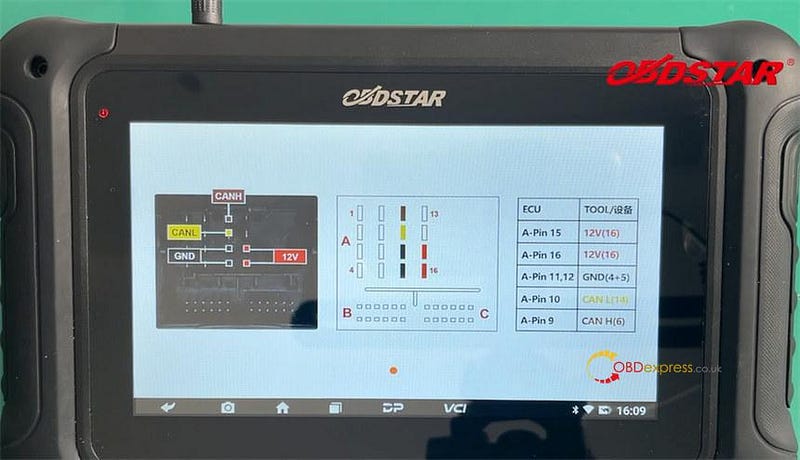
Click [Guide] and [Pinout] to check the related operation instruction and wiring diagram separately

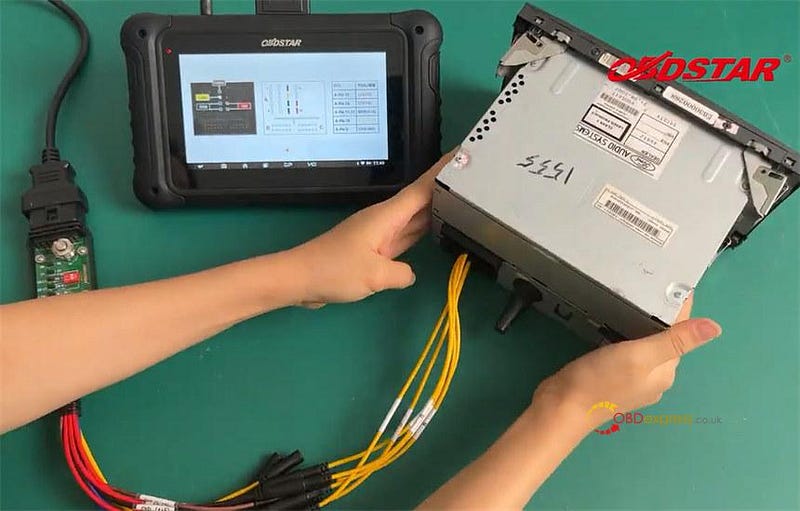
Connect P004 Adapter to the Ford radio via the P004 ECU Clone Jumper, and connect P004 Adapter to DC706 via the main cable

Read Write Ford SONY TMS470 Radio Code EEPROM with OBDSTAR DC706

Read Write Ford SONY TMS470 Radio Code EEPROM with OBDSTAR DC706

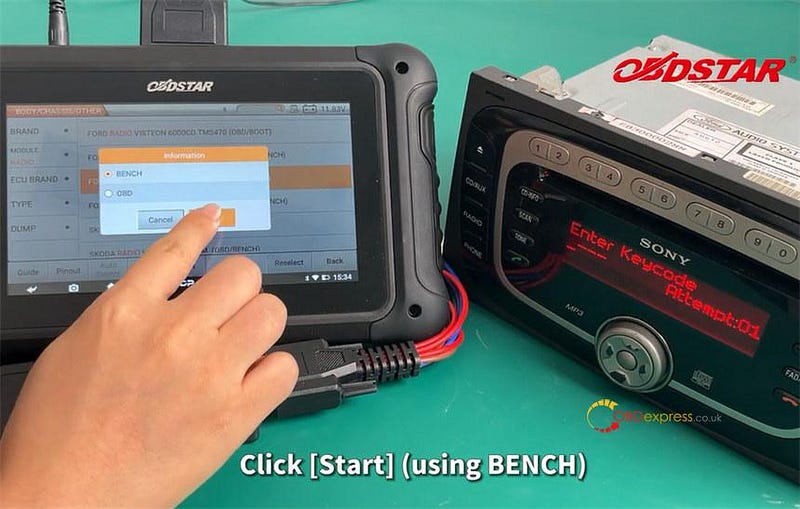
After connection, click [Start] and select [Bench] mode

Read Write Ford SONY TMS470 Radio Code EEPROM with OBDSTAR DC706

Switch on OBDSTAR P004 Adapter

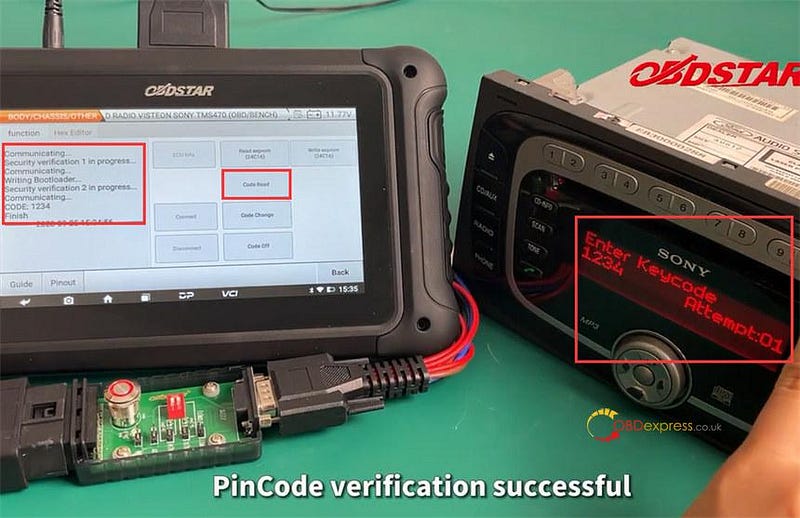
Click [Code Read] to read code successfully. It's 1234.
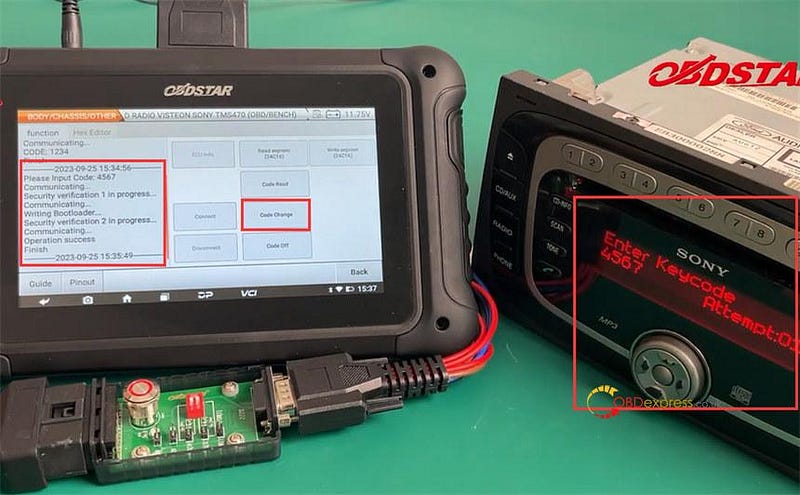
Reboot P004 Adapter, and enter the pincode 1234 on Radio to verification

Verify Pincode successfully

Read Write Ford SONY TMS470 Radio Code EEPROM with OBDSTAR DC706

Click [Code Change] to input a new code 4567. Operation success

Reboot P004 Adapter, and enter the new pincode on Radio to verification

Verify Pincode successfully as well

Read Write Ford SONY TMS470 Radio Code EEPROM with OBDSTAR DC706

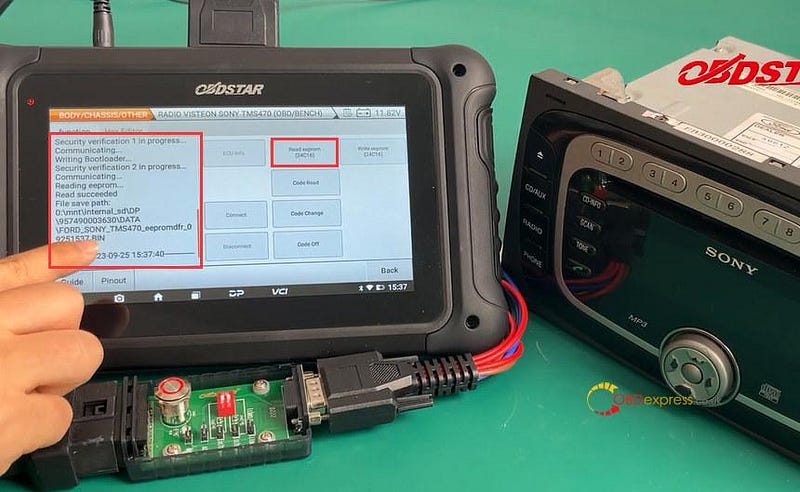
Click [Read eeprom] to read the EEPROM data and save it after reading.

Read Write Ford SONY TMS470 Radio Code EEPROM with OBDSTAR DC706

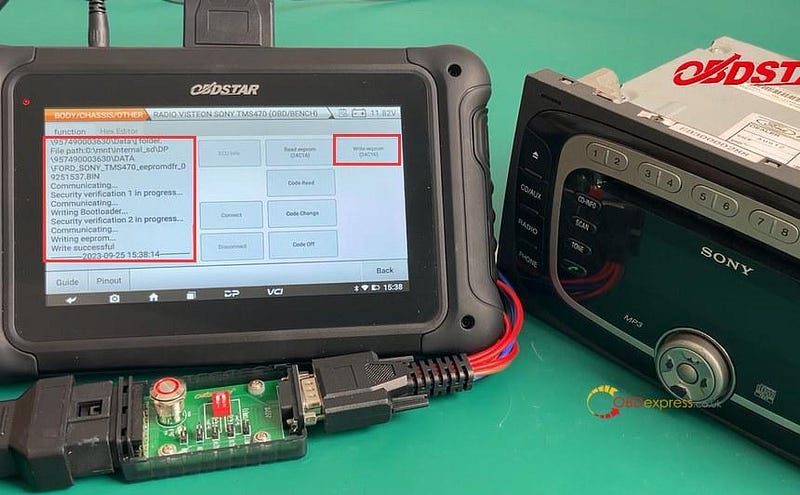
Click [Write eeprom], select load external data and choose the original eeprom data just saved to write into the Ford radio.

Read Write Ford SONY TMS470 Radio Code EEPROM with OBDSTAR DC706

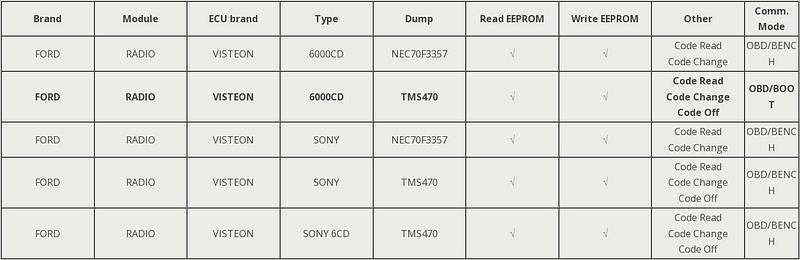
Besides Ford SONY TMS470, OBDSTAR DC706 also supports 6000CD NEC70F3357/ TMS470, SONY NEC70F3357 and SONY 6CD TMS470 radios. Most radio ECUs support OBD and Bench modes, only 6000CD TMS470 supports OBD and Boot modes.

Attach the OBDSTAR DC706 Ford Radio Support List below.

Read Write Ford SONY TMS470 Radio Code EEPROM with OBDSTAR DC706

www.obdexpress.co.uk

Tuesday, September 12, 2023

Unlocking BMW Secrets: ISN Code Reading with OBDSTAR DC706

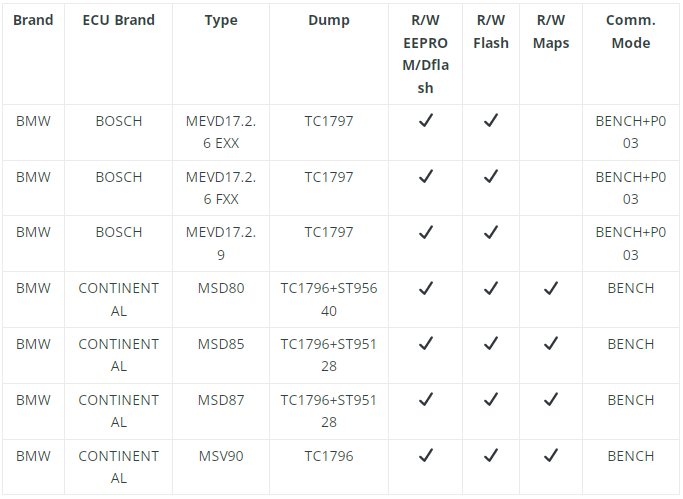
 OBDSTAR DC706 with newest ECM software V30.20 is able to clone BMW Bosch MEVD17.2.6 EXX, MEVD17.2.6 FXX, MEVD17.2.9 (require OBDSTAR P003 Adapter), CONTINENTAL MSD80, MSD85, MSD87, and MSV90 ECMs on bench. ISN code also can be read for some ECMs.

BMW MSV90 Clone and Read ISN Code with OBDSTAR DC706

Check the detailed guide to clone BMW ECM.

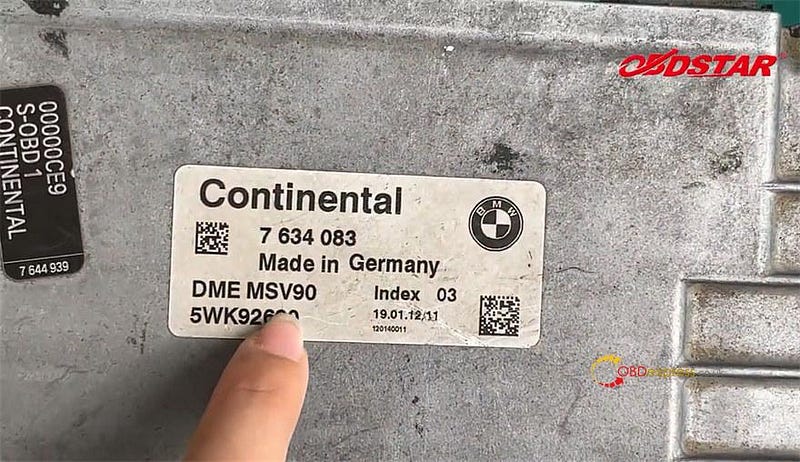
i.e. MSV90 TC1796 ECM

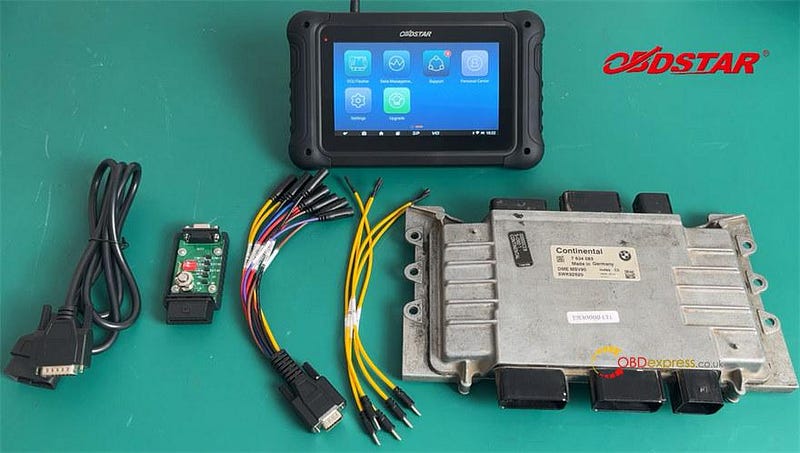
Prepare all goods incl. OBDSTAR DC706 ECU Tool, P004 Adapter and P004 ECU Clone Jumper, main cable and BMW MSV90 ECM.

BMW MSV90 Clone and Read ISN Code with OBDSTAR DC706

BMW MSV90 Clone and Read ISN Code with OBDSTAR DC706

Supply power to DC706 tablet and keep charging and internet communication during the operation

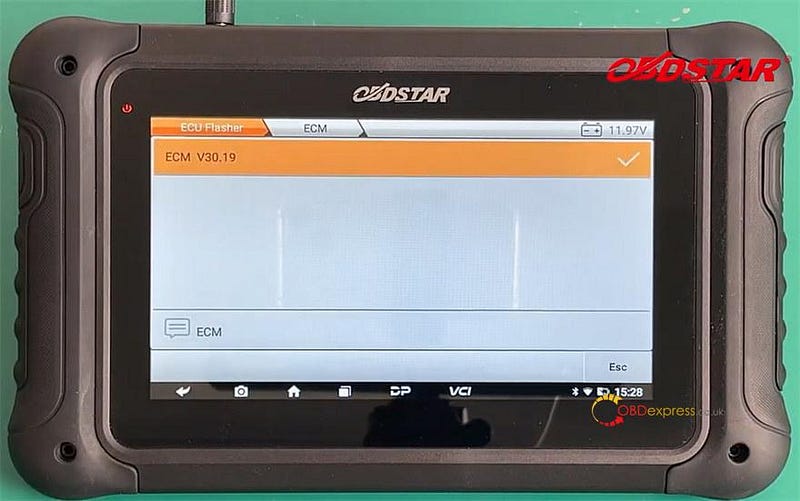
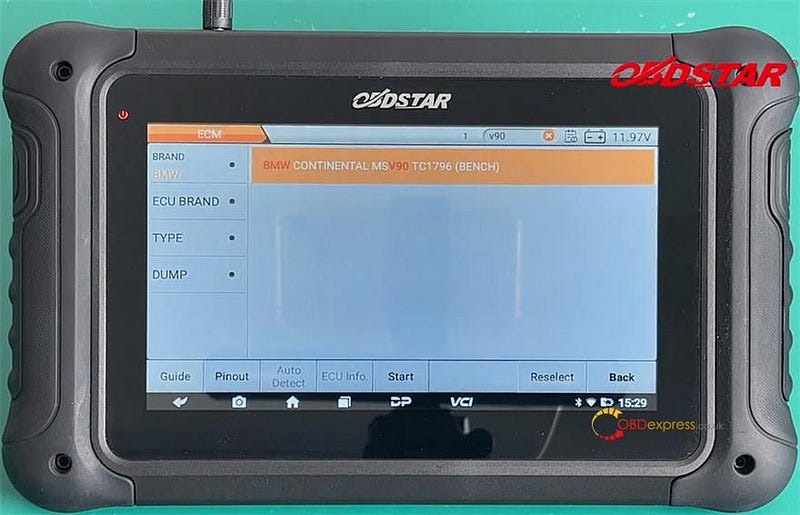
Tap ECU Flasher>> All>> ECM>> ECM V30.19>> BMW>> BMW CONTINENTAL MSV90 TC1766 (BENCH)

BMW MSV90 Clone and Read ISN Code with OBDSTAR DC706

BMW MSV90 Clone and Read ISN Code with OBDSTAR DC706

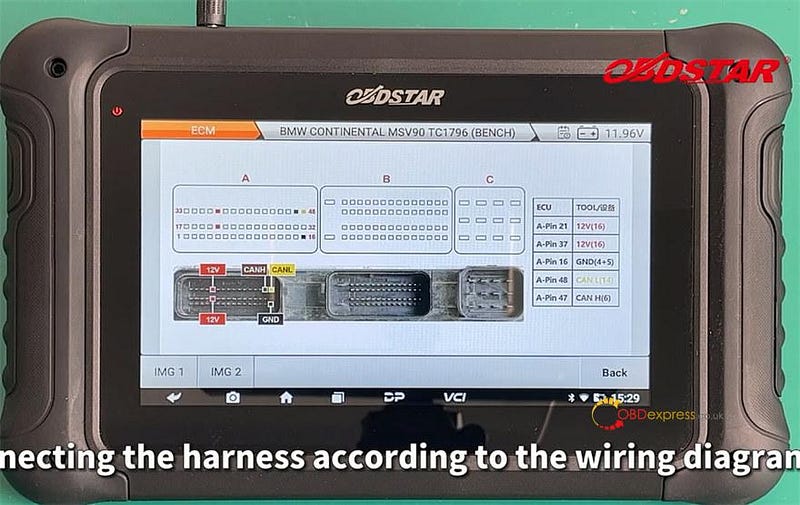
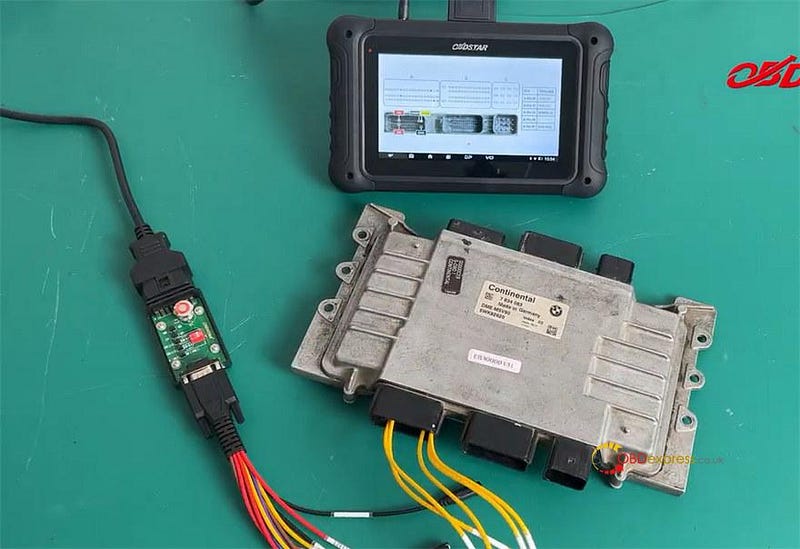
Follow the Pinout in the tablet to connect DC706 and BMW ECM with P004 Adapter& Jumper and main cable

BMW MSV90 Clone and Read ISN Code with OBDSTAR DC706

BMW MSV90 Clone and Read ISN Code with OBDSTAR DC706

After the harness connection is completed, tap "Start" to enter read/write interface

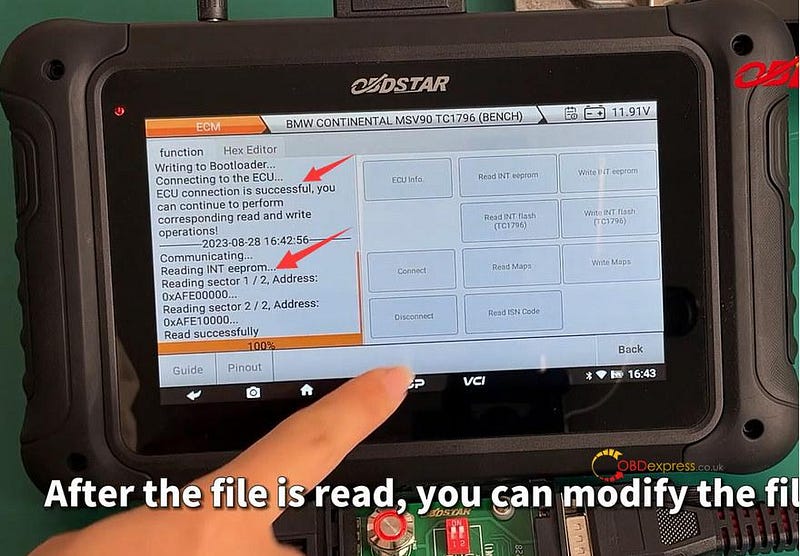
Tap "Connect" to connect the server

Switch ignition off, and then press the switch button on OBDSTAR P004 adapter (turn the ignition on)

Connect ECU successfully

Then select the corresponding function to perform read and write operations

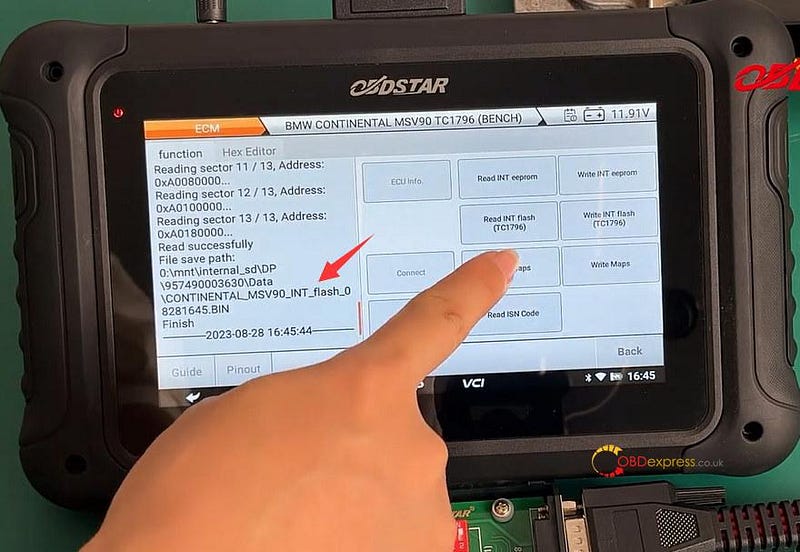
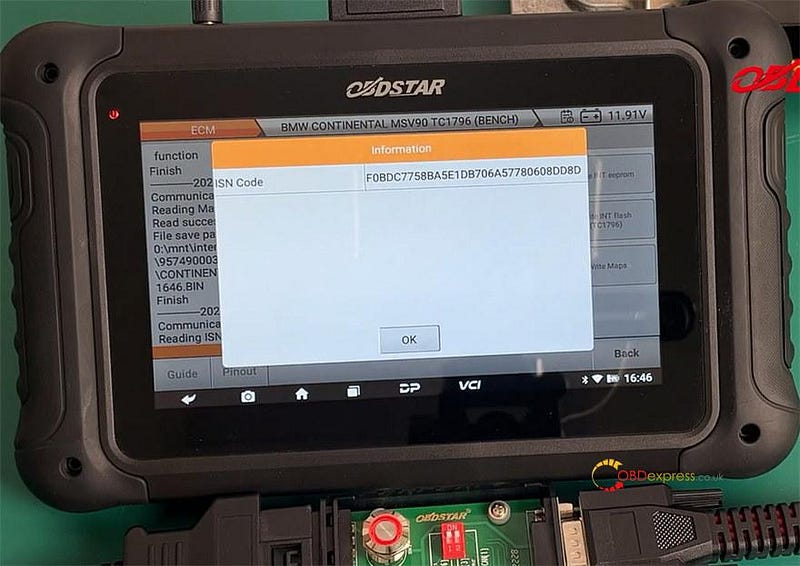
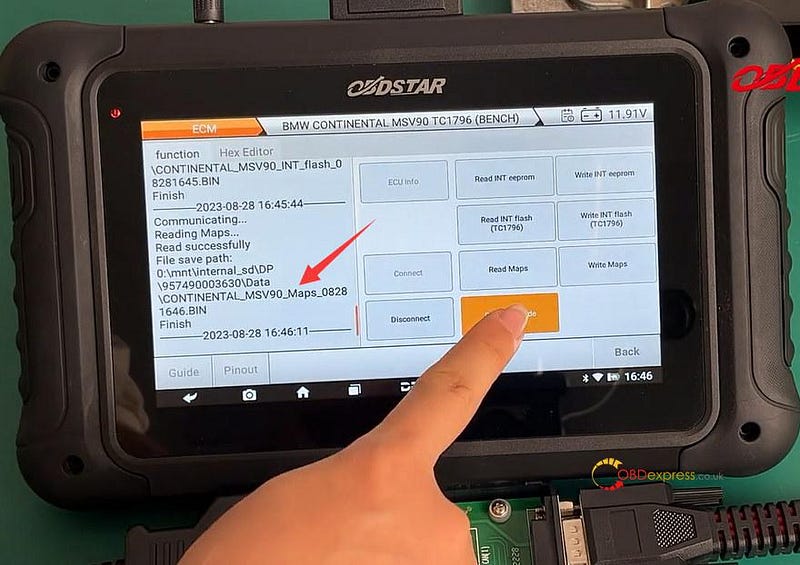
Select the corresponding option to read INT EEPROM, INT Flash (TC1796), Maps, and ISN Code separately

BMW MSV90 Clone and Read ISN Code with OBDSTAR DC706

BMW MSV90 Clone and Read ISN Code with OBDSTAR DC706

BMW MSV90 Clone and Read ISN Code with OBDSTAR DC706

BMW MSV90 Clone and Read ISN Code with OBDSTAR DC706

Disconnect DC706 ECU Tool and the original ECM, and then connect to a new BMW ECM

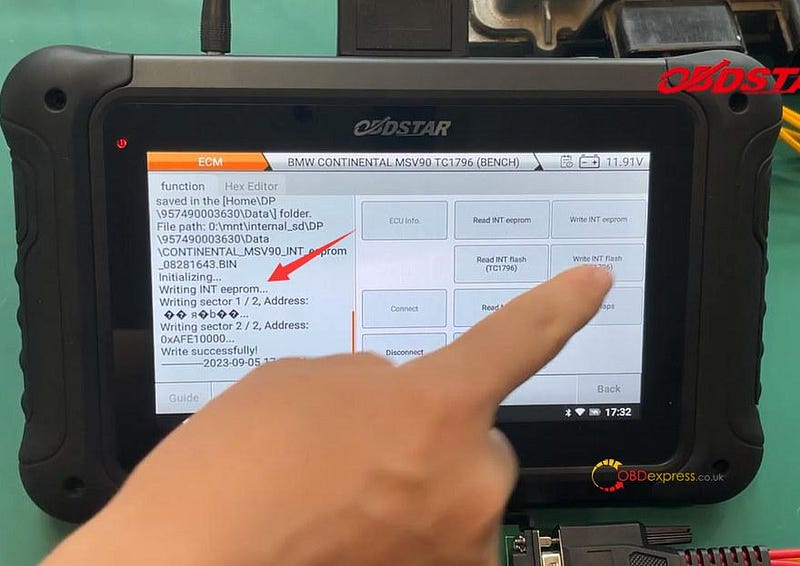
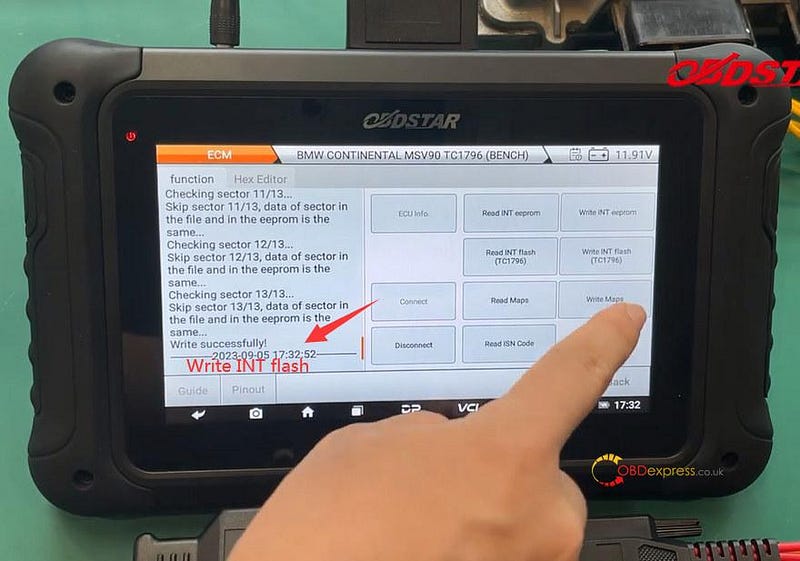
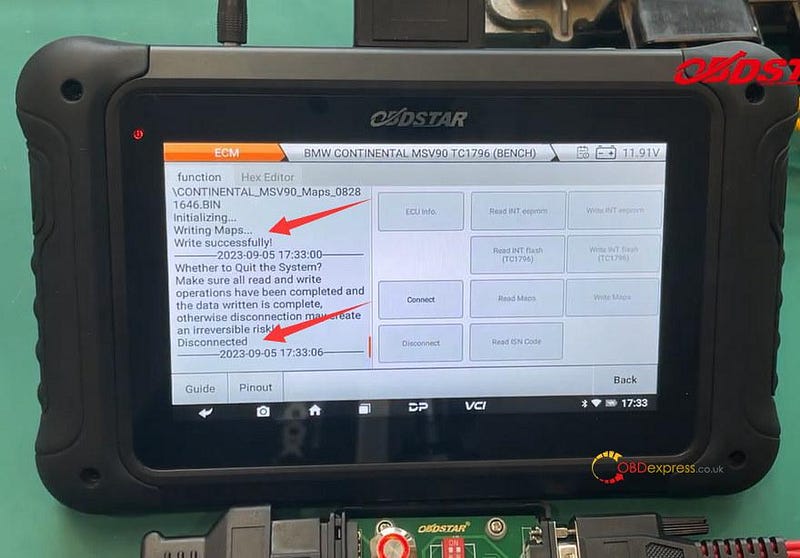
Then choose the original INT EEPROM, INT Flash (TC1796), and Maps data files to write into new ECM one by one

Finally, disconnect and switch the ignition off

BMW MSV90 Clone and Read ISN Code with OBDSTAR DC706

BMW MSV90 Clone and Read ISN Code with OBDSTAR DC706

BMW MSV90 Clone and Read ISN Code with OBDSTAR DC706

Done!

www.obdexpress.co.uk