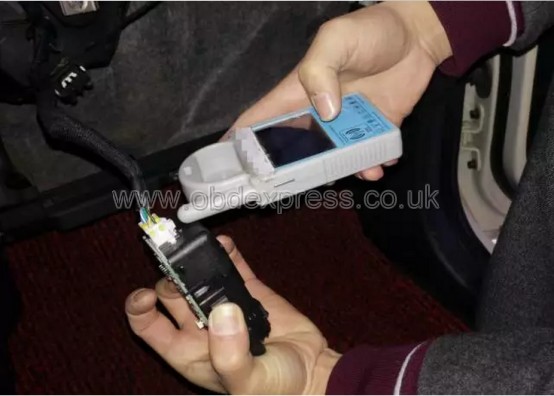
OBDSTAR technology company rolled out a special tablet OBDSTAR DP PAD recently(will be arrive at
obdexpress.co.uk soon),which supplies a comprehensive diagnostic scheme for
Japanese and Korean vehicles.Inheriting from OBDSTAR professional auto programming and advanced diagnosing technology, DP PAD is characterized by concentrating Japanese and Korean vehicles, featuring powerful function, and providing superior quality. Meanwhile, taking advantage of Android system, DP PAD integrates more application and service, such as Maintenance Database, remote assistant, and One Key Update etc.
Concentration makes professional!
Japanese and Korean vehicles are distributed widely and receive good reputation all over the world. Therefore,
OBDSTAR DP PAD is created in response to the proper and conditions. It is a convenient device, combining Android system, immobilizer, diagnose and special function, which closely follows the global trend and greatly meets the demand of users. In addition, abundant and powerful maintenance database and car testing video have realized easier operation and real success. Furthermore, Remote guide strengthens the communication between end users and technicians, without worries about after -sell service.
- Android system is equipped with clear and user-friendly interface.
- Diagnostic function strengthens professionalism in auto key programming.
- Large amount of videos help users to operate it easily.
- Maintenance database offers more powerful data.
- Remote guide achieves zero distance between users and technicians.
- Report center helps mutual improvement of terminal experience and technology.
- One key upgrade realizes with one click.
- Industrial design ensures that the tool works stably under tough environment, such as high or low temperatures.
- Multi-language environment can be applied in different countries and areas.
- Vehicle coverage
HIMIKO, MAZDA, HONDA/ACURA, HYUNDAI, ISUZU, KIA, MITSUBISHI, NISSAN/INFINITI, SSANGYONG, SUBARU, SUZUKI, TOYOTA/LEXUS etc.
- Software update
One key upgrade ; Free update for one year
- Language
English, simplified Chinese, traditional Chinese, language customization.
- Features
Read and clear fault codes;
Clear key memory;
Program keys, proximity keys, smart key, flip keys;
Program after-market and OEM keys;
Display live data;
Component actuation;
Read keys from immobilizer memory
New ECU programming;
New mechanical key number programming;
Vehicle identification key programming;
Reset ECU& Reset immobilizer;
New remote controller programming;
Immo PINCODE reader;
Mileage adjustment via OBD;
With full and strong database for the most important vehicle makes;
VCI diagnose
One key upgrade via wifi
Remote assistance
Report center
EEPROM chip read and immobilizer initialization;
EPB(Electric park brake);
Oil/Service reset;
Battery matching;
ABS
TPS
SRS reset
TPMS(low tire)reset
Steering angle reset
CVT learning/Value reset
EEPROM/PIC adapter
OBDII
Diagnosis
- DP PAD function
Immobilizer+ odometer adjustment+ EEPROM/PIC adapter+ OBDII+ ABS+ TPS+ SRS reset+ TPMS(low tire)reset+ Steering angle reset+ CVT learning/Value reset+ EPB+ Oil/service reset+ Battery matching+ Diagnosis(Japanese and Korean serials)
- Packing list
DP PAD tablet computer
5V DC adapter power
12V DV adapter power
Adapter
Adapter board
USB cable
OBD15P main cable
Pin-adapter
HONDA-3
HYUNDAI/KIA-10
OBD II-16
KIA-20
Product Certification
User’s Manual