Pages

OBDSTAR ODOMASTER & X300 PRO4

Showing posts with label OBDSTAR X300 Prog3. Show all posts

Friday, June 2, 2017

How to use OBDSTAR RFID Adapter to work withX300 DP/DP PAD/X300 PRO3/X100 PRO?

How to use OBDSTAR RFID Adapter Chip Reader to work withX300 DP/DP PAD/X300 PRO3/X100 PRO?

1. Update the RFID adapter to the latest version before operation.
Take DP tablet series for example, how to update OBDSTAR RFID Adapter ?
1) Enter Immobiliser and Select the newest software version of VW/AUDI/SKODA/SEAT V32.03
OBDSTAR RFID Adapter Chip (1)
2) Select the Vehicle Brand and Take VW for example
OBDSTAR RFID Adapter Chip (2)
3) Choose “program keys”
OBDSTAR RFID Adapter Chip (3)
4) Choose “4 Generatin Immo”
OBDSTAR RFID Adapter Chip (4)
5) Choose “RFID Update”
OBDSTAR RFID Adapter Chip (5)
6) Start Updating Firmware
OBDSTAR RFID Adapter Chip (6)
7) Firmware Update Finished
OBDSTAR RFID Adapter Chip (7)
2. Connect OBDSTAR RFID Adapter
OBDSTAR RFID Adapter Chip (8)
interface1: connect to RFID adapter
interface2: connect to X300 PRO or DP tablet VCI box
interface3: connect with OBD16 connector, then connect to OBD diagnose interface on the car
Engineer Test Operation Display newly

Saturday, March 11, 2017

How To Use OBDSTAR X300 Prog3 Mileage Adjustment On Audi Q5 2010 via OBD2

Does not konw how to change Audi Q5 2010 odometer mileage?
Here has a step-by-step tutorial on chang Audi Q5 2010 KM with mileage programmer OBDSTAR X300 Prog3 via OBD2.
Video:


Vehicle: Audi Q5 2010
Device Use: OBDSTAR X300 PRO3
Mileage Adjustment Procedure:
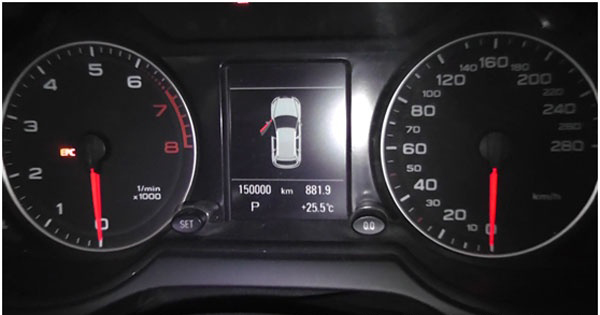
The current mileage is 150000 km.
x300pro3-odometer-adjustment-01
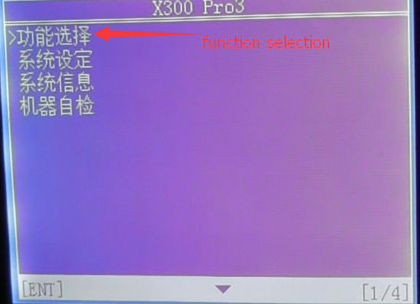
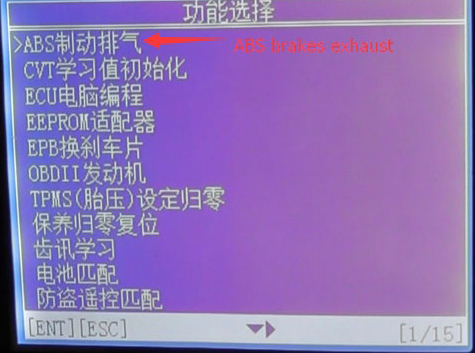
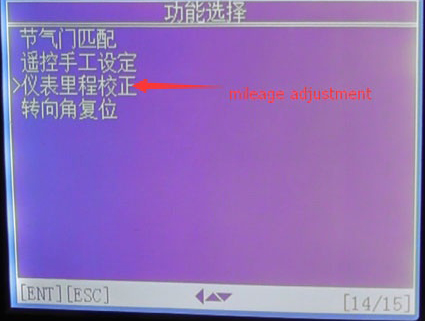
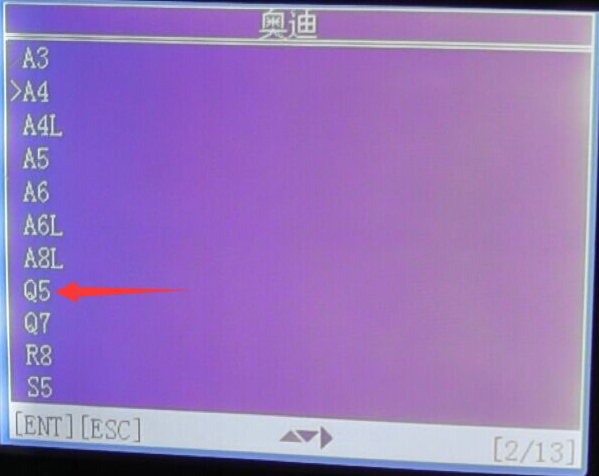
Choose “Function Selection” →“ABS brakes exhaust” →“Mileage Adjustment” →select the cat model “Q5 2008-2012”
x300pro3-odometer-adjustment-02
Choose “ABS brakes exhaust”
x300pro3-odometer-adjustment-03
Choose “Mileage Adjustment”
x300pro3-odometer-adjustment-04
Select car model “Audi Q5 2008-2012” and press “ENTER” to continue
x300pro3-odometer-adjustment-05
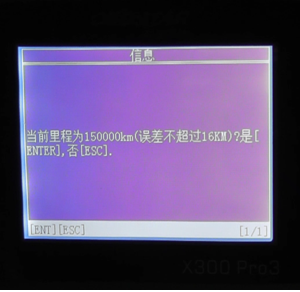
The current mileage of 150000 km (error does not exceed 16km), press “ENTER”
x300pro3-odometer-adjustment-06
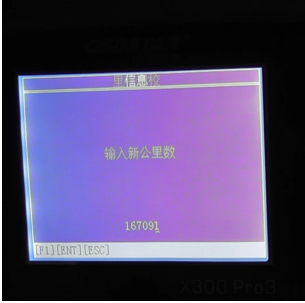
Input the mileage of the adjustment, here input“167091” as an example. This step may cost you about 10-60mins.
x300pro3-odometer-adjustment-07
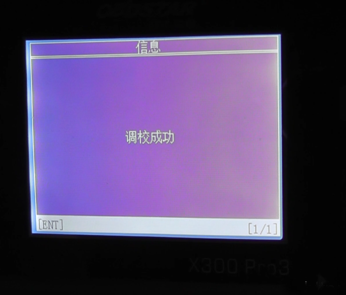
Adjustment complete
x300pro3-odometer-adjustment-08
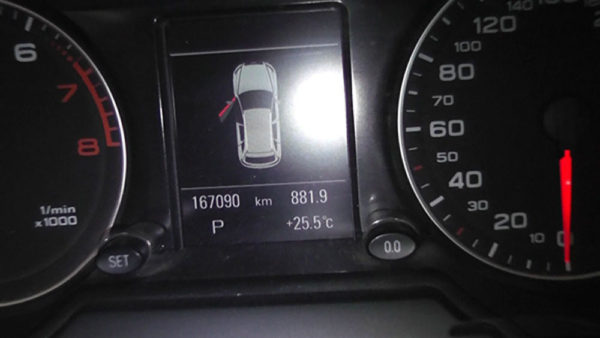
The mileage turned into 167090km
x300pro3-odometer-adjustment-09
Done ! Successfully changed the mileage!
That’s all for OBDSTAR X300 PRO3 Mileage Adjustment on Audi Q5 2010 Hope it can help you!