Pages

OBDSTAR ODOMASTER & X300 PRO4

Showing posts with label OBDSTAR X300 Classic G3. Show all posts

Wednesday, January 15, 2025

Comparing OBDSTAR X300 Classic G3 and OBDSTAR DC706 functionality

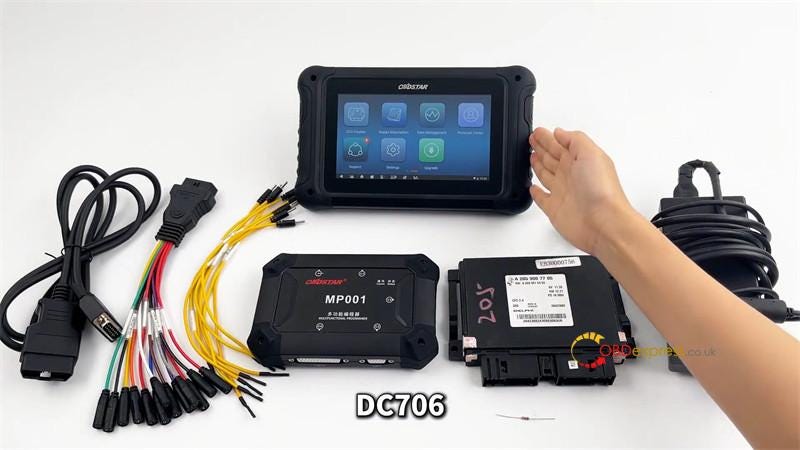
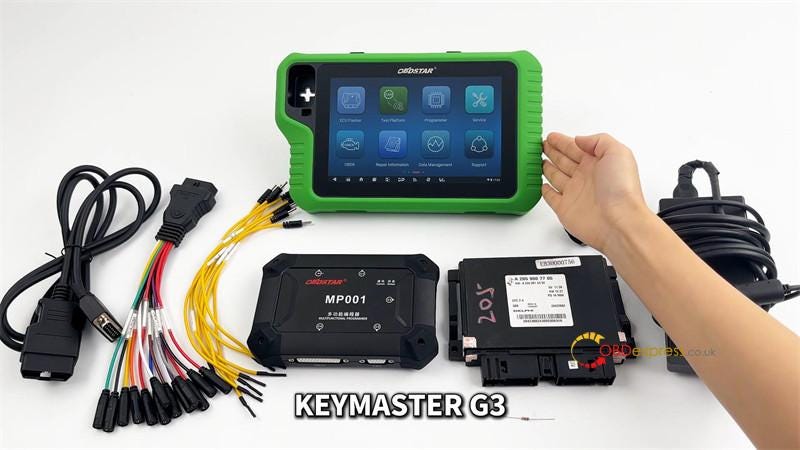
 Some users don’t quite understand the difference between OBDSTAR X300 Classic G3 (KeyMaster G3) and OBDSTAR DC706. To put it simply, G3 is a comprehensive diagnostic tool, while DC706 focuses on ECU.

This time we will not use the table for comparison, because the hardware specification comparison is not suitable for It doesn’t mean much for two tools with different specializations. I will only introduce the functional differences between the two.
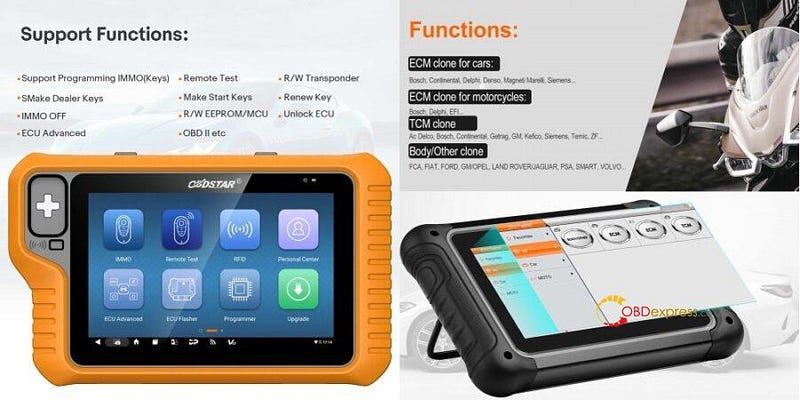

OBDSTAR X300 Classic G3 vs. OBDSTAR DC706

Differences in ECU Programming:

  • DC706: Specialized for ECU cloning tasks with wider coverage, particularly in BCM and ECU functionalities.
  • X300 Classic G3: Can achieve similar functionalities as DC706 by purchasing additional licenses but is more of a general diagnostic tool.

Differences in IMMO Functions:

  • DC706: Does not support IMMO (Immobilizer) functions.
  • X300 Classic G3: Supports IMMO functions.

Differences in ODO METER Functions:

  • DC706: Does not support ODO METER (Mileage correction) functions.
  • X300 Classic G3: Supports ODO METER function(Car/ Moto), but requires paid activation.

Differences in Crash Reset(Battery/ Airbag/ SAS) Functions:

  • DC706: Does not support reset functions.
  • X300 Classic G3: Supports reset functions, but requires paid activation.

Summary of Key Points for Choosing:

  • DC706: Best for users focused on ECU/BCM/TCU cloning without requiring broader diagnostic capabilities. And if you need P001 multifunctional programmer, need to be purchased separately.
  • X300 Classic G3: Ideal for users seeking an expandable, all-in-one diagnostic and programming tool with additional features like IMMO. And G3 comes with MP001 (replace P003/P003+ adapter) and P004 adapters in default.

It should be noted that, just like the G3, which requires a software license to use related functions, the DC706 also has different software configurations, as shown in the following table:
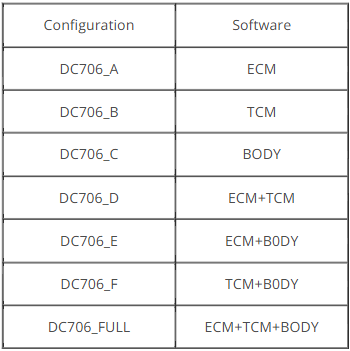

DC706 software configurations

For tech support and best price Pls contact us:
Email: sales@OBDexpress.co.uk
WhatsApp: +44 7418609676

Tuesday, September 10, 2024

OBDSTAR X300 Classic G3 Guide: Volvo ABS Code Reset via OBD

 How to reset ABS code on Volvo by OBDSTAR X300 Classic G3 Key Programmer?

Main steps:

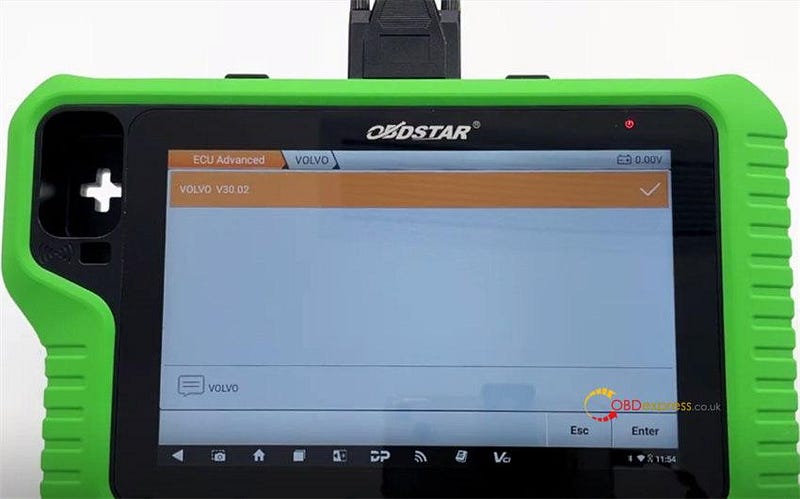
1.Make sure the software is updated to V30.02 or above

2.Ensure the WiFi connection is enabled

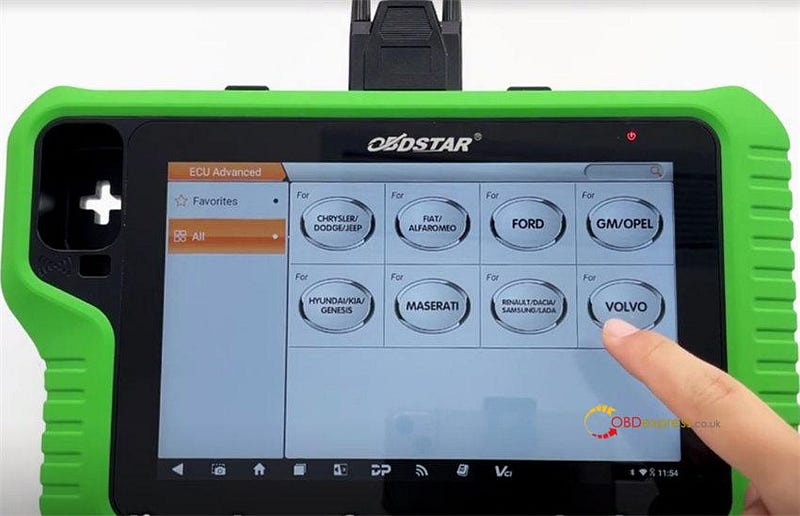
3.Perform "Reset code" function with the [ECU Advanced] option on the main menu

* You can click the "Guide" button to check the background, function introduction and menu description.

ABS Code Reset Background:

Used ABS (Anti-lock Braking System) or DSTC (Dynamic Stability and Traction Control) control modules typically store the original vehicle’s security information. After replacement, if we do not perform an ABS coding reset, we will not be able to execute the programming function. Prior to programming, you need to use the main cable connected to the OBD connector to perform a coding reset, which resets the ECU to its initial state.

Operation guide:

Connect X300 Classic G3 and Volvo car via the main OBD cable

Connect to an available WiFi

Select [ECU Advanced] function on the main menu

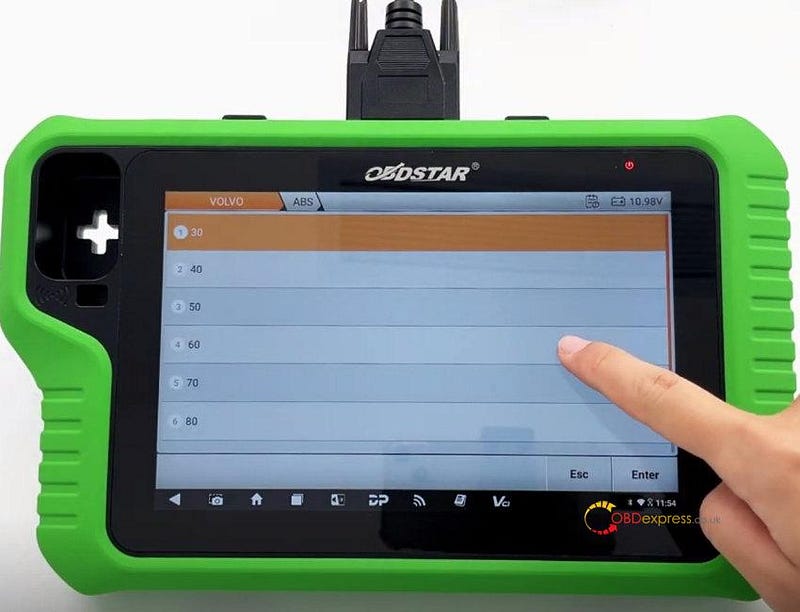
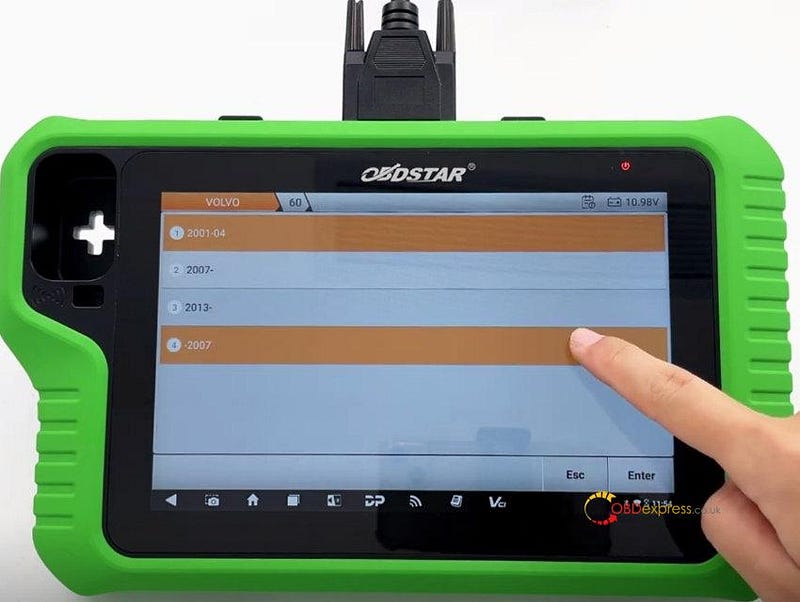
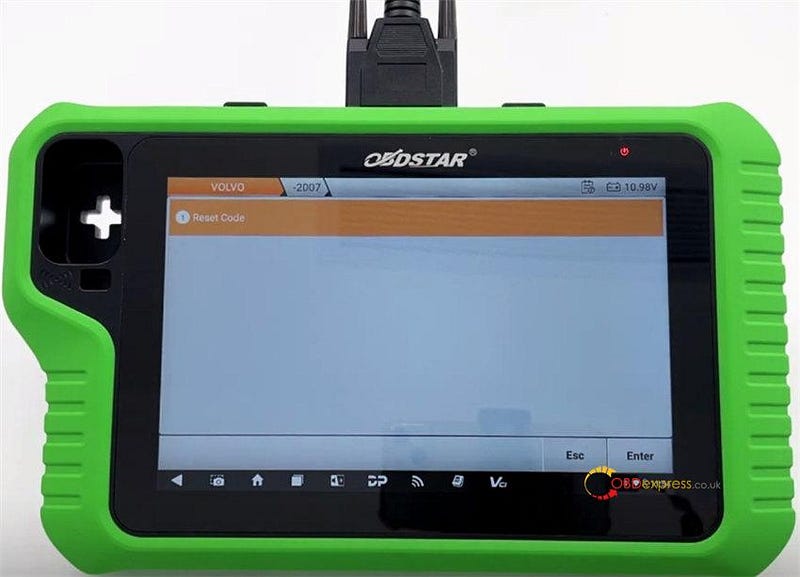
Select Volvo>> Volvo V30.02 (or above)>> 60>> -2007>> Reset Code


OBDSTAR X300 Classic G3 Reset Volvo ABS Code via OBD

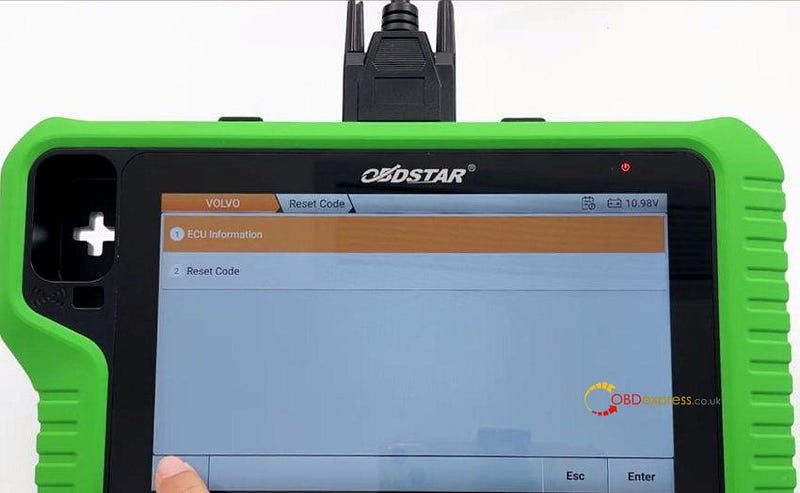
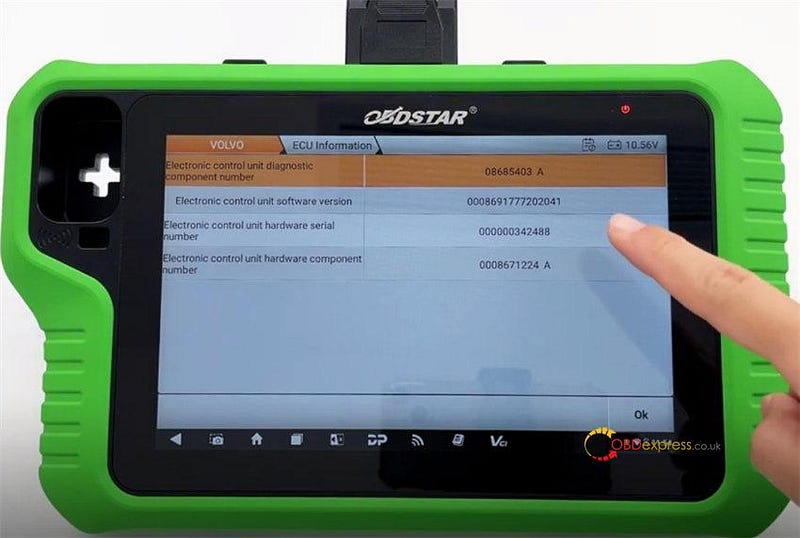
Select "ECU Information" to check if the ECU info is correct


OBDSTAR X300 Classic G3 Reset Volvo ABS Code via OBD

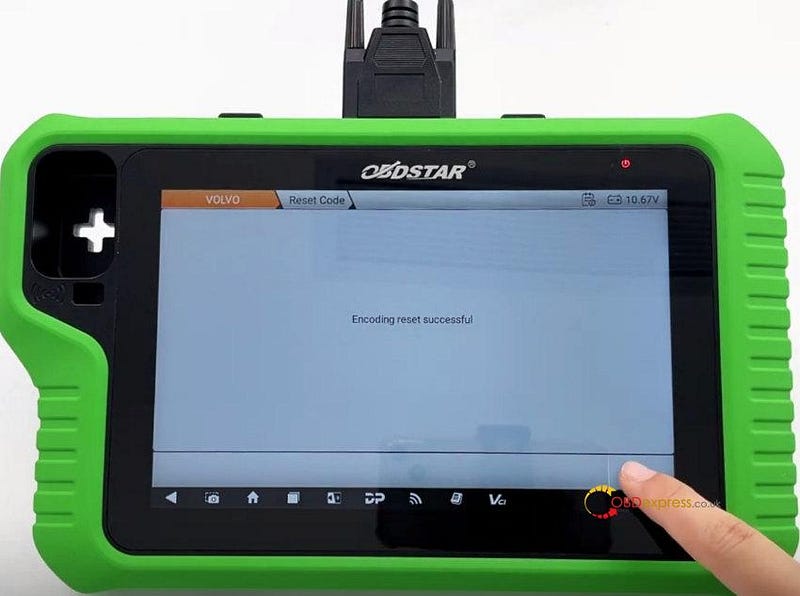
Then select "Reset code" and wait the encoding reset is successful.


OBDSTAR X300 Classic G3 Reset Volvo ABS Code via OBD

OBDSTAR X300 Classic G3 Volvo ABS ECM IAU SCL Reset/Program Support List:

ABS:

• VOLVO 30 2012- Reset Code

• VOLVO 30 -2012 Reset Code

• VOLVO 40 2012- Reset Code

• VOLVO 40 -2012 Reset Code

• VOLVO 50 2012- Reset Code

• VOLVO 50 -2012 Reset Code

• VOLVO 60 2013- DENSO Program ABS (OBD)

• VOLVO 60 2007- Reset Code

• VOLVO 60 2007- BOSCH EDC16 Program ABS (OBD)
• VOLVO 60 2007- BOSCH EDC17 Program ABS (OBD)

• VOLVO 60 2007- BOSCH SID807EVO Program ABS (OBD)

• VOLVO 60 -2007 Reset Code

• VOLVO 60 2001–04 Reset Code

• VOLVO 70 2013- DENSO Program ABS (OBD)

• VOLVO 70 2007-BOSCH EDC16 Program ABS (OBD)

• VOLVO 70 2007- BOSCH EDC17 Program ABS (OBD)

• VOLVO 70 2007- SID807EVO Program ABS (OBD)

• VOLVO 70 2001–04 Reset Code

• VOLVO 70 2001–04 Reset Code

• VOLVO 80 2013-DENSO Program ABS (OBD)

• VOLVO 80 2007-BOSCH EDC16 Program ABS (OBD)

• VOLVO 80 2007- BOSCH EDC17 Program ABS (OBD)

• VOLVO 80 2007- SID807EVO Program ABS (OBD)

• VOLVO 80 2001–04 Reset Code

• VOLVO 80 2001–04 Reset Code

• VOLVO 90 2001–04 Reset Code

• VOLVO S80 2007-BOSCH SID206 Program ABS (OBD)

• VOLVO V40 2013- BOSCH EDC17 Program ABS (OBD)

• VOLVO V40 2013- SID807EVO Program ABS (OBD)

• VOLVO V40 2013- DENSO Program ABS (OBD)

ECM:

• VOLVO 60 2015–2018 DENSO Program ECM (OBD)

• VOLVO 60 2017- BOSCH EDC16 Program ECM (OBD)

• VOLVO 60 2017- BOSCH EDC17 Program ECM (OBD)

• VOLVO 60 2017- DENSO Program ECM (OBD)

• VOLVO 70 2007-BOSCH EDC16 Program ECM (OBD)

• VOLVO 70 2007- BOSCH EDC17 Program ECM (OBD)

• VOLVO 70 2007- SID807EVO Program ECM (OBD)

• VOLVO 70 2015–2018 DENSO Program ECM (OBD)

• VOLVO 80 2007-BOSCH EDC16 Program ECM (OBD)

• VOLVO 80 2007- BOSCH EDC17 Program ECM(OBD)

• VOLVO 80 2007- SID807EVO Program ECM (OBD)

• VOLVO V40 2015–2018 DENSO Program ECM (OBD)

• VOLVO V40 2013–2015 DENSO Program ECM (OBD)

• VOLVO V40 2013- BOSCH EDC17 Program ECM (OBD)

• VOLVO V40 2013- SID807EVO Program ECM (OBD)

IAU:

• VOLVO 60 2007- BOSCH Program IAU (OBD)

• VOLVO 70 2007- BOSCH Program IAU (OBD)

• VOLVO 80 2007- BOSCH Program IAU (OBD)

SCL:

• VOLVO 60 2007- BOSCH Program SCL (OBD)

• VOLVO 70 2007- BOSCH Program SCL (OBD)

• VOLVO 80 2007- BOSCH Program SCL (OBD)

www.obdexpress.co.uk

Thursday, August 8, 2024

OBDSTAR X300 Series IMMO Software Upgrade: New Vehicle Support

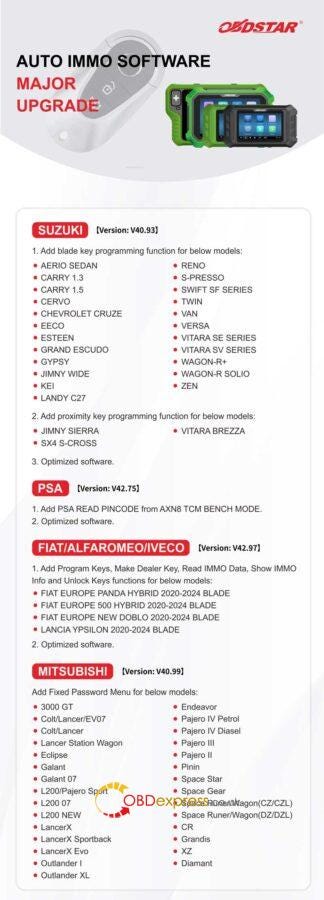
 OBDSTAR has released automotive IMMO software upgrade recently, covering SUZUKI, PSA, FIAT/ALFAROMEO/IVECO, MITSUBISHI, FORTHING, GREATWALL, NETA and GEELY.

Supported Tools

OBDSTAR X300 DP Plus

OBDSTAR X300 Classic G3

OBDSTAR X300 PRO4

OBDSTAR X300 MINI PSA/FIAT

SUZUKI Version: V40.93

  1. Add blade key programming function for below models:

AERIO SEDAN

CARRY 1.3

CARRY 1.5

CERVO

CHEVROLET CRUZE

EECO

ESTEEN

GRAND ESCUDO

GYPSY

JIMNY WIDE

KEI

LANDY C27

RENO

  • PRESSO

SWIFT SF SERIES

TWIN

VAN

VERSA

VITARA SE SERIES

VITARA SV SERIES

WAGON-R+

WAGON-R SOLIO

ZEN

  1. Add proximity key programming function for below models:

JIMNY SIERRA

VITARA BREZZA

SX4 S-CROSS

  1. Optimized software.

PSA Version: V42.75

  1. Add PSA READ PINCODE from AXN8 TCM BENCH MODE.
  2. Optimized software.

FIAT/ALFAROMEO/IVECO Version:V42.97

  1. Add program keys, make dealer key, read IMMO data, show IMMO info and unlock keys function for below models:

FIAT EUROPE PANDA HYBRID 2020–2024 BLADE

FIAT EUROPE 500 HYBRID 2020–2024 BLADE

FIAT EUROPE NEW DOBLO 2020–2024 BLADE

LANCIA YPSILON 2020–2024 BLADE

  1. Optimized software.

MITSUBISHI Version: V40.99

Add fixed password menu for below models:

3000 GT

Colt/Lancer/EV07

Colt/Lancer

Lancer Station Wagon

Eclipse

Galant

Galant 07

L200/Pajero Sport

L200 07

L200 NEW

LancerX

LancerX Sportback

LancerX Evo

Outlander I

Outlander XL

Endeavor

Pajero IV Petrol

Pajero IV Diasel

Pajero III

Pajero II

Pinin

Space Star

Space Gear

Space Runer/Wagon(CZ/CZL)

Space Runer/Wagon(DZ/DZL)

CR

Grandis

XZ

Diamant


OBDSTAR X300 IMMO Software Upgrade

Supported Tools

OBDSTAR Key Master DP Plus

OBDSTAR Key Master G3

OBDSTAR Key Master 5

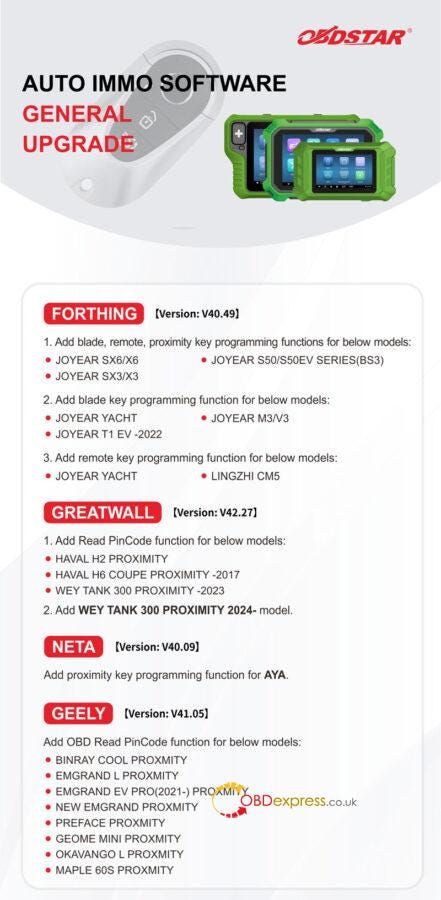
FORTHING Version: V40.49

  1. Add blade, remote, proximity key programming functions for below models:

JOYEAR SX6/X6

JOYEAR S50/S50EV SERIES(BS3)

JOYEAR SX3/X3

  1. Add blade key programming function for below models:

JOYEAR YACHT

JOYEAR M3/V3

JOYEAR T1 EV -2022

  1. Add remote key programming function for below models:

JOYEAR YACHT

LINGZHI CM5

GREATWALL Version: V42.27

  1. Add read pincode function for below models:

HAVAL H2 PROXIMITY

HAVAL H6 COUPE PROXIMITY -2017

WEY TANK 300 PROXIMITY -2023

  1. Add WEY TANK 300 PROXIMITY 2024- model.

NETA Version: V40.09

Add proximity key programming function for AYA.

GEELY Version: V41.05

Add OBD read pincode function for below models:

BINRAY COOL PROXMITY

EMGRAND L PROXMITY

EMGRAND EV PRO(2021-) PROXMITY

NEW EMGRAND PROXMITY

PREFACE PROXMITY

GEOME MINI PROXMITY

OKAVANGO L PROXMITY

MAPLE 60S PROXMITY


OBDSTAR X300 IMMO Software Upgrade

www.obdexpress.co.uk

Friday, July 19, 2024

Nissan CVT TCU253 TCM Data Cloning Using OBDSTAR G3 and DC706

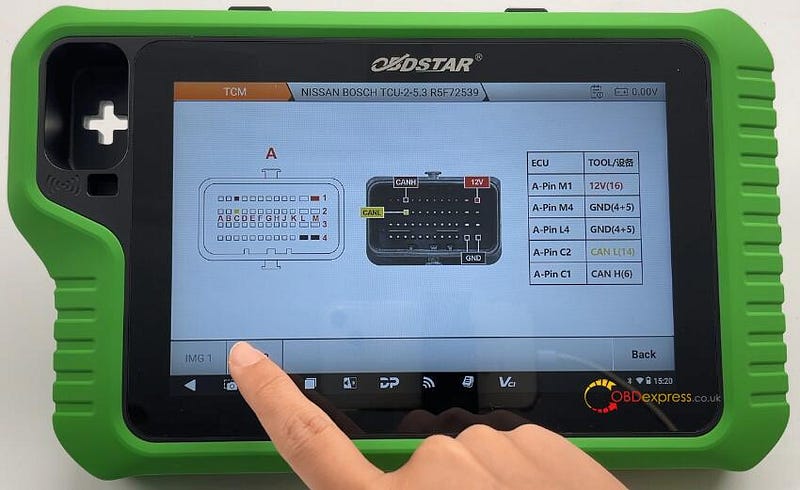
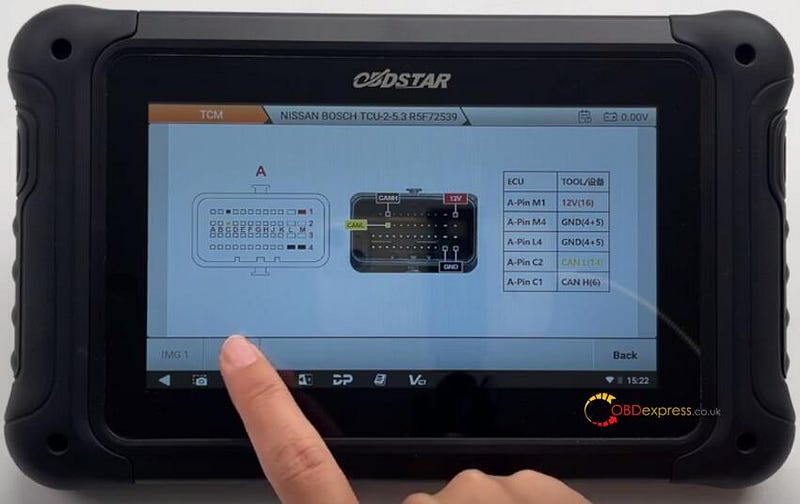
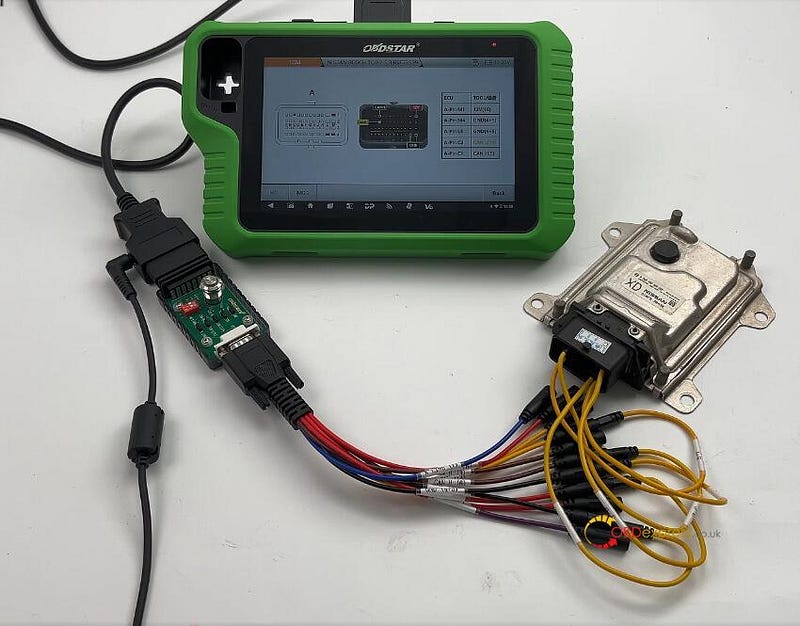
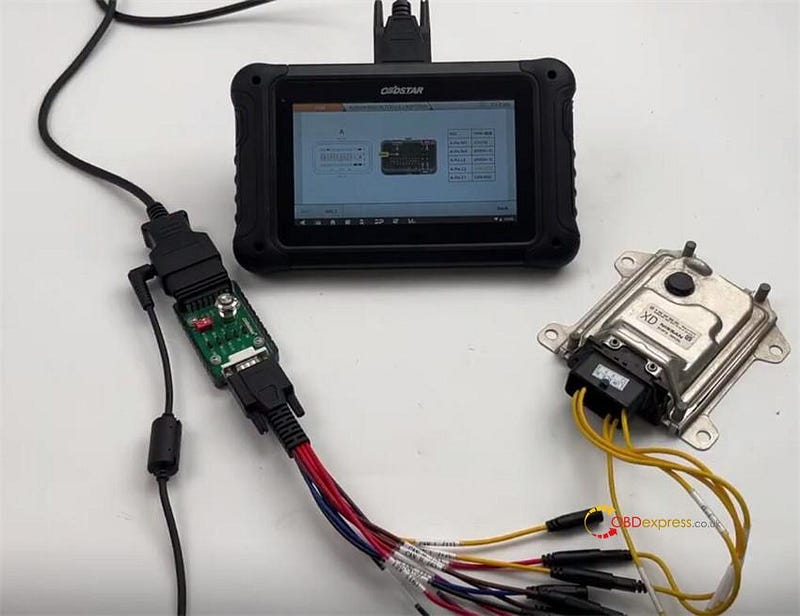
 OBDSTAR X300 Classic G3 Key Programmer and DC706 ECU Tool can read and write Nissan Bosch CVT TCU253 R5F72539 TCM data by Bench and P004 mode. They have the same wiring diagram, and require OBDSTAR P004 Adapter and ECU Clone Jumper to connect device and Nissan TCM.


Nissan CVT TCU253 R5F72539 TCM Clone by OBDSTAR G3, DC706

To perform the TCM reading and writing function successfully, please ensure the network connection is normal and 12V power supply is connected well during the operation, and follow the wiring diagram to connect OBDSTAR tool and TCM properly.

When using X300 Classic G3, need to activate ECU Clone License.

Menu function path:

Select ECU Flasher>> TCM>> TCM software (V30.31 or above)>> NISSAN BOSCH TCU-2–5–3 R5F72539

Wiring diagram:

ECUTOOLA-Pin M112V (16)A-Pin M4GND (4+5)A-Pin L4GND (4+5)A-Pin C2CAN L (14)A-Pin C1CAN H (6)


Nissan CVT TCU253 R5F72539 TCM Clone by OBDSTAR G3, DC706

Connect OBDSTAR G3/DC706 and Nissan TCM correctly


Nissan CVT TCU253 R5F72539 TCM Clone by OBDSTAR G3, DC706

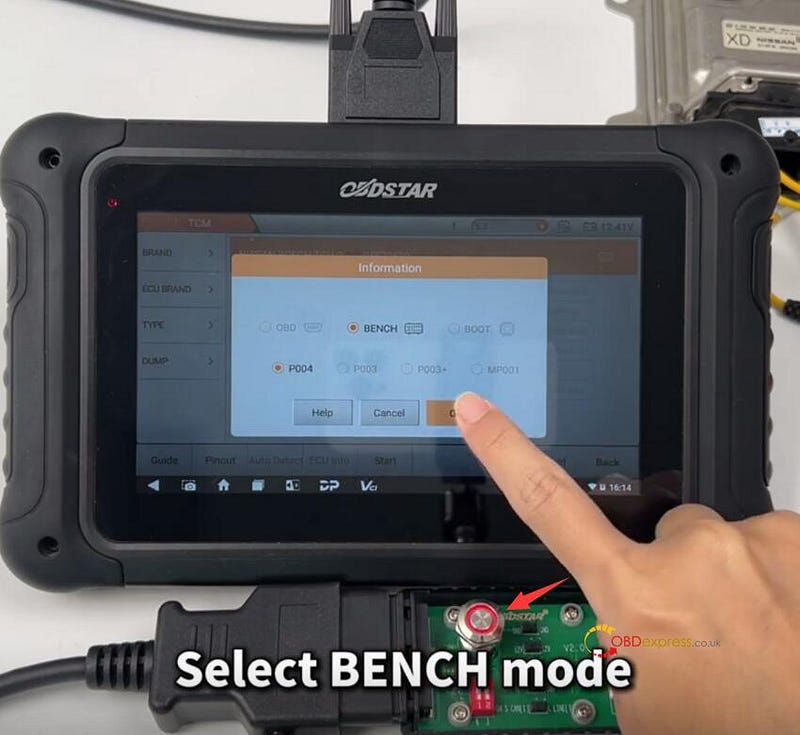
After connection, turn on the switch button on OBDSTAR P004 Adapter, and select BENCH and P004


Nissan CVT TCU253 R5F72539 TCM Clone by OBDSTAR G3, DC706

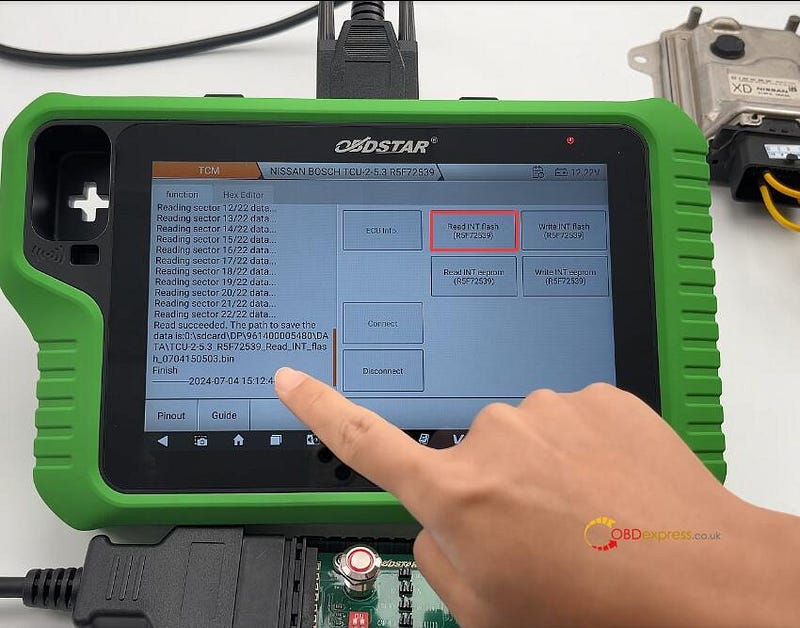
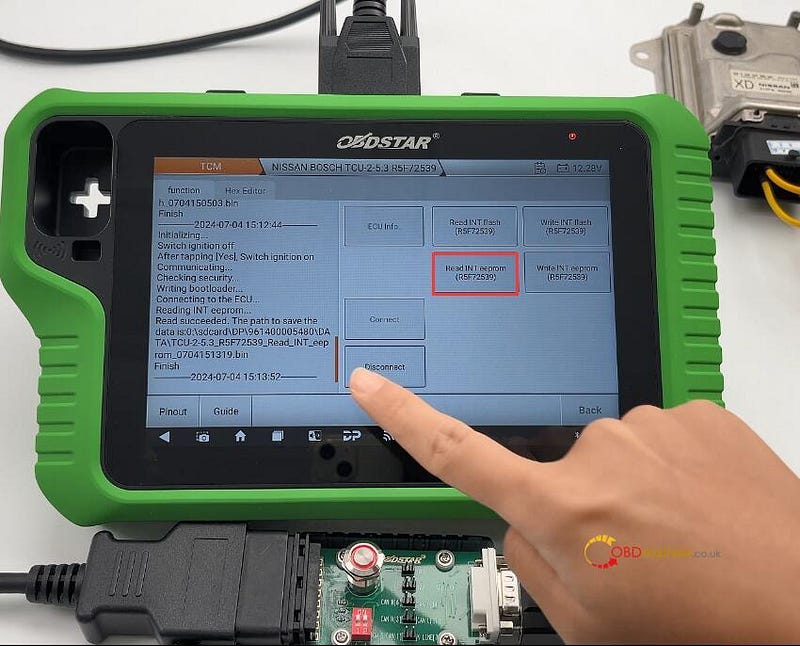
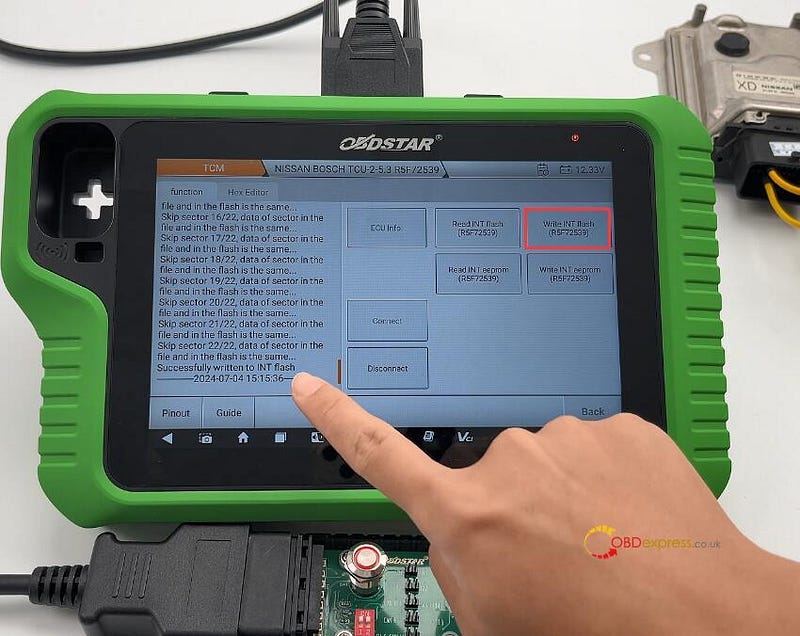
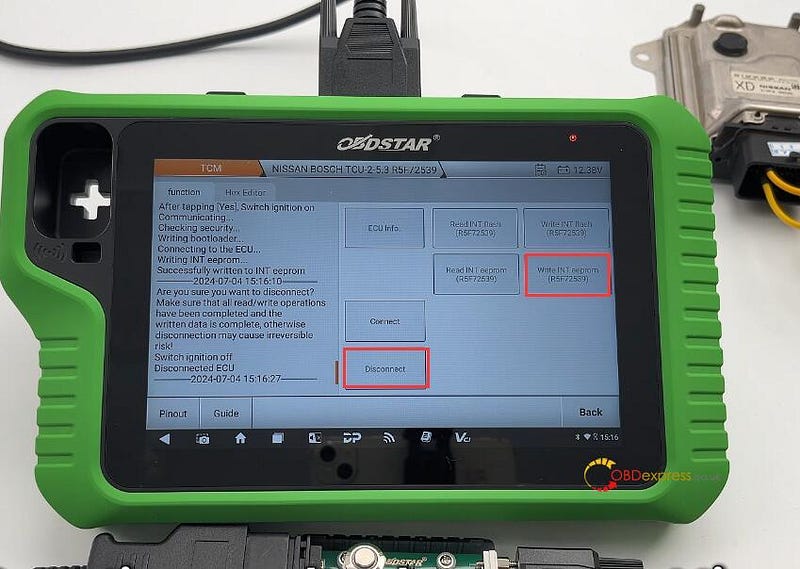
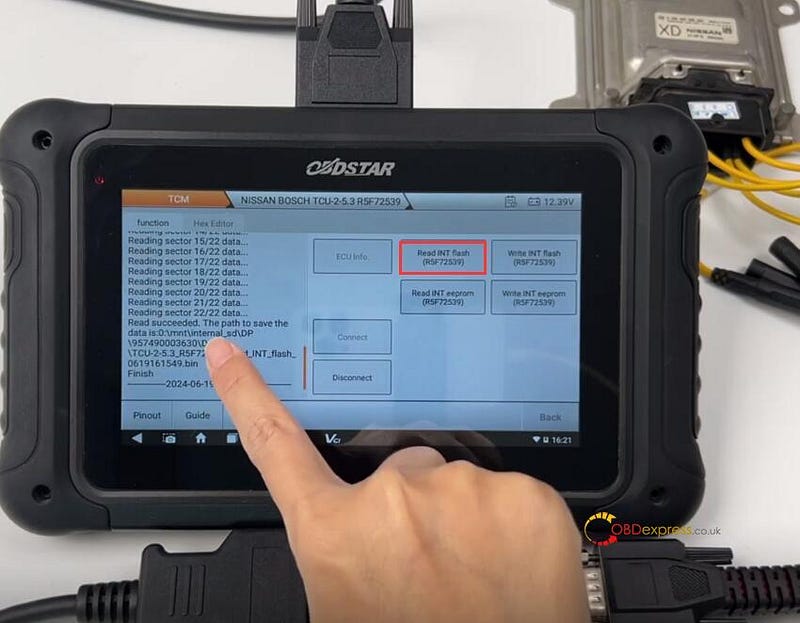
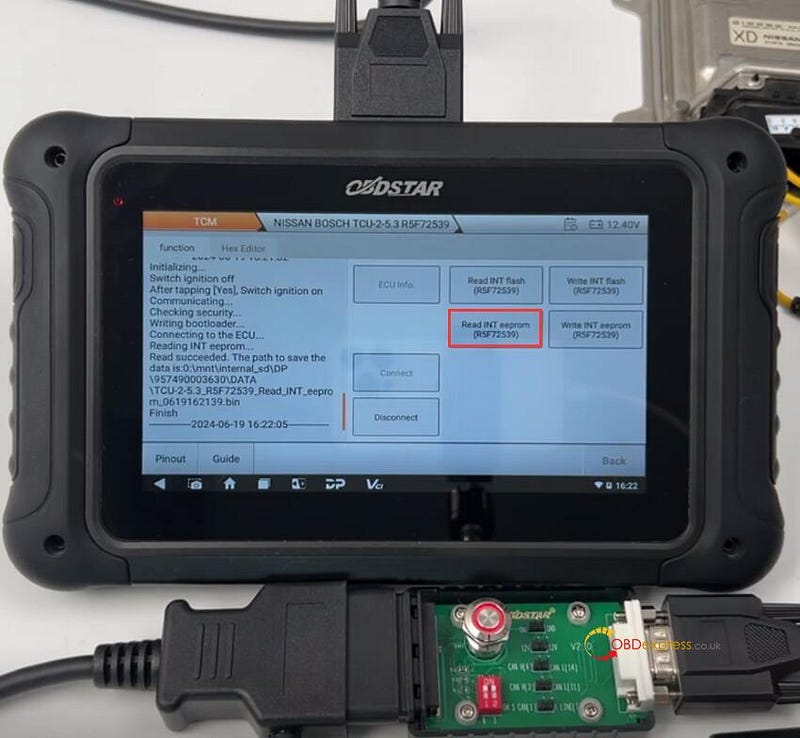
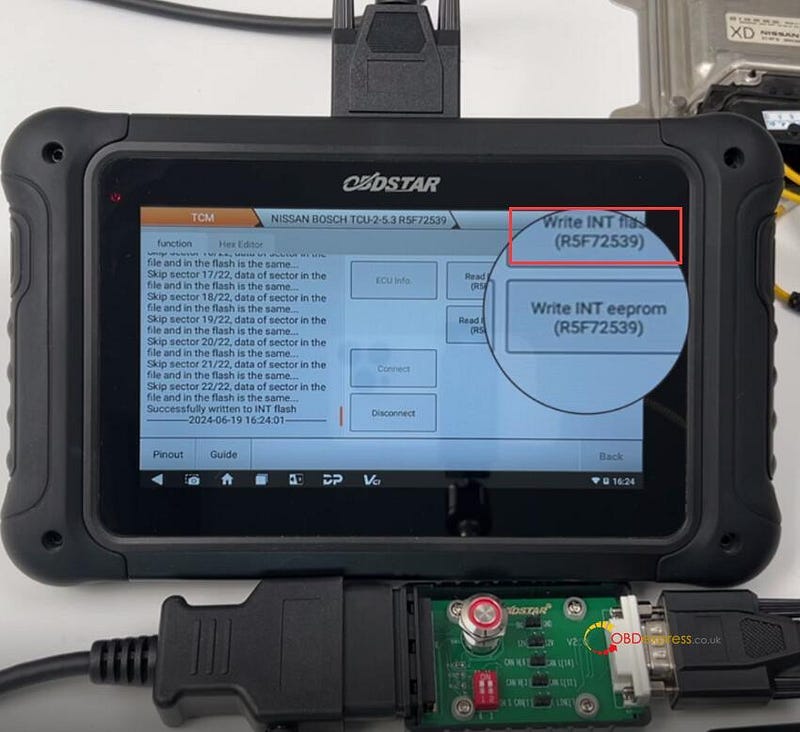
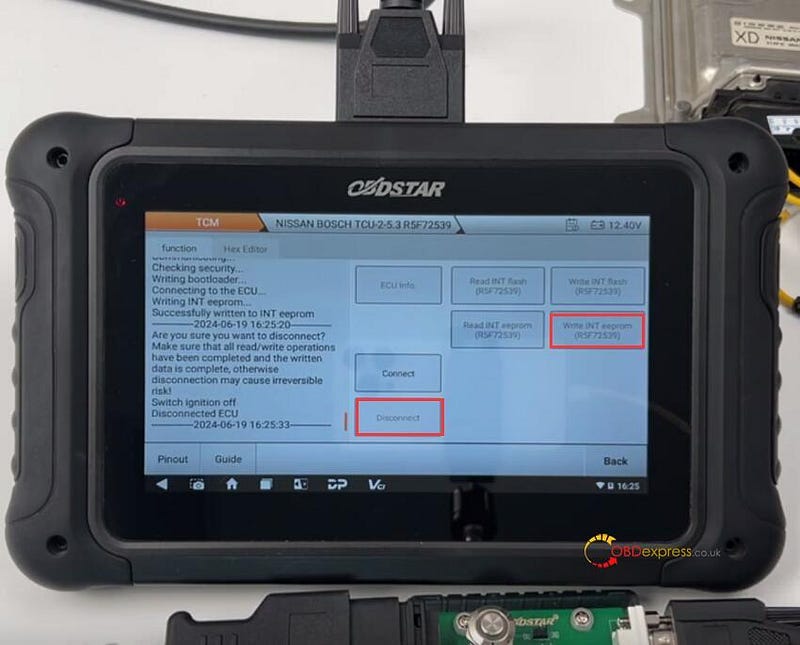
Start to connect ECU, read INT Flash & INT EEPROM (R5F72539), and write the original data into the new Nissan TCM.

Disconnect the ECU after writing.

Note: During the operation, follow the on-screen prompts to turn off or turn on P004 Adapter switch button.

OBDSTAR X300 Classic G3 clone Nissan TCU253 R5F72539:


Nissan CVT TCU253 R5F72539 TCM Clone by OBDSTAR G3, DC706

OBDSTAR DC706 clone Nissan TCU253 R5F72539:


Nissan CVT TCU253 R5F72539 TCM Clone by OBDSTAR G3, DC706

www.obdexpress.co.uk

Clone Benz CPC2.4 ECM with OBDSTAR X300 and DC706

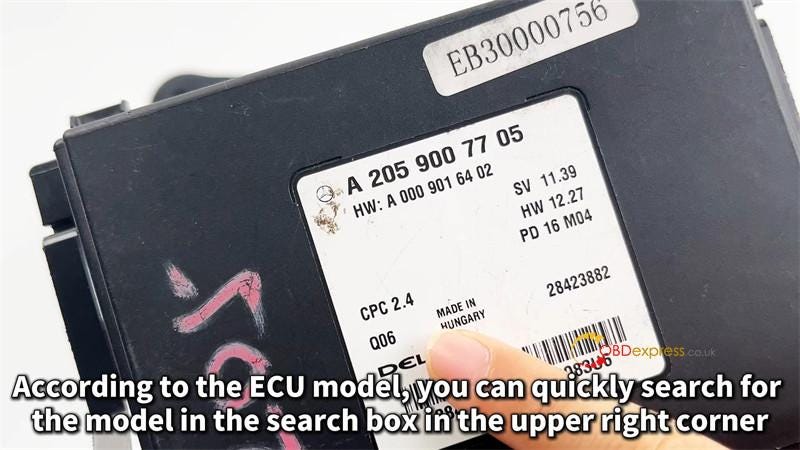
 This is a tutorial on how to clone Mercedes-Benz CPC2.4 ECM with OBDSTAR tool by bench. Here we’ll use the OBDSTAR X300 Classic G3 & DC706 as demonstration, the operation are the same.

Required Tools

OBDSTAR DC706/ Key Master G3

Main Cable

BENCH -A V3 Clone Jumper

MP001 Programmer

BENZ CPC2.4 ECM

12V 5A Power Supply(DC)

120Ω Resistor


OBDSTAR X300 Classic G3, DC706 Clone BENZ CPC2.4 ECM

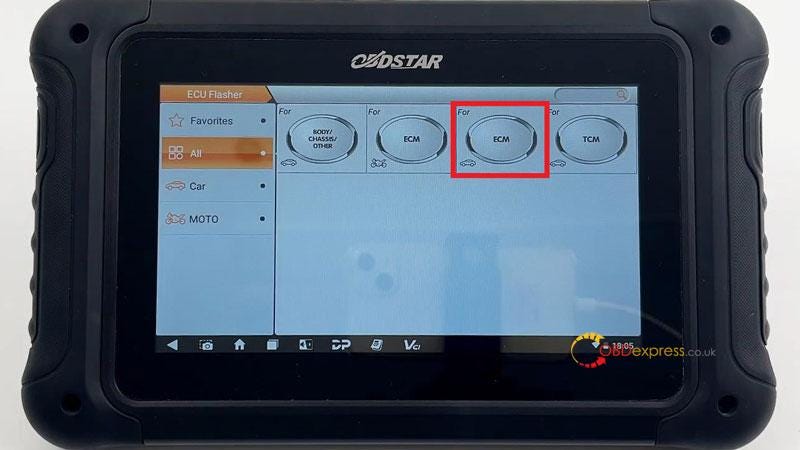
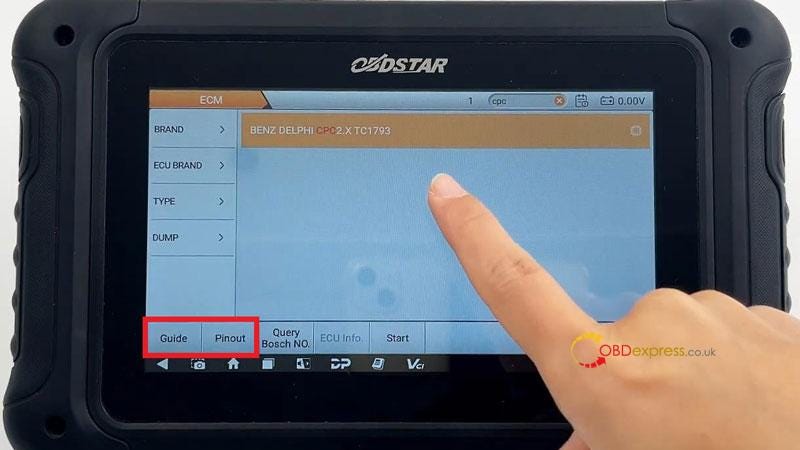
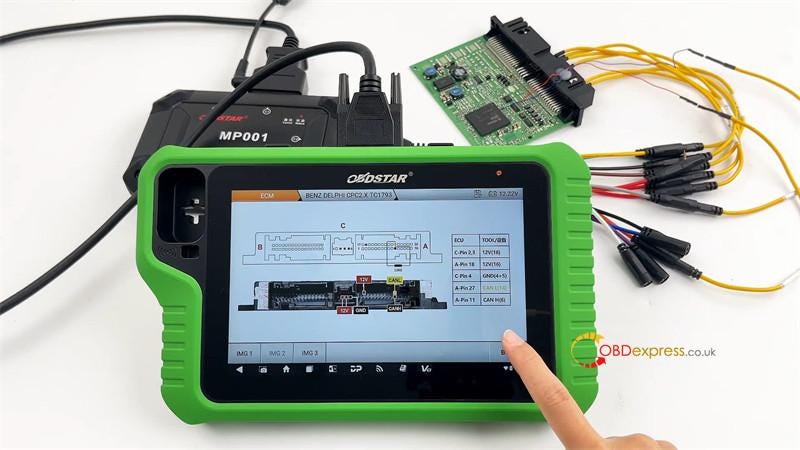
ECU Flasher >> ECM >> Latest version >> BENZ DELPHI CPC2.X TC1793 >> Guide/Pinout


OBDSTAR X300 Classic G3, DC706 Clone BENZ CPC2.4 ECM

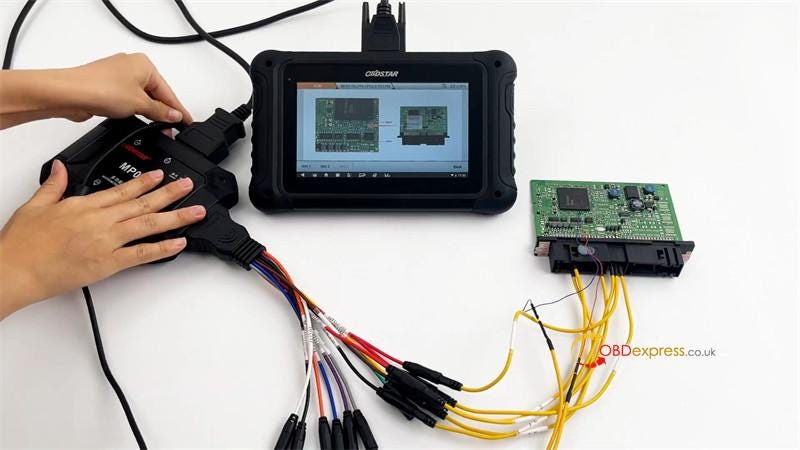
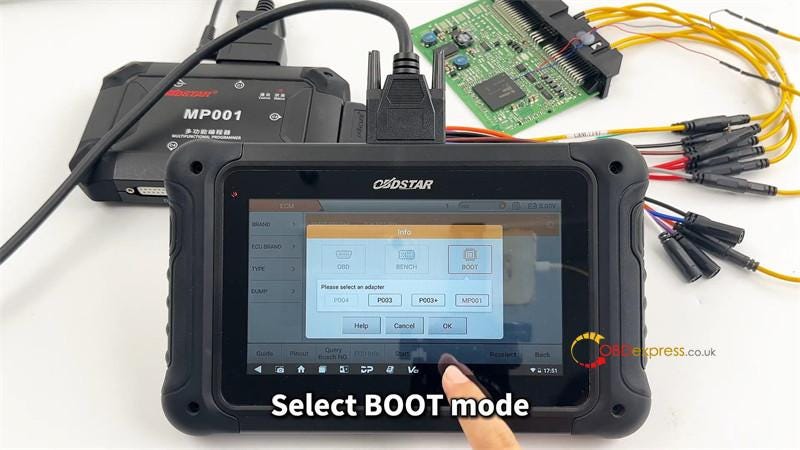
Follow the wiring diagram to connect all devices.

Select "BOOT" mode, press "OK".

This function is available by connecting the server, please ensure the Internet connection is normal.

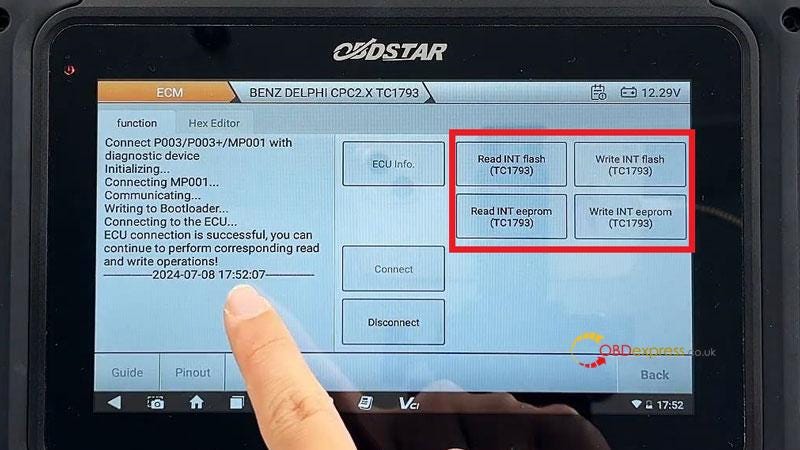
Connect >> OK

Now we can read & write INT flash or eeprom(TC1793) as required.


OBDSTAR X300 Classic G3, DC706 Clone BENZ CPC2.4 ECM

www.obdexpress.co.uk

Wednesday, June 19, 2024

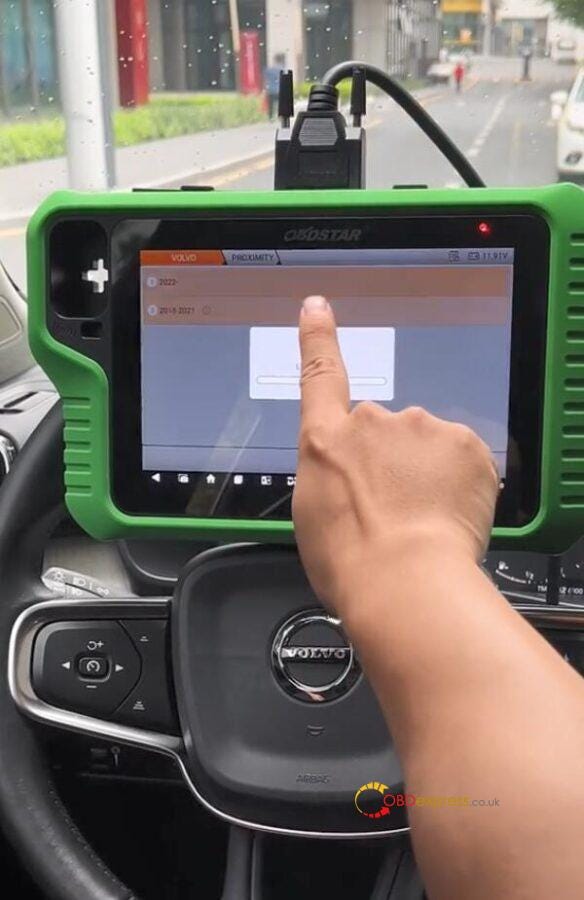
How to Program Volvo XC40 Proximity Key with OBDSTAR X300 Classic G3

 OBDSTAR X300 Classic G3 programs proximity key to Volvo XC40 perfectly.

Ensure all batteries are fully charged before proceeding.

If the auxiliary battery is below 12V, it must be removed and charged before operating.

Step 1:

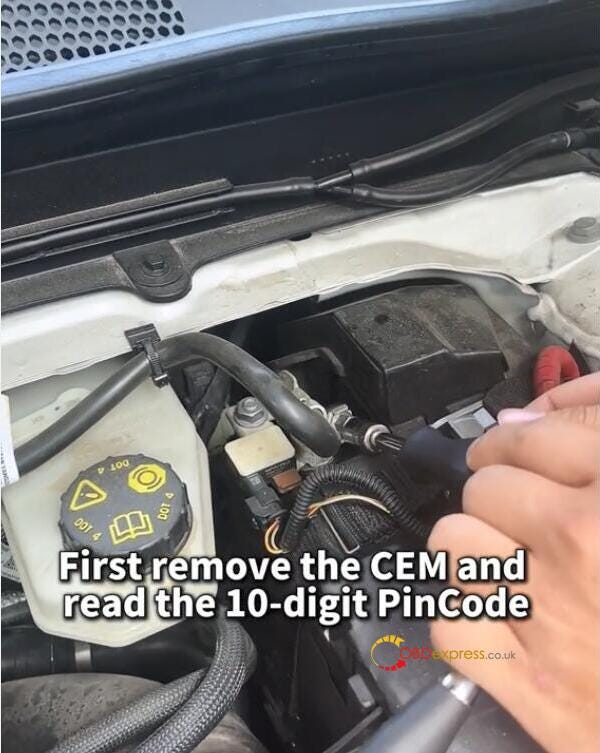
Remove the CEM and read the 10-digit Pincode


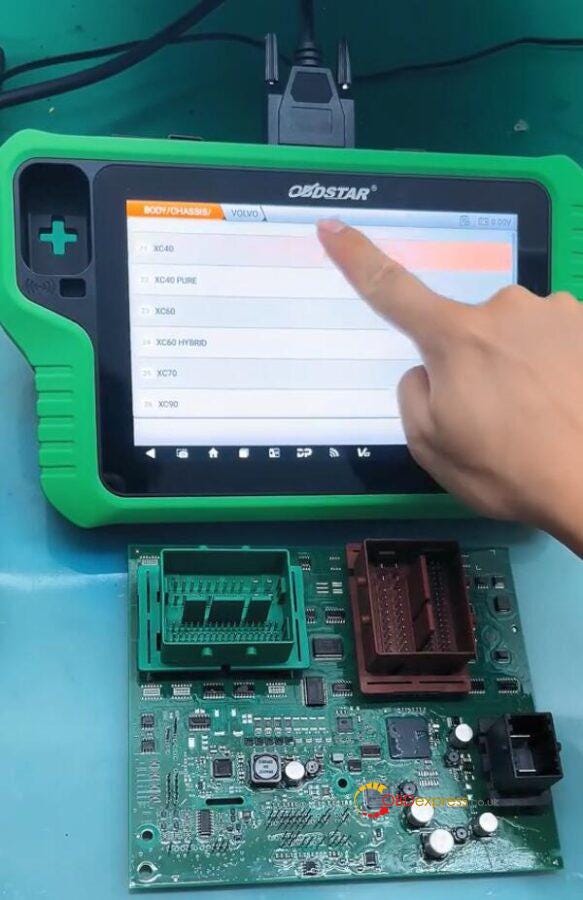
OBDSTAR X300 Classic G3 Program VOLVO XC40 Proximity Key

The battery needs to be disconnected before removing the CEM.

Open the CEM casing

Step 2:

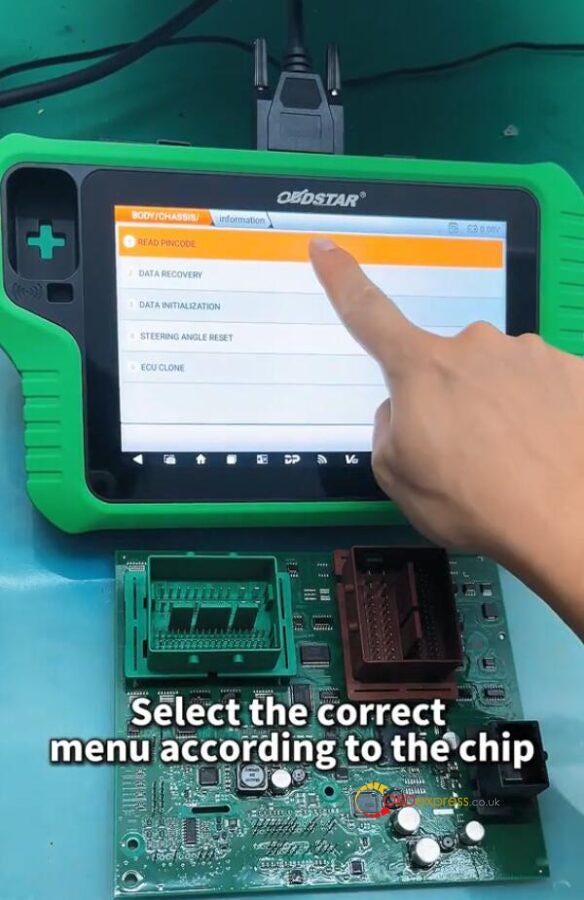
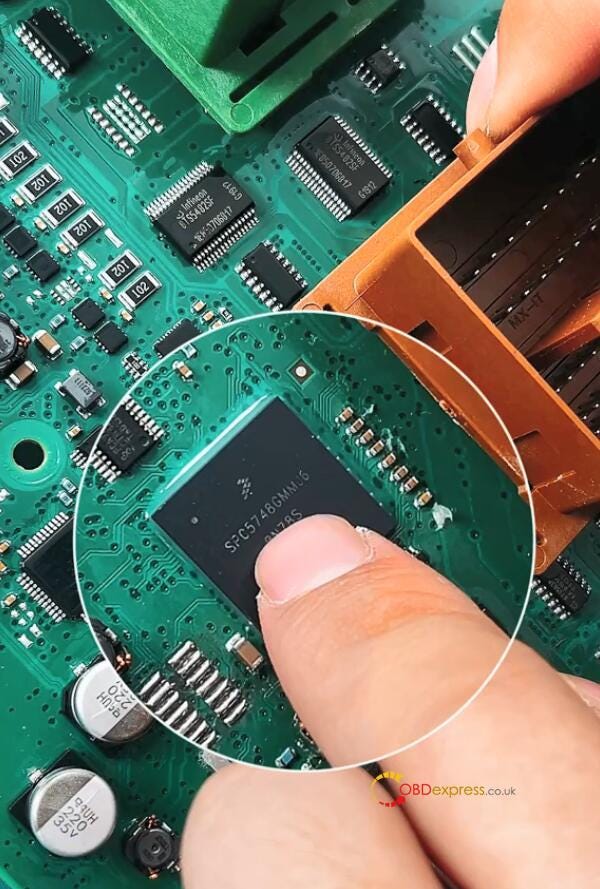
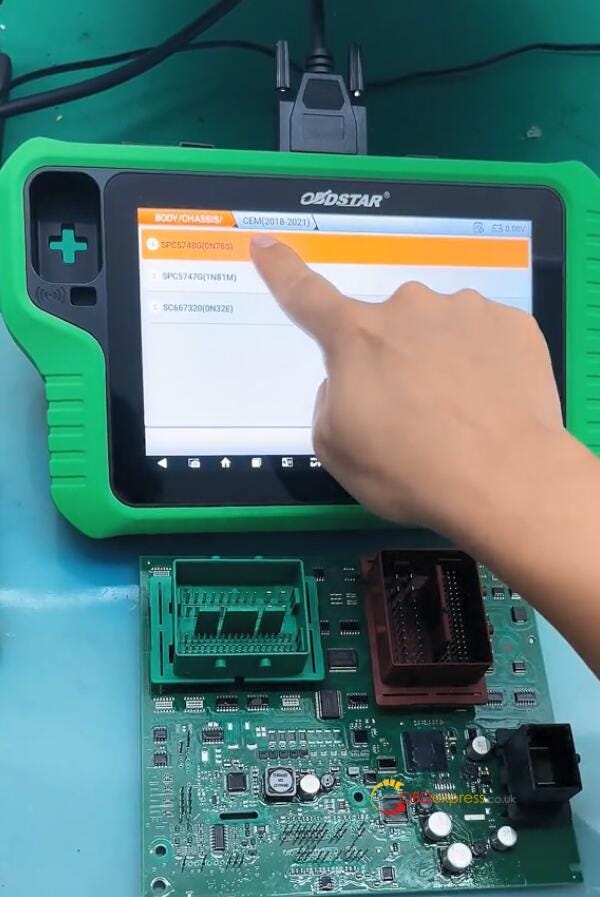
Select BODY/CHASSIC/OTHER>> BODY/CHASSIC/OTHER V30.01>> READ PINCODE>> VOLVO>> XC40>> PROXIMITY>> CEM (2018–2021)>> SPC5748G (0N78S)


OBDSTAR X300 Classic G3 Program VOLVO XC40 Proximity Key

Step 3:

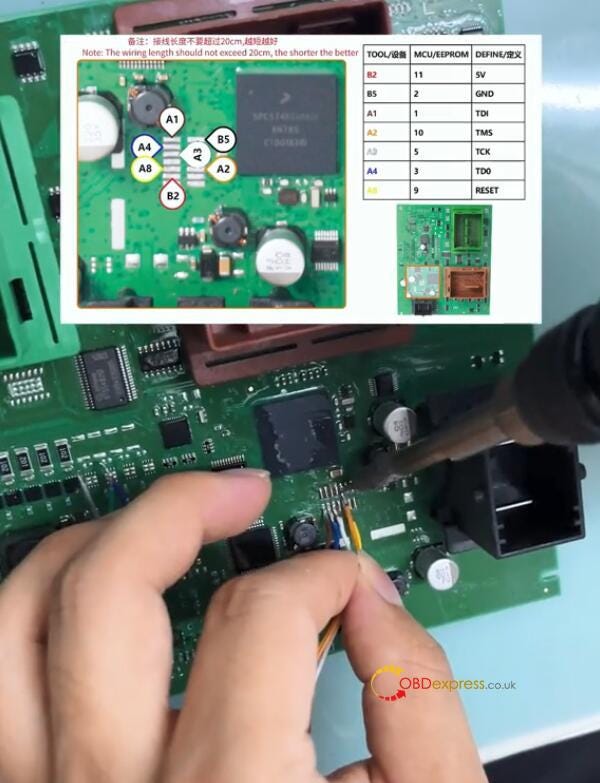
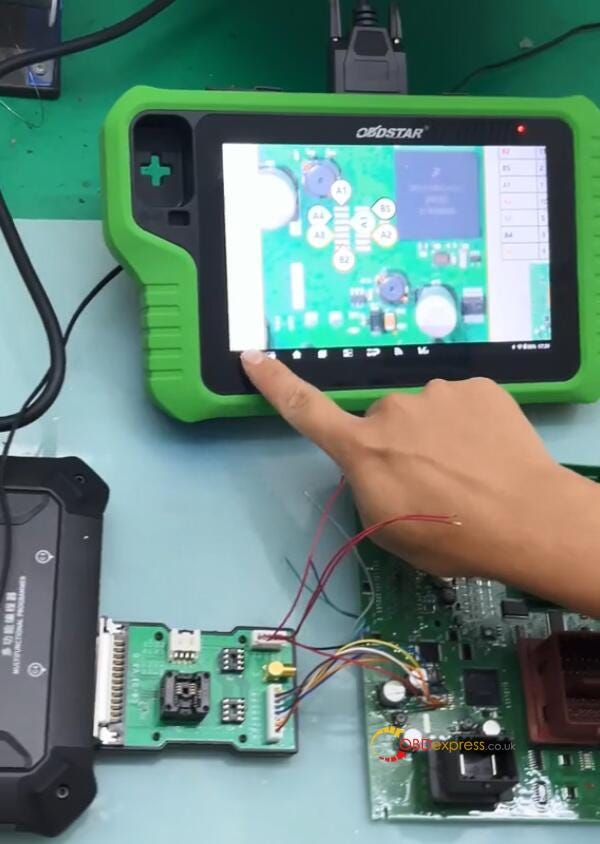
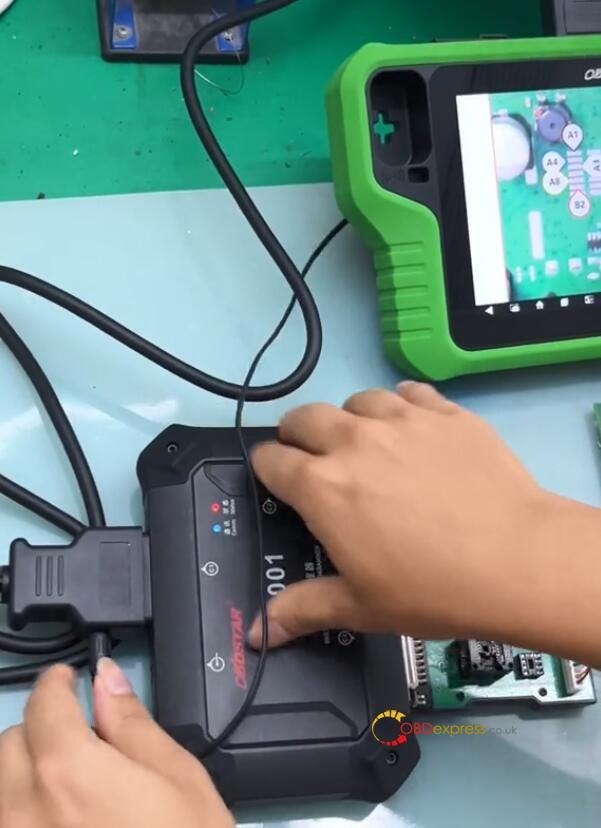
Use OBDSTAR MP001 Programmer to connect X300 Classic G3 key programmer and Volvo CEM according to the wiring diagram


OBDSTAR X300 Classic G3 Program VOLVO XC40 Proximity Key

Note: The wiring length should not exceed 20cm, the shorter the better.

Step 4:

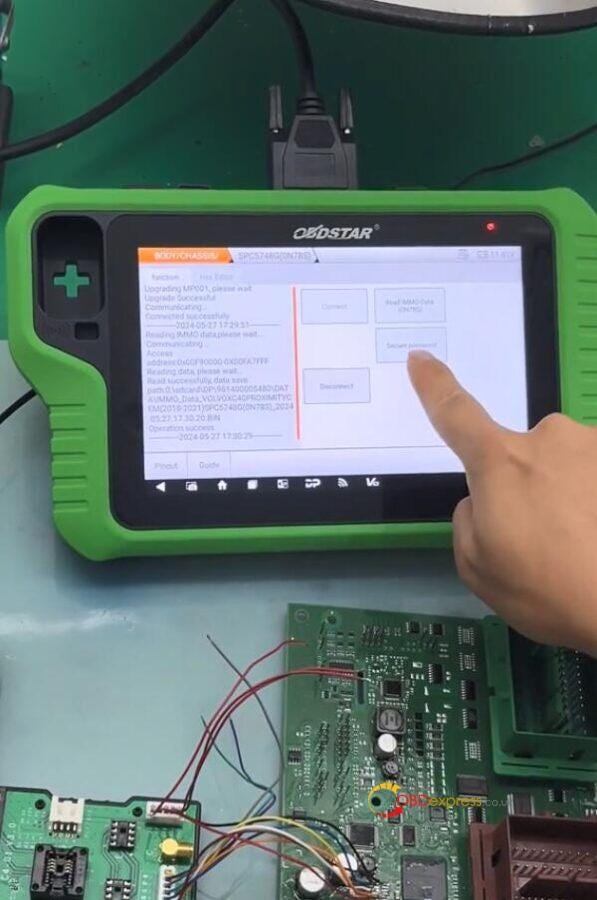
After connection, click [Connect] to connect MP001 and Volvo CEM

Step 5:

Read IMMO data and save the file


OBDSTAR X300 Classic G3 Program VOLVO XC40 Proximity Key

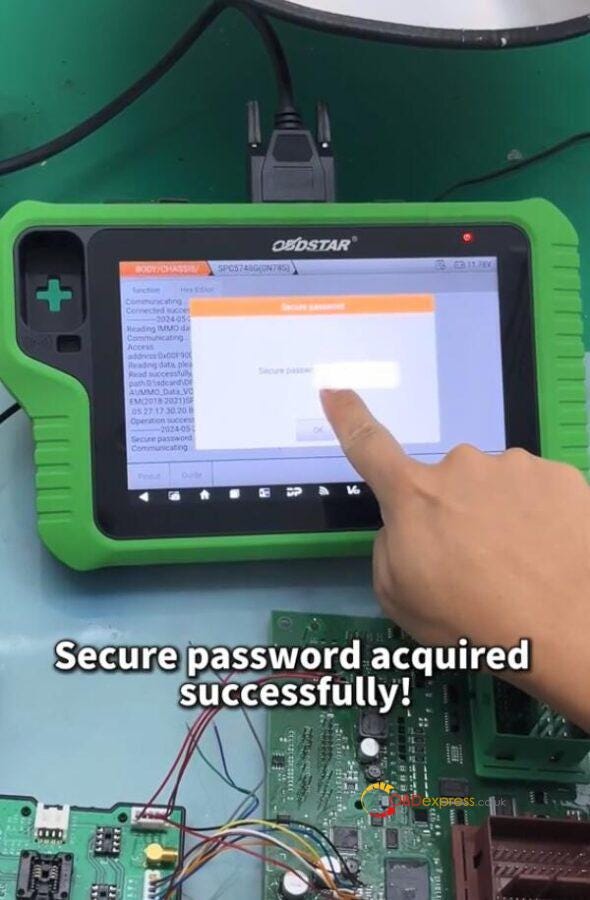
Step 6:

Select the CEM security IMMO data to secure password

Step 7:

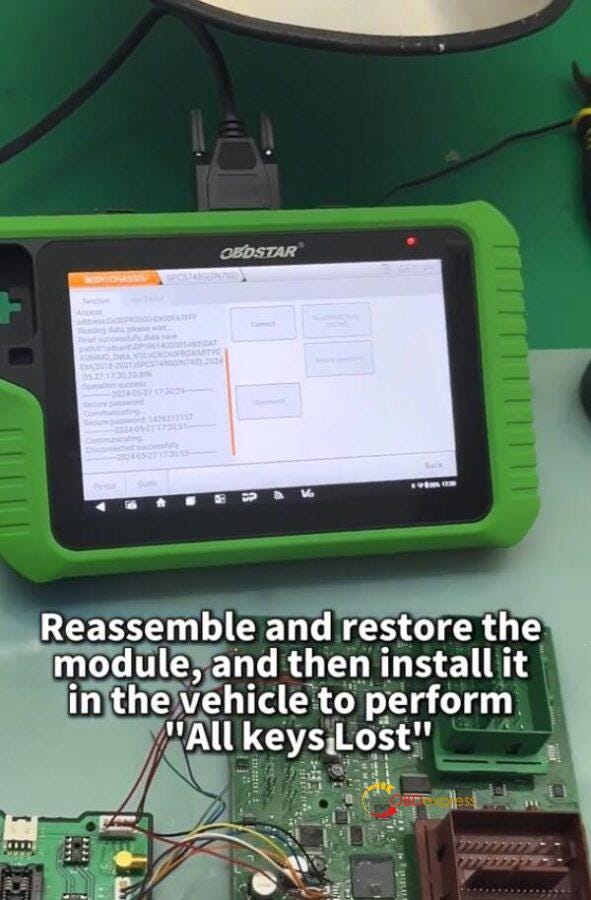
After securing the password successfully, disconnect CEM. Reassemble and restore the CEM module, and then install it in the vehicle to perform [All keys lost] function via OBD.


OBDSTAR X300 Classic G3 Program VOLVO XC40 Proximity Key

Step 8:

Select IMMO>> VOLVO>> PROXIMITY>> 2018–2021>> All Keys Lost


OBDSTAR X300 Classic G3 Program VOLVO XC40 Proximity Key

Step 9:

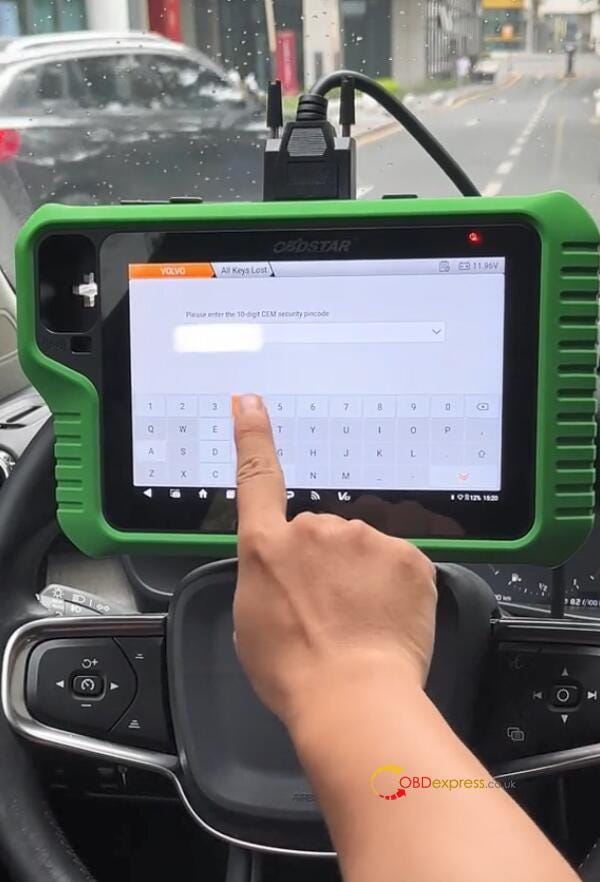
Input the CEM security pincode


OBDSTAR X300 Classic G3 Program VOLVO XC40 Proximity Key

Step 10:

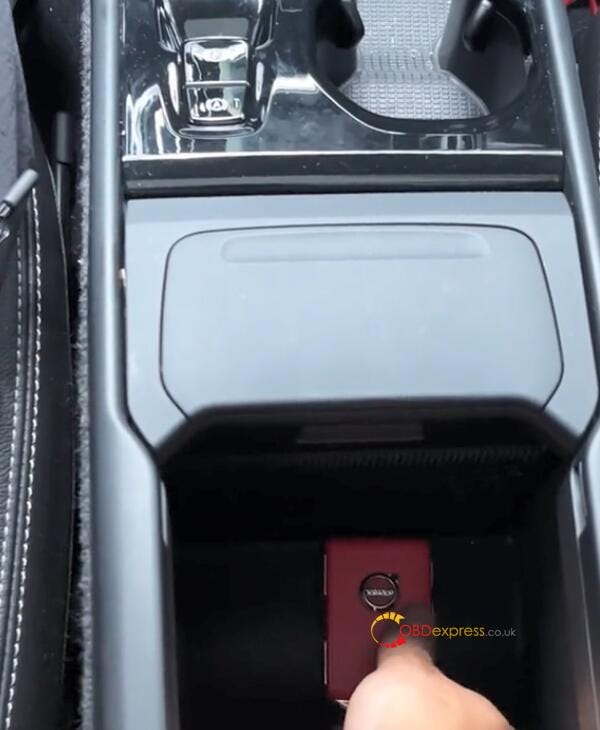
Program new key according to the on-screen prompt


OBDSTAR X300 Classic G3 Program VOLVO XC40 Proximity Key

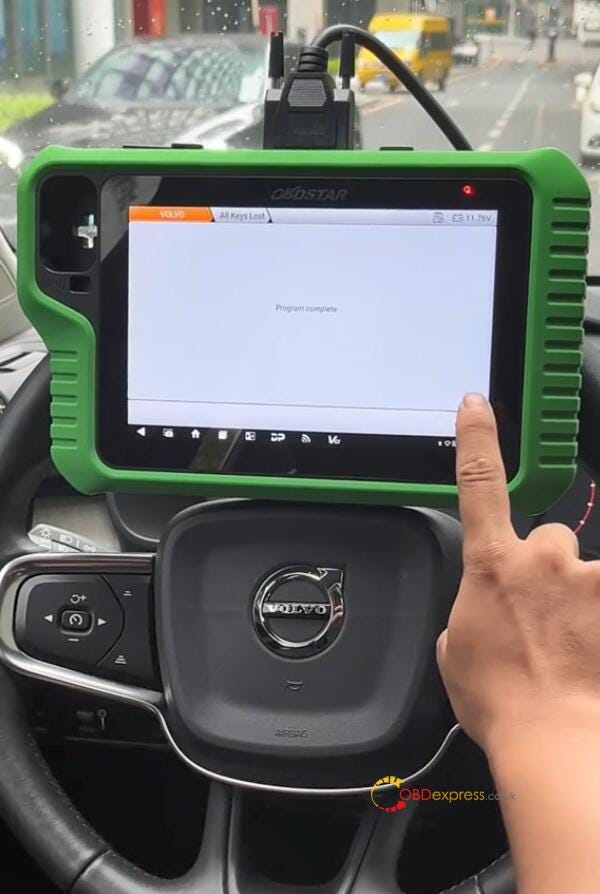
Step 11:

The key can work well as the original key.

OBDSTAR X300 Classic G3 Key Programmer:

https://www.obdexpress.co.uk/wholesale/obdstar-x300-classic-g3-key-programmer.html