Pages

OBDSTAR ODOMASTER & X300 PRO4

Thursday, January 19, 2017

How To Use Obdstar X300 Pro3 Prammer Toyota H Chip remote?

Here is the test report of how to program a H chip key and program the remote using the key master.
Car: Toyota Altis Esport
Purpose: program a remote with a chip H (47)
Tools to use:
KD900 Remote Maker to make a remote
Obdstar X300 Pro3 to program a H chip key
Two keys- right: original, left: new to be programmed
program a remote with a chip H  via obdstar x300 pro3 (1)

Test process:
First make a remote key with the KD900 and insert the chip H (47)
Then, program the chip through obdstar key master
Select Immobiliser-> Toyota/Lexus-> Toyota/Lexus v31.03
program a remote with a chip H  via obdstar x300 pro3 ()

program a remote with a chip H  via obdstar x300 pro3 (3)

Loading software…
Authorizing…
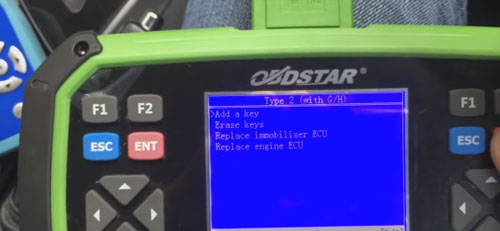
Select Immobiliser-> Type 2 (with G/ H)-> Add a key
program a remote with a chip H  via obdstar x300 pro3 (4)

program a remote with a chip H  via obdstar x300 pro3 (5)

program a remote with a chip H  via obdstar x300 pro3 (6)


1 master key is needed to erase or add other keys!
How to identify a master key and a valet key?
Insert the key into ignition switch, if the immobiliser light isn’t bright, that is the master key; if it is bright for a second and then extinguished, that is the valet key.

program a remote with a chip H  via obdstar x300 pro3 (7)
Insert the key into ignition switch
So insert the programmed master key, and switch ignition on, then press Enter to continue

program a remote with a chip H  via obdstar x300 pro3 (8)

Read the prompt to go on:
Insert to match the key and keep the ignition switch off and wait until about 60 seconds until the anti-theft lights go out and the matching is done
program a remote with a chip H  via obdstar x300 pro3 (9)

So, insert a new key wait until the security light goes off (need 60s)
insert a new key 
program a remote with a chip H  via obdstar x300 pro3 (10)

The car can start successfully
program a remote with a chip H  via obdstar x300 pro3 (11)

Next, program the remote, also with OBDSTAR Key Master
Go to Immobiliser-> Add a key-> Type 2 (with G/ H)-> Remote-> Type 1
program a remote with a chip H  via obdstar x300 pro3 (12)

program a remote with a chip H  via obdstar x300 pro3 (13)


Communication breakdown:
1 ignition switch is turned on
2 mainline is connected
3 battery has power
4 is equipped with this system…
program a remote with a chip H  via obdstar x300 pro3 (14)


Select Remote-Type 2
program a remote with a chip H  via obdstar x300 pro3 (15)

Add remote
program a remote with a chip H  via obdstar x300 pro3 (16)

Switch ignition on and open the driver door
Press LOCK and UNLOCK together for a sec within 30 sec, press LOCK once
program a remote with a chip H  via obdstar x300 pro3 (17)


Successfully program a remote!
program a remote with a chip H  via obdstar x300 pro3 (18)

It’s working
program a remote with a chip H  via obdstar x300 pro3 (19

Done!


Thursday, December 22, 2016

2017 Immobilizer(G) Reset Tool (OBDSTAR F101)

OBDSTAR Technology company has publish the Toyota Immobilizer(G) Reset Tool-OBDSTAR F101
 Immobilizer(G) Reset Tool (OBDSTAR F101)

 Immobilizer(G) Reset Tool (OBDSTAR F101)

 Immobilizer(G) Reset Tool (OBDSTAR F101)

 Immobilizer(G) Reset Tool (OBDSTAR F101)


What will OBDSTAR F101 do ?
1. Support  4D(67,68) chip immobilizer reset(All keys lost).
2. Support 72 chip(WITH G,EUROPE) immobilizer reset(All keys lost).American TOYOTA with G key Reset will upgrade soon!
3. Support smart key reset before 2009(All keys lost).
4. Add/erase Keys for all of TOYOTA cars.
5. Add/erase smart keys for all of TOYOTA cars.
6. Add/erase remotes for most of TOYOTA cars.
7. No need to connect with computer, plug and play, automatic transfer.
8. No need to buy tokens.
9. One Key Upgrade
10. Have good man-machine interaction.

NO NEED TOKENS!!!

Software update

Free update for 1 year Via official website
Language:English
Package Includes:
1pc x   F101 main unit
1pc x   TF Card

Sunday, December 18, 2016

Program Toyota RAV4 G Key All Key Lost by OBDSTAR X300 DP via OBDII

Newest OBDSTAR X300 DP tablet key programmer (diagnostic tool) comes with standard version and full version. Here i will teach you how to do all key lost for 2013 toyota RAV4 with G via OBDII.

obdstar-x300-dp-all-key-lost-2013-toyota-rav4-with-g-1
Master key and sub (G) key
obdstar-x300-dp-all-key-lost-2013-toyota-rav4-with-g-2
G chip key
obdstar-x300-dp-all-key-lost-2013-toyota-rav4-with-g-3

Connect X300DP with your vehicel through OBDII Port
Click “Diag Program” on the main menu
Choose “Type 2(with G72)”
obdstar-x300-dp-all-key-lost-2013-toyota-rav4-with-g-4
Choose “Remote immobilizer(All key lost)” option
obdstar-x300-dp-all-key-lost-2013-toyota-rav4-with-g-5
Then switch ignitino off and click OK
obdstar-x300-dp-all-key-lost-2013-toyota-rav4-with-g-6
Switch ignition on and click OK
obdstar-x300-dp-all-key-lost-2013-toyota-rav4-with-g-7
X300 DP will prompt you to switch ignition off and remove the key, just doing that and click OK
obdstar-x300-dp-all-key-lost-2013-toyota-rav4-with-g-8
It is configuring the system, wait…
obdstar-x300-dp-all-key-lost-2013-toyota-rav4-with-g-9
Then insert the removed key and switch ignition on
obdstar-x300-dp-all-key-lost-2013-toyota-rav4-with-g-10
It is configuring the system, wait…
Switch ignition off and remove the key again
Then you can program keys as the following steps within 120 seconds
obdstar-x300-dp-all-key-lost-2013-toyota-rav4-with-g-11
Here we program 1 master key and 1sub key.
Click OK to begin program keys
Step1: Insert the first master key, turn on the ignitino and wait for 5 seconds…
Step2: insert the second sub key (the G chip key),turn on the ignition switch and wait for 5 seconds
Step3: turn on the ignition switch quickly for 5 times, the security light will turn off, the programming is finished.
Done! Program key for 2013 toyota RAV4 with G successfully!
obdstar-x300-dp-all-key-lost-2013-toyota-rav4-with-g-12

Friday, December 16, 2016

Change mileage on Audi A4 2005 by OBDSTAR VAG RPO

I have a Vag K+CAN Commander 5.5 and it doesn't work with my Audi A3 2004
It says "Odometer changed successfully " but no change.
On Golf 5, Passat 3C i tested and it worked but with my Audi doesn't work.
OBDSTAR VAG PRO changed my Audi A3 2004 successfully!It  corrects odometer mileage is very easy,mileage adjustment via OBD without cluster removed.
Like this :
Connect the vag pro device to the car via OBD
Then do as the screen prompts
obdstar-vag-pro-1
obdstar-vag-pro-2
obdstar-vag-pro-3
obdstar-vag-pro-4
Just follow the instruction on the screen to setup mileages.

Do you know ,I've used a lot of methods before use vag pro tool.
It’s my first time to change odometer, and an experienced fellow said for the first time i should make the ignition on and disconnect the battery for a few seconds..
But it doesn't work.
I disconnected the battery for 10 minutes (longer to wait this time) but no change.
I removed Instrument Cluster Fuse, again NO CHANGE
Finally, solved by OBDSTAR vag pro key programmer!
The vendor says it’s specialized for VAG group vehicles for basic diagnosis and some special functions (immo key programming, change km,SRS reset, oil reset...)
Vag pro for Audi Odometer Mileage v30.72:    Audi
   A3
2003-2006
2007-
A4
RB4 2002-2005
RB8 2006-2007
A4L
2008-2012
2013-
A5
2008-2012
2013-
A6
1998-2004
A6L
2004-2008
2009-
A8L
2003-2006
Q5
2008-2012
2013-
Q7
2006-2008
2009-
R8
R8 2007-
S5
2008-2012
2013-
S8
2007-
TT
TT 2007-
OBDSTAR VAG  PRO at obd2express :€94.99


http://www.mileageprogrammer.com/audi-odometer-changed-successfully/

Thursday, December 15, 2016

OBDSTAR X300DP Program Keys for Hyundai Mistra 2016

Newest OBDSTAR X300 DP tablet key programmer (diagnostic tool) comes with standard version and full version. Here i will teach you how to program keys for Hyndai Mistra 2016.

Tool used: OBDSTAR X300 DP tablet key programmer full version

obdstar-x300dp-program-keys-for-hyundai-mistra-2016-1
Procedure as follows:
Connect X300DP with Mistra
Press “START” button of Mistra to turn ignition on
obdstar-x300dp-program-keys-for-hyundai-mistra-2016-2
Choose “immobilizer” function
Click “Hyundai” on the main menu
obdstar-x300dp-program-keys-for-hyundai-mistra-2016-3
Choose “Hyundai V20.24” and click YES to continue
obdstar-x300dp-program-keys-for-hyundai-mistra-2016-4
Select “Beijing Hyundai” -> “Car model” -> “Mistra”
Then click “immobilizer”
After that, press “START” button of Mistra to turn ignition off and click YES to continue
obdstar-x300dp-program-keys-for-hyundai-mistra-2016-5
It is communicating…
Then input the security code
obdstar-x300dp-program-keys-for-hyundai-mistra-2016-6
Confirm the input value
obdstar-x300dp-program-keys-for-hyundai-mistra-2016-7
Next, click “ENTER” and use the top of the new remote key to press car “START” button for 5 seconds. The security light will be flashing.
Note: This step shoud be done after click “ENTER” within 5 seconds
obdstar-x300dp-program-keys-for-hyundai-mistra-2016-8
Program success! Whether to program next one?
Click No to exit.
obdstar-x300dp-program-keys-for-hyundai-mistra-2016-9
Done! 
How to use X300 DP odometer adjustment on cars

New arrival and powerful tool-OBDSTAR X300 DP  can support not only immo,OBDII,but also odometer adjustment,EEPROM/PIC adapter,ABS,TPS,SRS reset, TPMS(low tire)reset,Steering angle reset,CVT learning/Value reset, EPB+ Oil/service reset,Battery matching,Diagnosis(Japanese and Korean serials).
How to use  X300 DP odometer adjustment on cars ?Here is the example of OBDSTAR X300 DP change mileage on Cadillac ATSL 2016.
Enjoy!
Vehicle:
-Cadillac ATSL 2016
OBDSTAR-X300DP-adjust-mileage-for-cadillac-1

Step1: Prepare
Connect X300 DP with vechile and open X300DP
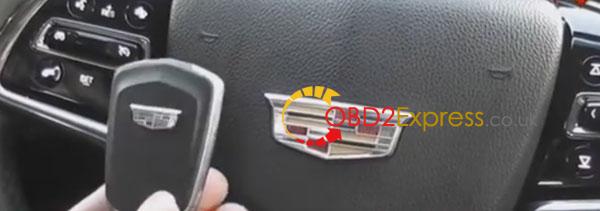
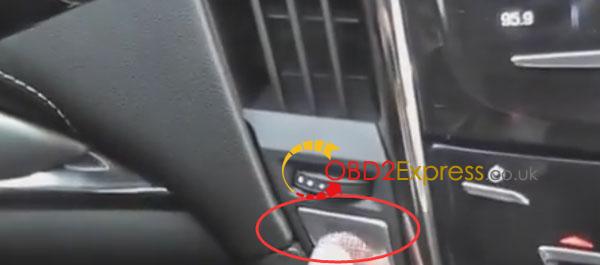
Press on START button
OBDSTAR-X300DP-adjust-mileage-for-cadillac-2

Step2: Choose vehicle information
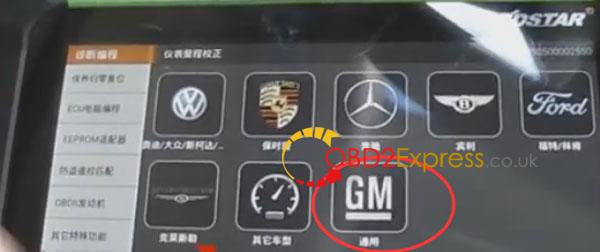
Choose “Mileage adjust” option and click on GM
OBDSTAR-X300DP-adjust-mileage-for-cadillac-3

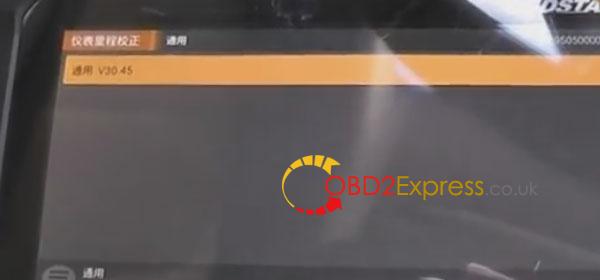
Choose GM V30.45 to go on
OBDSTAR-X300DP-adjust-mileage-for-cadillac-4

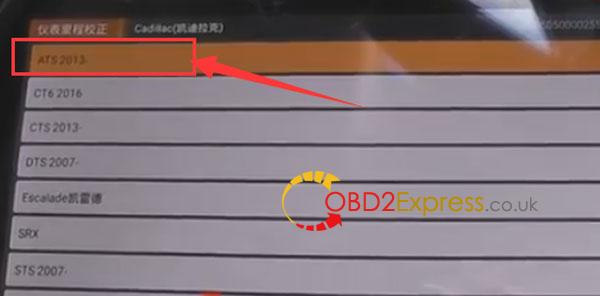
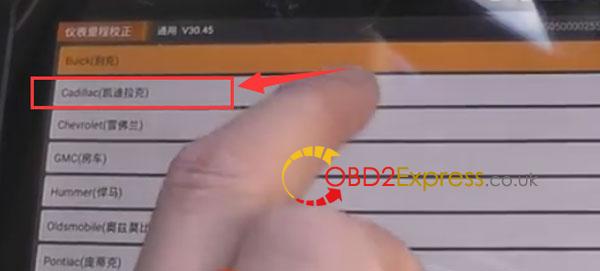
Then choose Cadillac
OBDSTAR-X300DP-adjust-mileage-for-cadillac-5

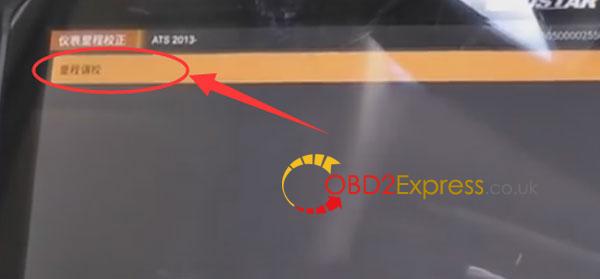
Choose ATS2013-
OBDSTAR-X300DP-adjust-mileage-for-cadillac-6

Mileage adjustment (correction)
OBDSTAR-X300DP-adjust-mileage-for-cadillac-7

It is communicating...

Step3: Adjust mileage
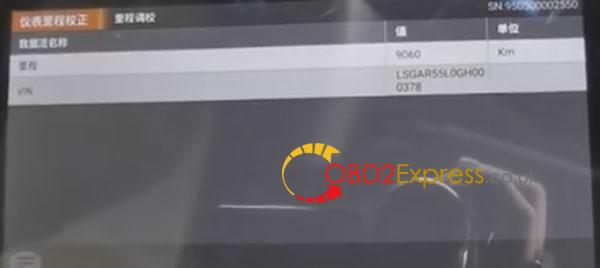
The current mileage information
OBDSTAR-X300DP-adjust-mileage-for-cadillac-8

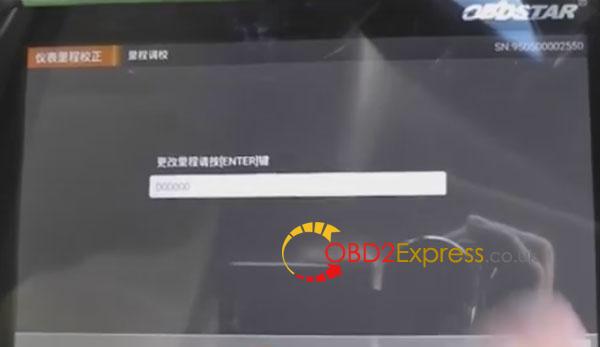
Input the new mileage and press ENTER to continue
OBDSTAR-X300DP-adjust-mileage-for-cadillac-9
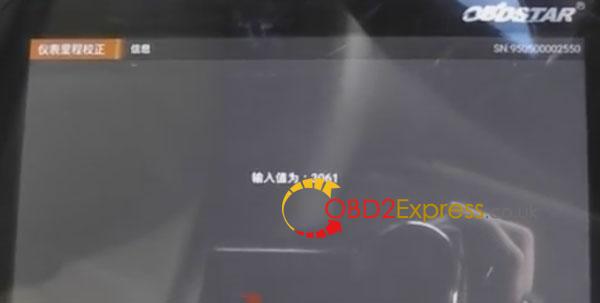
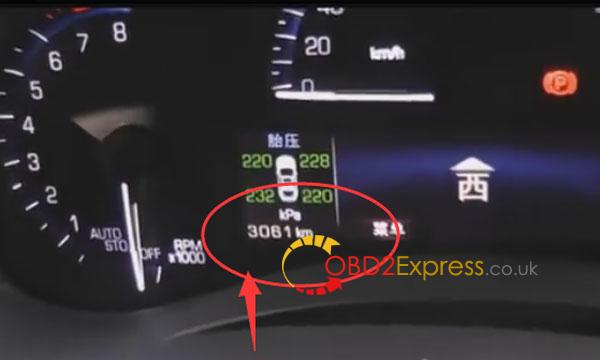
Value: 3061
OBDSTAR-X300DP-adjust-mileage-for-cadillac-10

It is communicating...

The mileage value at presant

OBDSTAR-X300DP-adjust-mileage-for-cadillac-11 OBDSTAR-X300DP-adjust-mileage-for-cadillac-12
Done! Successfully change mileage for Cadillac ATSL 2016