Pages

OBDSTAR ODOMASTER & X300 PRO4

Friday, July 19, 2024

Nissan CVT TCU253 TCM Data Cloning Using OBDSTAR G3 and DC706

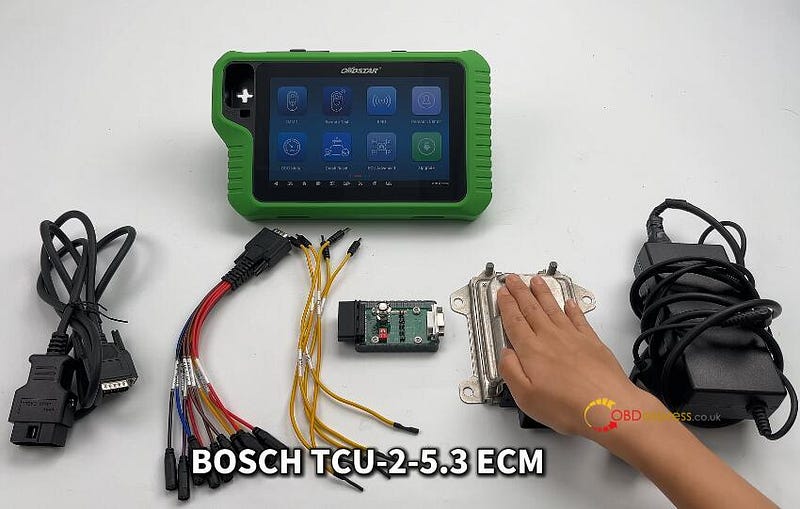
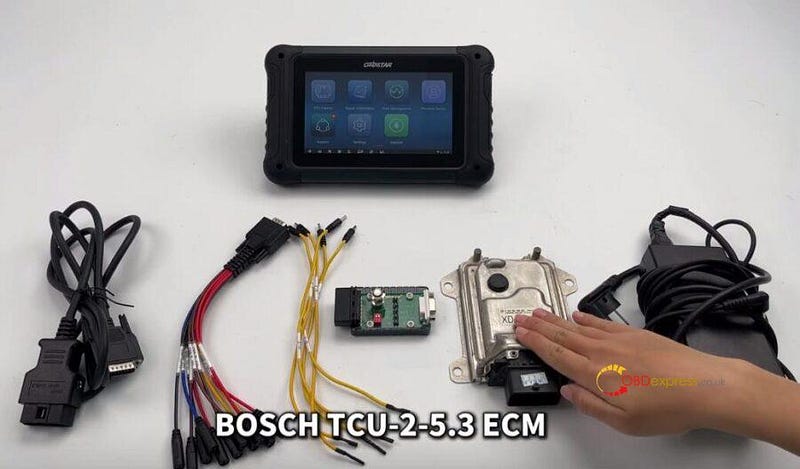
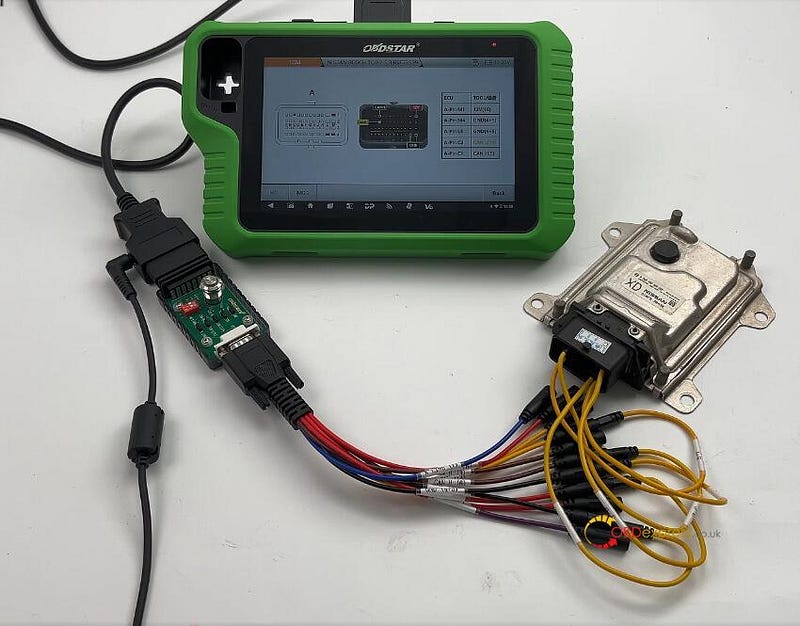
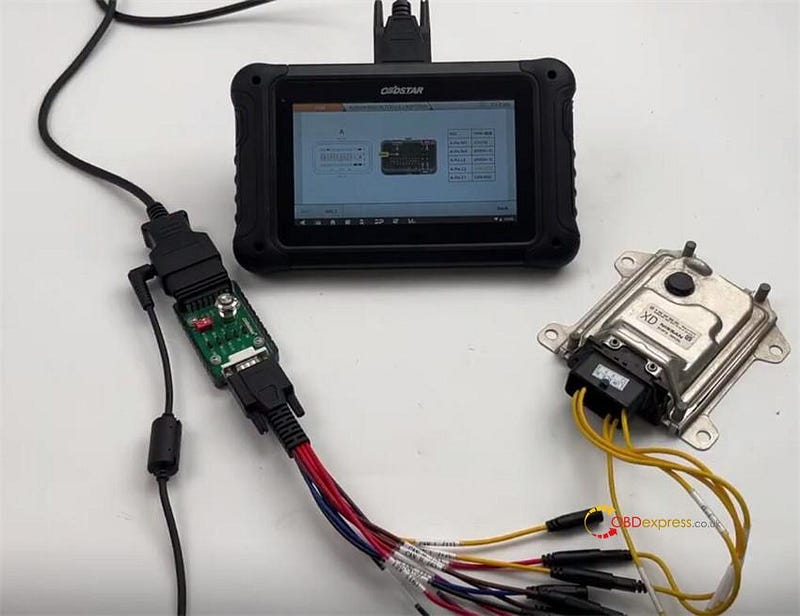
 OBDSTAR X300 Classic G3 Key Programmer and DC706 ECU Tool can read and write Nissan Bosch CVT TCU253 R5F72539 TCM data by Bench and P004 mode. They have the same wiring diagram, and require OBDSTAR P004 Adapter and ECU Clone Jumper to connect device and Nissan TCM.


Nissan CVT TCU253 R5F72539 TCM Clone by OBDSTAR G3, DC706

To perform the TCM reading and writing function successfully, please ensure the network connection is normal and 12V power supply is connected well during the operation, and follow the wiring diagram to connect OBDSTAR tool and TCM properly.

When using X300 Classic G3, need to activate ECU Clone License.

Menu function path:

Select ECU Flasher>> TCM>> TCM software (V30.31 or above)>> NISSAN BOSCH TCU-2–5–3 R5F72539

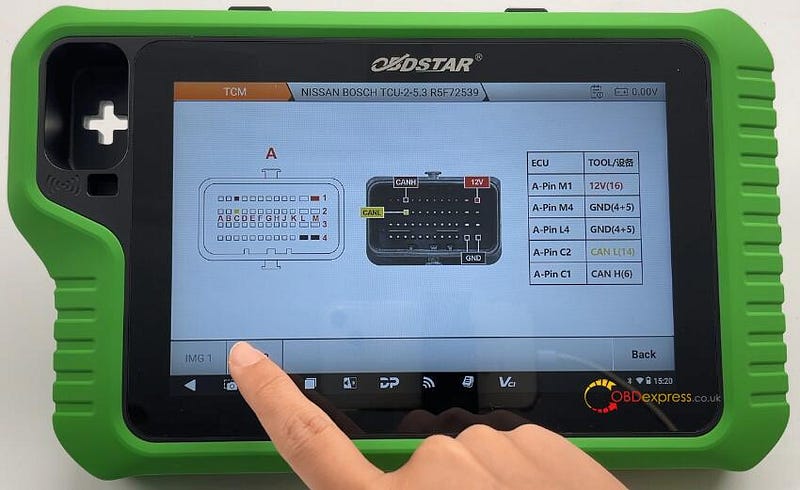
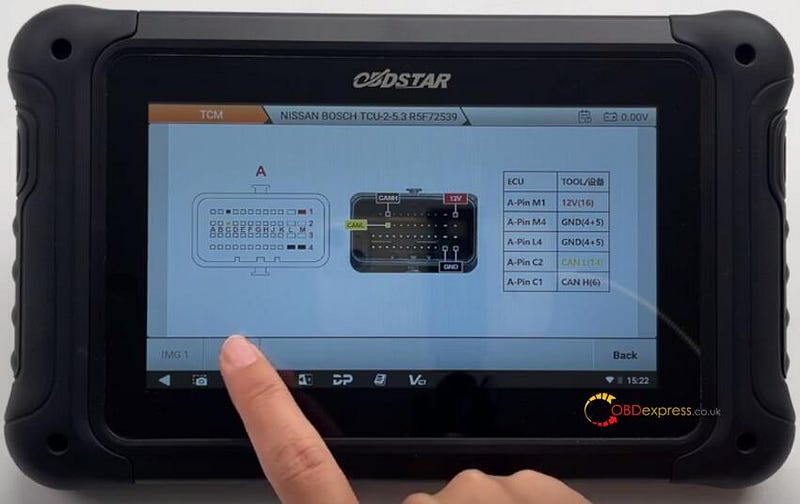
Wiring diagram:

ECUTOOLA-Pin M112V (16)A-Pin M4GND (4+5)A-Pin L4GND (4+5)A-Pin C2CAN L (14)A-Pin C1CAN H (6)


Nissan CVT TCU253 R5F72539 TCM Clone by OBDSTAR G3, DC706

Connect OBDSTAR G3/DC706 and Nissan TCM correctly


Nissan CVT TCU253 R5F72539 TCM Clone by OBDSTAR G3, DC706

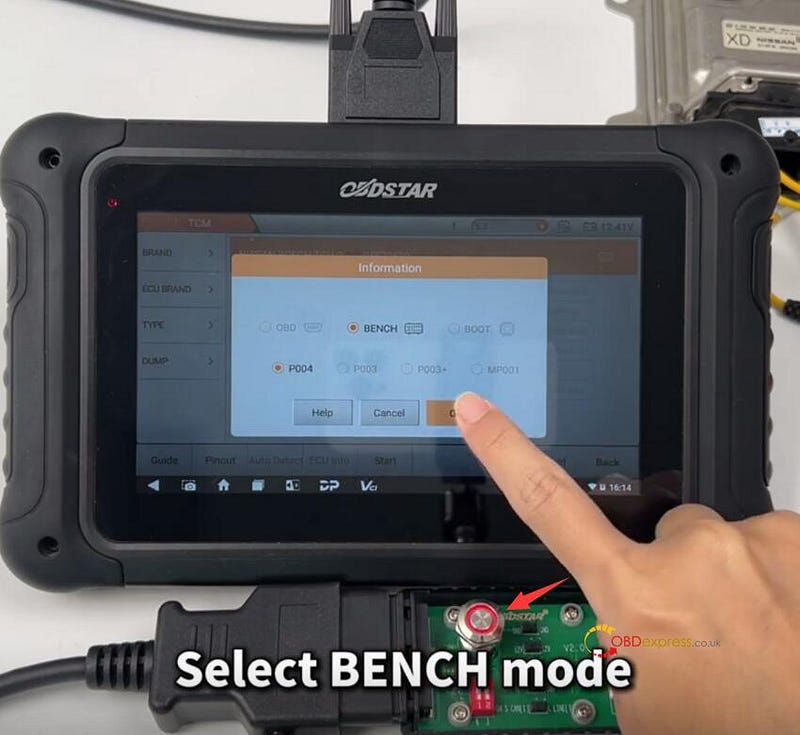
After connection, turn on the switch button on OBDSTAR P004 Adapter, and select BENCH and P004


Nissan CVT TCU253 R5F72539 TCM Clone by OBDSTAR G3, DC706

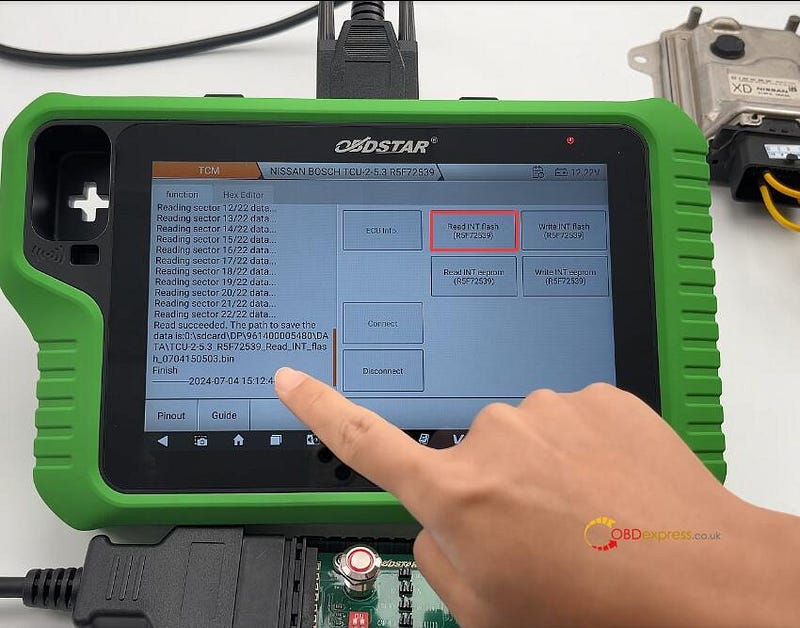
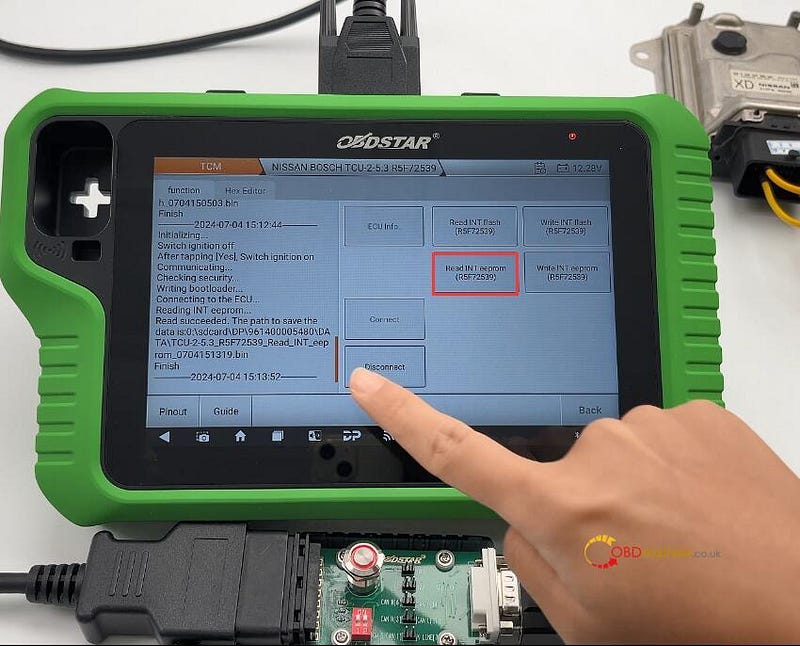
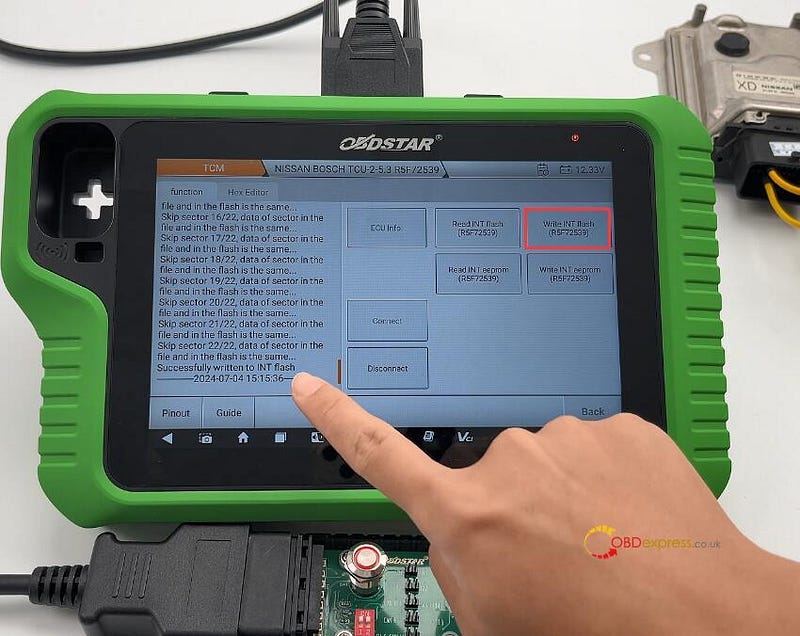
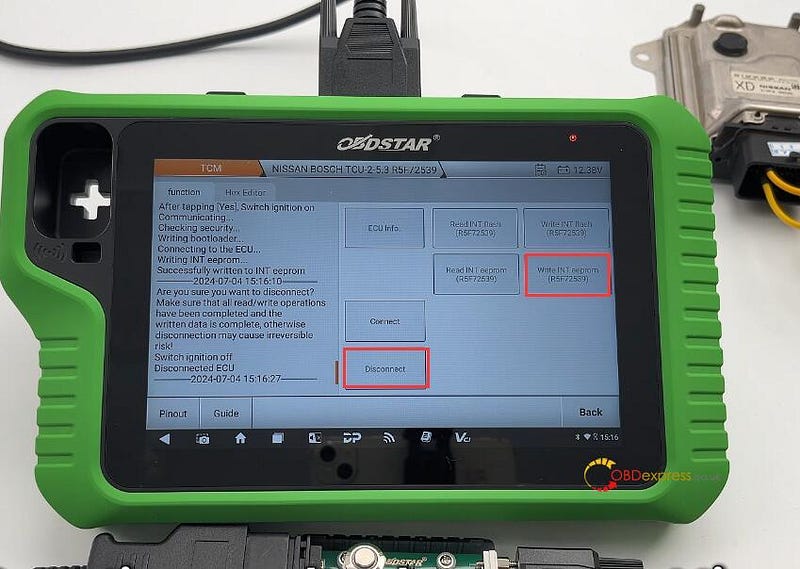
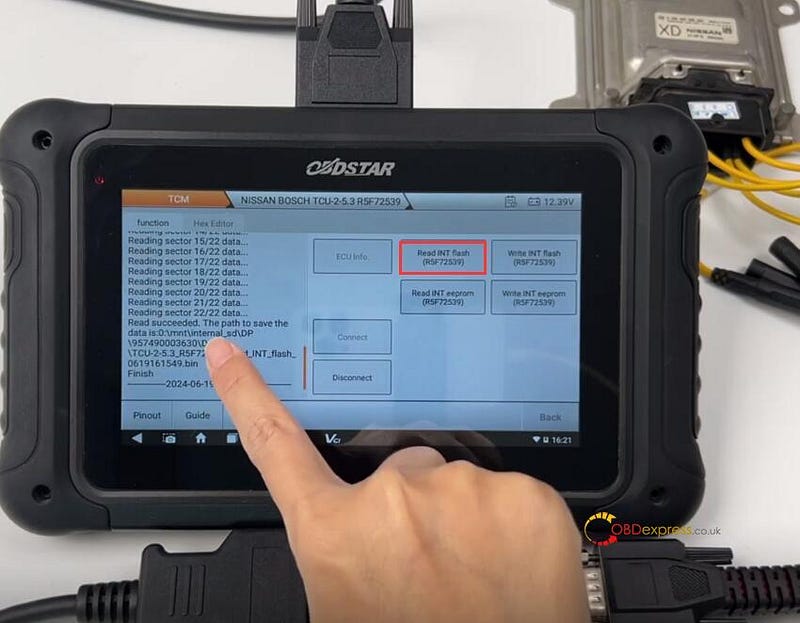
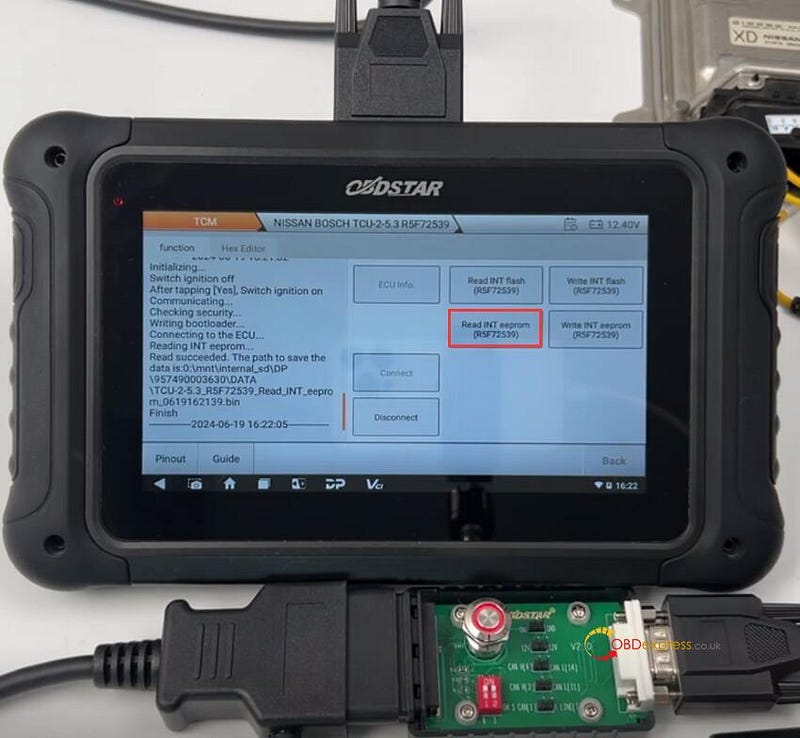
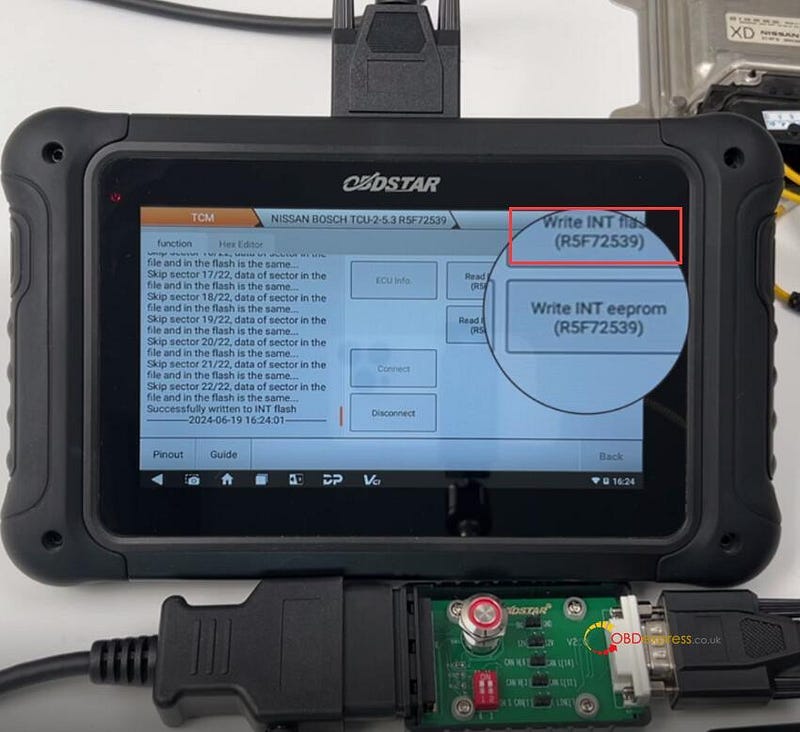
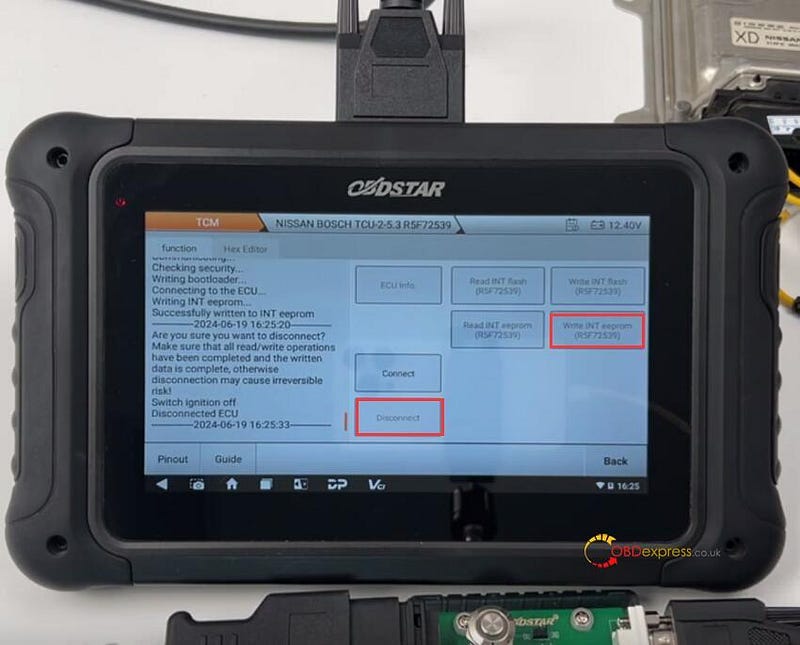
Start to connect ECU, read INT Flash & INT EEPROM (R5F72539), and write the original data into the new Nissan TCM.

Disconnect the ECU after writing.

Note: During the operation, follow the on-screen prompts to turn off or turn on P004 Adapter switch button.

OBDSTAR X300 Classic G3 clone Nissan TCU253 R5F72539:


Nissan CVT TCU253 R5F72539 TCM Clone by OBDSTAR G3, DC706

OBDSTAR DC706 clone Nissan TCU253 R5F72539:


Nissan CVT TCU253 R5F72539 TCM Clone by OBDSTAR G3, DC706

www.obdexpress.co.uk

Clone Benz CPC2.4 ECM with OBDSTAR X300 and DC706

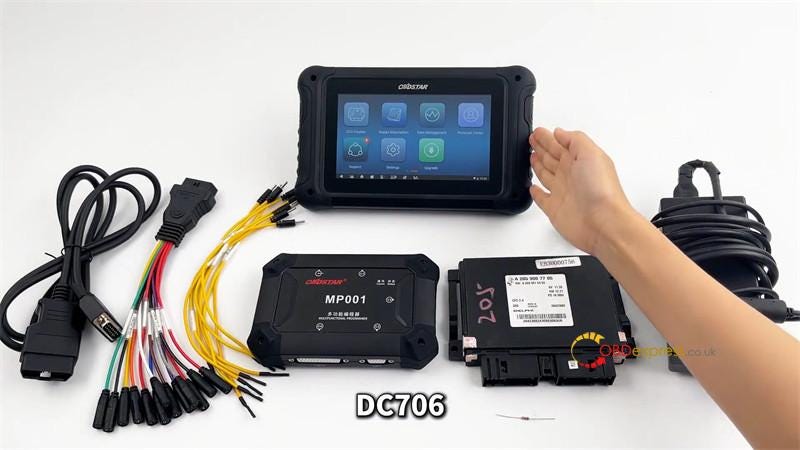
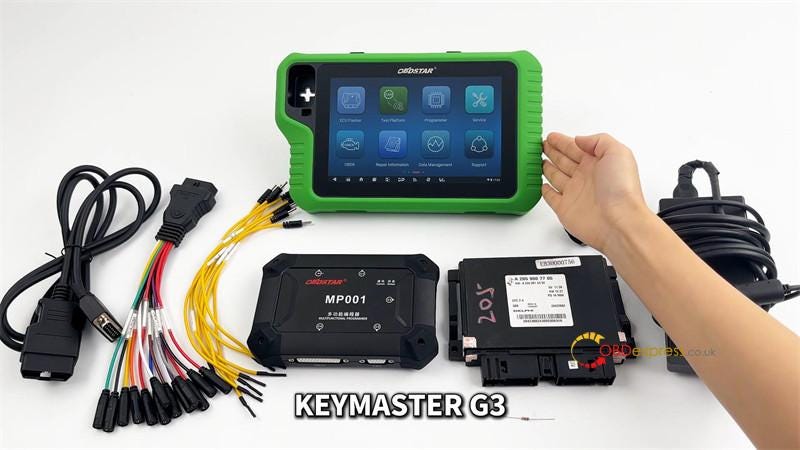
 This is a tutorial on how to clone Mercedes-Benz CPC2.4 ECM with OBDSTAR tool by bench. Here we’ll use the OBDSTAR X300 Classic G3 & DC706 as demonstration, the operation are the same.

Required Tools

OBDSTAR DC706/ Key Master G3

Main Cable

BENCH -A V3 Clone Jumper

MP001 Programmer

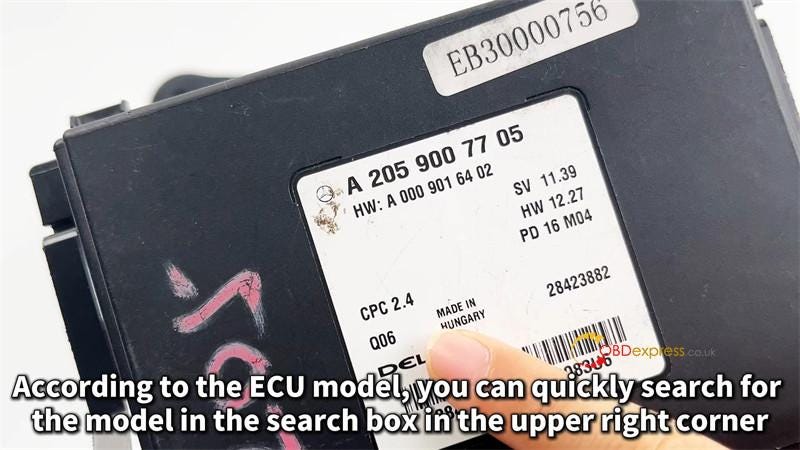
BENZ CPC2.4 ECM

12V 5A Power Supply(DC)

120Ω Resistor


OBDSTAR X300 Classic G3, DC706 Clone BENZ CPC2.4 ECM

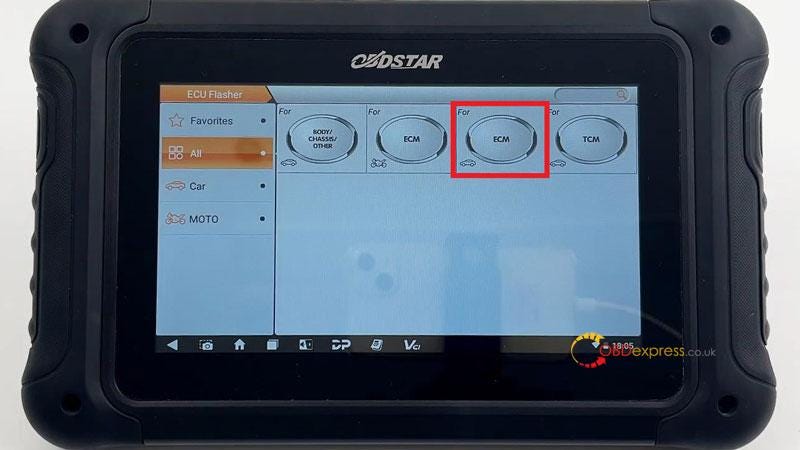
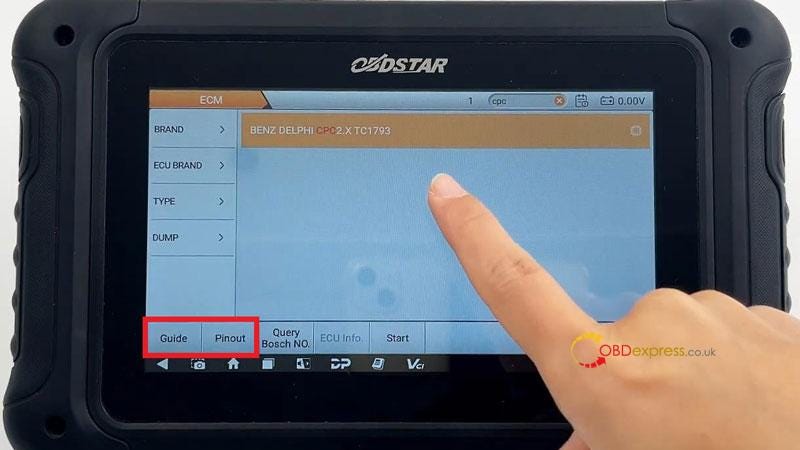
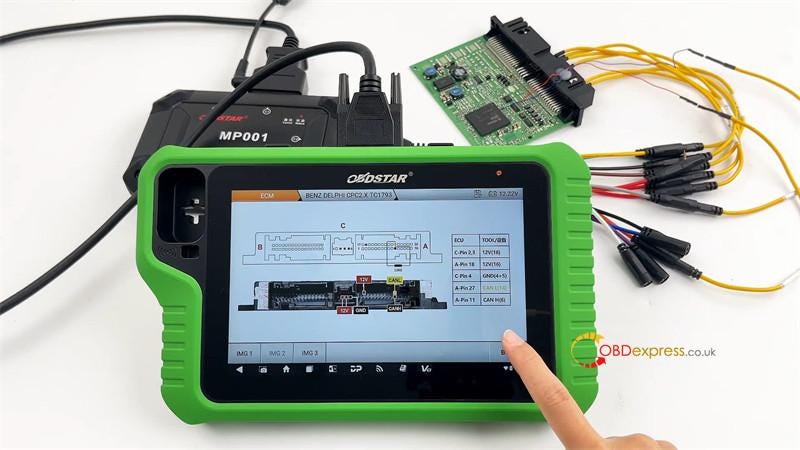
ECU Flasher >> ECM >> Latest version >> BENZ DELPHI CPC2.X TC1793 >> Guide/Pinout


OBDSTAR X300 Classic G3, DC706 Clone BENZ CPC2.4 ECM

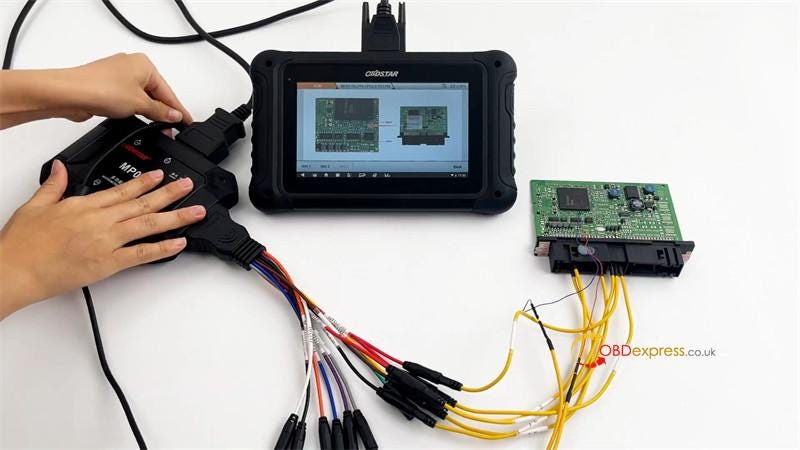
Follow the wiring diagram to connect all devices.

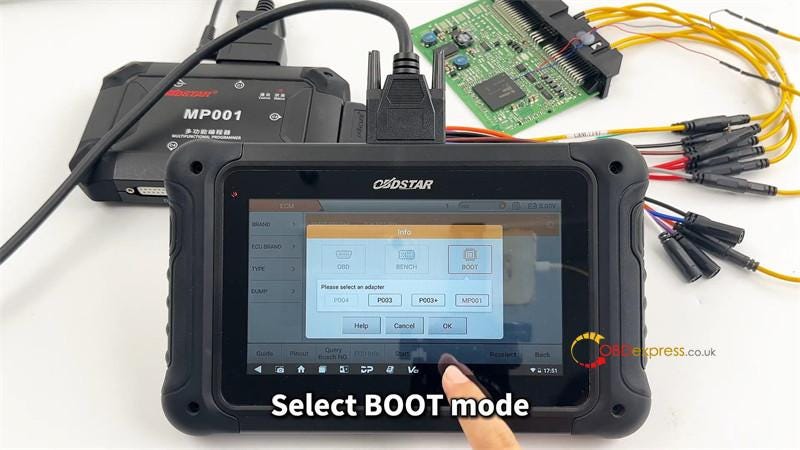
Select "BOOT" mode, press "OK".

This function is available by connecting the server, please ensure the Internet connection is normal.

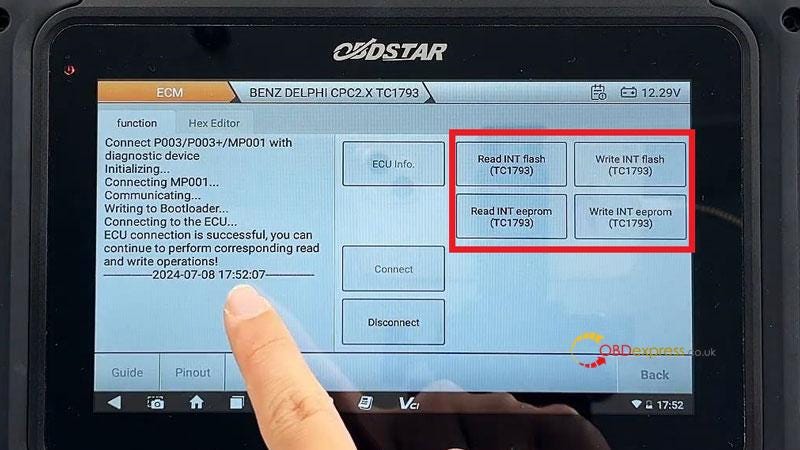
Connect >> OK

Now we can read & write INT flash or eeprom(TC1793) as required.


OBDSTAR X300 Classic G3, DC706 Clone BENZ CPC2.4 ECM

www.obdexpress.co.uk

Wednesday, July 10, 2024

OBDSTAR MOTO Software Update in June 2024

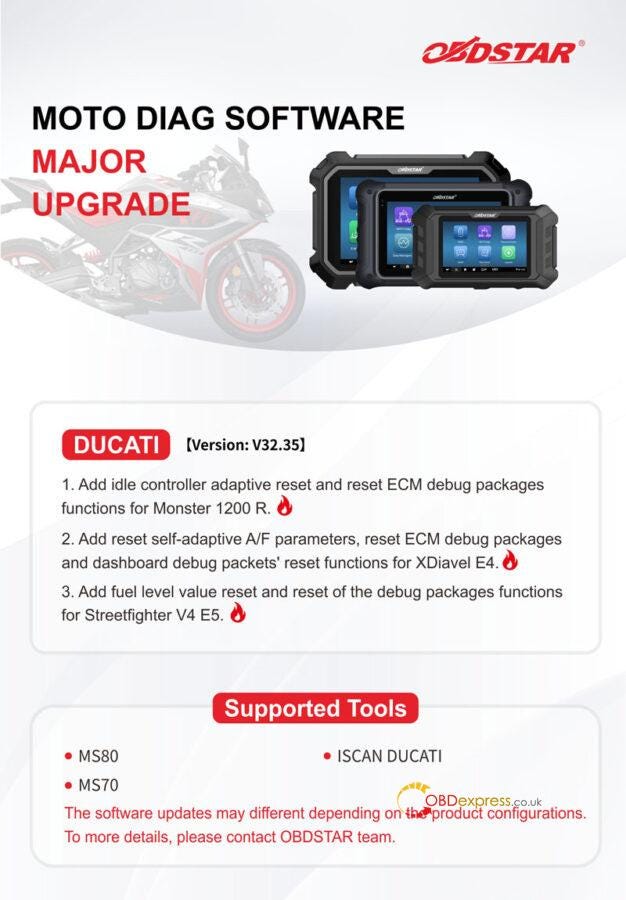
 OBDSTAR MOTO DIAG Software has released upgraded Version 32.35 for DUCATI and added general special function modules for many brands. Details please check below:

DUCATI Version: V32.35

  1. Add idle controller adaptive reset and reset ECM debug package functions for Monster 1200R.
  2. Add reset self-adaptive A/F parameters, reset ECM debug packages and dashboard debug packets’ reset functions for XDiavel E4.
  3. Add fuel level value reset and reset of the debug packages functions for Streetfighter V4 E5.

Support Tools

OBDSTAR MS80

OBDSTAR MS70

OBDSTAR ISCAN DUCATI


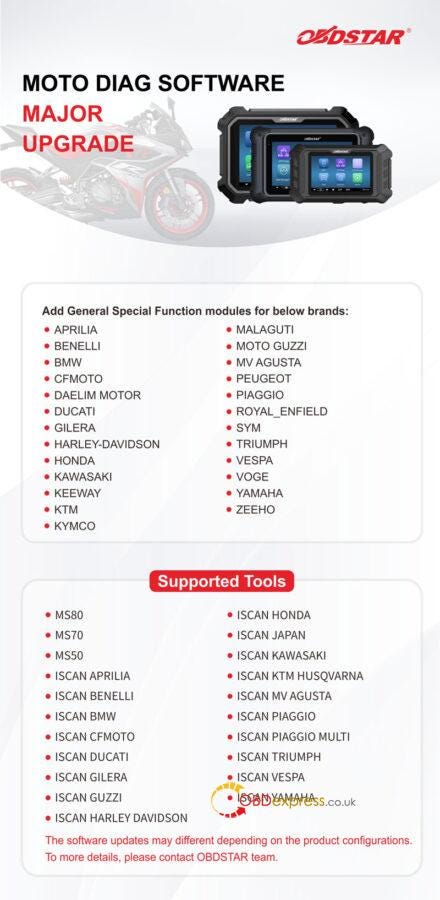
OBDSTAR MOTO DIAG Software Upgrade

Add General Special Function modules for below brands:

APRILIA

BENELLI

BMW

CFMOTO

DAELIM MOTOR

DUCATI

GILERA

HARLEY-DAVIDSON

HONDA

KAWASAKI

KEEWAY

KTM

KYMCO

MALAGUTI

MOTO GUZZI

MV AGUSTA

PEUGEOT

PIAGGIO

ROYAL_ENFIELD

SYM

TRIUMPH

VESPA

VOGE

YAMAHA

ZEEHO

Supported Tools

OBDSTAR MS80

OBDSTAR MS70

OBDSTAR MS50

OBDSTAR ISCAN APRILIA

OBDSTAR ISCAN BENELLI

OBDSTAR ISCAN BMW

OBDSTAR ISCAN CFMOTO

OBDSTAR ISCAN DUCATI

OBDSTAR ISCAN GILERA

OBDSTAR ISCAN GUZZI

OBDSTAR ISCAN HARLEY DAVIDSON

OBDSTAR ISCAN HONDA

OBDSTAR ISCAN JAPAN

OBDSTAR ISCAN KAWASAKI

OBDSTAR ISCAN KTM HUSQVARNA

OBDSTAR ISCAN MV AGUSTA

OBDSTAR ISCAN PIAGGIO

OBDSTAR ISCAN PIAGGIO MULTI

OBDSTAR ISCAN TRIUMPH

OBDSTAR ISCAN VESPA

OBDSTAR ISCAN YAMAHA


OBDSTAR MOTO DIAG Software Upgrade

www.obdexpress.co.uk

Wednesday, July 3, 2024

OBDSTAR MT203: Gateway Simulator Setup and Usage Tutorial

 OBDSTAR MT203 CAN Driver/Gateway Simulator is a new 2024 OBDSTAR tool which is specially designed for automotive electronics maintenance and repair with 2-year free update. It can do CAN driver and gateway simulation function for multiple vehicles.

First, let’s learn more info about OBDSTAR MT203.

OBDSTAR MT203 Gateway Simulator comes with MT203 main unit and Mini USB upgrade cable.

  • The Mini USB upgrade cable is directly connected to the PC for one-key upgrade.

You can download the software from the official website "Service-Download-One Click Upgrade Tool", and then connect the device to the computer with USB to upgrade it.

  • The main unit cable has a 120 ohm resistor switch. If the ECU does not have a 120 ohm resistor, it needs to be turned on.

There are also four cables in MT203, power cable, GND cable, CAN Low and CAN High.

Besides, it also has 12V power connector and OBD female connector.
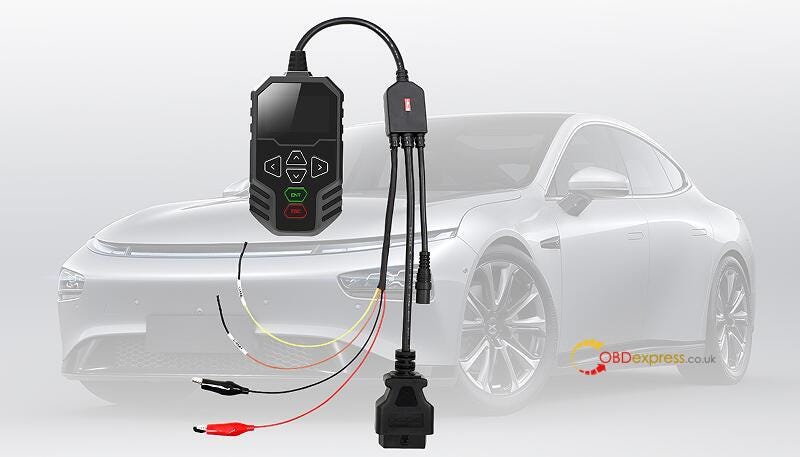

How to Use OBDSTAR MT203 CAN Driver, Gateway Simulator

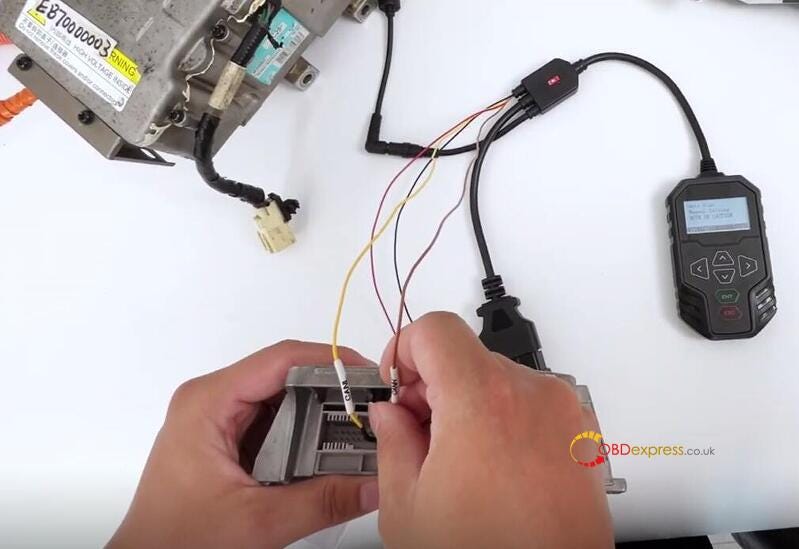
OBDSTAR MT203 CAN Driver can be used for automotive electronic ECU repair and e-car components repair below.

  • Automotive electronic ECU repair (Airbag, Dash, BCM and other modules simulation gateway diagnostic test by BENCH)
  • Automotive electronic ECU repair (Dash, Audio, Gear Lever, AC panel and other modules CAN drive test by BEHCH)
  • E-Car components repair (Compressor, DCDC, On-board charger and other modules simulation gateway diagnostic test by BENCH)

OBDSTAR MT203 supports Dash, Audio, Gear Lever, AC Panel and other test functions for the car models below.

AUDI, FORD, PORSCHE, BENZ, JAGUAR, ROLLS-ROYCE, BMW, LAMBORGHINI, VOLKSWAGEN, DODGE, LAND ROVER, VOLVO.

OBDSTAR MT203 supports Gateway Protocol Types incl. Standard CAN, Tolerant CAN, and CAN FD.

  • Standard CAN/Standard CAN

500K/250K 500K/125K

Custom Baud Rate

  • Standard CAN/Tolerant CAN

500K/83.3K

500K/100K

500K/125K

125K/125K

Custom Baud Rate

  • Standard CAN/CAN FD

500K/5M

500K/2M

Custom Baud Rate

OBDSTAR MT203 supports CAN Driver for many vehicles.

Supports Dash, Audio, Gear Lever, AC Panel and other test functions for AUDI, BENZ, BMW, DODGE, FORD, JAGUAR, LAMBORGHINI, LAND ROVER, PORSCHE, ROLLS-ROYCE, VOLKSWAGEN, VOLVO and other brands

Then, let’s see how to use OBDSTAR MT203 to perform Gateway Simulator and CAN Driver.

Plug in the 12V power supply

Connect the OBD female connector to the diagnostic connector
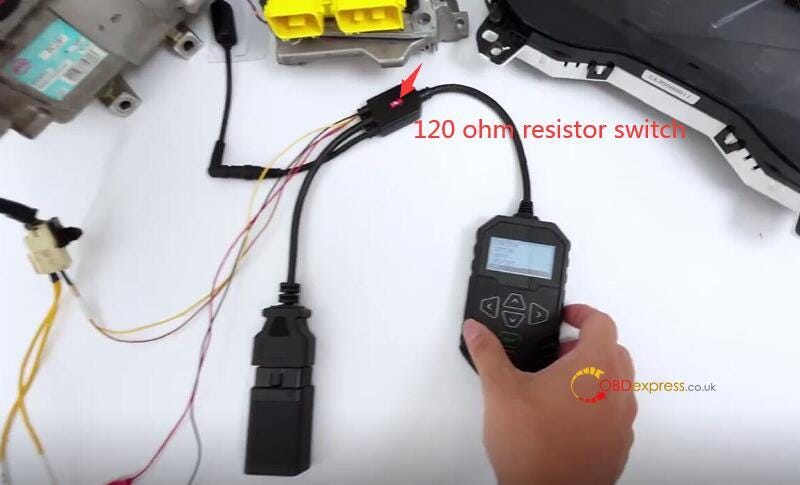

How to Use OBDSTAR MT203 CAN Driver, Gateway Simulator

1).GATEWAY

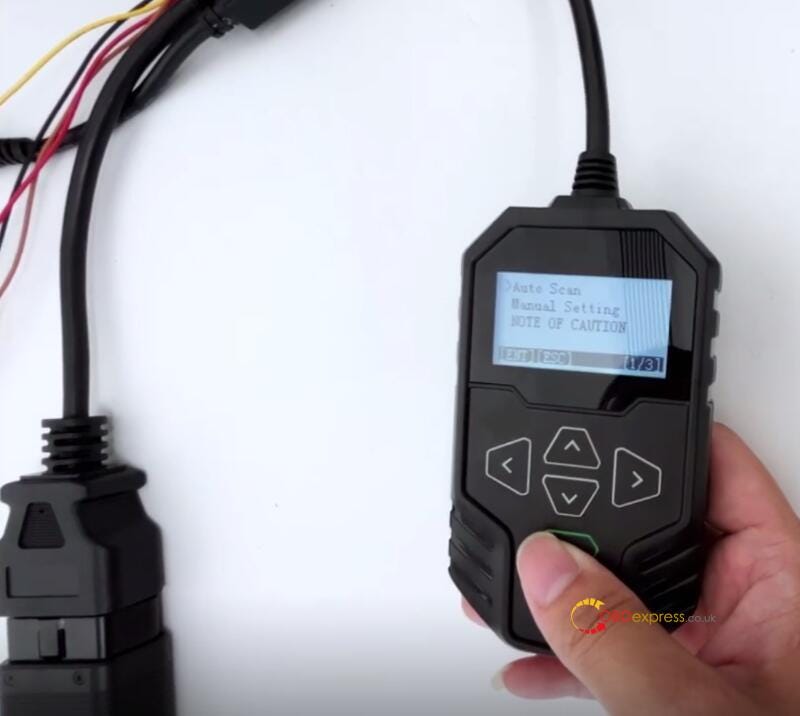
Check the note of caution
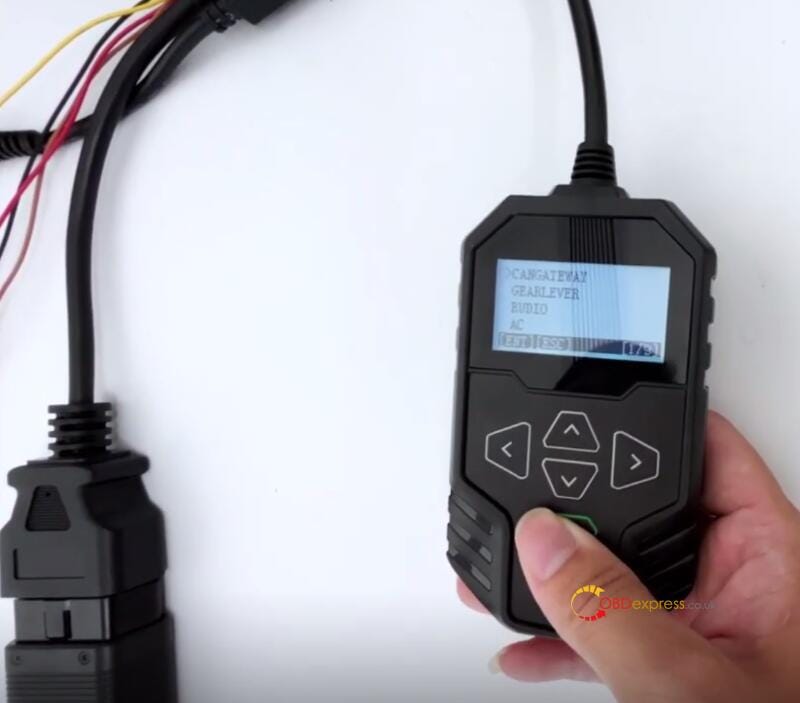

How to Use OBDSTAR MT203 CAN Driver, Gateway Simulator

1.Select [Auto Scan]

Supports Standard CAN and Tolerant CAN
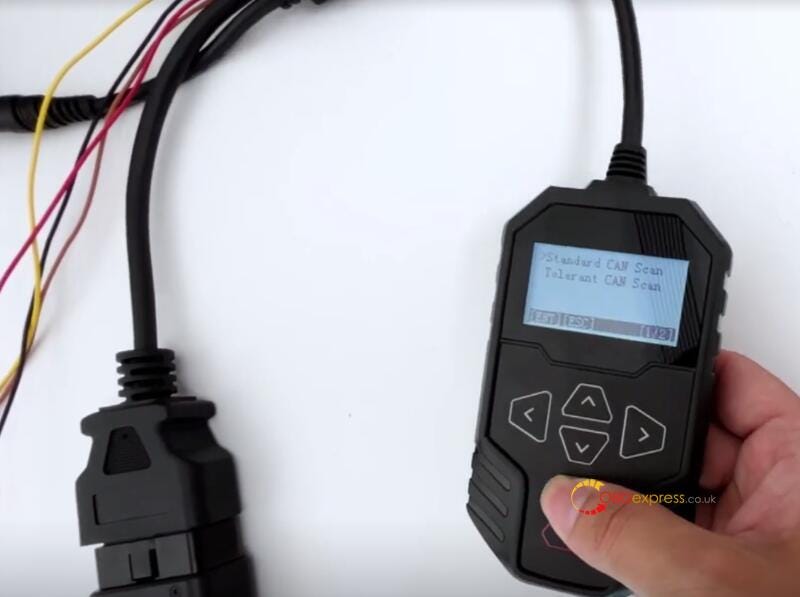

How to Use OBDSTAR MT203 CAN Driver, Gateway Simulator

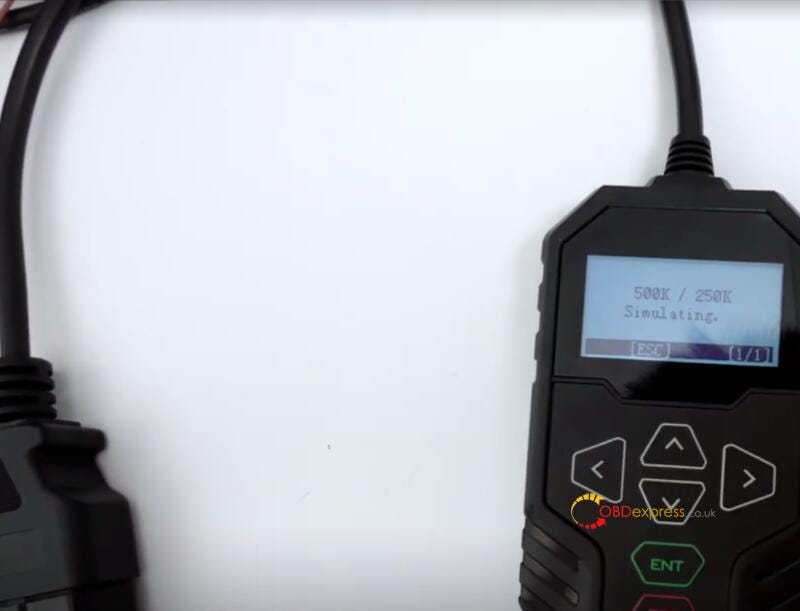
Start by operating the Standard CAN

It recognizes that the baud rate of the BYD E6 compressor is 250K

How to Use OBDSTAR MT203 CAN Driver, Gateway Simulator

Press [ENT] to start the simulation

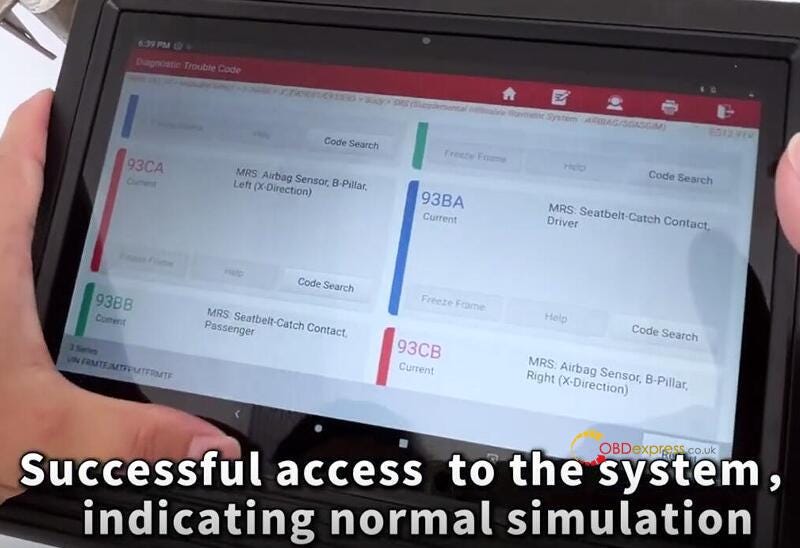
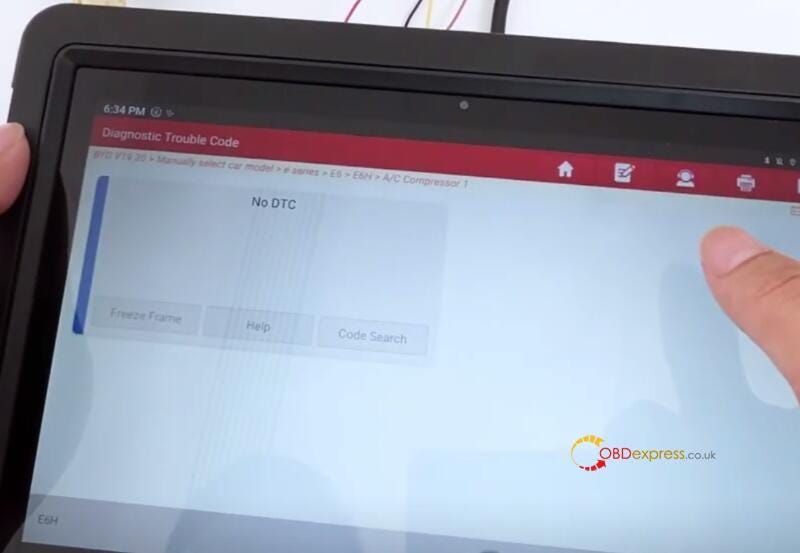
Check out the diagnostic tool

It can access the system normally, and the simulation is successful.

How to Use OBDSTAR MT203 CAN Driver, Gateway Simulator

Note:

If the simulation is successful, the three points will rotate in a loop.

If they stop, the simulation fails.

2.Operate [Manual Setting]

Supports Standard CAN, Tolerant CAN and CAN FD

  • Standard CAN

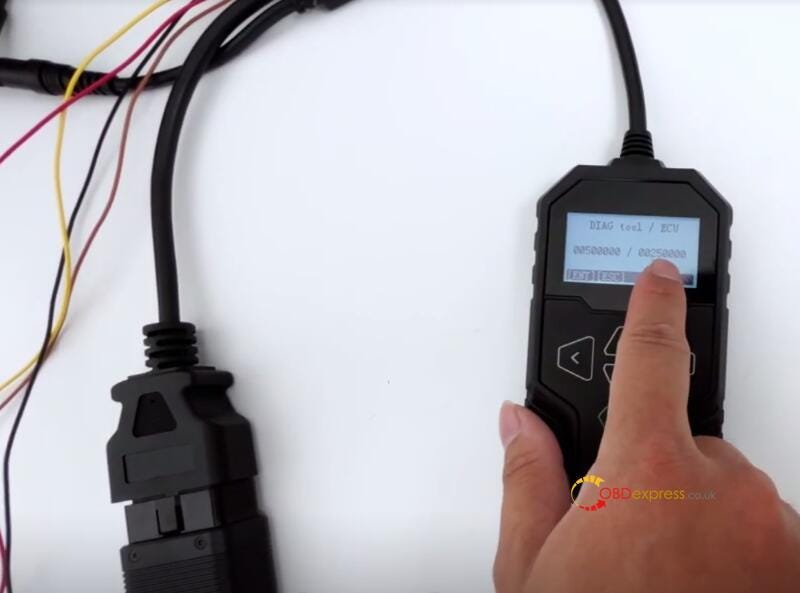
Select Standard CAN>> Custom Baud Rate and set it according to your needs

On the left is the baud rate of the diagnostic scanner, and on the right is the baud rate of the ECU

How to Use OBDSTAR MT203 CAN Driver, Gateway Simulator

Enter the correct baud rate and press [ENT]

Access to the diagnostic system normally- successful simulation

  • Tolerant CAN

Connect the module first


How to Use OBDSTAR MT203 CAN Driver, Gateway Simulator

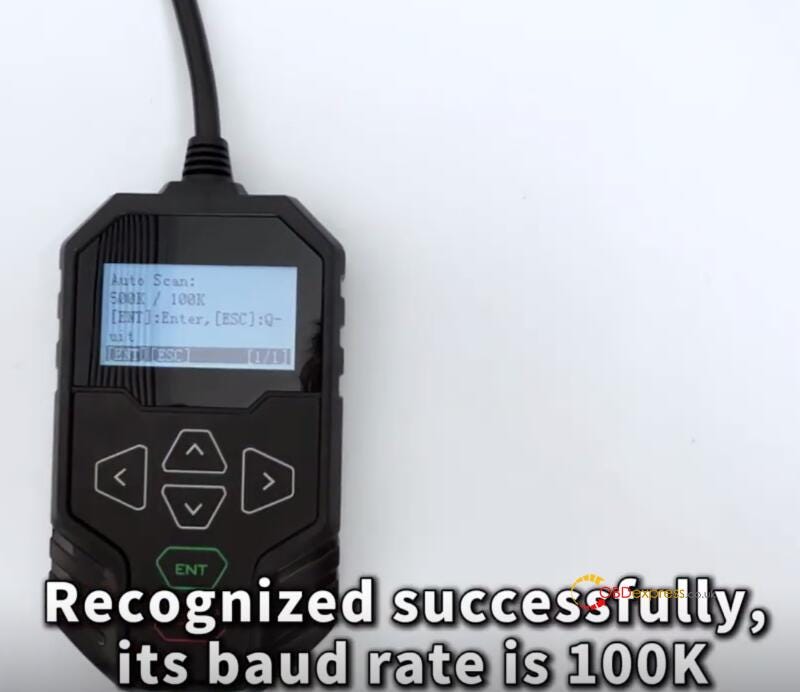
Select Auto Scan>> Tolerant CAN Scan

Recognized successfully, its baud rate is 100K.

How to Use OBDSTAR MT203 CAN Driver, Gateway Simulator

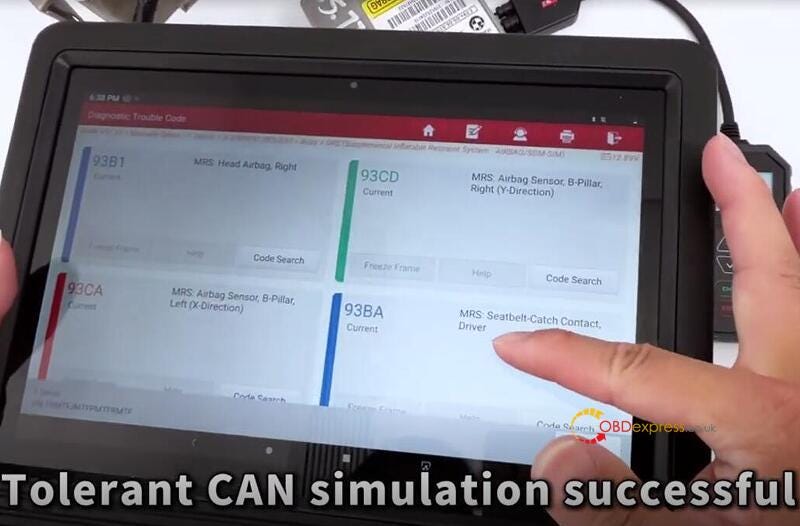
Read the fault code with the diagnostic tool

Tolerant CAN simulation is successful

Diagnostics can be performed normally.

How to Use OBDSTAR MT203 CAN Driver, Gateway Simulator

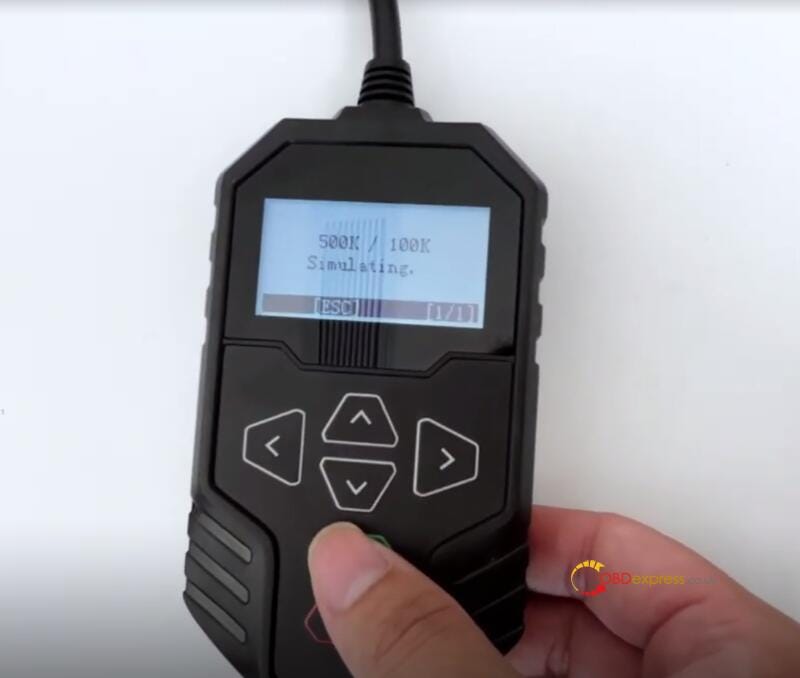
Select [Manual Setting] to try as well

There are some common baud rates in the device by default.

Select the correct baud rate, and then read the fault code with the diagnostic scanner

Access to the system successfully, indicating simulation is normal

How to Use OBDSTAR MT203 CAN Driver, Gateway Simulator
  • CAN FD

The CAN FD protocol does not support automatic scanning.

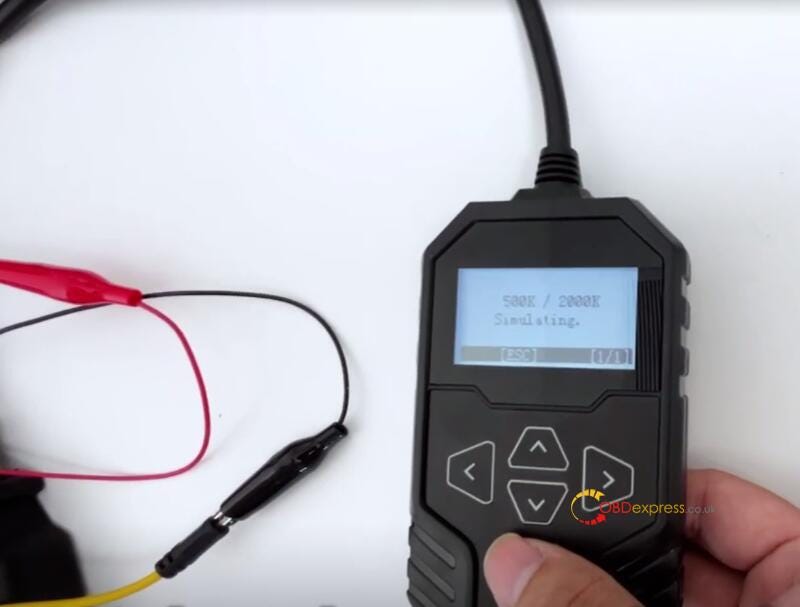
Select [Manual Setting], this has been pre-tested, and the baud rate is 2 megabits

Select the correct baud rate 500K/2000K

How to Use OBDSTAR MT203 CAN Driver, Gateway Simulator

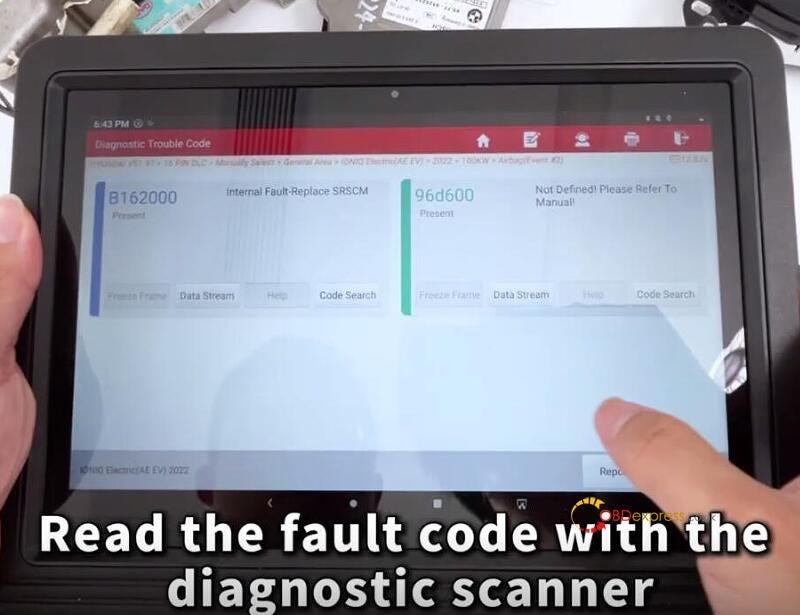
Read the fault code with the diagnostic scanner

How to Use OBDSTAR MT203 CAN Driver, Gateway Simulator

It’s also possible to diagnose normally. The simulation is successful.

Select [Custom Baud Rate], enter the correct baud rate, and press [ENT]

Read the fault code with the diagnostic scanner, and the simulation is successful.

2).CAN Driver

There are many types of drive tests like dashboard, ABS, etc on the main menu.
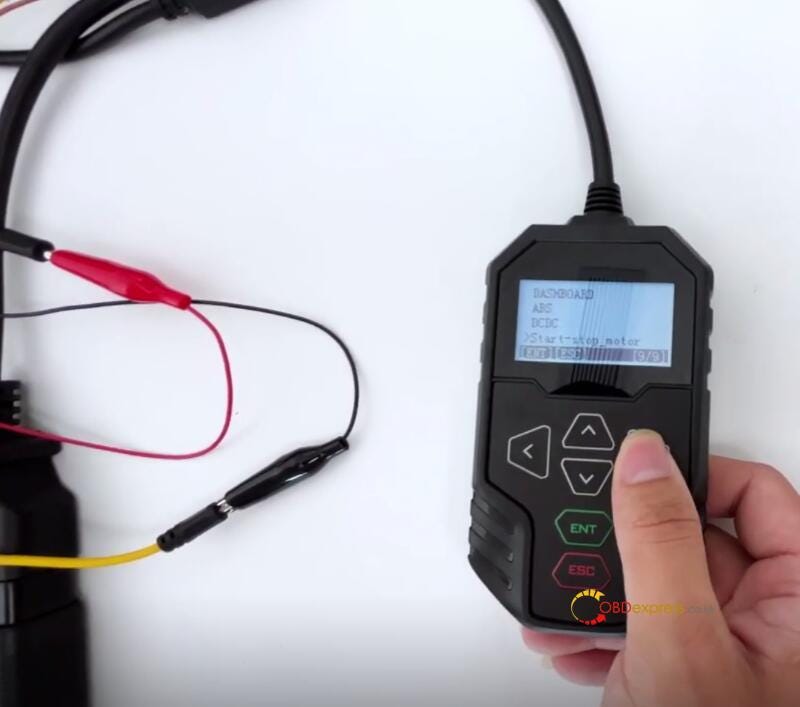

How to Use OBDSTAR MT203 CAN Driver, Gateway Simulator

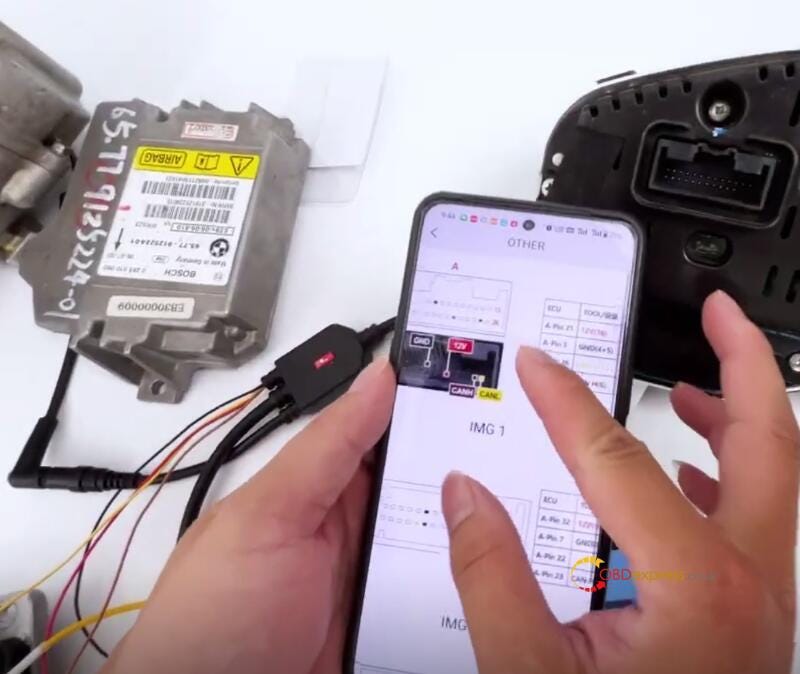
The wiring diagram of the module can be found from the OBDSTAR APP on the Android/IOS smartphone

For example: Dashboard>> FORD>> OTHER
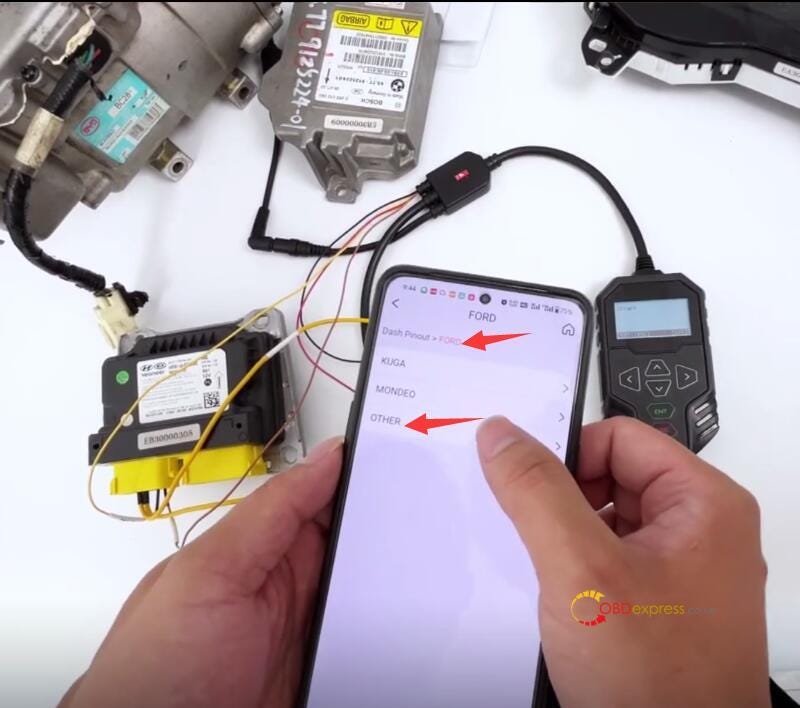

How to Use OBDSTAR MT203 CAN Driver, Gateway Simulator

Connect MT203 and dashboard drive correctly according to the diagram

Press [ENT] on the MT203 device, and the dashboard lights up
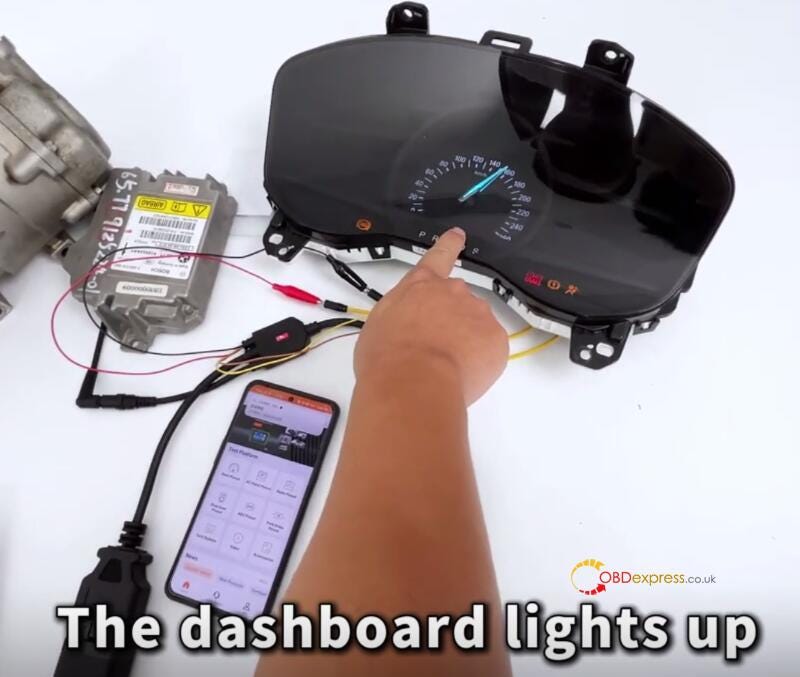

How to Use OBDSTAR MT203 CAN Driver, Gateway Simulator

Press [ESC], and the dashboard enters sleep mode
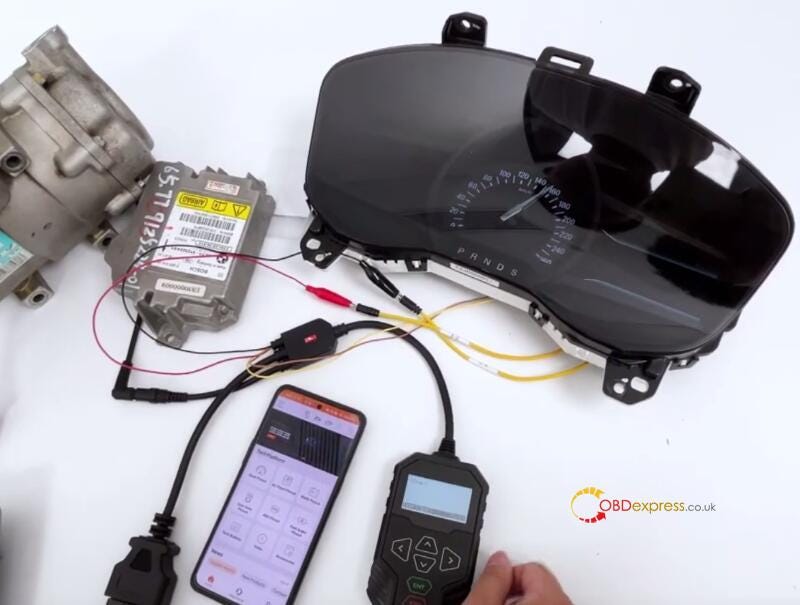

How to Use OBDSTAR MT203 CAN Driver, Gateway Simulator

OBDSTAR MT203 CAN Driver/Gateway Simulator will be available at OBDexpress.co.uk next week. If you are interested in it, you can pre-order it now.

https://www.obdexpress.co.uk/wholesale/obdstar-mt203-can-driver-gateway-simulator.html

www.obdexpress.co.uk


Wednesday, June 19, 2024

How to Program Volvo XC40 Proximity Key with OBDSTAR X300 Classic G3

 OBDSTAR X300 Classic G3 programs proximity key to Volvo XC40 perfectly.

Ensure all batteries are fully charged before proceeding.

If the auxiliary battery is below 12V, it must be removed and charged before operating.

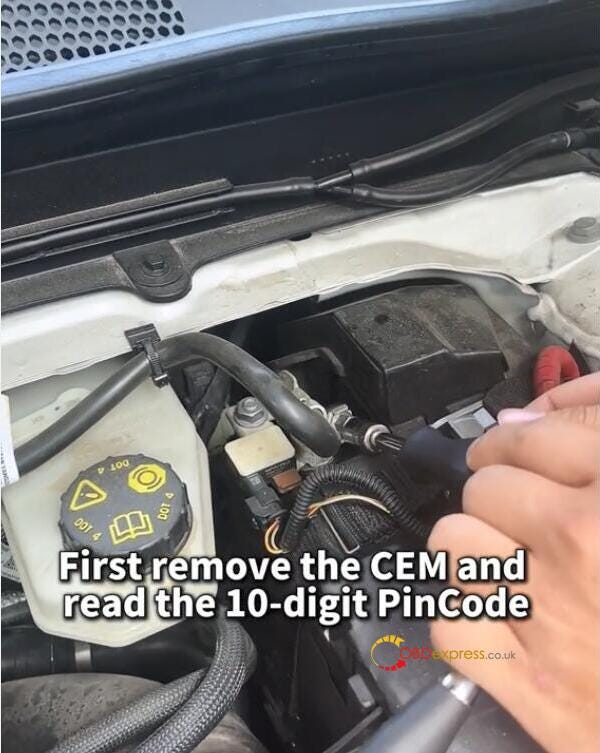
Step 1:

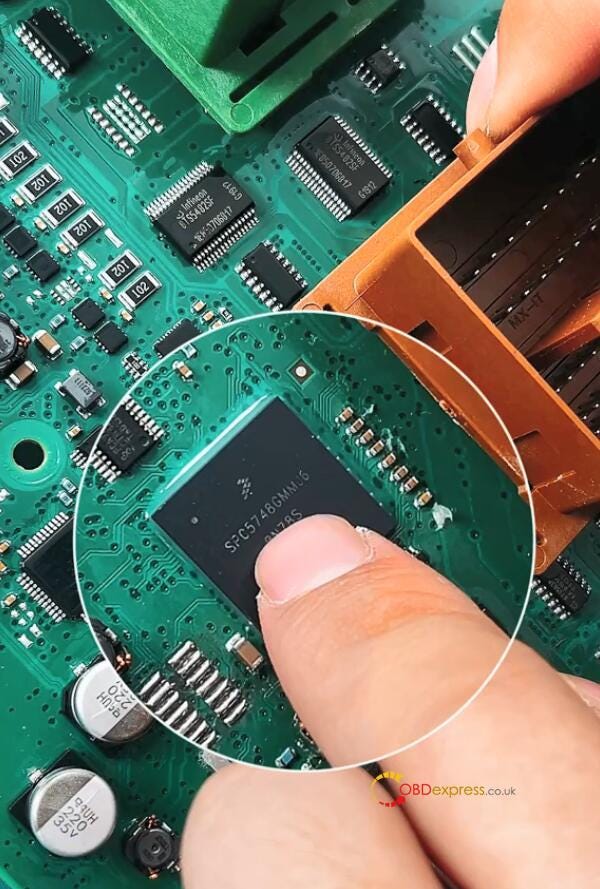
Remove the CEM and read the 10-digit Pincode


OBDSTAR X300 Classic G3 Program VOLVO XC40 Proximity Key

The battery needs to be disconnected before removing the CEM.

Open the CEM casing

Step 2:

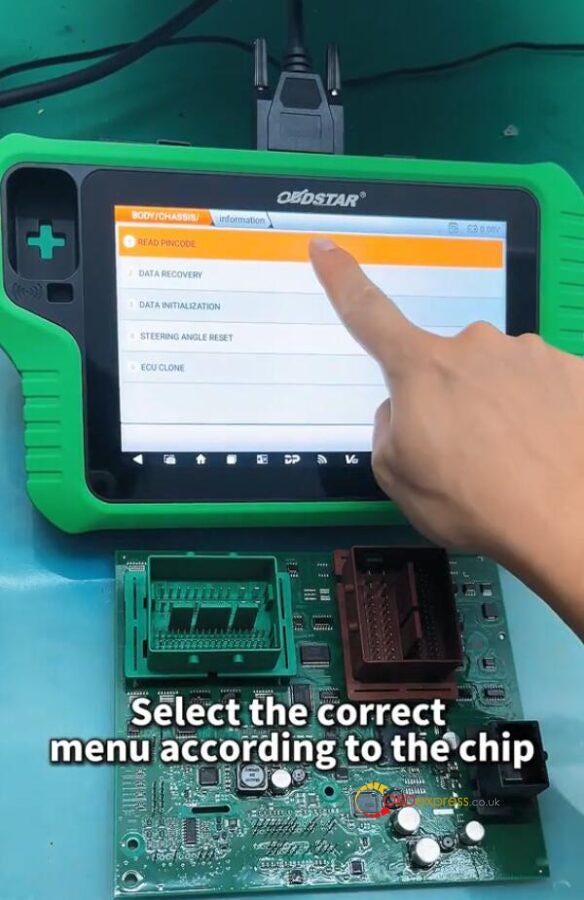
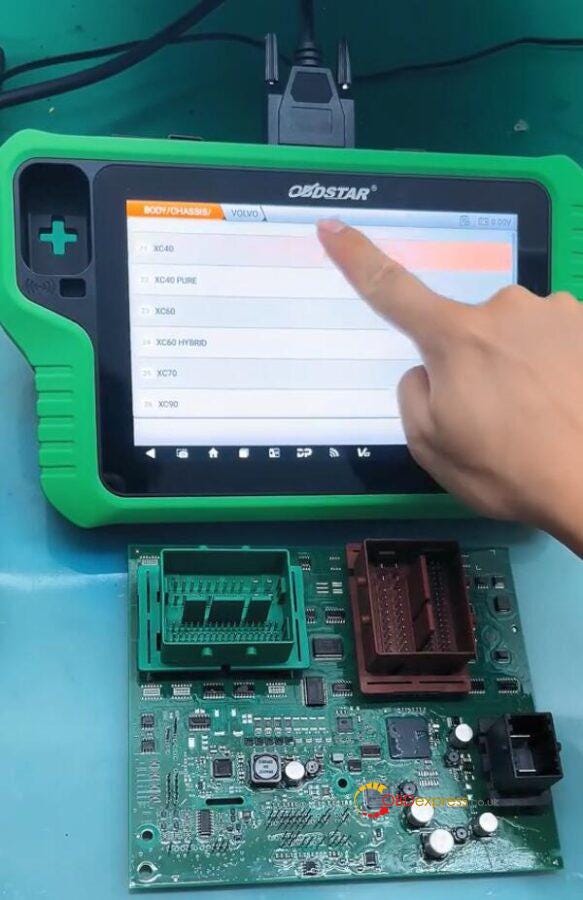
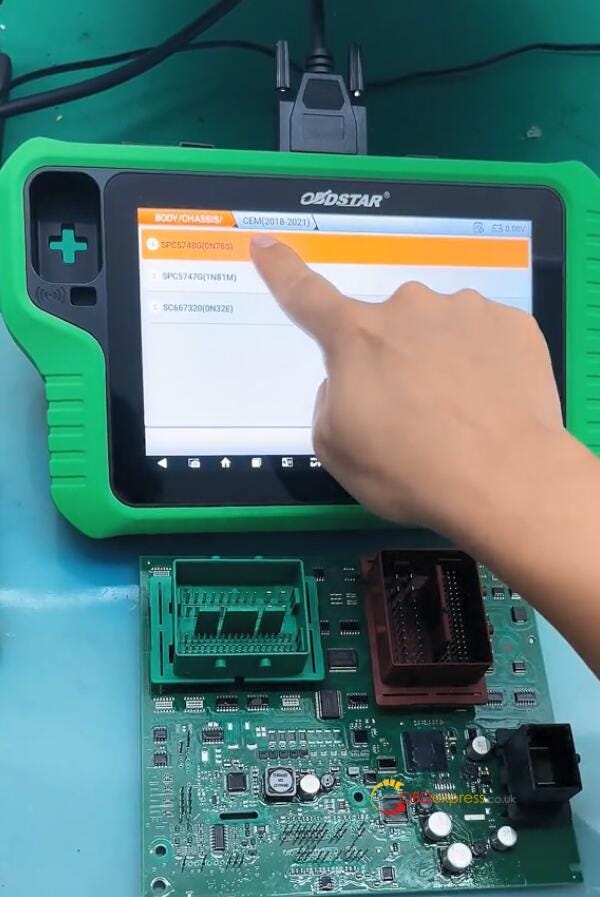
Select BODY/CHASSIC/OTHER>> BODY/CHASSIC/OTHER V30.01>> READ PINCODE>> VOLVO>> XC40>> PROXIMITY>> CEM (2018–2021)>> SPC5748G (0N78S)


OBDSTAR X300 Classic G3 Program VOLVO XC40 Proximity Key

Step 3:

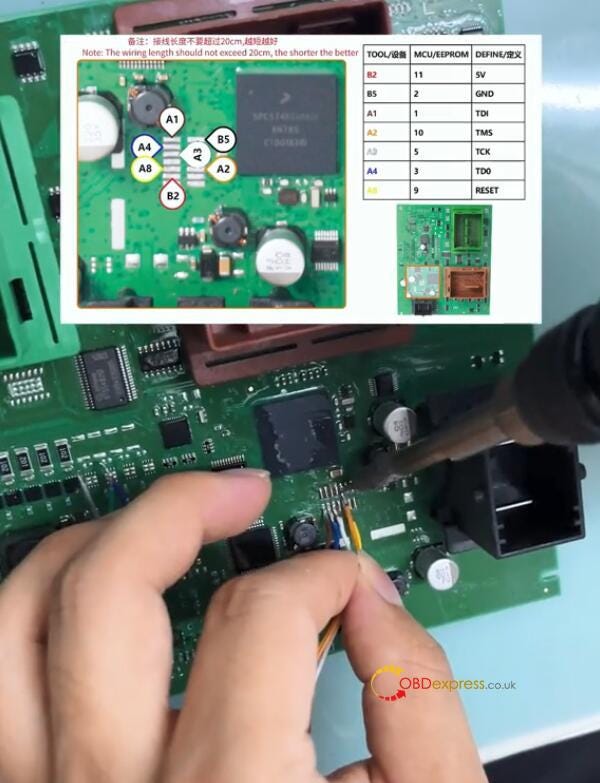
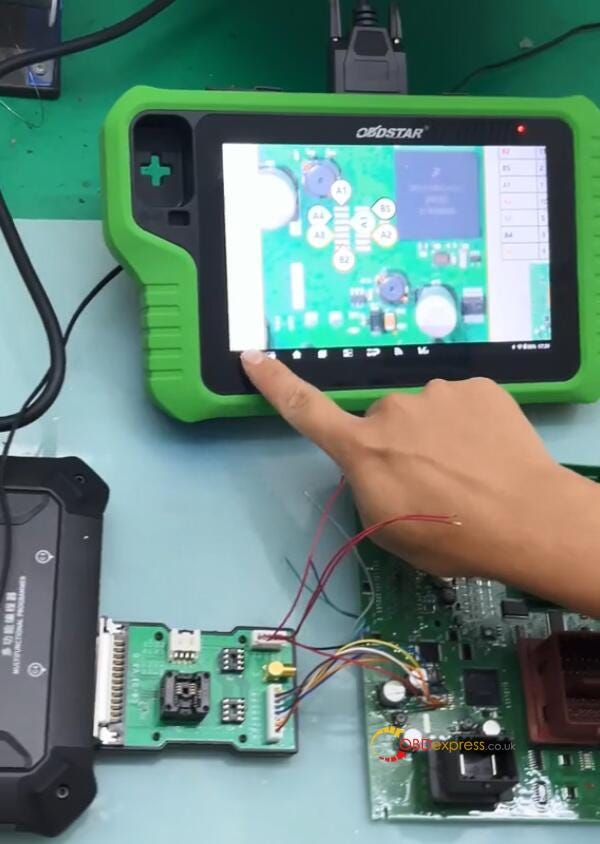
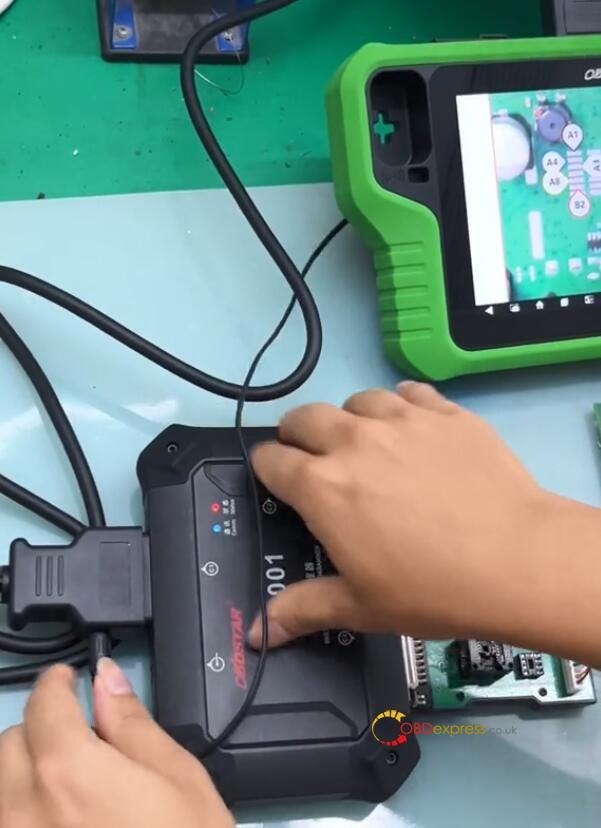
Use OBDSTAR MP001 Programmer to connect X300 Classic G3 key programmer and Volvo CEM according to the wiring diagram


OBDSTAR X300 Classic G3 Program VOLVO XC40 Proximity Key

Note: The wiring length should not exceed 20cm, the shorter the better.

Step 4:

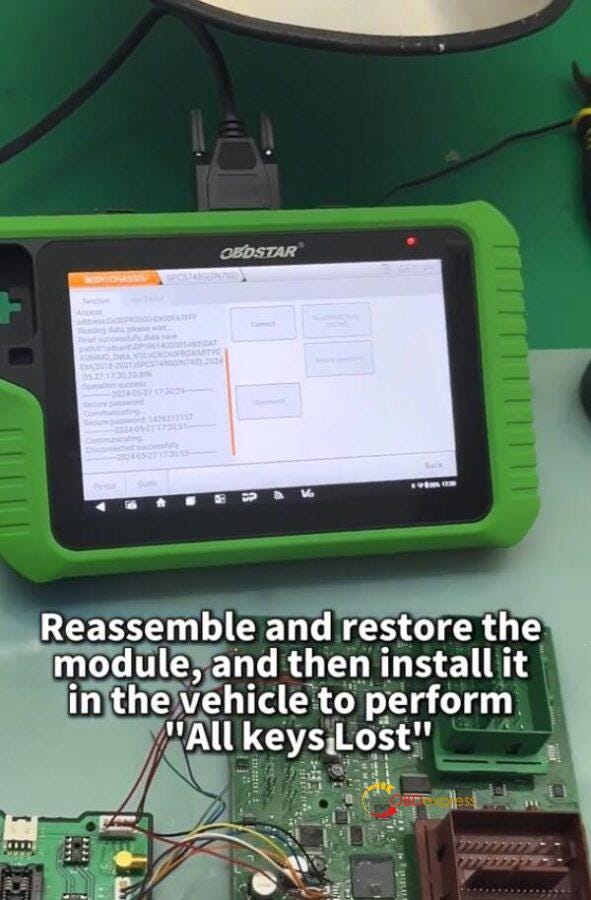
After connection, click [Connect] to connect MP001 and Volvo CEM
Step 5:

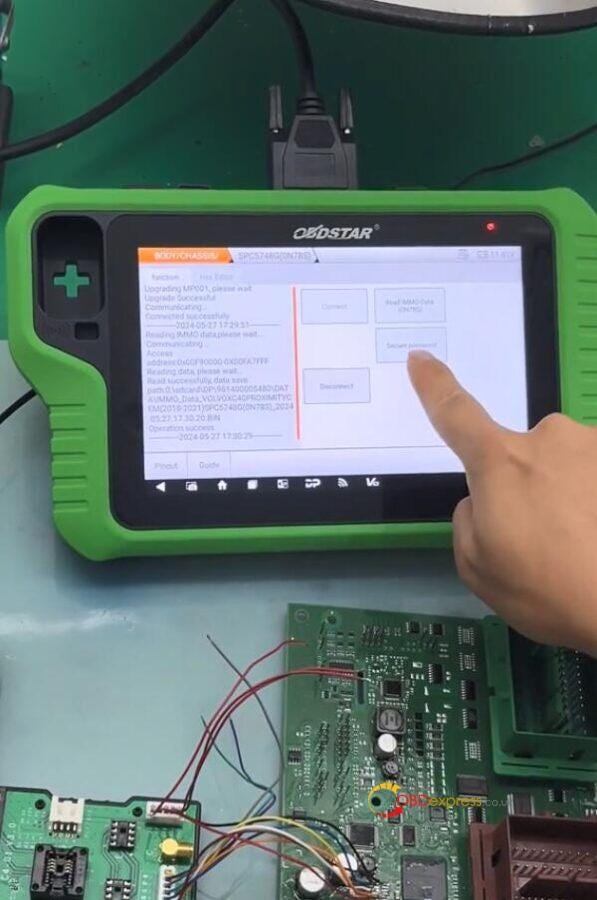
Read IMMO data and save the file


OBDSTAR X300 Classic G3 Program VOLVO XC40 Proximity Key

Step 6:

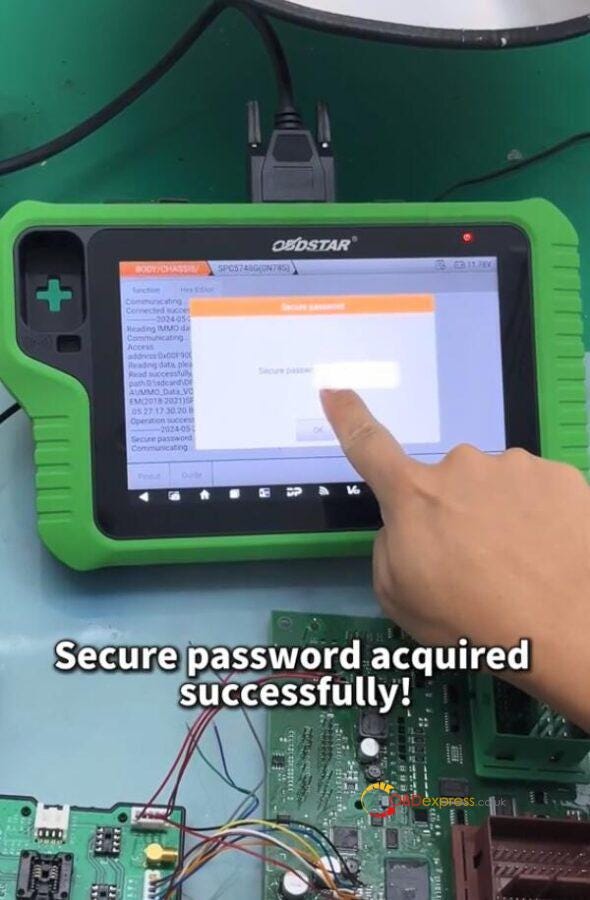
Select the CEM security IMMO data to secure password

Step 7:

After securing the password successfully, disconnect CEM. Reassemble and restore the CEM module, and then install it in the vehicle to perform [All keys lost] function via OBD.


OBDSTAR X300 Classic G3 Program VOLVO XC40 Proximity Key

Step 8:

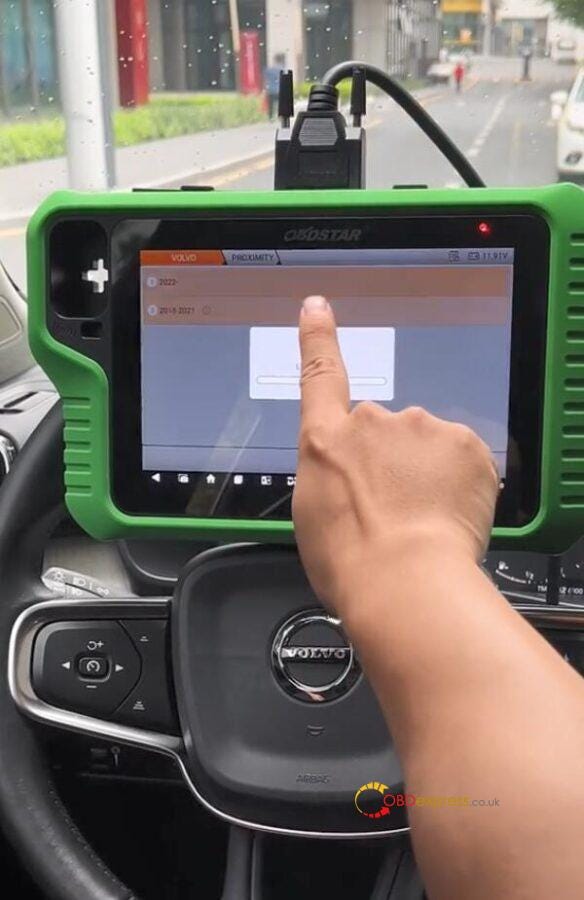
Select IMMO>> VOLVO>> PROXIMITY>> 2018–2021>> All Keys Lost


OBDSTAR X300 Classic G3 Program VOLVO XC40 Proximity Key

Step 9:

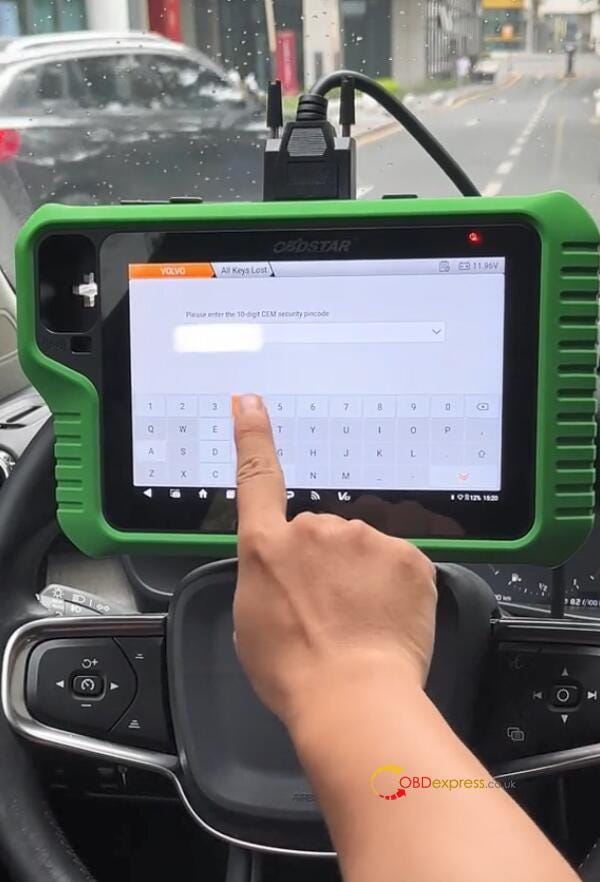
Input the CEM security pincode


OBDSTAR X300 Classic G3 Program VOLVO XC40 Proximity Key

Step 10:

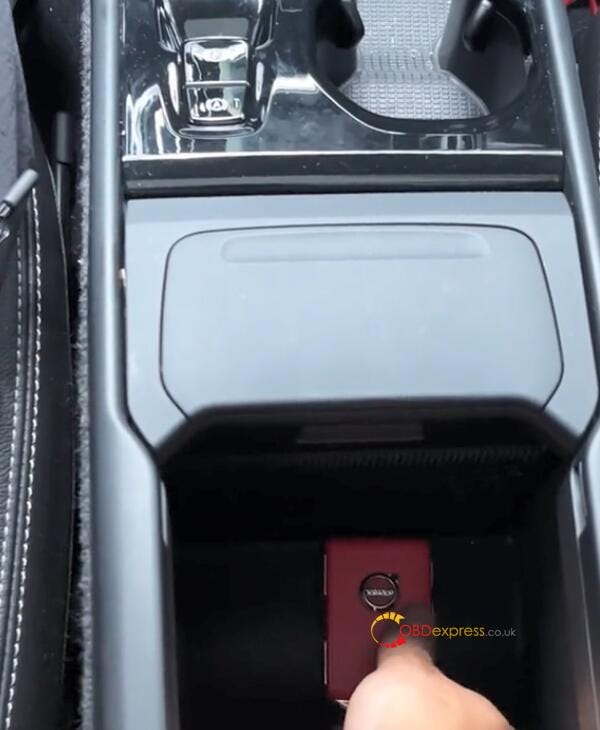
Program new key according to the on-screen prompt


OBDSTAR X300 Classic G3 Program VOLVO XC40 Proximity Key

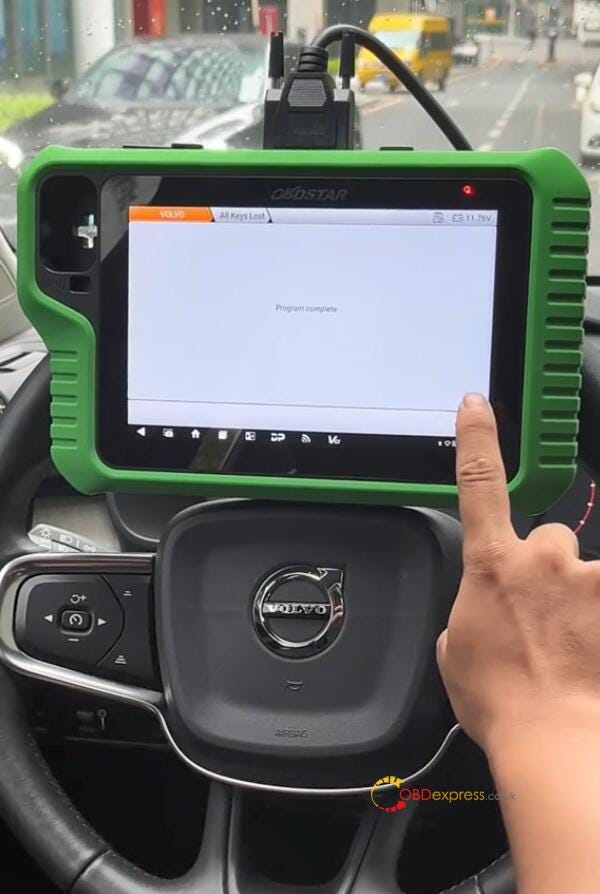
Step 11:

The key can work well as the original key.

OBDSTAR X300 Classic G3 Key Programmer:

https://www.obdexpress.co.uk/wholesale/obdstar-x300-classic-g3-key-programmer.html